Description
Allows you to create 3d looking sprites by stacking multiple sprite on top each other making the Sprite Stacking process easy.
How to use the extension
How to use the extension:
1. Add new Stacked Sprite object that comes with the extension

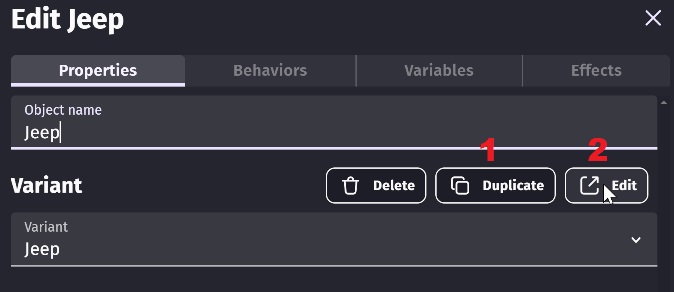
2. Duplicate the Default variant, Name your variant and Press Edit
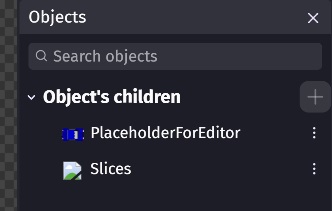
3. Add Placeholder image and Slices of your object to those Sprite objects
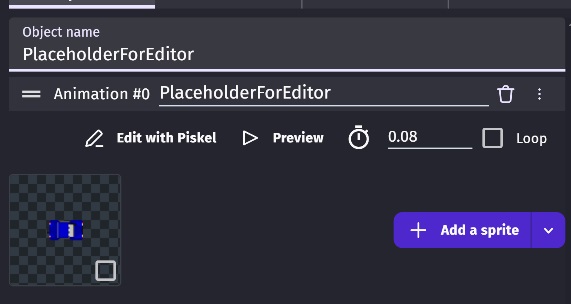
4. Placeholder should be like this and it's there only for editor visibility
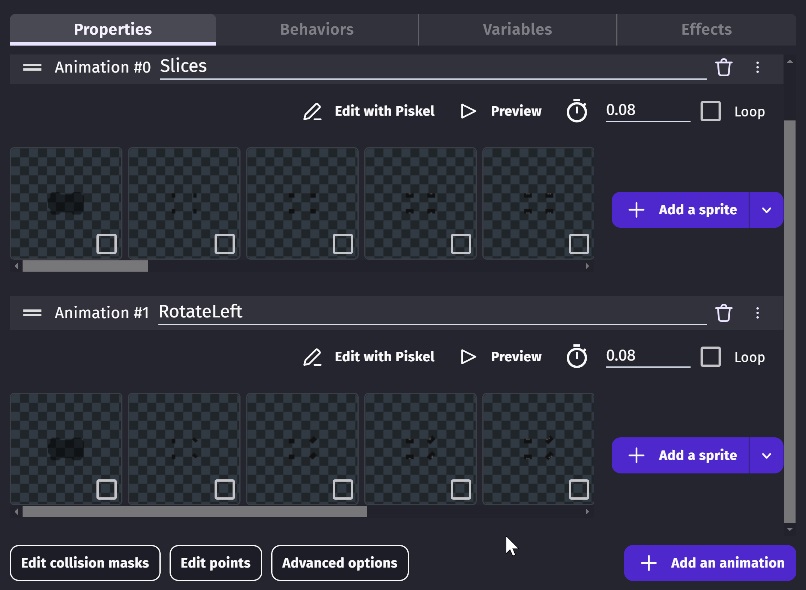
5. Slices should be placed in one animation and it should start from bottom slice to top slice
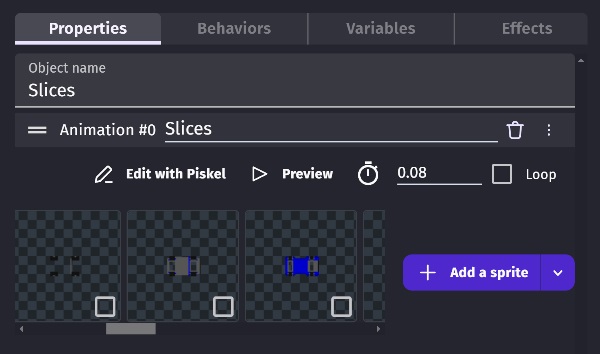
6. If you want to add animations It should have all the slices of the object on every animation.
Checklist
Example file
Sprite Stacking Extension Project.zip
Extension file
SpriteStacking.zip

Description
Allows you to create 3d looking sprites by stacking multiple sprite on top each other making the Sprite Stacking process easy.
How to use the extension
How to use the extension:
1. Add new Stacked Sprite object that comes with the extension
2. Duplicate the Default variant, Name your variant and Press Edit
3. Add Placeholder image and Slices of your object to those Sprite objects
4. Placeholder should be like this and it's there only for editor visibility
5. Slices should be placed in one animation and it should start from bottom slice to top slice
6. If you want to add animations It should have all the slices of the object on every animation.
Checklist
Example file
Sprite Stacking Extension Project.zip
Extension file
SpriteStacking.zip