Debugging Event - Nathan Obodovski #13

Description

Debugging Event
Debugging my problem that I encountered in my CPT project using the process that we went over in class.
-
Start backend using Debugging
-
Set break point at the beginning of endpoint code
-
Start in frontend with split screen loading source for an API fetch using GET.
-
Set break point on fetch, inside .then, inside .fetch
-
Run frontend, screen capture break at fetch while examining Body
-
Press play on frontend, observe stop inside of backend
-
Press step over on backend until you have obtained data from database, screen capture Python Object
-
Press play button to end backend debugging session.
-
Return to frontend debug session
-
Step in until you see data, screen capture capturing break point and Data.
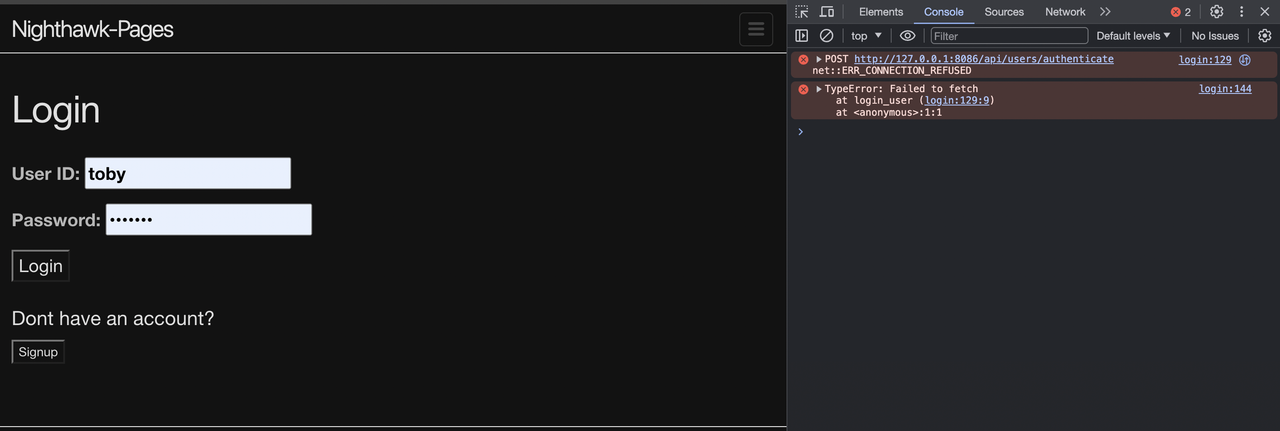
When going throught the process of running my Turn-Based Fantasy Tarkov game, I would type in my correct login credentials but nothing would happen when I clicked the button "login". Instead, the following error message printed in console:
After this, I went into the backend and ran the python debug for my main.py file, and it stopped on line 80:
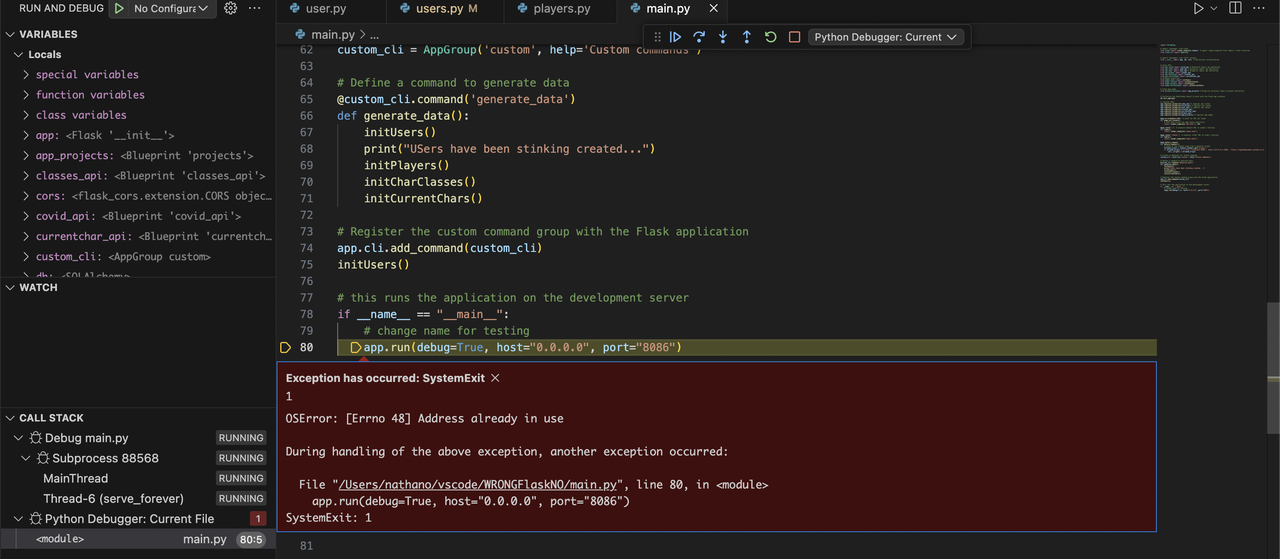
Notice above I get the error "address is already in use". However, if I put a breakpoint and step through, all is fine.
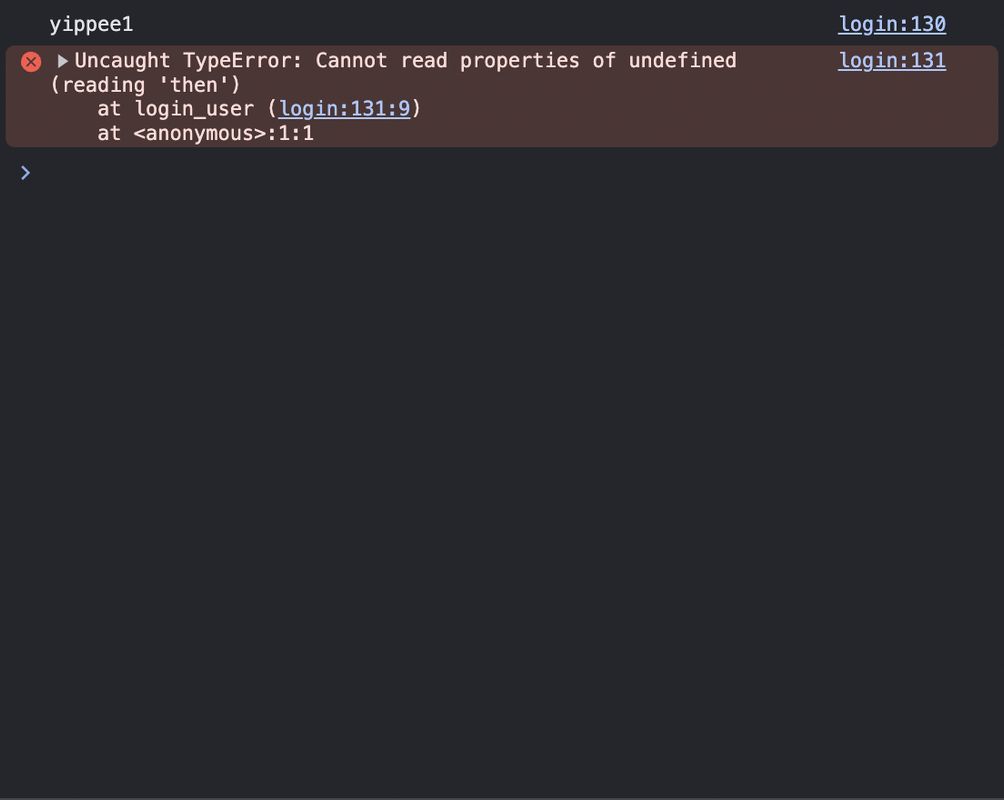
Just from this and the previous error messages, we can deduct that this means that the web server backend isn't going online, which could be caused by a number of reasons, one being that the main.py backend file isn't running, of which I subsequently ran, however I got a different error this time:
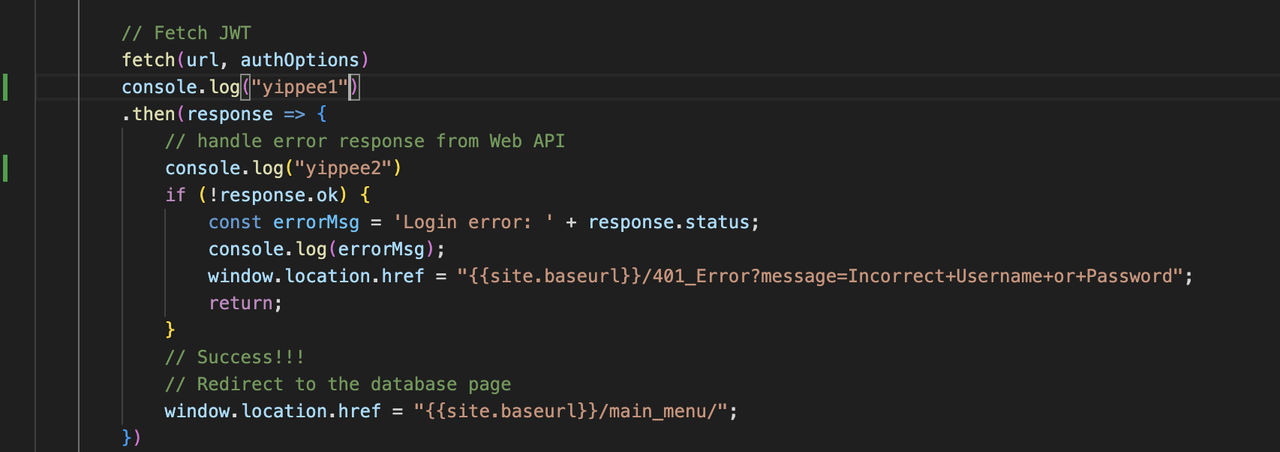
In order to troubleshoot the frontend, I added console.log messages to the JavaScript to catch where it would fail. I put yippee1 after the fetch and yippee2 after the .then response, however only 'yippee1' printed to the console. This could be caused by a variety of reasons but the most likely is that the fetch encountered a server issue, so this has something to do with the backend, so back to the backend we go.
Now when I go to my backend and start successfully running my backend, I get the same error in console, meaning that we should take a look into what it actually means. The Uncaught TypeError suggests that there could be something stopping the .then process. With further research and consultation of peers, I realized that in the process of debugging, I had created an error in and of itself, and I had to delete the first console.log. With this, I was able to get a successful login.
Peer grade: (1.86/2) I loosely follow the canvas steps 1-10 and change the code in the front end a bit to see how the error changes and reacts to my changes.