#67 As a user, so I can sleep at night, I want to be able to set privacy settings on my posts #371


Description

Tasks (Front-end)
-
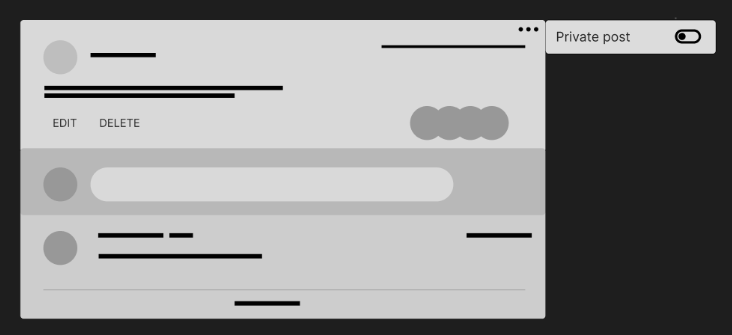
Create a button on each post that will toggle a isPrivate state, this button will be conditionally rendered so only the author of the post may see this(https://reactjs.org/docs/hooks-state.html). State in PostItem Component:
const [isPrivate, setIsPrivate] = useState(false)
-
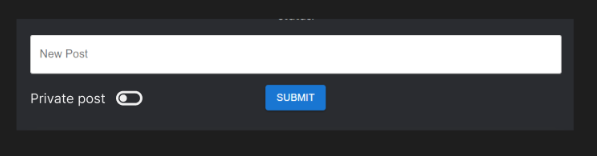
Also add this toggle to the PostForm so a user can declare if they want their posts to be private or not before posting.
-
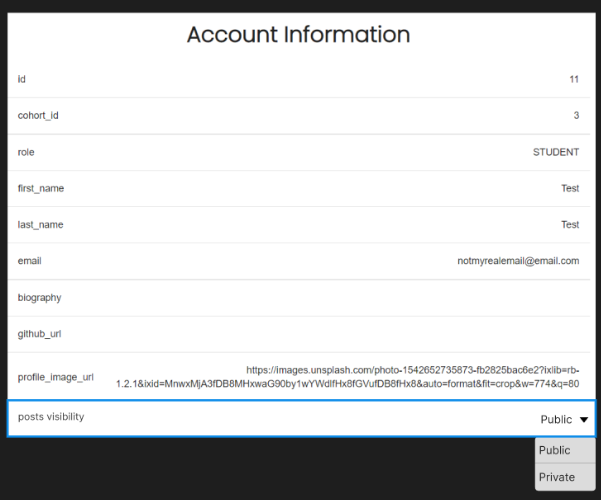
Then create an option in the Account Component where the user can set if all posts in the future should be defaulted to Public or Private visibility.
-
Then add functionality to these buttons/toggles. For the settings on the posts, the state change will send a PATCH request to the server, using the ‘/post//status’ path, containing the true or false value(https://axios-http.com/docs/post_example).
POST request to ‘/post’ example:
request header: { Authorization: Bearer <token> },
request body: { “content”: “Hello World!”, “isPrivate”: true }
PATCH request to ‘/post/:id/status’ example:
request header: { Authorization: Bearer <token> },
request body: { “isPrivate”: true }
Response example:
	{
  	  "status": "success",
  	  "data": {
         	"comment": {
                "id": 1,
                "content": "Hello world!",
	        "isPrivate": true,
                "user": <Object>
          	}
    	   }
        }
For the toggle in the Account Component I will create a function that sends a PATCH request to ‘/user/myprofile’ containing the true or false value for privacy preferences (https://masteringjs.io/tutorials/axios/axios-patch).
PATCH request to ‘/user/myprofile’ example:
request header: { Authorization: Bearer <token> },
request body: { “privacyPreferences”: “private” }
Response example:
	{
  	  "status": "success",
  	  "data": {
            "user": {
              "id": 5,
              "cohortId": null,
              "firstName": "Nathan",
              "lastName": "King",
              "email": "ngk2@gmail.com",
              "bio": "Hello world",
              "githubUrl": "https://github.com/vherus",
              "role": "STUDENT",
	      "privacyPreferences": "private"
              }
            }
    	  }
Note:
Posts that are private will not render in for anyone but the author of that post and anyone with a higher role than the author. The back end API will handle which posts are being sent to the App when receiving a GET request for all posts, the private posts will be filtered through the back end as we don't want the private post data being sent to every user, including those who are not meant to have access to them.