Minerva AI is an AI assistant that can help in creative tasks like creating and editing Images, Video, Audio and 3D structures using open weight models.
- Install Hatch from https://hatch.pypa.io/latest/
- Install ollama from https://ollama.com/ and download either gpt-oss-20b or gpt-oss-120b
- you can run the model then using
ollama run gpt-oss:20bin one terminal and in another terminalollama serve - if you don't want to use ollama, you can also using huggingface inference providers by settings this token
HUGGINGFACEHUB_API_TOKENin your env and updating minervaai/llm.py line 279 to "huggingface" - run
hatch env create&hatch shell - configure modal - by following this https://modal.com/docs/guide
- after that run modal using
modal run minervaai/app.pyand you should be able to use minerva ai studio by navigating to http://127.0.0.1:7860/
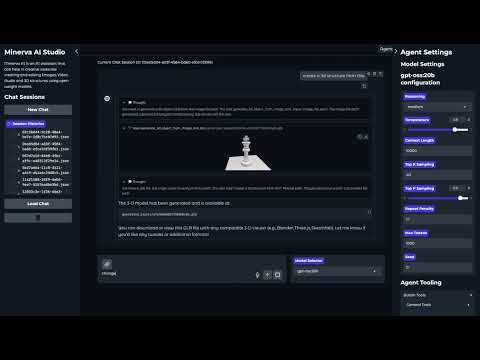
Minerva is a multimodal agent which can work with images, videos, 3d and audio modalities, below are some of its features:-
- Builtins Tools:-
- duckduckgo_search: Searches the web (DuckDuckGo) and returns results.
- generate_image_tool: Creates an image from a prompt.
- image_resizer_tool: Resizes an image to a new width.
- image_understanding_tool: Analyzes an image and answers a prompt about its content.
- image_editing_tool: Edits an image based on a prompt.
- img_to_video_tool: Turns an image into a short video using a prompt and negative prompt.
- text_to_video_tool: Generates a video from a textual prompt and negative prompt.
- generate_3d_object_from_image_tool: Builds a GLB 3‑D object from an image.
- text_to_speech_tool: Convert text to an audio file.
- speech_to_text_tool: Transcribe an audio file to text.
- music_generation_tool: Generate a music file from a prompt.
- MCP Tools support, can be configured from the mcp servers section
- Full control over model params and session tracking
- Explore tools via Tools explorer section