The is the simple Event Sourcing setup with EventStoreDB. For the Read Model, Postgres and Entity Framework are used.
You can watch the webinar on YouTube where I'm explaining the details of the implementation:
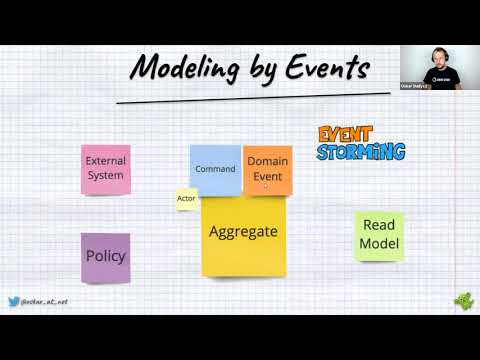
or read the article explaining the read model part: "How to build event-driven projections with Entity Framework"
- explain basics of Event Sourcing, both from the write model (EventStoreDB) and read model part (Postgres and EntityFramework),
- CQRS architecture sliced by business features, keeping code that changes together at the same place. Read more in How to slice the codebase effectively?
- no aggregates, just data (records) and functions,
- clean, composable (pure) functions for command, events, projections, query handling instead of marker interfaces (the only one used internally is
IEventHandler). Thanks to that testability and easier maintenance. - easy to use and self-explanatory fluent API for registering commands and projections with possible fallbacks,
- registering everything into regular DI containers to integrate with other application services.
- pushing the type/signature enforcement on edge, so when plugging to DI.
It uses:
- pure data entities, functions and handlers,
- Stores events from the command handler result EventStoreDB,
- Builds read models using Subscription to
$all. - Read models are stored to Postgres relational tables with Entity Framework.
- App has Swagger and predefined docker-compose to run and play with samples.
- Sample ShoppingCart entity and events represent the business workflow. All are stored in the same file to be able to understand flow without jumping from one file to another. It also contains When method defining how to apply events to get the entity state. It uses the C#9 switch syntax with records deconstruction.
- Example ProductItemsList value object wrapping the list of product items in the shopping carts. It simplified the main state apply logic and offloaded some of the invariants checks.
- All commands by convention should be created using the factory method to enforce the types,
- Command handlers are defined as static methods in the same file as command definition. Usually, they change together. They are pure functions that take command and/or state and create new events based on the business logic. See sample Adding Product Item to ShoppingCart. This example also shows that you can inject external services to handlers if needed.
- Added syntax for self-documenting command handlers registration. See the details of registration in CommandHandlerExtensions. They differentiate case when a new entity/stream is created from the update case. Update has to support optimistic concurrency. Added also Command Handlers Builder for simplifying the registrations.
- Added simple EventStoreDB extensions repository to load entity state and store event created by business logic,
- New, simplified Core infrastructure
- Read models are rebuilt with eventual consistency using subscribe to $all stream EventStoreDB feature,
- Used Entity Framework to store projection data into Postgres tables,
- Added sample projection for Shopping cart details and slimmed Shopping cart short info as an example of different interpretations of the same events. Shopping cart details also contain a nested collection of product items to show more advanced use case. All event handling is done by functions. It enables easier unit and integration testing.
- Added syntax for self-documenting projection handlers registration. See the details of registration in EntityFrameworkProjectionBuilder. They differentiate case when a new read model is created from the update case. Update has to support optimistic concurrency.
- example query handlers for reading data together with registration helpers for EntityFramework querying.
- Added service EventStoreDBSubscriptionToAll to handle subscribing to all. It handles checkpointing and simple retries when the connection is dropped. Added also general BackgroundWorker to wrap the general
IHostedServicehandling - Added ISubscriptionCheckpointRepository for handling Subscription checkpointing.
- Added checkpointing to EventStoreDB stream with EventStoreDBSubscriptionCheckpointRepository,
- Added custom EventBus implementation to not take an additional dependency on external frameworks like MediatR. It's not needed as no advanced pipelining is used here.
API integration tests for:
- Initiating shopping cart as an example of creating a new entity,
- Confirming shopping cart as an example of updating an existing entity,
- Install git - https://git-scm.com/downloads.
- Install .NET Core 6.0 - https://dotnet.microsoft.com/download/dotnet/6.0.
- Install Visual Studio 2022, Rider or VSCode.
- Install docker - https://docs.docker.com/docker-for-windows/install/.
- Open
ECommerce.slnsolution.
- Go to docker and run:
docker-compose up. - Wait until all dockers got are downloaded and running.
- You should automatically get:
- EventStoreDB UI (for event store): http://localhost:2113/
- Postgres DB running (for read models)
- PG Admin - IDE for postgres. Available at: http://localhost:5050.
- Login:
admin@pgadmin.org, Password:admin - To connect to server Use host:
postgres, user:postgres, password:Password12!
- Login:
- Open, build and run
ECommerce.slnsolution.- Swagger should be available at: http://localhost:5000/index.html