Skip to content

vscode 터미널 열고 node.js 실행하는 법 #15

@sunnyinha

Description

@sunnyinha
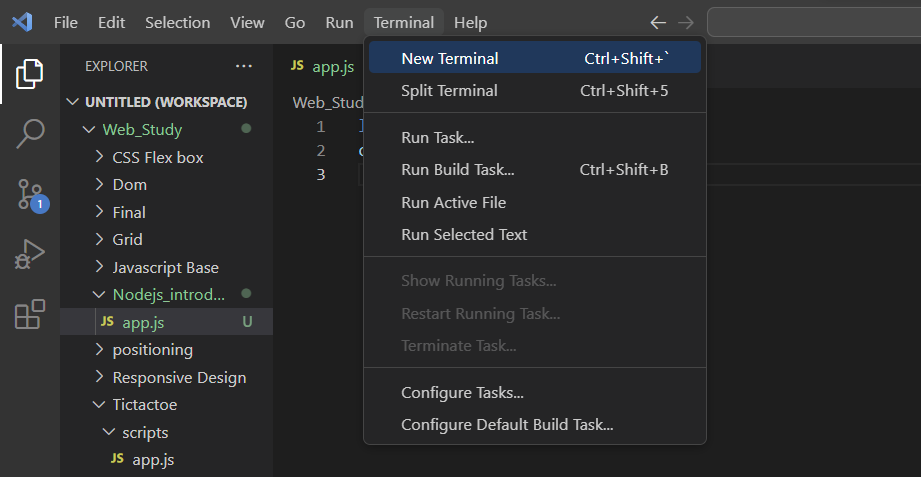
  1. teminal - new teminal 클릭
    image
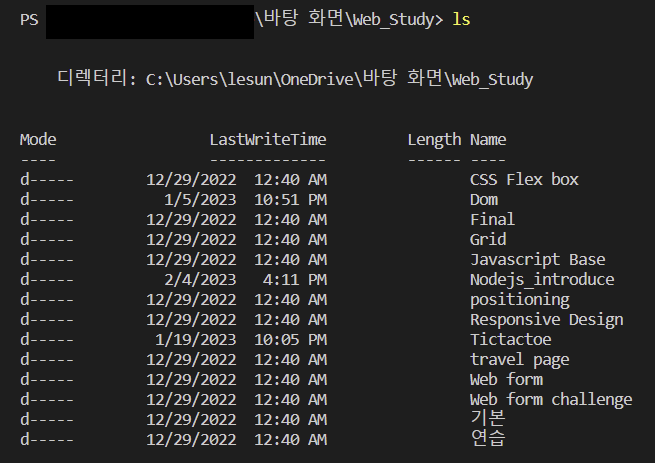
  2. 아래 터미널 창이 뜨면 ls 명령어를 사용해 현재 디렉토리의 디렉토리, 파일 확인 후 실행할 파일이 있는 디렉토리로 이동
    image
  3. cd 쓰고 이동하기 원하는 디렉토리 이름 몇글자치고 tab키 누르면 자동완성되고 enter로 실행

    image
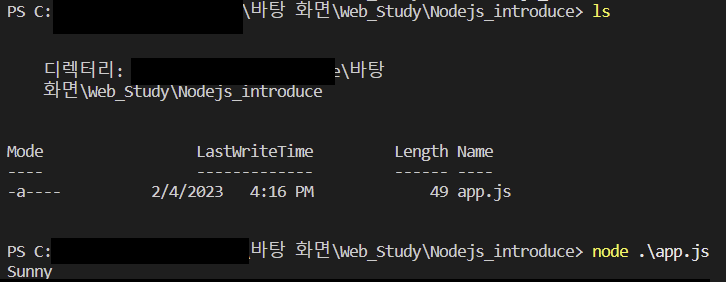
  4. ls node.js로 실행 원하는 파일이 있는지 확인 후 node 명령어로 실행(단, node.js가 설치(다운로드 사이트: https://nodejs.org/ko/download/)되어있어야 실행됩니다)
    image
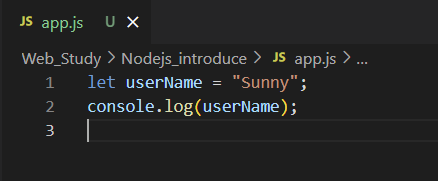
    //실행 시킨 app.js 파일
    image

Metadata

Metadata

Assignees

No one assigned

    Labels

    No labels
    No labels

    Projects

    No projects

    Milestone

    No milestone

    Relationships

    None yet

    Development

    No branches or pull requests

    Issue actions