



This AWS IAM Actions Snippets extension equips Visual Studio Code with comprehensive snippets for all AWS IAM actions. It's your essential tool for efficient and accurate IAM policy development.
Tip
Stop AWS bill surprises from happening.
Most infrastructure changes look harmless until you see next month's AWS bill. CloudBurn prevents this by analyzing the cost impact of your AWS CDK changes directly in GitHub pull requests, catching expensive mistakes during code review when fixes are quick, not weeks later when they're costly and risky.

💰 Set it up once, then never be surprised by AWS costs again
- First install the free CDK Diff PR Commenter GitHub Action in your repository where you build your AWS CDK infrastructure
- Then install the CloudBurn GitHub App on the same repository
What happens now:
Whenever you open a PR with infrastructure changes, the GitHub Action comments with your CDK diff analysis. CloudBurn reads that diff and automatically adds a separate comment with a detailed cost report showing:
- Monthly cost impact – Will this change increase or decrease your AWS bill? By how much?
- Per-resource breakdown – See exactly which resources are driving costs (old vs. new monthly costs)
- Region-aware pricing – We pick the right AWS pricing based on the region where your infrastructure is deployed
Your team can now validate cost impact alongside infrastructure changes during code review. Essentially, this shifts FinOps left where you optimize costs as you code, not weeks later when context is lost and production adjustments require more time and carry added risk.
CloudBurn will be free during beta. After launch, a free Community plan (1 repository with unlimited users) will always be available.
- Comprehensive Coverage: Offers snippets for all AWS IAM actions available across various AWS services.
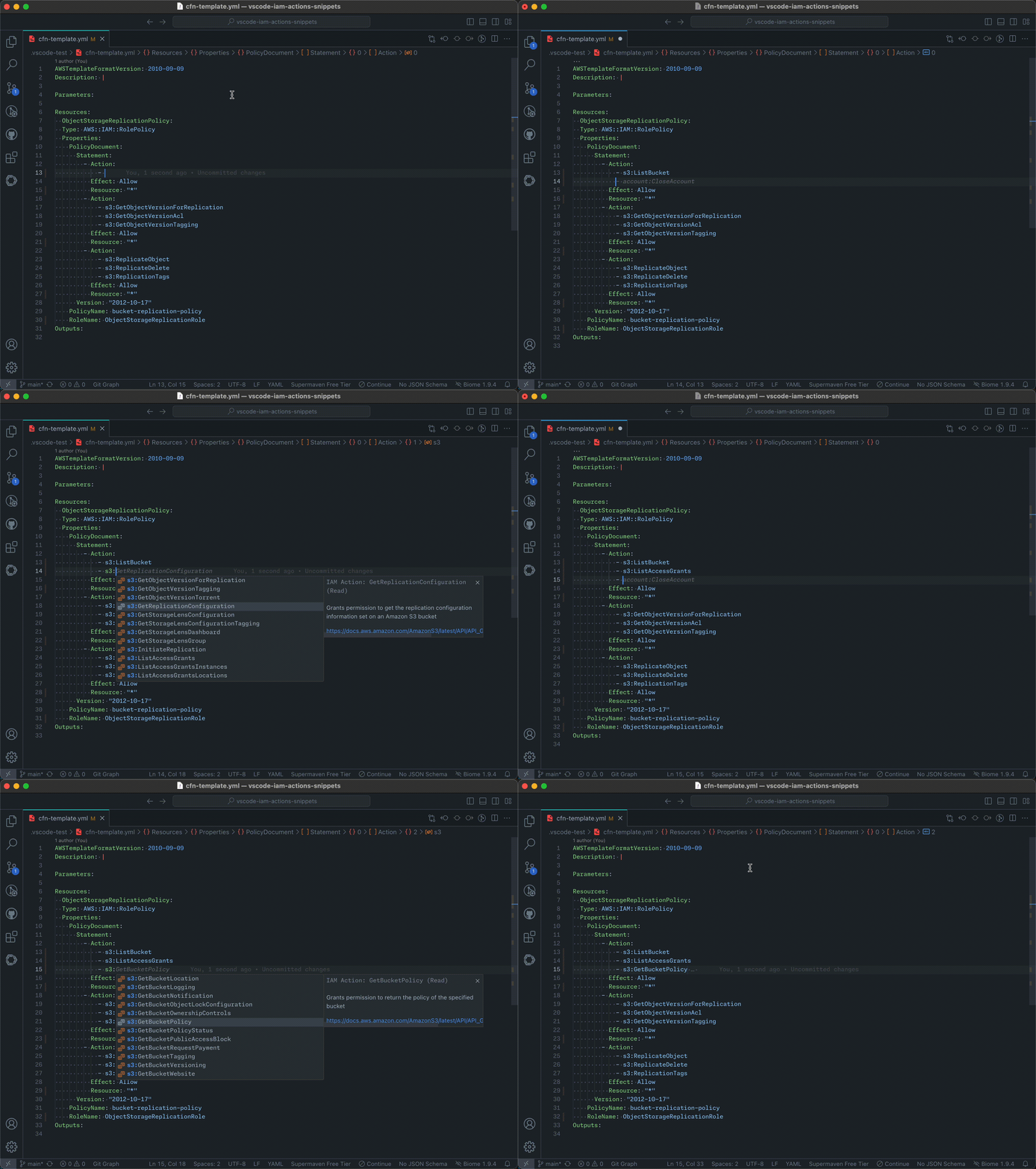
- Auto-completion: Provides intelligent auto-completion for IAM actions as you type.
- Documentation Links: Quick access to AWS documentation for each IAM action directly from the snippet.
- Flexible Format Support: Supports IAM policies in JSON, but also IAM Policies defined in CloudFormation templates (
.json, .yaml), and Terraform files (.tf). - Up-to-Date: Regularly updated to reflect the latest AWS IAM actions.
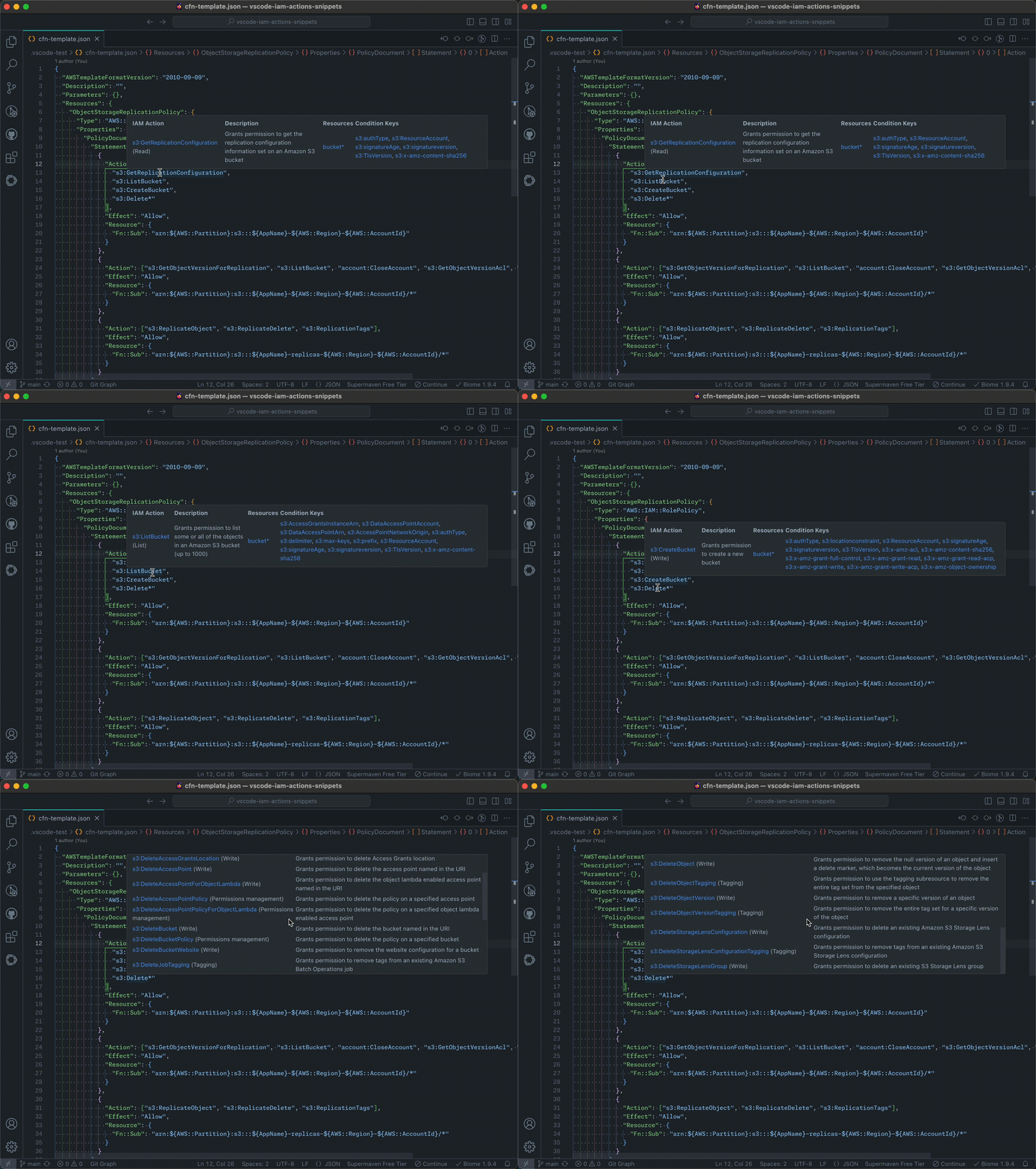
- Smart Hover Information: When hovering over wildcard actions, displays all matching IAM actions, providing a comprehensive view of the permissions covered.
- Install the AWS IAM Actions Snippets extension in VS Code.
- Open or create a new
.json,.yml, or.tffile for your IAM policy. - Start typing an IAM action name (e.g.,
s3:Get) in the appropriate place in your policy. - The extension will provide auto-completion suggestions for matching IAM actions.
- Select the desired action to insert it into your policy.
Example of auto-completion in action:
and an example of the hover information:
Note: If auto-completion doesn't trigger automatically, press
Ctrl+Space(orCmd+Spaceon macOS) to manually invoke IntelliSense.
If you have a feature request or an issue, please let me know on Github


