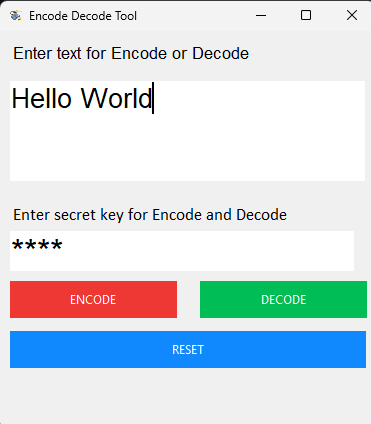
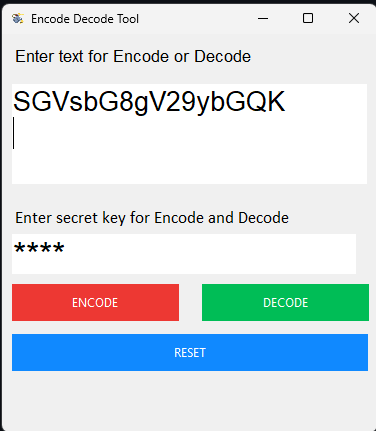
Welcome to the Encoding and Decoding Tool, a Python-based program aimed to provide a reliable, secure, and easy-to-use solution for encoding and decoding textual data. In an era where data security is critical, this application distinguishes itself by including the widely used base64 encoding technology as well as a key-based security mechanism, all wrapped within an easy-to-use graphical user interface (GUI).
The application uses the base64 encoding technique for both Encoding and decryption. The key is required to access the encrypted content. The GUI provides a user-friendly interface to input text and the secret key.
-
Memory Complexity: O(n)
The overall memory complexity is dominated by the size of the input text during both Encoding and decryption processes.
-
Time Complexity: O(n)
The overall time complexity is linear, primarily influenced by the size of the input text during encoding and decoding operations.
-
Considerations
Because of the effectiveness of the base64 encoding approach, the tool is well-suited for handling tiny to medium-sized documents. Key operations' continuous time and memory complexity add to the overall efficiency of the Encoding and decryption procedures. These complexity evaluations shed light on the Encoding and Decoding Tool's scalability and efficiency for varied input sizes.
- Clone the repository:
git clone https://github.com/AsrinTopal/Encoding_Tool.git
cd Encoding_Toolpip install tkAND
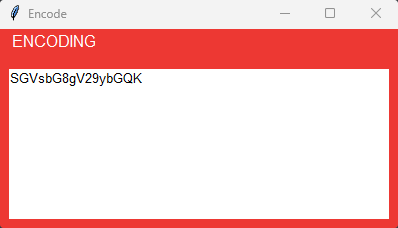
pip install pybase64Encoding Process The application employs the widely-used base64 encoding technique for encrypting text. During Encoding, the user inputs a piece of text into the application's graphical user interface (GUI). This text undergoes a two-step process:
1-ASCII Encoding
2-Base64 Encoding
#Relevant code for Encoding
encode_message = message.encode("ascii")
base64_bytes = base64.b64encode(encode_message)
encrypt = base64_bytes.decode("ascii")
The resulting output, encrypt, is the encrypted form of the original text.
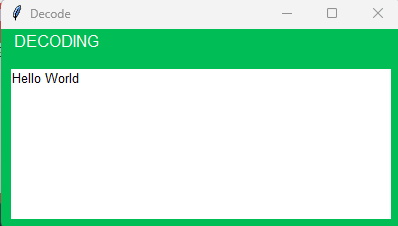
To decrypt the encrypted content, a user needs to provide the correct key. The decryption process involves the following steps:
1-Base64 Decoding
2-ASCII Decoding
#Relevant code for decryption
decode_message = message.encode("ascii")
base64_bytes = base64.b64decode(decode_message)
decrypt = base64_bytes.decode("ascii")
The decrypt variable now holds the decrypted text, which was originally encrypted using the same application.
The default password is 1234 you can change it if you want, in the Encoding and decryption part.
password == "1234":A secret key is necessary for both Encoding and decryption. This key is used to get access to and change the material. The user is prompted to enter this key, ensuring a safe and restricted access method.
The graphical user interface of the program is intended to improve the user experience. It provides an easy-to-use platform for users to enter text and keystrokes. The simple design guarantees that users may simply encrypt and decode files without having to deal with additional complexity. The GUI helps to make the Encoding and decryption operations more accessible to people with a variety of technical backgrounds.