A comprehensive blockchain analysis tool for Solana transactions, providing powerful visualization and investigation capabilities for forensic analysis.
Live Demo: https://forensic-analysis-tool-production.up.railway.app/
Backend Repository: https://github.com/Assylum-Labs/forensic-tooling-server
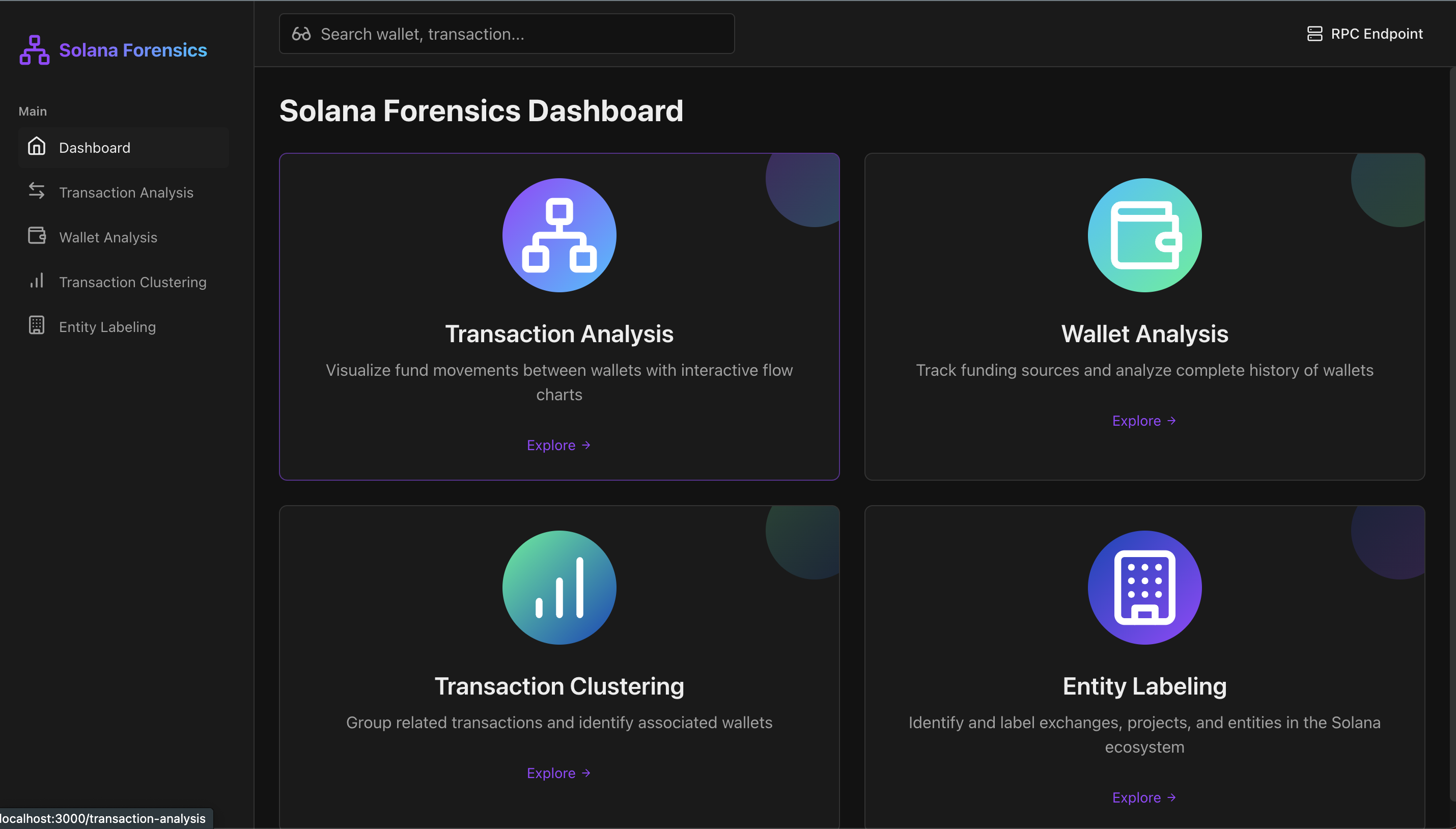
- Transaction Flow Mapping: Interactive flow charts visualizing fund movements between wallets
- Wallet Analysis: Track funding sources and complete history of wallet activity
- Transaction Clustering: Group related transactions and identify associated wallets
- Entity Labeling System: Identify and label exchanges, projects, and other entities
- Mainnet Support: Full compatibility with Solana mainnet
- Node.js v18+
- PostgreSQL 14+
- Git
- npm or yarn
git clone https://github.com/Assylum-Labs/forensic-analysis-tool.git
cd solana-forensic-tool- Clone the backend repository:
git clone https://github.com/Assylum-Labs/forensic-tooling-server.git
cd forensic-tooling-server- Install dependencies:
npm install- Create a
.envfile based on.env.example:
DB_HOST=localhost
DB_PORT=5432
DB_USERNAME=postgres
DB_PASSWORD=yourpassword
DB_NAME=solana_forensics
PORT=4600
- Create the PostgreSQL database:
createdb solana_forensics- Start the backend server:
npm run start:devThe backend should now be running on http://localhost:4600
- Navigate to the frontend directory:
cd ../frontend # or the appropriate directory name- Install dependencies:
npm install- Create a
.env.localfile with the following content:
NEXT_PUBLIC_API_URL=http://localhost:4600
NEXT_PUBLIC_SOLANA_RPC_ENDPOINT=https://api.mainnet-beta.solana.com
- Start the frontend development server:
npm run devThe frontend should now be running on http://localhost:3000
Public Solana RPC endpoints have rate limits that can quickly be exceeded when performing forensic analysis. It's strongly recommended to set up a custom RPC endpoint to avoid disruptions during analysis.
- Run your own Solana validator/RPC node (most robust but resource-intensive)
- Use a paid RPC provider service like:
-
Via Environment Variables:
- Set
NEXT_PUBLIC_SOLANA_RPC_ENDPOINTin your.env.localfile
- Set
-
Via the UI:
- Click on the RPC Endpoint button in the top navigation bar
- Enter your custom RPC URL
- Click "Save Endpoint"
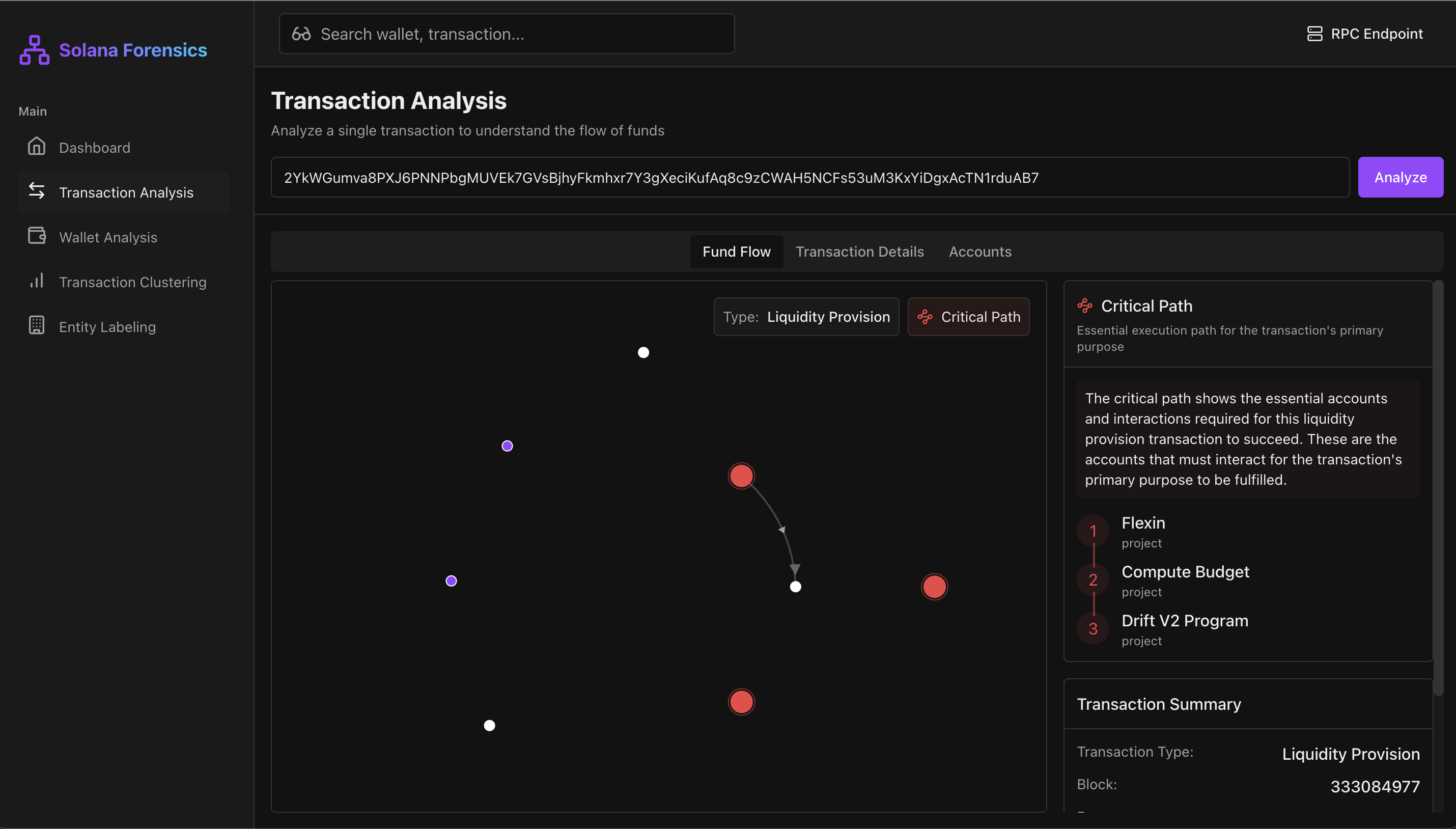
Analyze individual transactions to understand fund flows and identify critical paths:
- Navigate to the "Transaction Analysis" section
- Enter a transaction signature
- Click "Analyze"
- View the visual representation of funds movement
- Examine the critical path highlighting the essential flow of funds
- Review detailed transaction information in the tabs
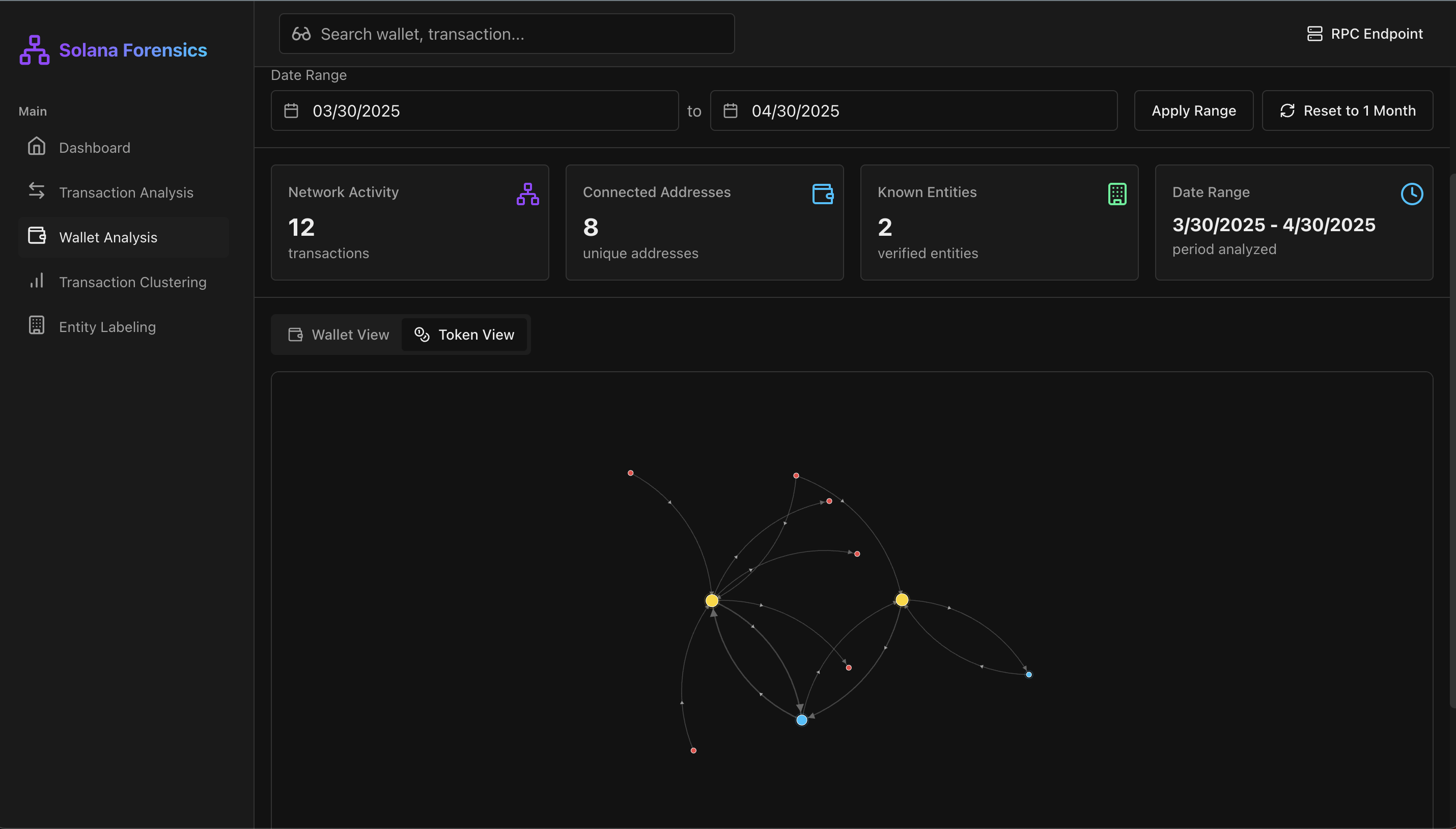
Investigate wallet activity and connections:
- Navigate to the "Wallet Analysis" section
- Enter a Solana wallet address
- Set a date range for analysis
- Toggle between "Wallet View" and "Token View"
- Explore the interactive graph showing connections
- Click on nodes to see detailed information
Group related transactions to identify patterns:
- Navigate to the "Transaction Clustering" section
- Enter a wallet address or token
- Select a timeframe or custom date range
- Adjust the transaction limit and network depth settings
- Review the identified clusters
- Explore each cluster's visualization and details
- Investigate detected anomalies and related wallet groups
Manage and label known entities in the Solana ecosystem:
- Navigate to the "Entity Labeling" section
- Browse existing entities or create new ones
- Edit entity details such as name, type, verification status
- Add related addresses to group multiple addresses under one entity
- Use the exchange detection feature to identify exchange wallets
The system can be pre-populated with known entities:
- Create a
datadirectory in the root of the server project - Add the following JSON files:
unverified-list.json: Contains unverified entitiesverified-list-1.json: Primary verified entities with metadataverified-list-2.json: Secondary verified entities
For analyzing large wallets or long timeframes:
- Increase Node.js memory limit:
NODE_OPTIONS=--max-old-space-size=8192 - Use a dedicated high-performance RPC endpoint
- Adjust transaction limits in the UI to manage analysis scope
If you encounter "Rate limit exceeded" errors:
- Switch to a custom RPC endpoint with higher limits
- Reduce the analysis timeframe
- Lower the transaction limit in the UI
- Try analyzing during off-peak hours
If the application fails to connect to the Solana network:
- Check your internet connection
- Verify your RPC endpoint is operational
- Try an alternative RPC endpoint
- Check Solana network status at status.solana.com
If you encounter database connection errors:
- Verify PostgreSQL is running
- Check database credentials in
.env - Ensure the database exists and is accessible
- Restart the backend server
The backend is built with NestJS and uses Sequelize ORM:
# Run in development mode with hot reload
npm run start:dev

# Build for production
npm run build

# Run tests
npm run testThe frontend is built with Next.js and Tailwind CSS:
# Run in development mode
npm run dev

# Build for production
npm run build

# Start production build
npm start

# Run linter
npm run lint| Variable | Description | Default |
|---|---|---|
| DB_HOST | PostgreSQL host | localhost |
| DB_PORT | PostgreSQL port | 5432 |
| DB_USERNAME | Database username | postgres |
| DB_PASSWORD | Database password | postgres |
| DB_NAME | Database name | solana_forensics |
| PORT | Server port | 4600 |
| Variable | Description | Default |
|---|---|---|
| NEXT_PUBLIC_API_URL | Backend API URL | http://localhost:4600 |
| NEXT_PUBLIC_SOLANA_RPC_ENDPOINT | Solana RPC endpoint | https://api.mainnet-beta.solana.com |
[License information here]
- Solana Labs
- [Other acknowledgements]