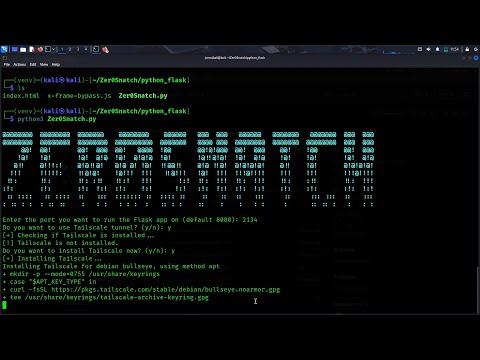
Zer0Snatch coded by : AyushParkara
- If you like the tool and for my personal motivation so as to develop other tools please leave a +1 star
- Steal Victim IP
- Steal Device Info
- Steal Network and Battery Info
- Uses Device GPS to steal exact location
- Steal pic from front camera
- Steal text from victim clipboard (added recently)
- Send logs to Discord and also save them locally in a txt file
- Works on Linux-based systems (e.g. Kali, Ubuntu, Parrot OS)
- Uses iframe to load live website to make phishing attack more reliable
- Bypass x-frame restrictions [2024]
- Includes optional Tailscale tunneling support to host your flask app over the internet
- Allows custom port selection when running the Python server
Method 0 :
- Click the above button or click here to run on
repl.it - Login/Signup on repl.it
- After it clones the repo edit this line with your Repl URL
- Now click Run
Method 1 :
- Clone or Download this repo
- Create an account on any web hosting site that provides SSL. I suggest a free hosting site called
000webhost.com - Now upload
index.html, track.php, post.phpto your web hosting site - Open
index.htmland replace this line with yourDiscord webhook URL - Boom!!! Send the phishing link to your victim. Logs will be sent to your Discord webhook and also saved in the
sensitiveinfo.txtfile
Method 2 :
- Clone the repo and navigate to the
python_flaskdirectory - Open your terminal and type:
pip3 install -r requirements.txt-
This will install all required Python packages like
flask,colorama, etc. -
Make sure Tailscale is installed (the script will help you install it if it's missing)
-
You will also be asked to choose a custom port for the Flask server
-
Also the tailscale url will be updated in the index.html file automatically!!.
-
Now type:
python Zer0Snatch.py- Boom!!! Images and log files will be saved locally in your directory