




Listen up, cowboy. This ain't that vanilla "Gallery" app that came pre-installed on your phone. This is a Server-First beast, rewritten in Jetpack Compose.
We ain't playing in the sandbox here. This thing was built for one purpose: to strip the load off your phone and dump it onto the server. Your smartphone is just a window. The ammo dump (all your photos and videos) stays in the bunker (on the server).
Who is this for?
- For those with servers gathering dust (VPS, Raspberry Pi, old PCs).
- For those who hate seeing "Storage Full" notifications.
- For those who crave speed, even when the internet is moving like a turtle.
I tried Nextcloud. It’s like driving a tank to the grocery store — powerful, but slow and clunky.
| Feature | 🥊 Nextcloud / Others | 🚀 (This Fork) |
|---|---|---|
| Speed | Chokes on weak hardware. | Flies even on a potato with wires. |
| Preview | Loads full images, eats data. | Aggressive compression (5-10 KB). Hundreds of pics per second. |
| Network | Needs perfect 5G/Wi-Fi. | Runs smooth even on crappy 3G/4G. |
| Storage | Caches everything blindly. | Smart RAM cache on the server side. |
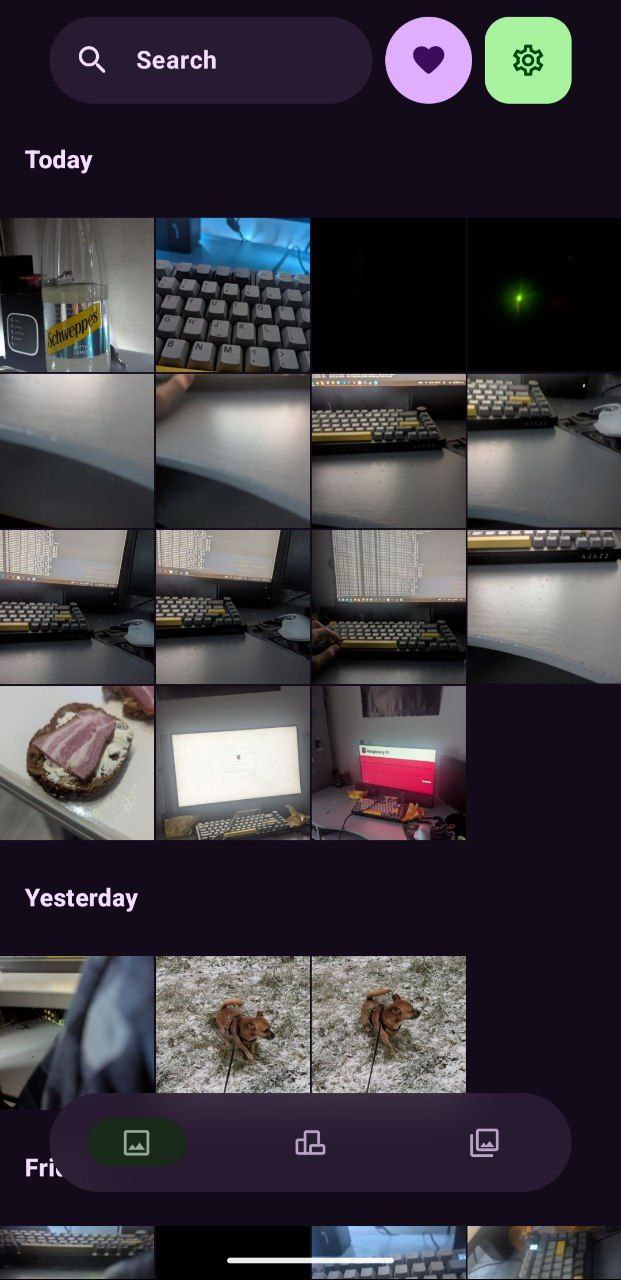
We split the streams. Originals are stored separately, and for the feed, we use specialized Thumbnails.
- Compression: Hardcore JPEG (50-70% quality).
- Weight: A single photo weighs a laughable 5-10 KB.
- Result: You scroll 5 years back into history, and images pop instantly. No loading donuts.
The server keeps previews in RAM.
- Why? So we don't wake up your HDDs every 5 seconds.
- Effect: Disks stay parked, noise is gone, energy is saved. The server stays cold and quiet like a pro hitman.
Works like a Swiss watch. You snap a photo — it flies to the server via /upload.
- After a successful upload — automatic deletion from phone (optional).
- Your phone stays pristine.
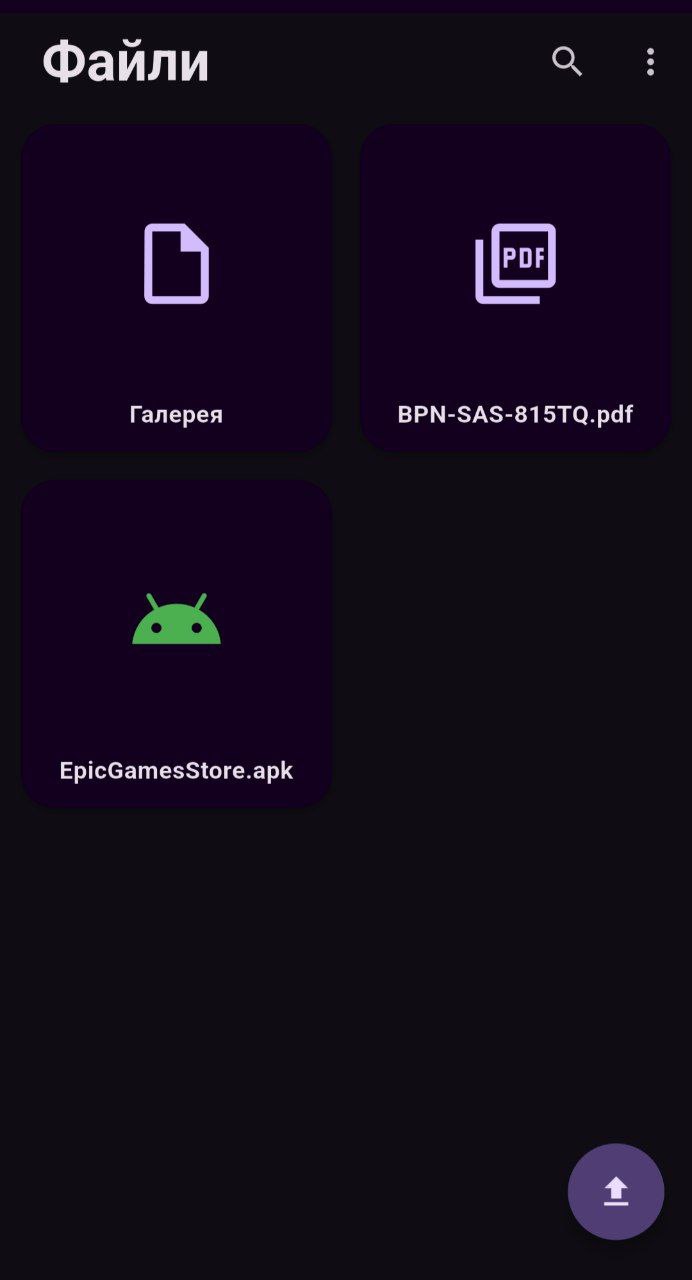
A separate screen for serious business.
- Create folders.
- Upload docs/archives.
- Download files back to the phone.
- Full control over the server's file system.
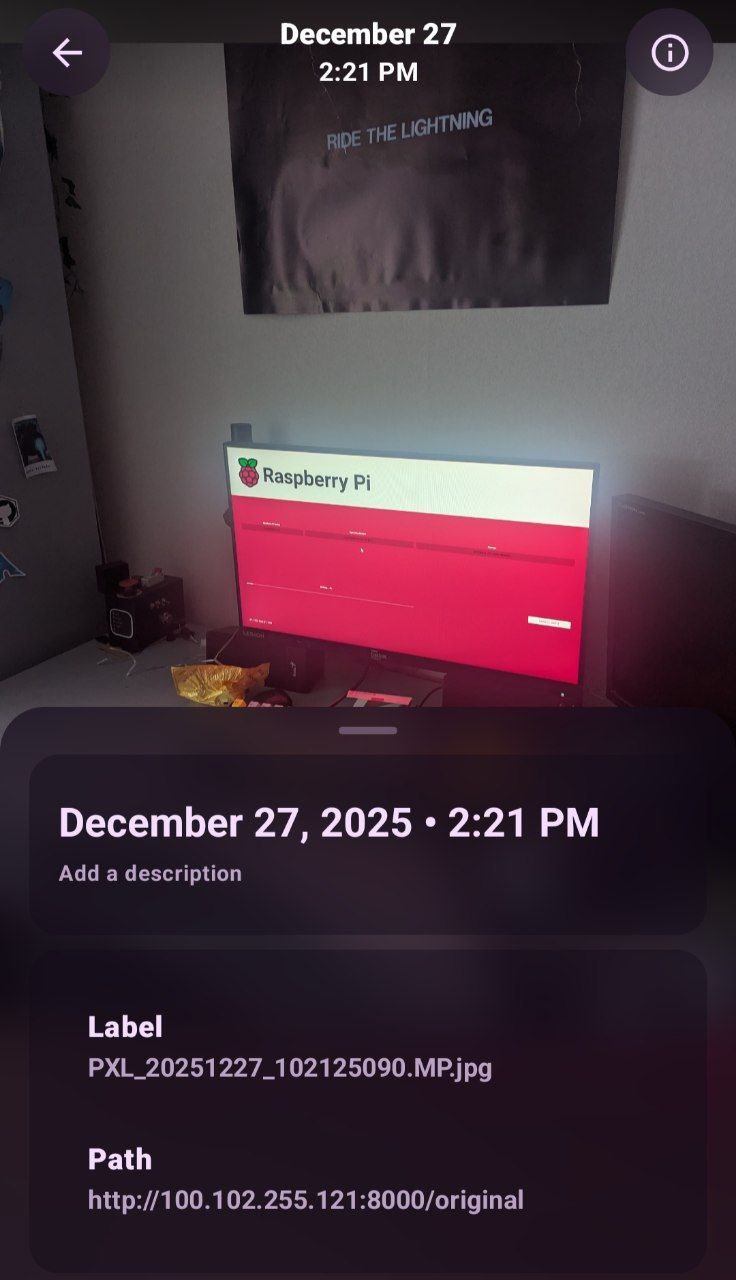
Looks like it walked off a magazine cover. Smooth animations, interface isn't cluttered. Only what you need for the fight.
Hold onto your seat for this one.
The Problem: You deleted a photo from your phone to save space. But you need to send it to a homie in Telegram ASAP. Download it back first? NO. That's for the weak.
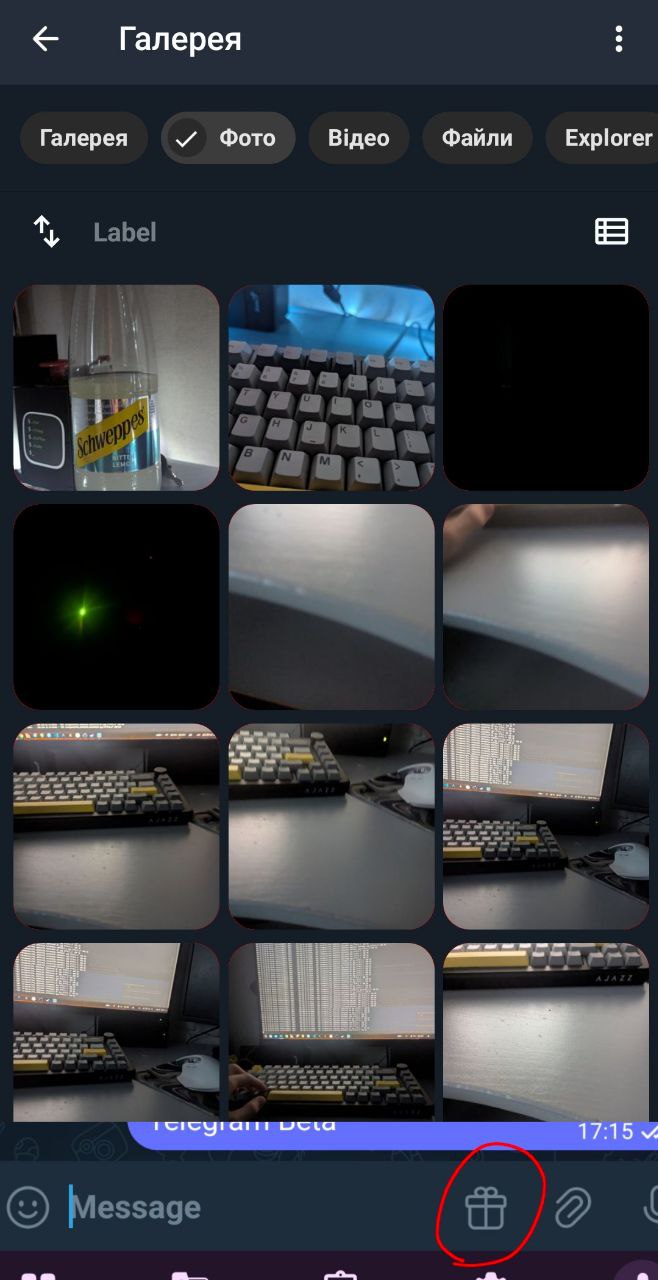
The Solution: I wrote a custom Userbot and a Telegram fork.
- A special button appears in your Telegram chat (near the attachment clip).
- Opens this Gallery (Web App / Interface).
- You tap the photo/video (which physically isn't on your phone).
- THE SERVER ITSELF sends the file to the chat. Directly.
💡 The Kicker: Videos are compressed on the fly and fly out via the server's stable wired connection. You save your mobile data and time.
🔗 * 🤖 [BodyaGram-Client] — Your radio operator in the messenger.
To make this death machine run perfectly, you'll need:
- Server: Any Linux (Ubuntu, Debian, Arch - whatever floats your boat).
- Disks: I recommend RAID. Data loves safety.
- Internet: Ethernet (Cable). Wi-Fi is unstable, leave it for hipsters.
- Client: Android 10+ (newer is better for that sweet Material 3 glow).
Seeing once is better than hearing stories at a bar a hundred times.
| Main Grid (Turbo View) | Media Viewer |
|---|---|
 |
 |
| File Manager | Telegram Integration |
|---|---|
 |
 |
- Clone it:
git clone https://github.com/Bogdan8266/BodyaSync-Compose - Config Setup: Punch in your server IP and ports.
- Build APK: Android Studio is your friend.
-
Launch Server Side: BodyaSync-Server
- Enjoy.
This is just one piece of the puzzle. Grab the full kit:
- 🖥️ [BodyaSync-Server] — The Brains of the operation (Backend).
- 🤖 [BodyaGram-Client] — Your radio operator in the messenger.
This code is written with blood and sweat. It runs stable, but if you find a bug — hit up the Issues. Don't be a stranger.
Made with ❤️ and ☕ by [Bodya] android kotlin jetpack-compose material-design-3 gallery-app self-hosted server-client nextcloud-alternative image-processing performance photo-gallery telegram-integration clean-architecture opensource