Tip
For native system packages: Debian & Arch packages


High-performance Android-to-Linux webcam solution.
Scrcpy-Webcam is a Rust-based wrapper that turns your Android phone into a professional Linux webcam. By bridging scrcpy with the v4l2loopback kernel module, it creates a virtual camera device that works natively with Zoom, OBS, Discord, and more.
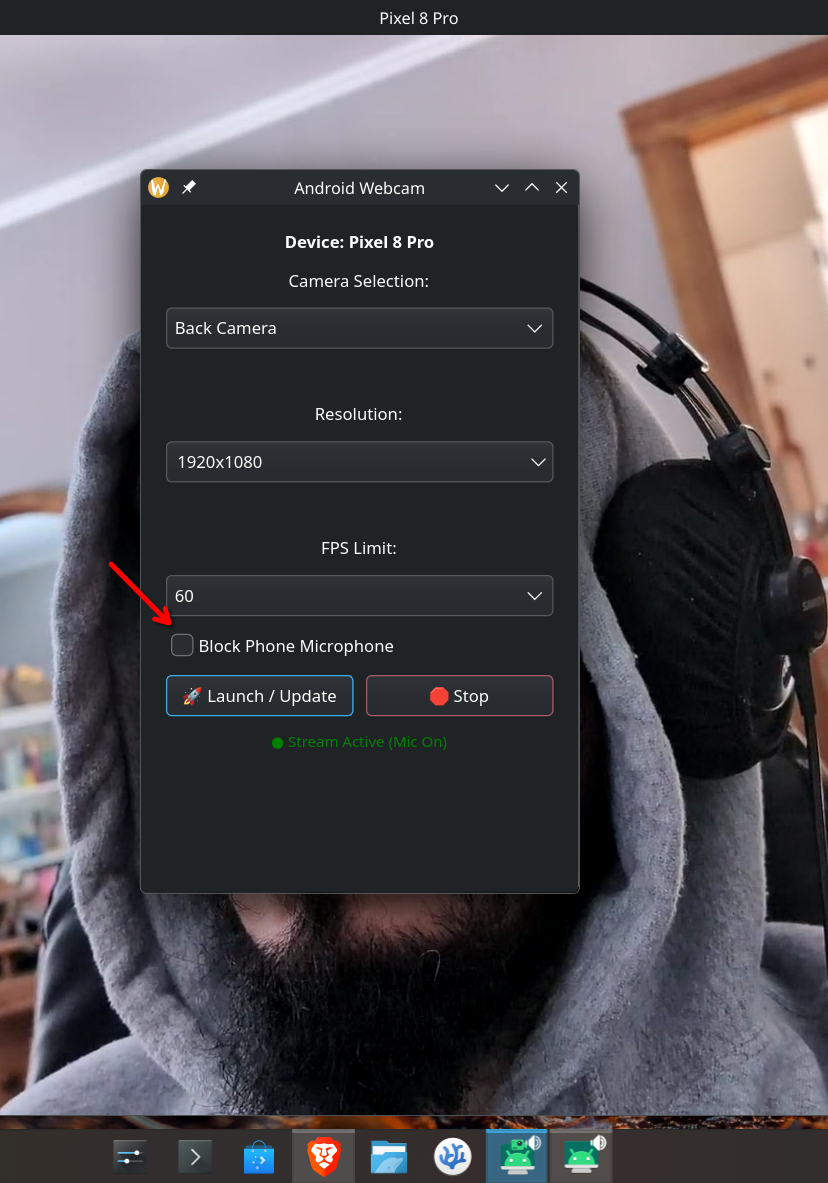
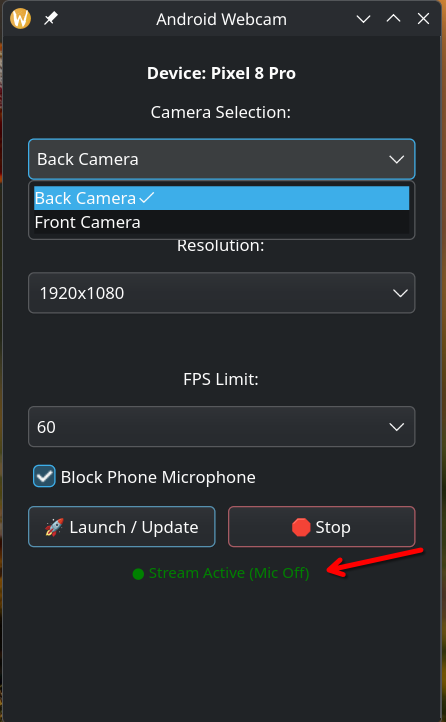
| 1. Launch & Settings | 2. Mute Microphone | 3. Change resolution |
|---|---|---|
 |
 |
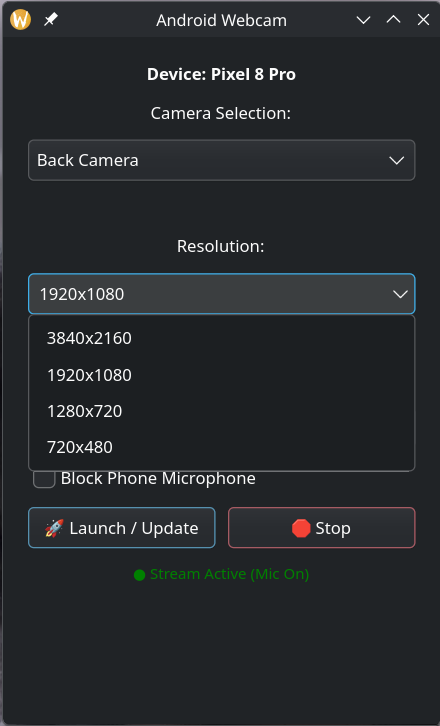 |
- GUI Control: Easy-to-use GTK4 interface for camera and resolution settings.
- Auto-Configuration: Automatically sets up the virtual video device (
/dev/video128) with the correct label. - Live Switching: Change cameras (Front/Back) or resolutions on the fly without restarting the app.
- Audio Control: Block or enable the phone's microphone with a single click.
- Low Latency: Optimized for zero-buffer streaming over USB.
Before running the AppImage, your system needs the v4l2loopback module to handle the video stream.
For Arch Linux:
sudo pacman -S android-tools ffmpeg sdl2 gtk4
sudo pacman -S linux-headers dkms v4l2loopback-dkms
sudo modprobe v4l2loopback
For Linux Mint / Ubuntu / Debian:
sudo apt update
sudo apt install adb ffmpeg libsdl2-2.0-0 v4l2loopback-dkms
- Enable Developer Options (Settings > About Phone > Tap "Build Number" 7 times).
- Enable USB Debugging.
- Connect your phone via USB.
- Download and Run:
chmod +x scrcpy-webcam-x86_64.AppImage
./scrcpy-webcam-x86_64.AppImage
- Launch: Select your preferred resolution and click 🚀 Launch.
- In your Meeting Software: Select the camera device named "Android-Webcam".
The project includes an automated script that handles dependencies, binary downloads, and AppImage packaging.
- Clone the repository:
git clone https://github.com/your-user-name/Scrcpy-Webcam.git
cd Scrcpy-Webcam
- Run the Build Script:
chmod +x build.sh
./build.sh
- Follow the Prompts:
- Clean target? Select
yto remove old Rust build files. - Start Fresh? Select
yto automatically download the latestadb,scrcpy-server, andappimagetool.
- Virtual Device: The app uses
/dev/video128to avoid conflicts with integrated webcams. - Permissions: The app uses
pkexecto load thev4l2loopbackmodule if it isn't already active. - Portability: The
build.shscript bundles all required binaries into the AppImage, making it self-contained.
- Scrcpy is developed by Genymobile (Apache 2.0).
- This wrapper is provided to simplify the webcam workflow on Linux.