The main entry point is the main.py file. After installing the Pygame module, you can run the game directly.
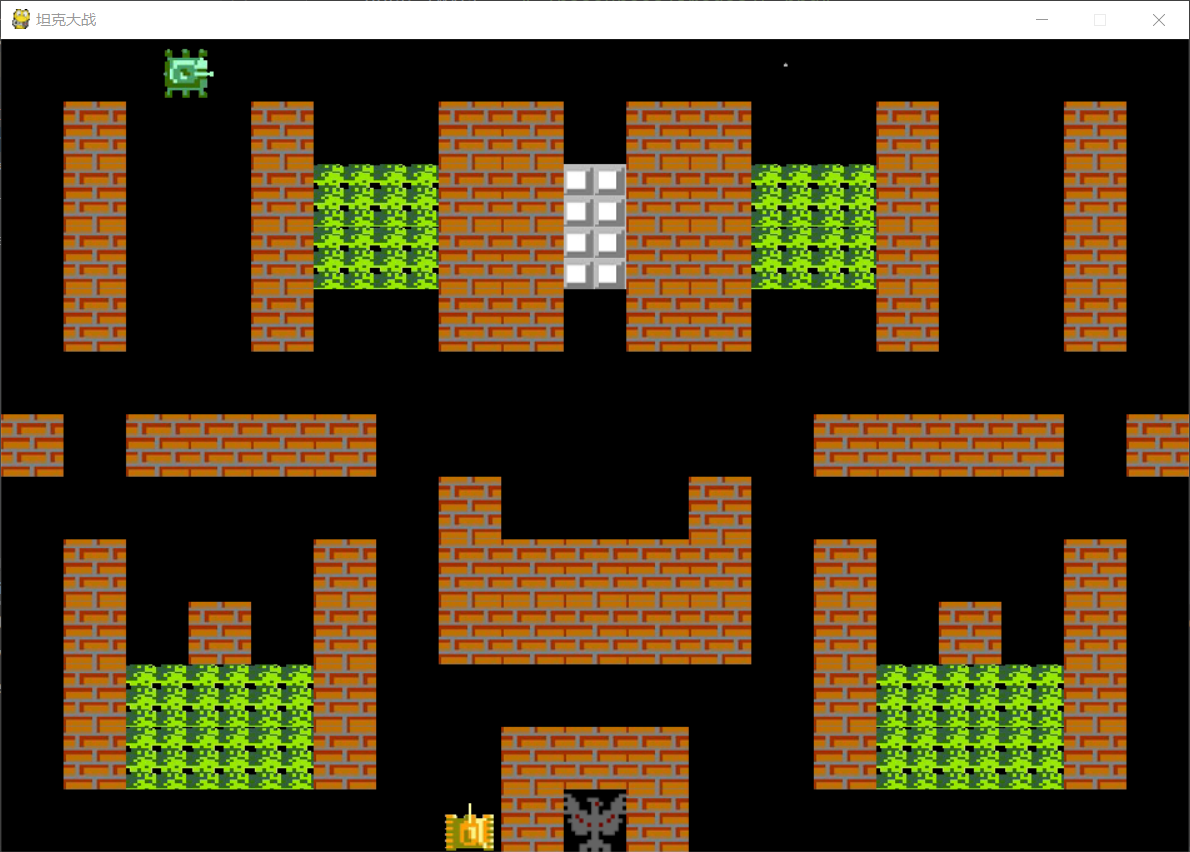
Here are some screenshots:
-
Game running:
-
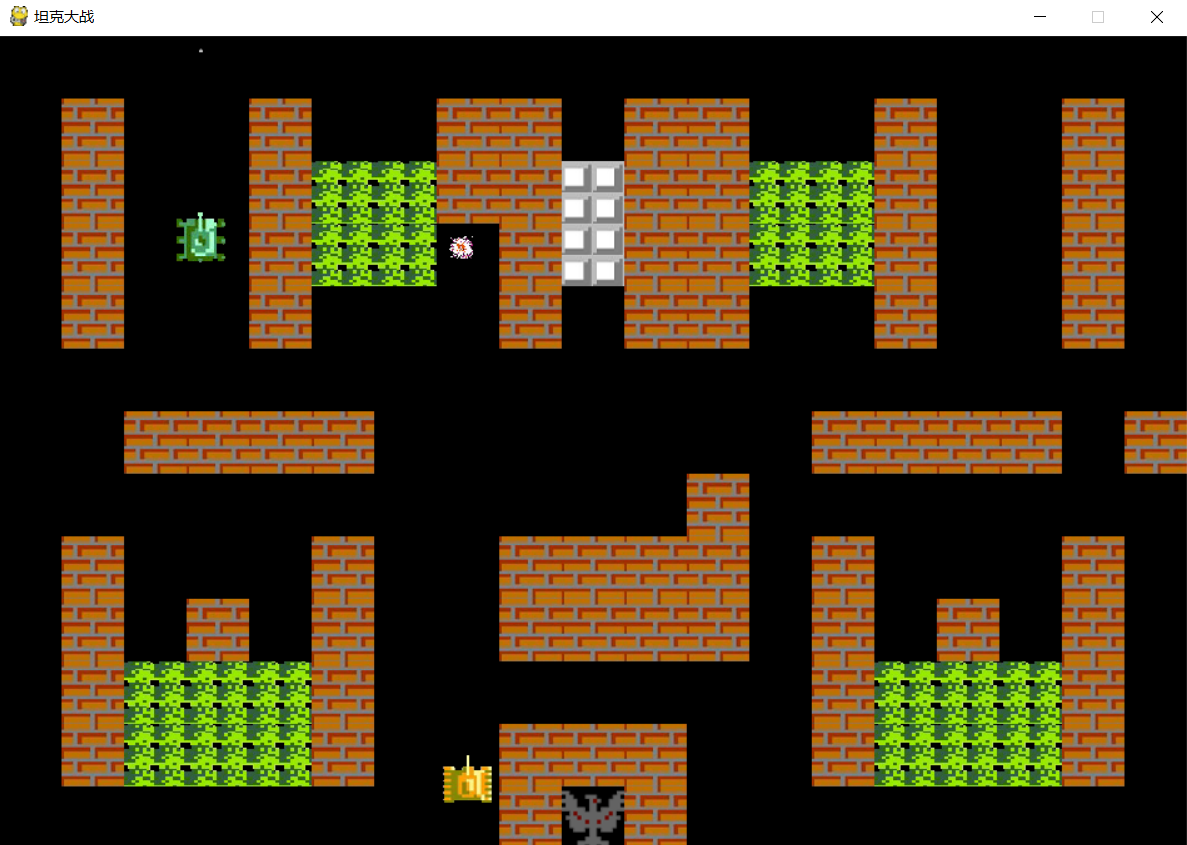
Bullet explosion effect when hitting a wall:
-
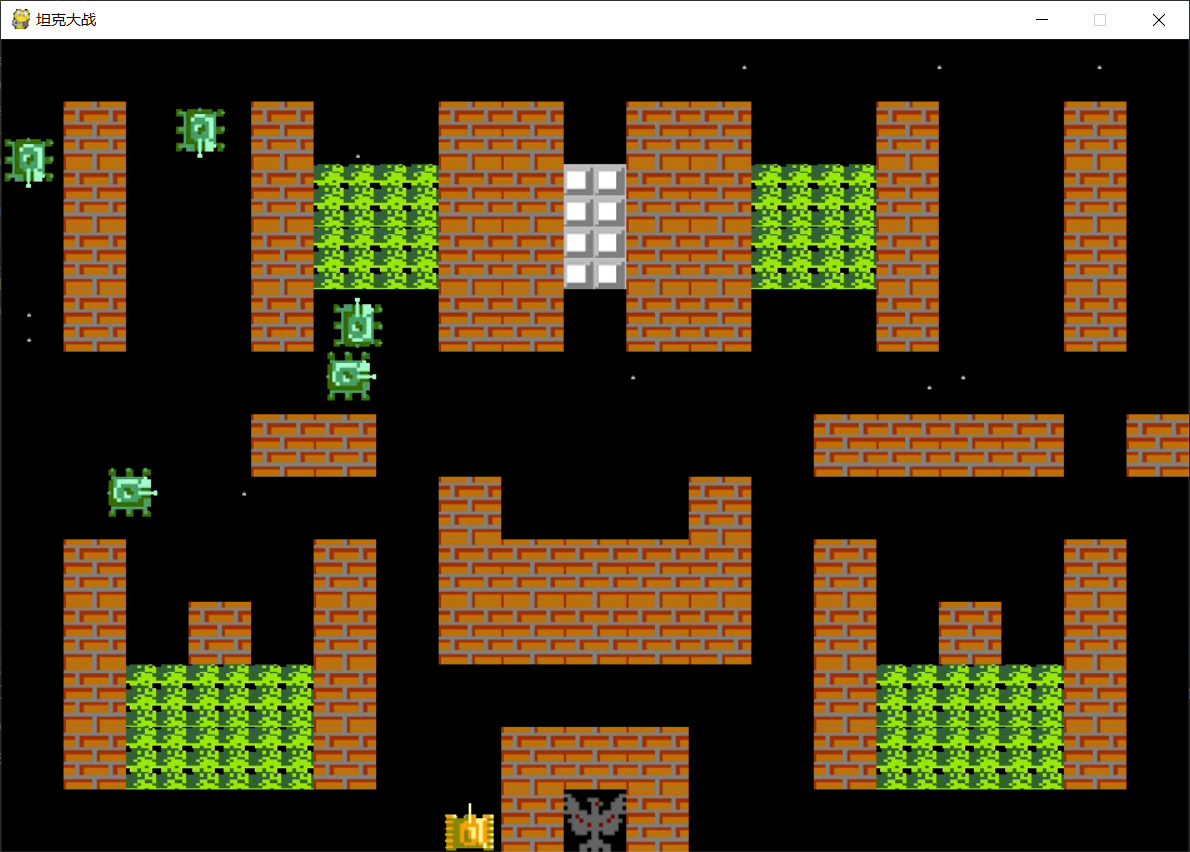
Multiple enemy tanks:
Now, let’s walk through the project structure.
Here’s the project directory:
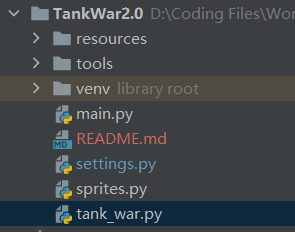
The resources folder contains assets like audio and images.
The tools folder provides two small utilities, mainly for my personal use, so I won’t explain them in detail here.
main.py is the main program entry point. The code is very short:
from tank_war import TankWar

if __name__ == '__main__':
    tankWar = TankWar()
    tankWar.run_game()
We simply create an instance of TankWar and call its run_game method to start the game.
tank_war.py contains the core logic of the Tank Battle game.
The TankWar class defines all main game behaviors, including:
- Initializing the screen
- Initializing Pygame
- Creating enemy tanks
- Drawing the map
- Detecting collisions
- Listening for player input/events
Pygame provides a Sprite class for creating image-based game objects.
sprites.py defines multiple subclasses of Sprite, such as:
- Tank base class
- Hero class (player's tank)
- Enemy class (enemy tanks)
- Bullet class
- Wall class
Each class defines specific behaviors. For example:
- Tanks can move, shoot bullets, and explode.
settings.py contains configuration parameters such as:
- Number of bullets
- Bullet speed
- Tank speed
- Map information
- Image assets
You can adjust these settings by modifying the source code directly (since no settings UI has been implemented yet).
Because the project has a lot of code, I won’t go into the full details here.
The game still has areas for improvement, and I plan to continue updating it.
The project is available on GitHub — feel free to fork it!
That's all for today!
Project GitHub Repository: https://github.com/IronSpiderMan/TankWar
Pygame Documentation: https://www.pygame.org/docs/
前段时间,也就是国庆节。在寝室闲来无事,用pygame写了一个小游戏,就是标题写的《坦克大战》。这个游戏写了两个版本,第一个版本是按照书上的思想来写的,发现写到后面的时候代码太乱了。于是我又从头开始,用比较合理的面向对象思想重新写了一个版本。说比较合理也只是符合我自己的思想,所以难免会有一些不合理的设计,水平有限,希望各位读者能够包涵一下。
我们先来看看我的开发环境,用的东西还是比较简单的:
作者:Zack
时间:2020年10月16日
开发环境:python 3.7.9
第三方模块:pygame
其中我还用了一些第三方模块,但是在游戏主体中没有使用,所以就先不介绍了。下面我们来看看游戏实现了些什么功能。
我们主程序入口在main.py文件,在安装好pygame模块后就能直接运行。下面是运行截图:
下面是子弹击中墙壁的爆炸效果:
下面是多个敌方坦克的效果图:
我们再来看看项目的各个文件。
下面是项目目录:
其中resources是资源文件,音频、图片等都在resources目录。而tools中提供了两个小工具,因为只是供个人临时使用的,这里不过多解释了。
而main.py则是项目的主入口,代码很短:
from tank_war import TankWar

if __name__ == '__main__':
    tankWar = TankWar()
    tankWar.run_game()
我们直接创建了TankWar的实例,然后调用run_game方法运行游戏。
tank_war.py中写了我们坦克大战游戏主体的模块,里面的TankWar类定义了游戏主体的一切行为。包括初始化屏幕、初始化pygame模块、创建敌方坦克、绘制地图、检测碰撞、监听事件等。
在pygame中提供了一个sprite类用于创建有图像的物体。而sprites中定义的都是sprite的子类,因此也都是有图片的类。其中包括坦克基类、英雄类(我方坦克)、敌人类(敌方坦克)、子弹类、墙类等。
而各个类中定义了各自的行为,例如:坦克类有发射子弹的行为、移动的行为、爆炸的行为等。
settings.py中定义了一些设置信息,包括子弹的数量、子弹的速度、坦克的速度、地图信息、图片信息等。我们可以通过修改settings.py来调整游戏的一些设置,因为还没有写设置相关的操作,所以需要修改源码。
因为代码比较多,这里就不介绍代码了。游戏还要许多不足之处,后续会继续更新。项目已上传GitHub,欢迎各位来fork。今天就介绍到这里了~
项目地址:https://github.com/IronSpiderMan/TankWar
pygame文档地址:https://www.pygame.org/docs/
本文来源公众号:新建文件夹X,转载请标明出处。