Wall of work https://github.com/users/Cosmonaut-itc/projects/1
Our mission is to make users live easier by improving the tools they use in a daily basis in an enterprise environment.
Our Vision is to create work environment where as much friction as possible is removed from the user in all sorts of applications, making their relationship with their tools easier and improving work-life balance.
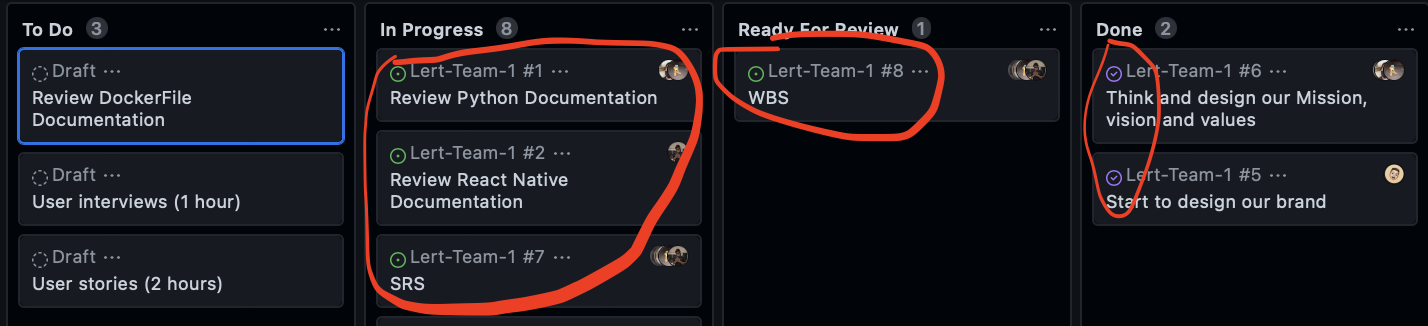
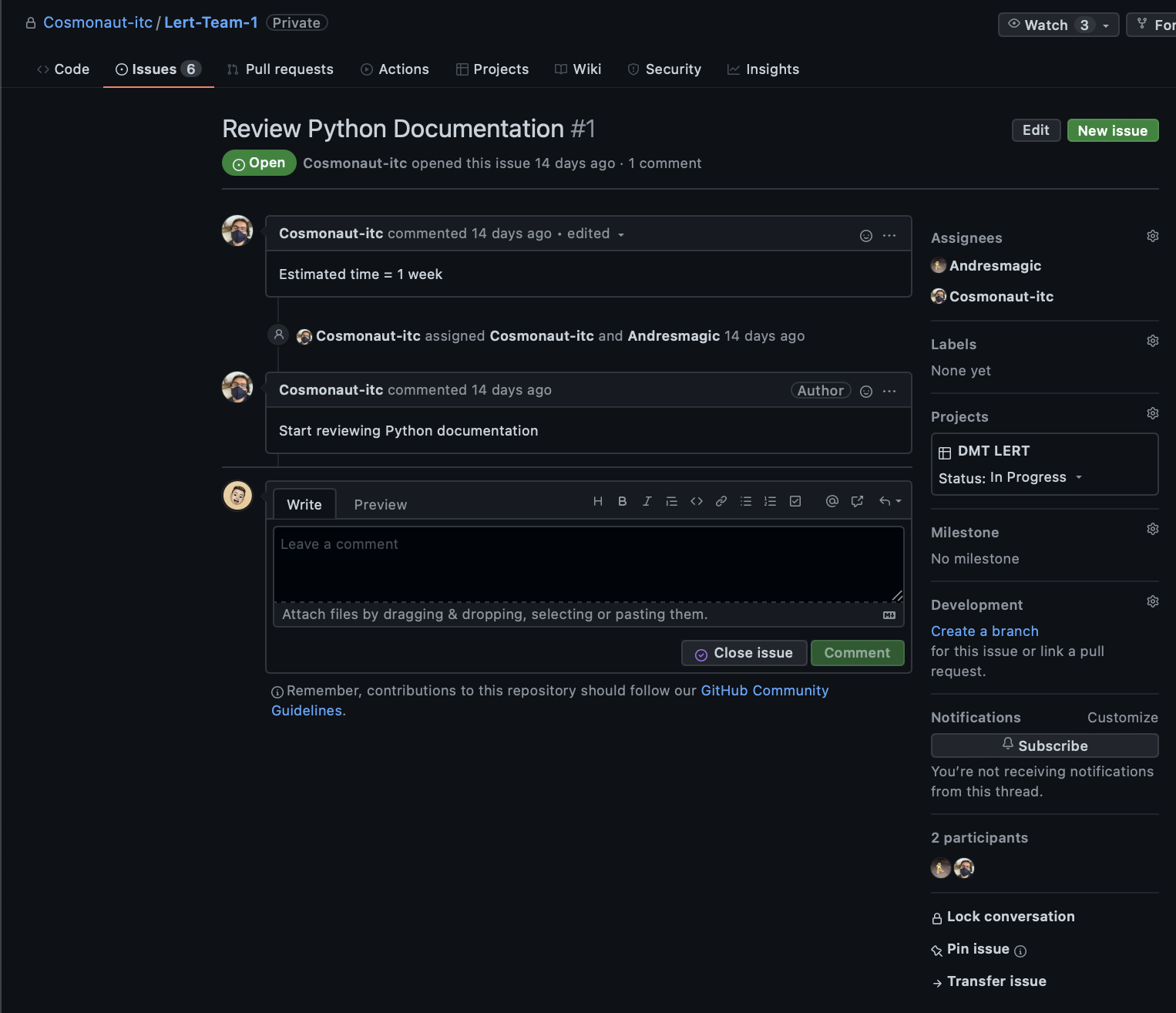
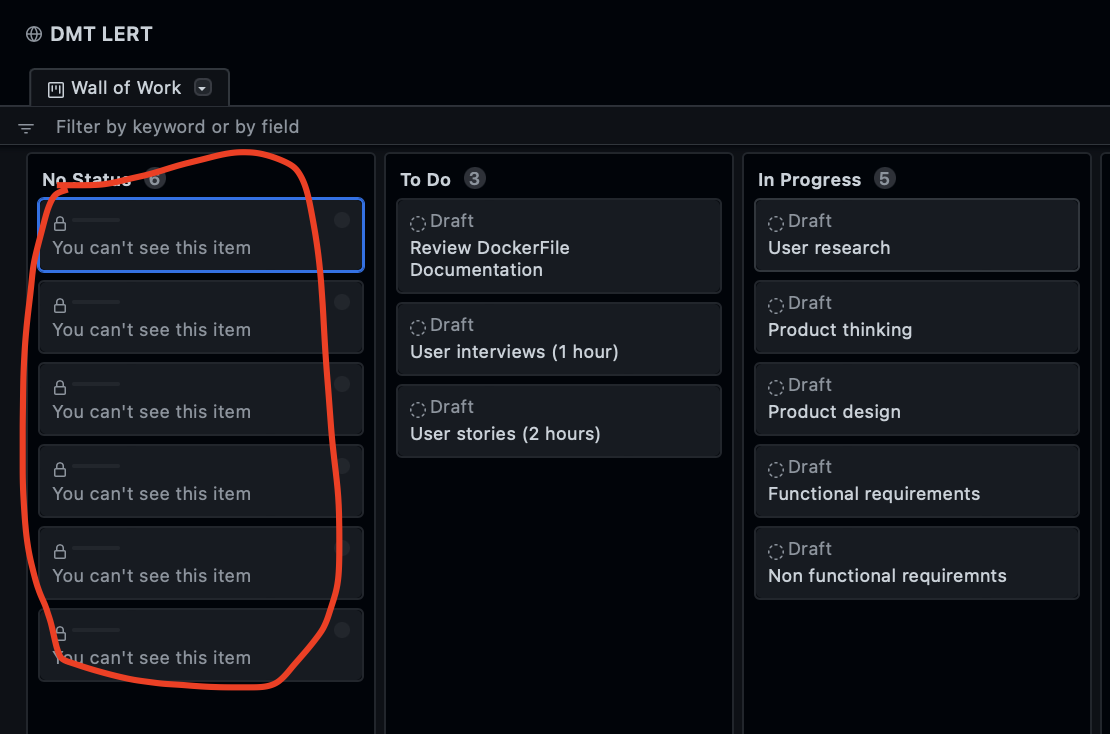
All stakeholders have access to our wall of work on GitHub through the link provided by the team for them. Our wall of work is connected to our GitHub repository, so for privacy reasons, not everyone with the link can see the tasks related to our repository on the wall of work. For example, if there is a bug at some stage of development and we create an issue on our GitHub, we relate this issue to a wall of work task, so that people who have access to our repo will be able to see the task and people who don't have access to the repo but the wall of work company was this task of the wall of work as private.
Wall of wark view of stakeholders with access to the repository:
View of issues connected to wall of work available to stakeholders with access to the repository:
View of wall of work for stakeholders without access to the repository:
All stakeholders with technical knowledge who require access to GitHub will be invited by private invitation and will only have access through the invited account. We will verify with the product owner if the stakeholder needs access and that the account is approved for access.
- Pre-production environment
- Testing environment
- Production environment
In this environment, the databases will be local to reduce communication risks and streamline the construction process of both frontend and backend.
This environment will have different possibilities with tester tools to test both the front end and the backend and the database.
This environment will have all the security measures and will be connected to the project database, this environment is focused on finished and tested features.
For change management we will have a branch for each member of the development team. When a change is made in the personal branch of the developer, this developer will make a merge request to main, this request will be analyzed by at least one other member of the team to be approved. The work base will always be the main breach, so it is necessary for all members to be up to date with it before adding or modifying things.
- OP Managers
- Managers
- Finance
As well as a communication plan with the product owner and technical stakeholders through the Slack platform
We will use toggl track as a group timelog, on a daily basis
This project was bootstrapped with Create React App.
In the project directory, you can run:
Runs the app in the development mode.
Open http://localhost:3000 to view it in your browser.
The page will reload when you make changes.
You may also see any lint errors in the console.
Launches the test runner in the interactive watch mode.
See the section about running tests for more information.
Builds the app for production to the build folder.
It correctly bundles React in production mode and optimizes the build for the best performance.
The build is minified and the filenames include the hashes.
Your app is ready to be deployed!
See the section about deployment for more information.
Note: this is a one-way operation. Once you eject, you can't go back!
If you aren't satisfied with the build tool and configuration choices, you can eject at any time. This command will remove the single build dependency from your project.
Instead, it will copy all the configuration files and the transitive dependencies (webpack, Babel, ESLint, etc) right into your project so you have full control over them. All of the commands except eject will still work, but they will point to the copied scripts so you can tweak them. At this point you're on your own.
You don't have to ever use eject. The curated feature set is suitable for small and middle deployments, and you shouldn't feel obligated to use this feature. However we understand that this tool wouldn't be useful if you couldn't customize it when you are ready for it.
You can learn more in the Create React App documentation.
To learn React, check out the React documentation.
This section has moved here: https://facebook.github.io/create-react-app/docs/code-splitting
This section has moved here: https://facebook.github.io/create-react-app/docs/analyzing-the-bundle-size
This section has moved here: https://facebook.github.io/create-react-app/docs/making-a-progressive-web-app
This section has moved here: https://facebook.github.io/create-react-app/docs/advanced-configuration
This section has moved here: https://facebook.github.io/create-react-app/docs/deployment
This section has moved here: https://facebook.github.io/create-react-app/docs/troubleshooting#npm-run-build-fails-to-minify