Basic Setup
The dashboard consists of so called "collections". Each collection is a representation of data. A collection can have the following types:
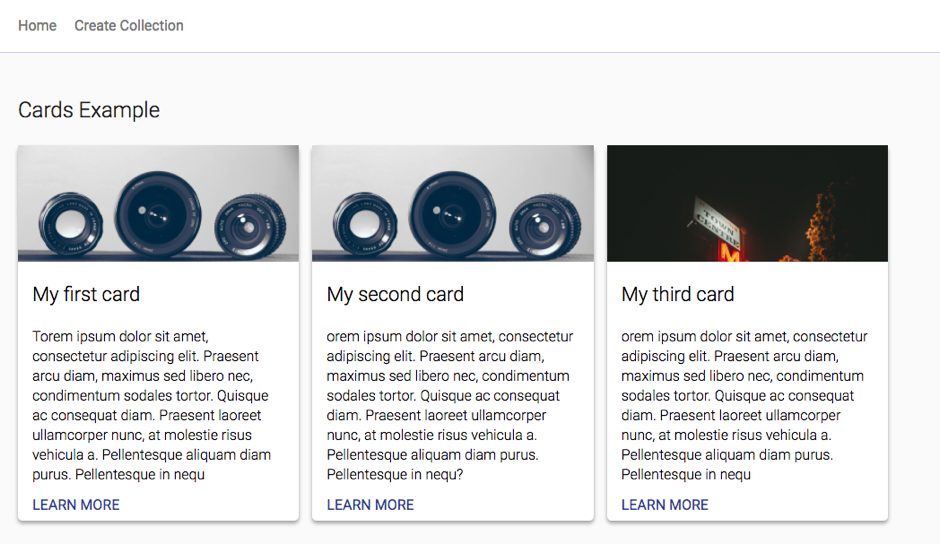
- Cards
- Text Cards
- Image Cards
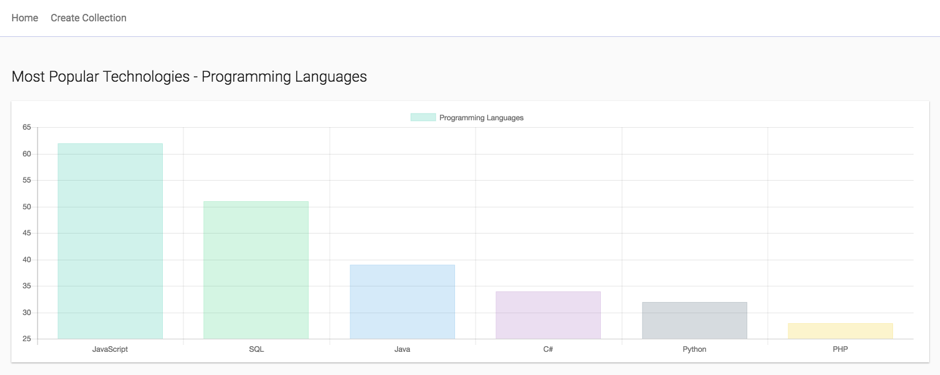
- Charts
- Line Chart
- Bar Chart
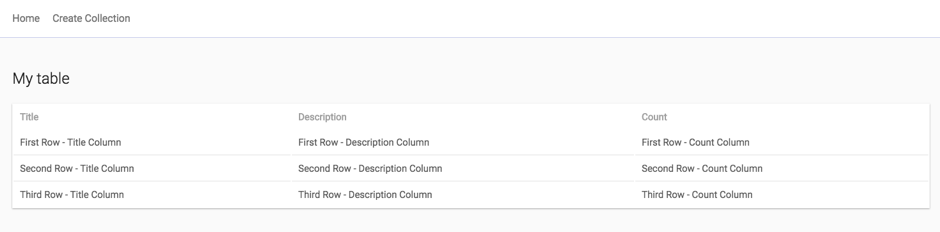
- Table
- Basic table
Each collection has a source, the source is an url to an API. Each time the dashboard loads, it sends a GET request to the configured endpoint.
All configured sources should return JSON.
[
  {
    image: "https://source.unsplash.com/random",
    title: "My first card",
    description: "This is my first card"
  },
  {
    image: "https://source.unsplash.com/random",
    title: "My second card",
    description: "Another hello world here?"
  },
  {
    image: "https://source.unsplash.com/random",
    title: "My second card",
    description: "Last card"
  }
]
{
  title: "Programming Languages",
  labels: [
    "JavaScript",
    "SQL",
    "Java",
    "C#",
    "Python",
    "PHP"
  ],
  data: [
    62,
    51,
    39,
    34,
    32,
    28
  ]
}
{
  columns: [
    {
      name: "Title"
    },
    {
      name: "Description"
    },
    {
      name: "Count"
    },
  ],
  rows: [
    [
      "First Row - Title Column",
      "First Row - Description Column",
      "First Row - Count Column"
    ],
    [
      "Second Row - Title Column",
      "Second Row - Description Column",
      "Second Row - Count Column"
    ],
    [
      "Third Row - Title Column",
      "Third Row - Description Column",
      "Third Row - Count Column"
    ]
  ]
}