Install and configure ROS
git clone https://github.com/MacRover/Rover.git
cd ROS_WS
catkin_make
- Here's the official how-to guide: https://docs.microsoft.com/en-us/windows/wsl/install-win10
- Recommended distro is Ubuntu 18.04 LTS or 20.04 LTS
- Set up a new user
- You may also want to install Windows Terminal for an improved terminal prompt UI https://www.microsoft.com/en-ca/p/windows-terminal/9n0dx20hk701
- Make sure you're setting up WSL 2 and not just WSL 1. WSL 2 requires a few extra steps to configure.
- Recommended to install VcXsrv https://sourceforge.net/projects/vcxsrv/ as it is actively developed and open-source
- This runs on your base Windows OS
-
In your Ubuntu terminal prompt (Should be able to search for "Ubuntu" in the start menu to find this), type:
nano ~/.bashrcDon't delete anything, but paste the following lines at the end of the file (use arrow keys to scroll down):
# Connect to Windows X11 server
export DISPLAY=`grep -oP "(?<=nameserver ).+" /etc/resolv.conf`:0.0
export LIBGL_ALWAYS_INDIRECT=1
Press
Ctl+Xand thenYto save and exit.Finally, run
source ~/.bashrc -
Open XLaunch on Windows (search for XLaunch in the start menu)
Select
Multiple Windowsand set display number to-1. Click next.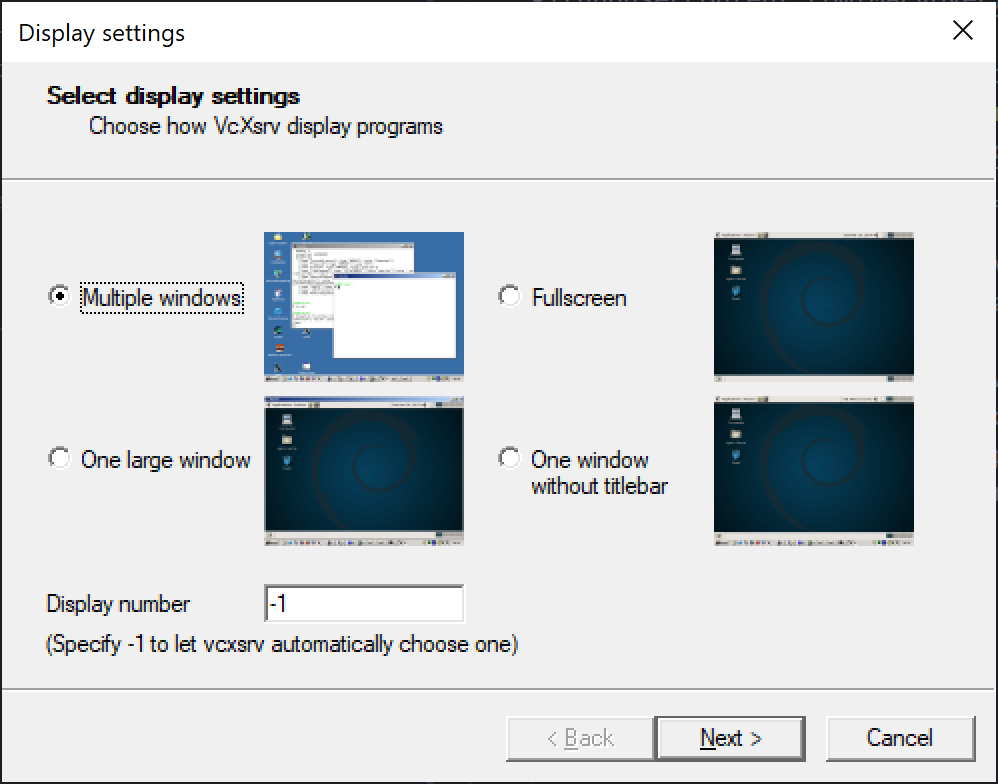
Select
Start no client. Click next.Uncheck
Native OpenGLand checkDisable access control. Click next.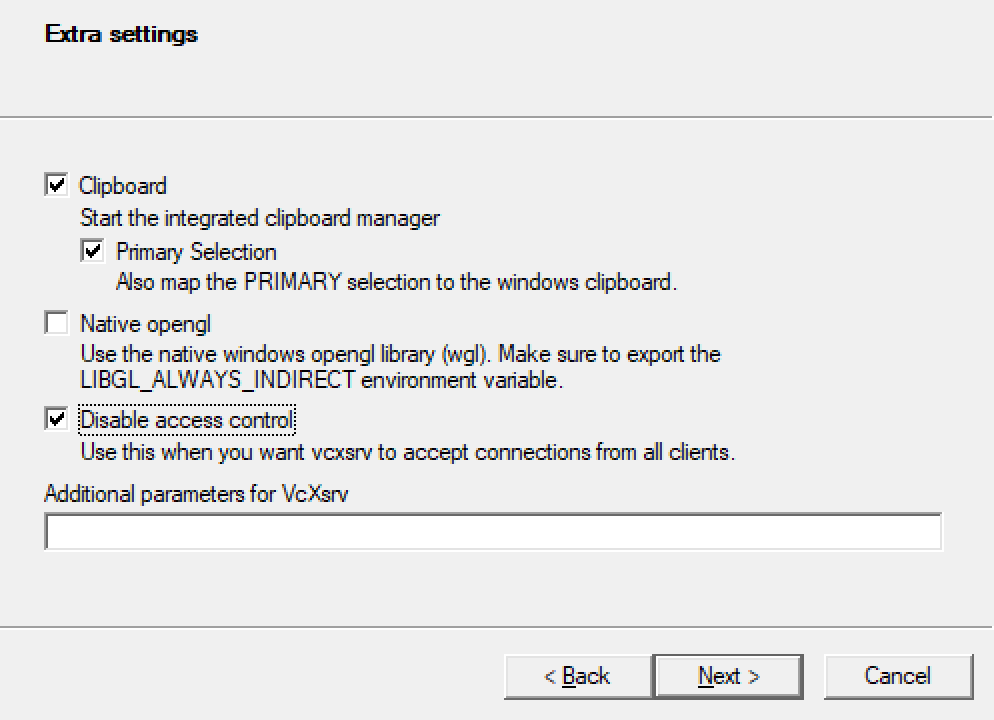
Save the configuration file somewhere you can remember. Next time you can just open this and skip the config options. Click finish.
If you get a prompt from Windows firewall, make sure to allow permissions on both private and public networks.
-
In the terminal on Ubuntu, type:
git clone https://github.com/MacRover/Rover.git -
You can clone it to wherever you want in your Linux install, just make sure you know where it is.
-
After cloning,
cdinto the repocd Rover
- Check out the ROS installation instructions on the ROS wiki.
-
Inside the git repo (where you should already be), type:
cd ROS_WS
catkin_make
-
Download and install the Remote Development Extension Pack
-
Open the
Remote Explorerpane. SelectWSL Targetsin the dropdown and open this repo. -
If you open the latter (
/Rover/ROS_WS), you are in the catkin workspace. This means the VSCode ROS extension will automatically detect your version.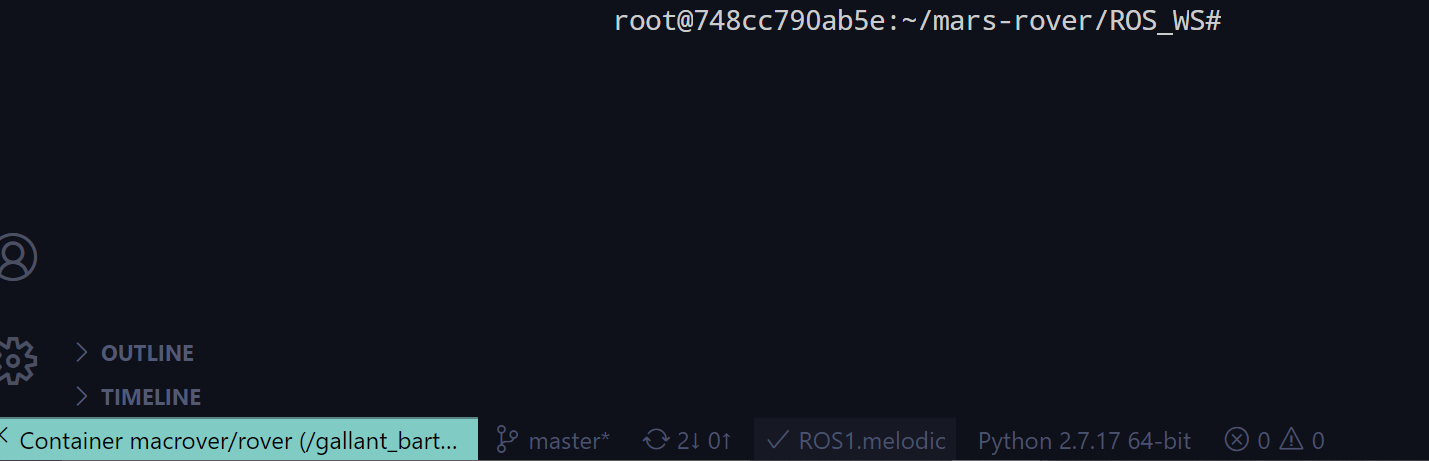
Check out the ROS installation instructions on the ROS wiki.