








Inspired by the workflow of Radarr and Sonarr, Playerr is designed to be the definitive solution for video game enthusiasts who self-host their libraries. It bridges the gap between your local digital assets and the vast world of gaming metadata.
- Intelligent Library Scanning: Recursive and smart recognition engine that identifies video game platforms across your storage, mapping local files to their respective titles.
- Rich Metadata Integration: Native hooks into IGDB and Steam APIs to fetch high-quality artwork, descriptions, ratings, and release dates.
- Seamless PVR Workflow: Support for Prowlarr and Jackett for automated indexer management and advanced searching.
- NZB Protocol Support: Native integration for Usenet downloads via NZB files, automatically handling protocol associations. Compatible with SABnzbd and NZBGet.
- Download Client Connectivity: Native API integration for managing transfers via industry-standard clients (qBittorrent, Transmission, SABnzbd).
- Modern Web GUI: A vibrant, dark-themed responsive interface designed for both desktop and containerized environments.
- Smart Path & File Management: Automatic folder renaming based on sanitized IGDB titles, preserving original release structure while keeping the library clean and organized.
- Automated Deployment Tool: Efficiently processes local installation packages and identifies primary executables to streamline library organization.
- Unified Library View: Display your entire gaming collection in one place, including native support for syncing and viewing your Steam Library.
| Game View | Game Details |
|---|---|
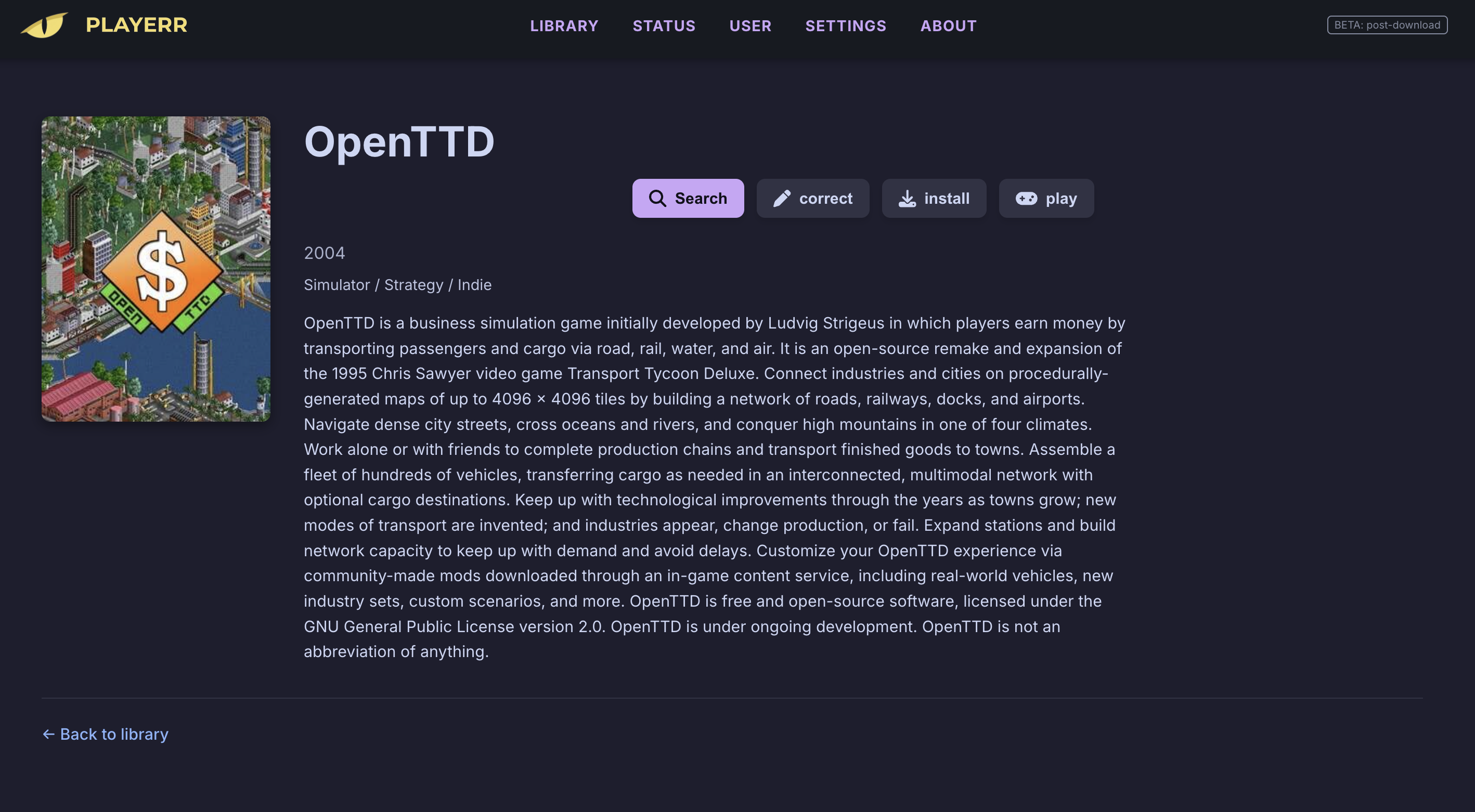 |
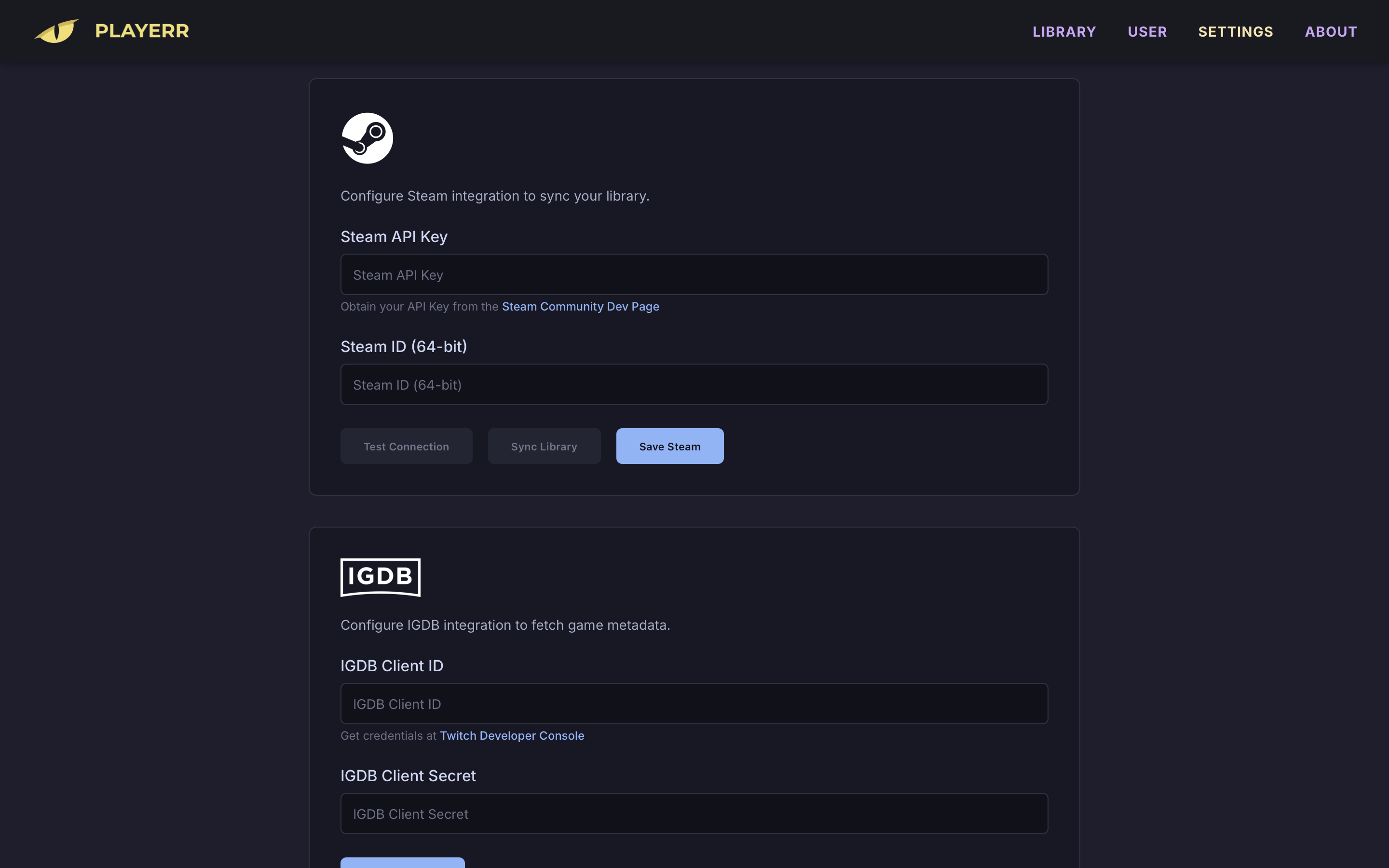 |
| Settings (Indexers) | Library Grid |
|---|---|
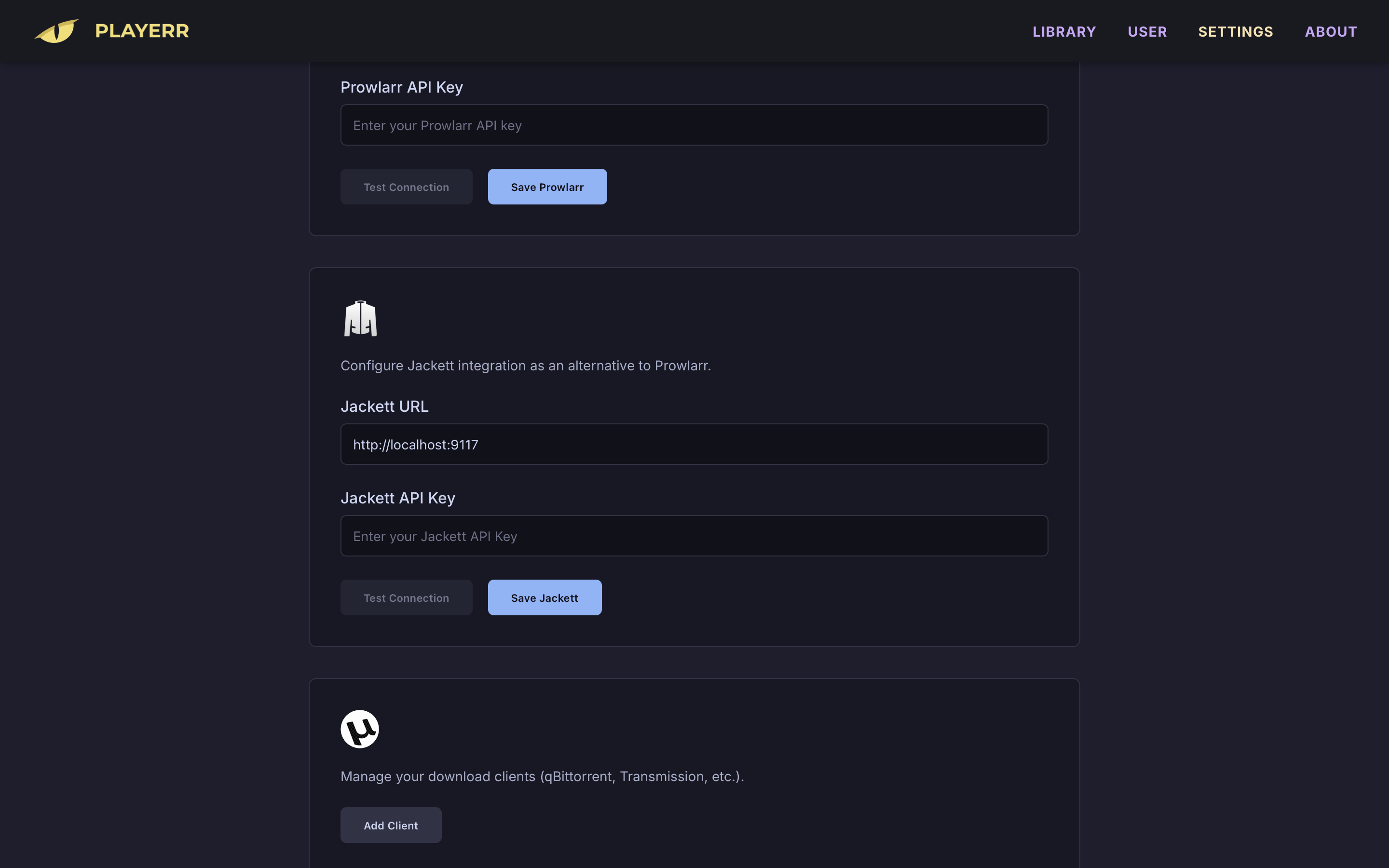 |
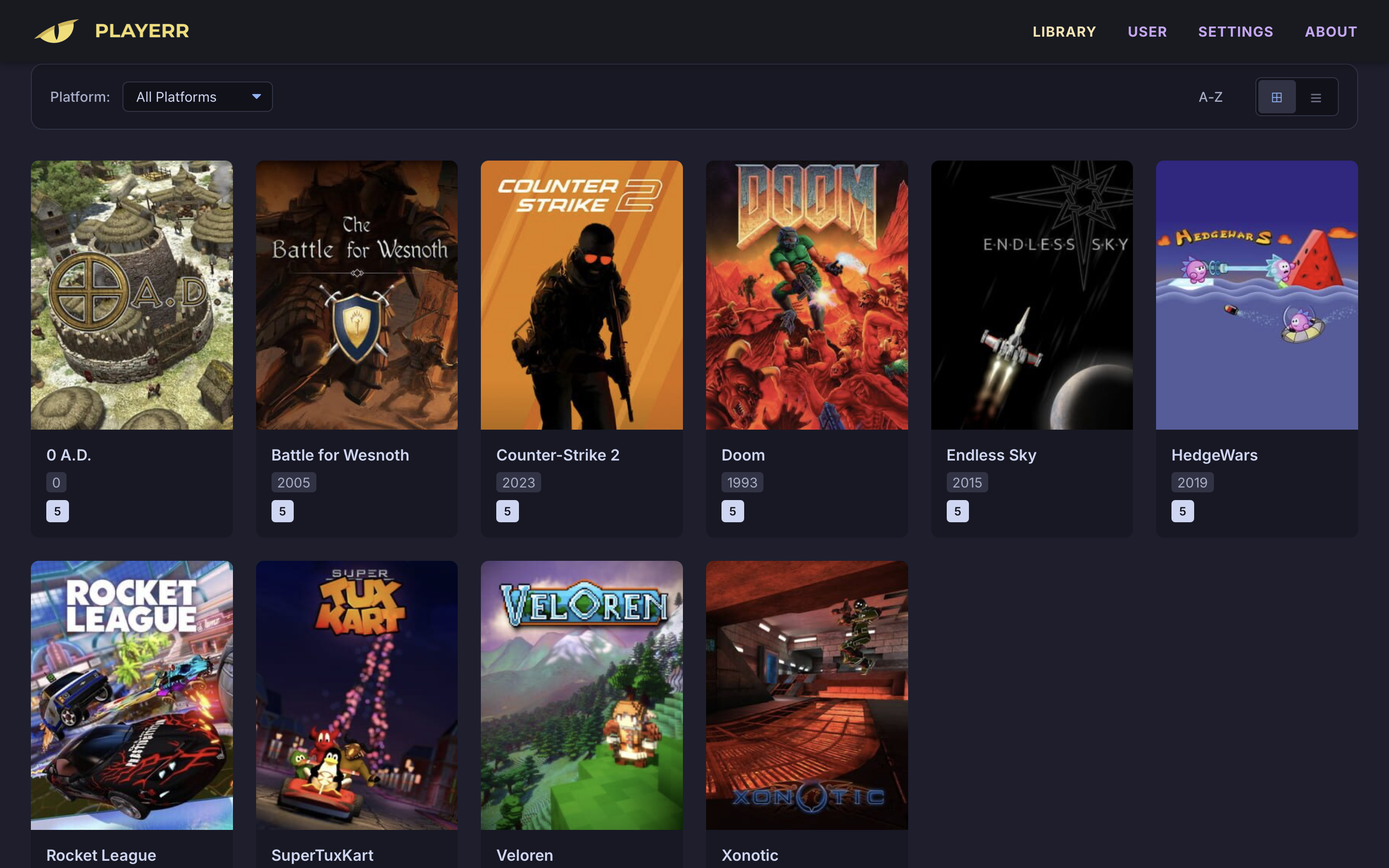 |
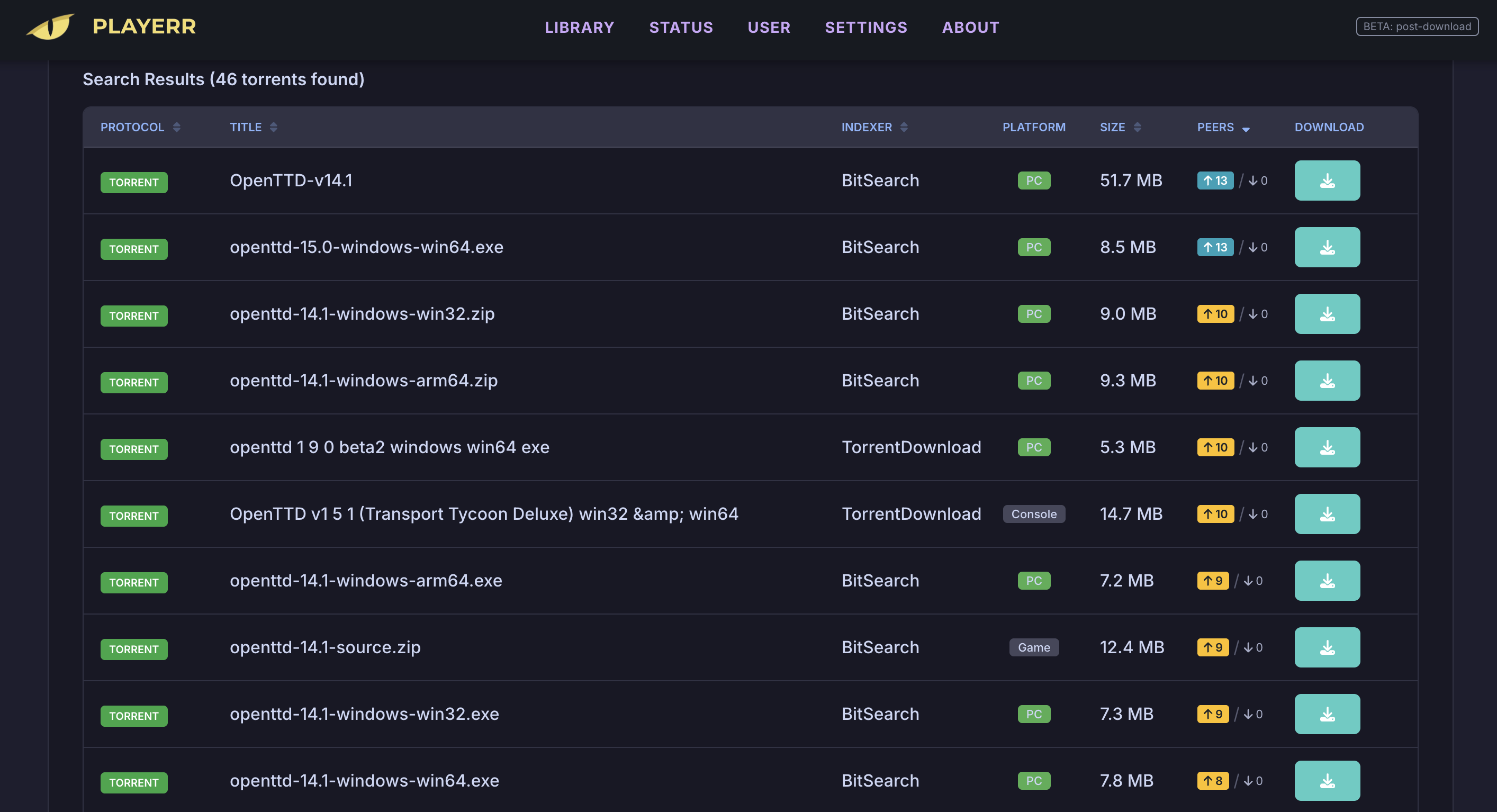
Search Manager
Playerr is architected for maximum reach, offering multi-platform binaries and containerized solutions:
- Docker: Universal support for amd64 and arm64 (Raspberry Pi, CasaOS, Synology, etc.).
- Windows: Native 64-bit performance. Download .exe (Installer) or Download .zip (Portable)
- macOS: Optimized for Apple Silicon (Download .dmg) and Intel (Download .dmg).
- Linux: Generic 64-bit binary distributions. Download .tar.gz
Playerr manages your library, but to execute Windows-native titles on macOS or Linux, we recommend the following compatibility layers:
- macOS: Whisky (Free/Open Source) or CrossOver (Paid/Official Support).
- Linux / Steam Deck: Native support via Proton (Steam), Lutris, or Bottles.
Note: Requires valid IGDB API keys (free) for metadata fetching.
The easiest way to run Playerr is using Docker. It includes everything you need in a single container. Access the UI at http://your-ip:2727.
Create a docker-compose.yml file and run docker-compose up -d:
services:
  playerr:
    image: maikboarder/playerr:latest
    container_name: playerr
    ports:
      - "2727:2727"
    volumes:
      - ./config:/app/config
      - /your/games/path:/media
restart: unless-stopped- Go to App Store -> Custom Install.
- Click on Import (top right) and paste this specific code (includes the icon):
services:
  playerr:
    image: maikboarder/playerr:latest
    container_name: playerr
    ports:
      - "2727:2727"
    volumes:
      - /DATA/AppData/playerr/config:/app/config
      - /DATA/Media/Games:/media
    restart: unless-stopped

x-casaos:
  architectures:
    - amd64
    - arm64
  main: playerr
  icon: https://raw.githubusercontent.com/Maikboarder/Playerr/master/frontend/src/assets/app_logo.png
  title:
    en_us: Playerr
- Click Install.
- Open Container Manager (or Docker).
- Go to Project -> Create.
- Paste the Docker Compose code and configure your local folders.
- Click Done.
If you want to modify the code or build the image locally instead of pulling it from Docker Hub:
-
Clone the repository:
git clone https://github.com/maikboarder/playerr.git cd playerr -
Use the build command:
docker build -t playerr:local . -
Or use a
docker-compose.override.ymlto force a local build:services: playerr: build: . image: playerr:local # ... rest of your config
- Core PVR Functionality: Automated search and categorization engine.
- NZB Protocol Support: Native integration for SABnzbd and NZBGet.
- Multi-Platform Deployment: Official builds for Windows, macOS (Apple & Intel), and Linux.
- Windows Installer: Professional NSIS installer for a seamless setup experience.
- Persistent Storage: SQLite integration to ensure library data and metadata longevity.
- Infrastructure & Storage Optimization:
- Atomic Move (Hardlinks): Instant file management without data fragmentation.
- Unraid Integration: Community XML template support (
_unraid/playerr.xml). - Smart API Handling: Advanced rate-limiting and batching for metadata providers.
- One-Click Launch Integration: Direct execution support for Steam and initial implementation for Installed Local Games.
- UI/UX Refinement: Premium iconography (FontAwesome) and consistent Nord-themed design.
- Advanced Configuration:
- Custom IP/Port Binding: Flexible network settings.
- System Tray Support: Minimize to Tray for Windows.
- Bazzite & Linux Gaming: Specialized compatibility hooks for Lutris, Proton, and Steam Deck.
- DBI Protocol Support: Advanced USB file transfer and management for handheld hardware devices.
- Official App Stores: Integration into official Unraid, CasaOS, and Synology app manifests.
- Extensibility Engine: Support for community-driven scripts and metadata plugins.
I'm building Playerr with the community in mind. Your feedback is the engine that drives our development.
- Contribute: Found a bug? Have a killer feature idea? Open an issue or a PR!
- Support: If Playerr brings value to your setup, consider supporting the project. Your contributions enable more focused development, better stability, and faster implementation of the roadmap.

Distributed under the MIT License. See LICENSE for more information.
Playerr is an open-source project for educational and personal library management. It is not affiliated with any third-party game platforms or metadata providers. The developers do not condone piracy; users are responsible for complying with their local laws regarding copyright and content usage. See DISCLAIMER.md for the full legal notice.
Developed by Maikboarder