A full-stack e-commerce application built with the MERN stack, featuring product management, user authentication, shopping cart functionality, and order placement.


i-com is a modern e-commerce platform that enables users to browse, search, and purchase products seamlessly. Administrators have full control over product inventory with capabilities to add, edit, delete, and manage products. The platform features real-time cart management, secure JWT authentication, cloud-based image storage, and a responsive design optimized for all devices. Built with the MERN stack and enhanced with modern tools like Vite and Tailwind CSS, i-com delivers an enterprise-grade shopping experience.
- 🎨 Modern UI/UX - Clean, responsive design built with Tailwind CSS
- 🔐 Secure Authentication - JWT-based user authentication system
- 📦 Advanced Inventory - Real-time stock management with admin controls
- 🖼️ Cloud Storage - Seamless image handling via Supabase
- 🛒 Smart Cart System - Flexible checkout with individual or bulk purchases
| Frontend | React.js (v18+), Vite, Tailwind CSS, Context API, Axios, React Hot Toast, Lucide React, React Router v6 |
| Backend | Node.js, Express.js, JWT (Authentication), bcryptjs (Security) |
| Database | MongoDB (MongoDB Atlas) with Mongoose ODM |
| Storage | Supabase Cloud Storage |
| Tools & Services | npm, Git & GitHub, ESLint, Postman |
- ✅ User Authentication - Secure sign up, login, and password recovery
- ✅ Browse Products - View all available products with detailed information
- ✅ Product Search - Real-time search by name, brand, or category
- ✅ Category Browsing - Explore products organized by intuitive categories
- ✅ Product Details - View comprehensive specifications, images, and pricing
- ✅ Shopping Cart - Add/remove items and manage quantities seamlessly
- ✅ Place Orders - Flexible checkout to purchase individual items or entire cart
- ✅ User Profile - View and update personal information and preferences
- ✅ Order History - Track and review all placed orders
- ✅ Account Settings - Change password and delete account options
- ✅ Product Management - Complete CRUD operations (Create, Read, Update, Delete)
- ✅ Inventory Control - Manage stock levels and product availability status
- ✅ Product Search - Quickly find and filter products in inventory
- ✅ View All Products - Access both available and unavailable items
- ✅ Image Management - Upload and manage product images via Supabase cloud storage
- ✅ User Management - View all registered users and their information
- ✅ Admin Dashboard - Centralized control panel for all administrative operations
- ✅ JWT Authentication - Token-based secure authentication system
- ✅ Role-Based Access Control - Separate permissions for Users and Admins
- ✅ Password Hashing - bcryptjs encryption for password security
- ✅ Secure Cloud Storage - Protected image storage with Supabase
- ✅ Input Validation - Server-side validation and data sanitization
- ✅ Protected API Routes - Middleware-based route protection
- ✅ CORS Configuration - Cross-Origin Resource Sharing security
Ensure you have the following installed:
- Node.js (v14 or higher)
- npm or yarn
- MongoDB Atlas account
- Supabase account
Before you begin, ensure you have the following installed on your system:
| Requirement | Minimum Version | Download Link |
|---|---|---|
| Node.js | v14.x or higher | nodejs.org |
| npm | v6.x or higher | Comes with Node.js |
| Git | Latest | git-scm.com |
| MongoDB Atlas Account | - | mongodb.com/cloud/atlas |
| Supabase Account | - | supabase.com |
node --version  # Should show v14.x or higher
npm --version   # Should show v6.x or higher
git --version # Should show installed version1️⃣ Clone the Repository
git clone https://github.com/NKG-S/Commercial-website.git
cd Commercial-website
2️⃣ Install Backend Dependencies
cd commercial-web-back
npm install
Expected packages to be installed:
- express
- mongoose
- jsonwebtoken
- bcryptjs
- cors
- dotenv
- @supabase/supabase-js
3️⃣ Install Frontend Dependencies
cd ../commercial-web-front
npm install
Expected packages to be installed:
- react
- react-dom
- react-router-dom
- axios
- tailwindcss
- lucide-react
- react-hot-toast
- vite
4️⃣ Configure Environment Variables
# Navigate to backend directory
cd ../commercial-web-back

# Create .env file (or copy from .env.example if available)
touch .env

# Open .env in your text editor and add all required variables
# See the "Environment Variables" section above for details
5️⃣ Set Up Supabase Storage Bucket
- Go to Supabase Dashboard
- Select your project
- Navigate to Storage in the sidebar
- Click New Bucket
- Create a bucket named
images(or match yourSUPABASE_BUCKETvalue) - Set the bucket to Public if you want direct image access
6️⃣ Verify Installation
# Check if all dependencies are installed correctly
cd commercial-web-back
npm list --depth=0

cd ../commercial-web-front
npm list --depth=0Create a .env file in the commercial-web-back directory:
# MongoDB Configuration
MONGO_URL=your_mongodb_atlas_connection_string

# JWT Configuration
JWT_SECRET=your_secure_random_string_for_token_signing

# Supabase Configuration
SUPABASE_URL=your_supabase_project_url
SUPABASE_ANON_KEY=your_supabase_public_anon_key
SUPABASE_SERVICE_ROLE_KEY=your_supabase_service_role_key
SUPABASE_BUCKET=imagesTo run the application, you need to start both the backend server and frontend client in separate terminal windows.
# Navigate to backend directory
cd commercial-web-back

# Start the Express server
npm start
✅ Expected Output:
Server is running on http://localhost:3000
MongoDB Connected Successfully
🔍 Troubleshooting:
- If you see "MongoDB connection error", check your
MONGO_URLin.env - If port 3000 is in use, kill the process:
lsof -ti:3000 | xargs kill -9(Mac/Linux) - Check if all environment variables are properly set
# Navigate to frontend directory (open a new terminal)
cd commercial-web-front

# Start the Vite development server
npm run dev
✅ Expected Output:
VITE v5.x.x ready in xxx ms

➜ Local:   http://localhost:5173/
➜ Network: use --host to expose
➜ press h + enter to show help
- Frontend Application: Open your browser and visit
http://localhost:5173 - Backend API: Running at
http://localhost:3000 - API Health Check: Visit
http://localhost:3000/api/health(if implemented)
- Press
Ctrl + Cin both terminal windows to stop the servers
# Backend commands
npm start          # Start server
npm run dev        # Start with nodemon (auto-restart)
npm test           # Run tests (if available)

# Frontend commands
npm run dev        # Start development server
npm run build      # Build for production
npm run preview    # Preview production build
npm run lint # Run ESLint| Method | Endpoint | Description | Auth Required |
|---|---|---|---|
POST |
/check-email |
Check if email exists | ❌ |
POST |
/ |
Register new user | ❌ |
POST |
/login |
User login | ❌ |
GET |
/profile |
Get user profile | ✅ |
PUT |
/profile |
Update profile | ✅ |
DELETE |
/profile |
Delete account | ✅ |
POST |
/cart/:productId |
Add to cart | ✅ |
GET |
/cart |
Get cart items | ✅ |
DELETE |
/cart/:productId |
Remove from cart | ✅ |
| Method | Endpoint | Description | Access | Request Body |
|---|---|---|---|---|
GET |
/ |
Get all products | 🌐 Public | |
POST |
/ |
Create product | 🛡️ Admin | |
GET |
/:productId |
Get single product | 🌐 Public | |
PUT |
/:productId |
Update product | 🛡️ Admin | |
DELETE |
/:productId |
Delete product | 🛡️ Admin |
Commercial-website/
│
├── commercial-web-back/          # Express.js Backend
│   ├── Controllers/              # Business Logic Layer
│   │   ├── userController.js
│   │   └── productController.js
│   ├── Routes/                   # API Route Definitions
│   │   ├── userRoutes.js
│   │   └── productRoutes.js
│   ├── Modules/                  # Mongoose Models
│   │   ├── User.js
│   │   └── Product.js
│   ├── index.js                  # Server Entry Point
│   └── .env                      # Environment Variables
│
└── commercial-web-front/         # React Frontend
    ├── src/
    │   ├── components/           # Reusable UI Components
    │   │   ├── Navbar.jsx
    │   │   ├── ProductCard.jsx
    │   │   └── Cart.jsx
    │   ├── pages/                # Page Components
    │   │   ├── Home.jsx
    │   │   ├── Products.jsx
    │   │   └── Admin.jsx
    │   ├── context/              # State Management
    │   │   └── AuthContext.jsx
    │   ├── App.jsx               # Main Application
    │   └── main.jsx              # React Entry Point
    └── package.json
- Controllers: Handle business logic and database operations
- Routes: Define API endpoints and link them to controllers
- Modules: Mongoose schemas that define data structure
- Middleware: Functions that process requests before reaching controllers
- Components: Reusable React UI elements
- Pages: Full-page React components representing different routes
- Context: Global state management using React Context API
- Utils: Helper functions and API configuration
-
User Registration
- User submits email and password
- Backend validates input data
- Password is hashed using bcryptjs with salt rounds
- User data saved to MongoDB
- Success response sent to client
-
User Login
- User provides credentials
- Backend verifies email exists
- Password compared with hashed version
- JWT token generated with user ID and role
- Token sent to client and stored in localStorage
-
Protected Routes
- Client sends JWT token in Authorization header
- Backend middleware verifies token validity
- User data extracted from token
- Request proceeds if valid, otherwise 401 error
-
Session Persistence
- Token stored in browser localStorage
- Automatically included in API requests
- Token remains valid until expiration
- User stays logged in across page refreshes
-
Add Products
- Admin uploads product details and image
- Image sent to Supabase cloud storage
- Supabase returns public URL
- Product data with image URL saved to MongoDB
- Product appears in user catalog
-
Edit Products
- Admin updates product information
- If new image uploaded, old image replaced in Supabase
- MongoDB document updated with new data
- Changes reflected immediately
-
Delete Products
- Admin initiates product deletion
- Image removed from Supabase storage
- Product document deleted from MongoDB
- Product removed from all user carts
-
Availability Control
- Admin can mark products as available/unavailable
- Unavailable products hidden from regular users
- Admins can still view and manage them
- Useful for out-of-stock or seasonal items
-
Browse Products
- Users view all available products
- Products displayed in responsive grid
- Each card shows image, name, price, category
- Click for detailed view
-
Search & Filter
- Real-time search by product name
- Filter by categories
- Sort by price, name, or date added
- Instant results without page reload
-
Product Details
- View full product information
- See high-quality images
- Read detailed descriptions
- Check availability and stock
-
Cart Management
- Add products with desired quantities
- Update quantities in cart
- Remove unwanted items
- View total price calculation
- Cart persists across sessions
-
Checkout Process
- Option to buy single item instantly
- Or proceed with entire cart
- Review order summary
- Confirm purchase
- Receive order confirmation
Solution:
- Ensure
.envfile exists incommercial-web-backdirectory - Verify
MONGO_URLis correctly formatted:MONGO_URL=mongodb+srv://username:password@cluster.mongodb.net/database
- Check MongoDB Atlas:
- Network Access: Add your IP address (or 0.0.0.0/0 for development)
- Database Access: Ensure user credentials are correct
- Test connection string in MongoDB Compass
Solution:
- Verify all Supabase credentials in
.env:SUPABASE_URL=https://your-project.supabase.co SUPABASE_ANON_KEY=your-anon-key SUPABASE_SERVICE_ROLE_KEY=your-service-key SUPABASE_BUCKET=images
- Check Supabase Dashboard:
- Ensure storage bucket exists
- Verify bucket is set to Public
- Check storage policies allow uploads
- Test with a small image file first
Solution:
// Ensure backend has CORS configured (in index.js)
const cors = require('cors');
app.use(cors({
  origin: 'http://localhost:5173',
  credentials: true
}));Solution:
# On Mac/Linux:
lsof -ti:3000 | xargs kill -9

# On Windows:
netstat -ano | findstr :3000
taskkill /PID <PID> /F

# Or change port in backend index.js:
const PORT = process.env.PORT || 3001;Solution:
// Adjust token expiration in your auth controller
const token = jwt.sign(
  { userId: user._id, role: user.role },
  process.env.JWT_SECRET,
  { expiresIn: '7d' } // Change from '1d' to '7d' or '30d'
);Solution:
- Ensure backend is running on
http://localhost:3000 - Check axios baseURL in frontend:
// In utils/api.js or similar
const api = axios.create({
  baseURL: 'http://localhost:3000/api'
});
- Verify no typos in API endpoints
Solution:
- Check browser console for CORS errors
- Verify image URLs are correct in MongoDB
- Ensure Supabase bucket is set to Public
- Check network tab in DevTools for failed requests
Solution:
# Clear npm cache
npm cache clean --force

# Delete node_modules and package-lock.json
rm -rf node_modules package-lock.json

# Reinstall
npm install

# If still failing, try with legacy peer deps
npm install --legacy-peer-deps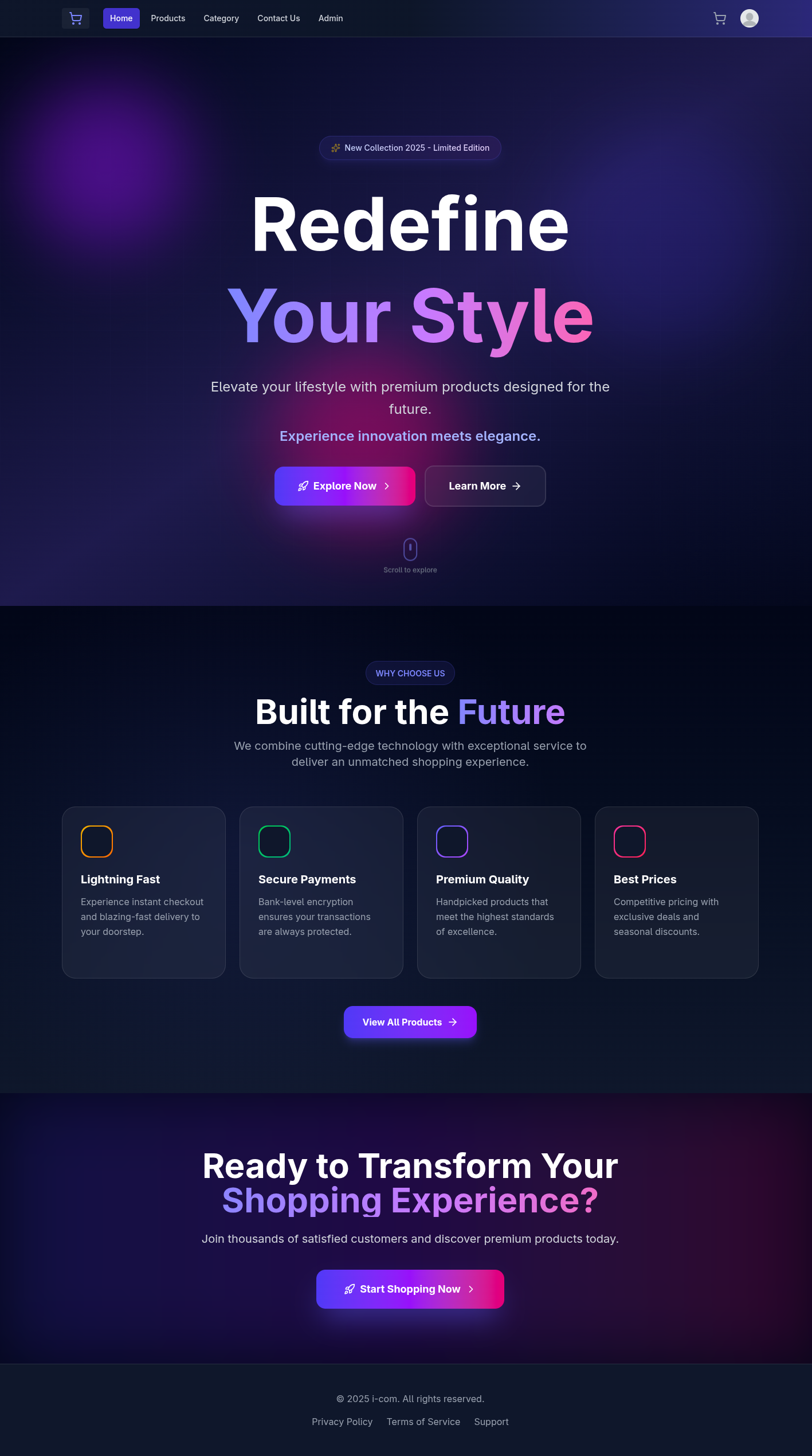 Modern hero section with featured products, categories, and promotional banners
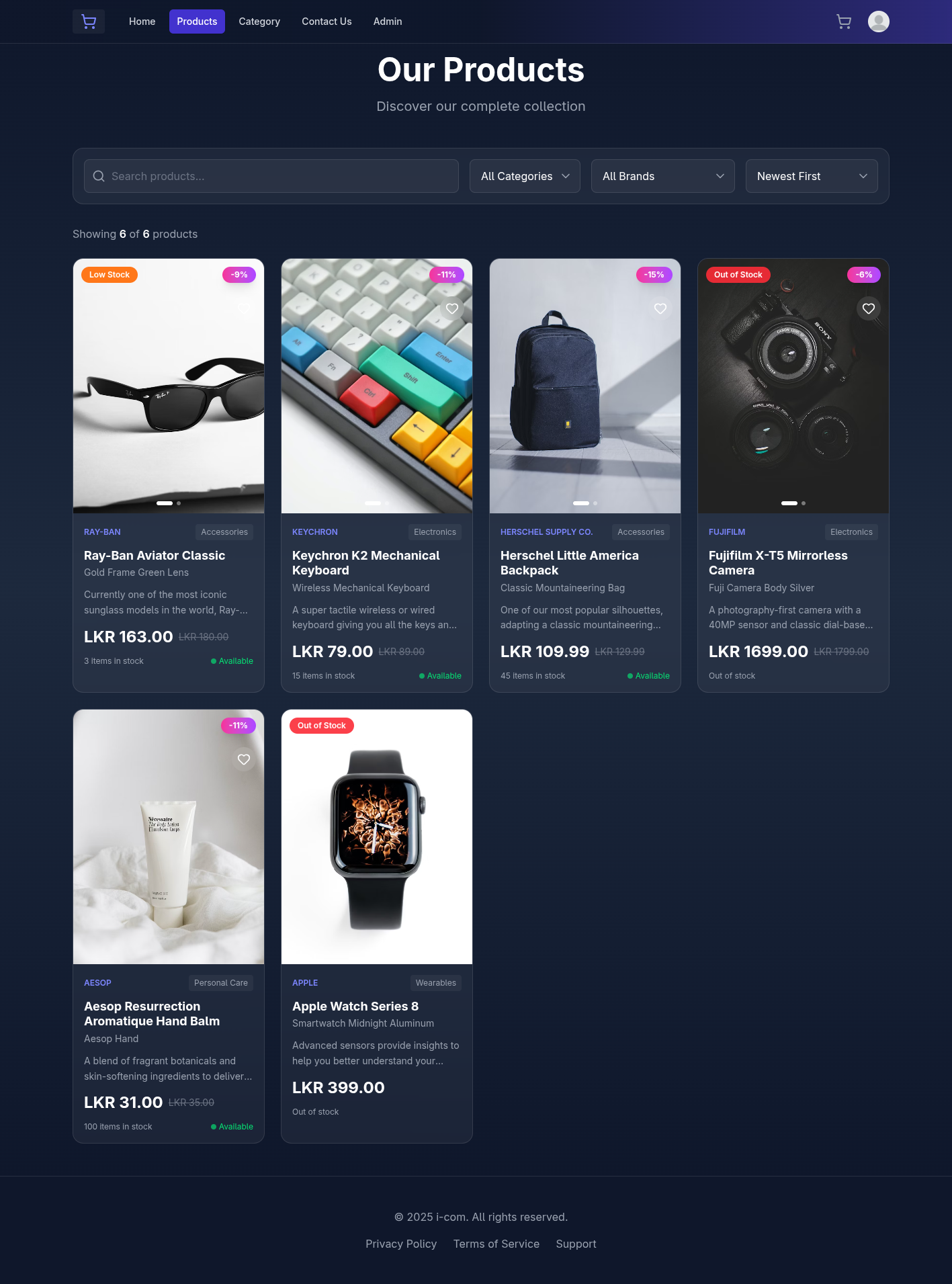 Responsive product grid with real-time search, category filters, and sorting options
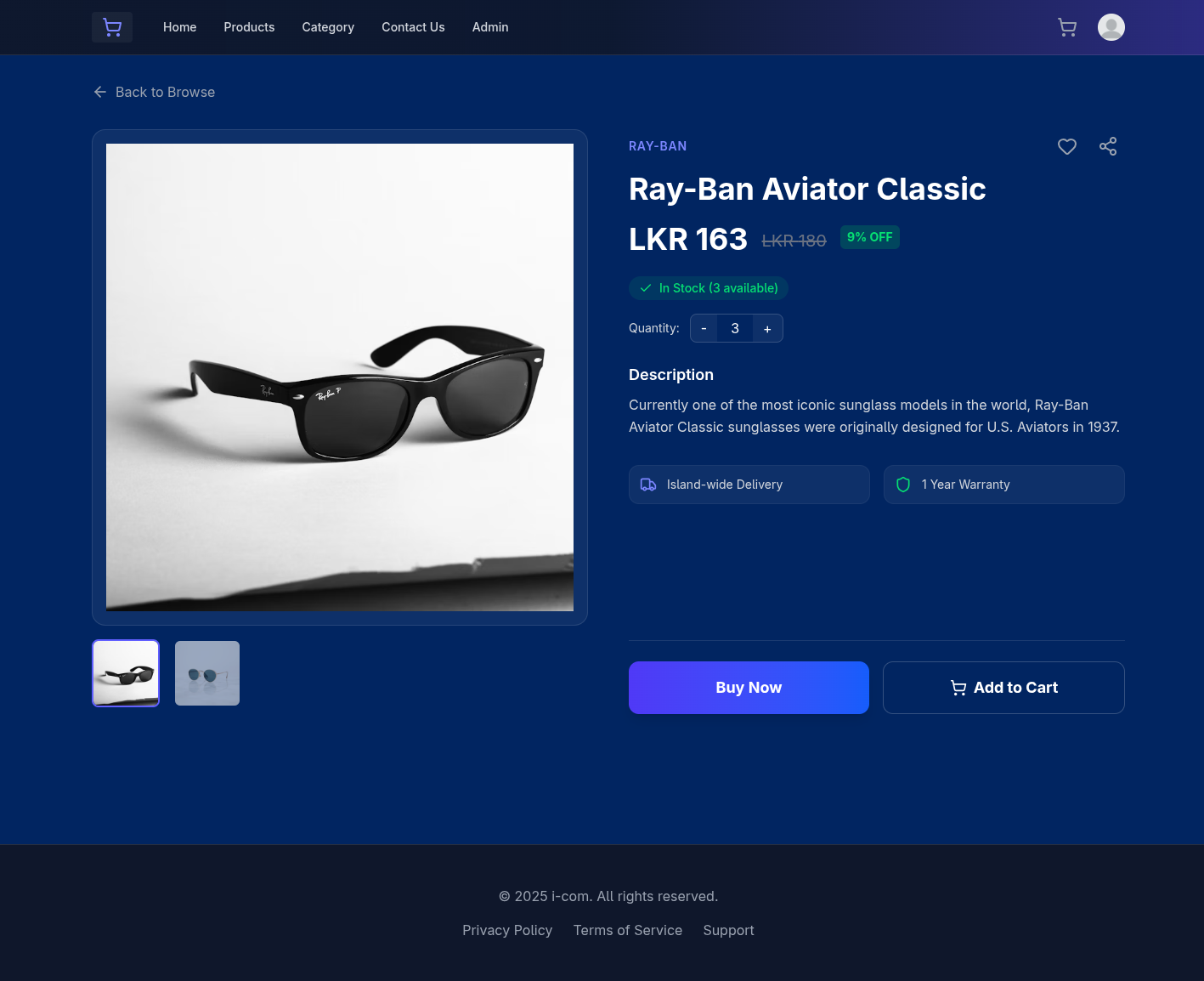 Detailed product information with images, specifications, and purchase options
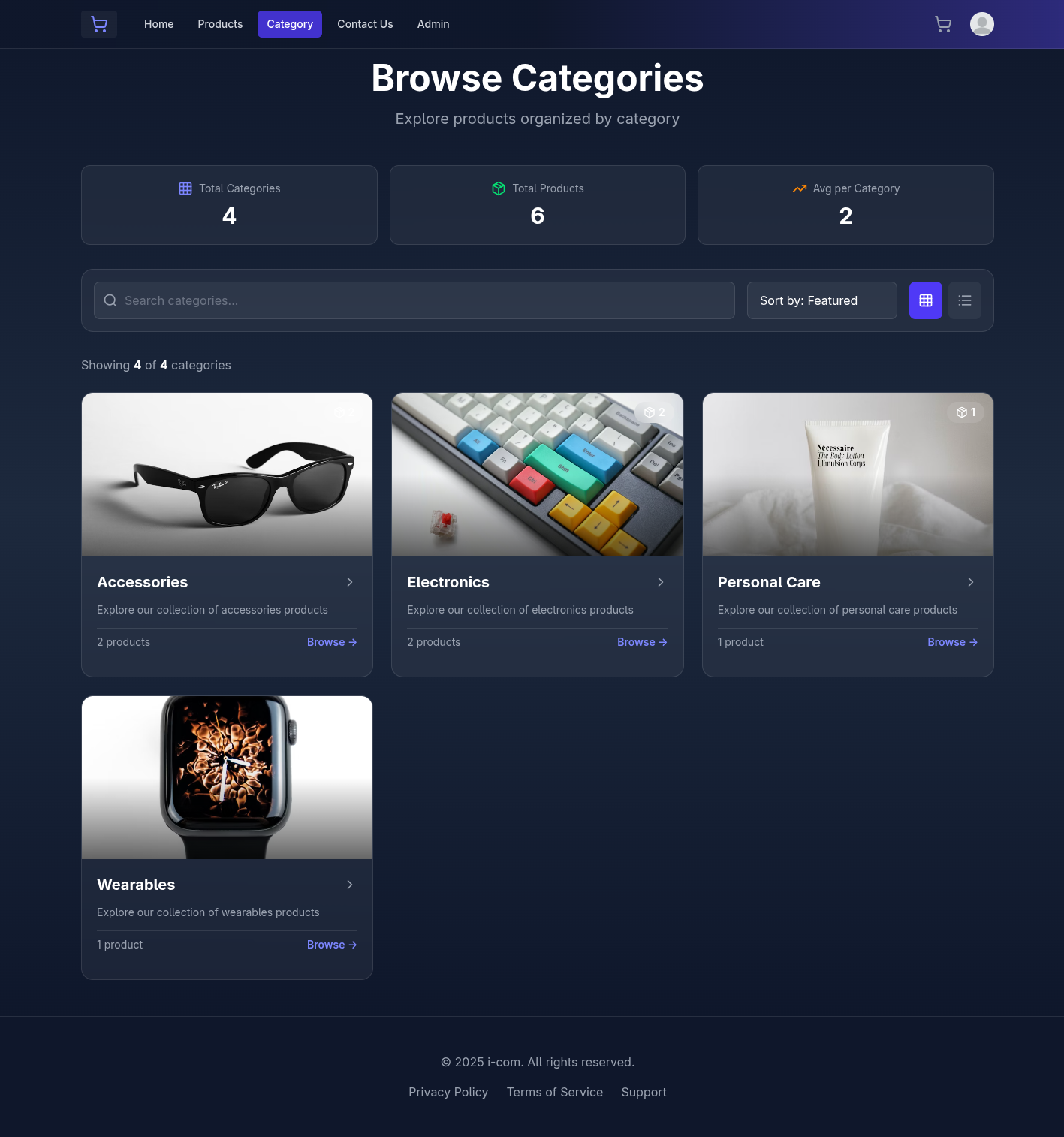 Browse products organized by intuitive categories
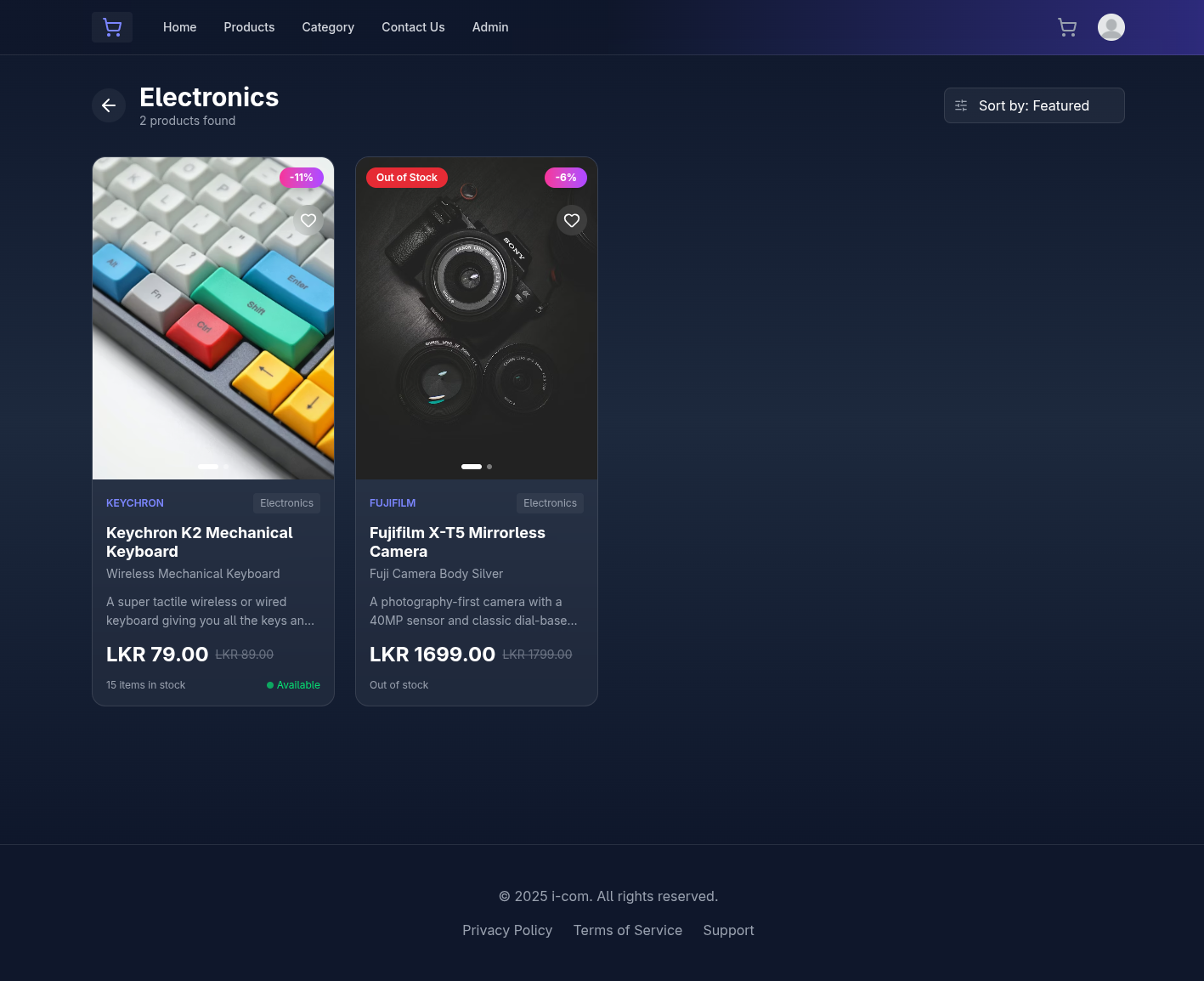 Filtered product display based on selected category
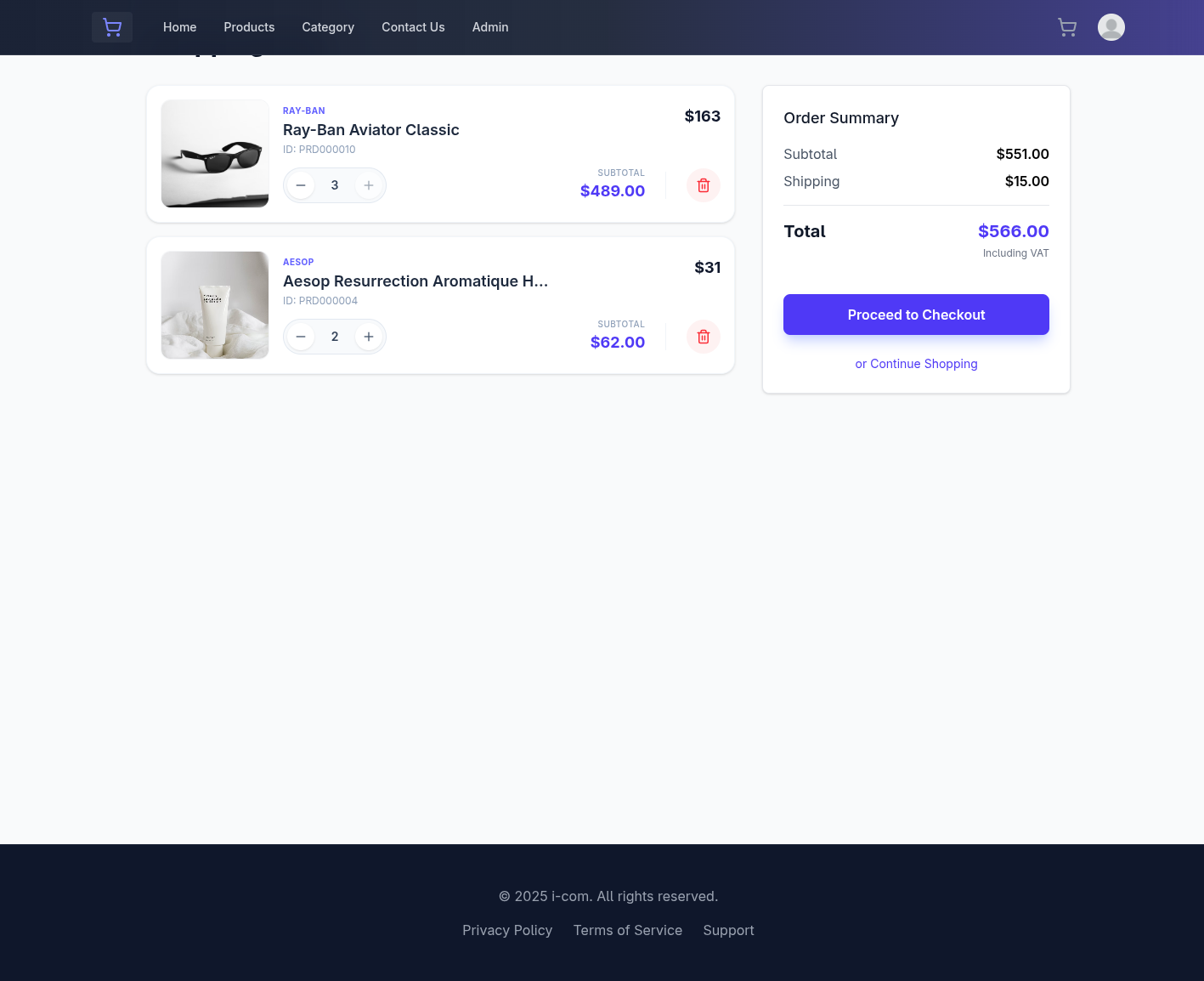 Interactive cart with quantity controls and price calculations
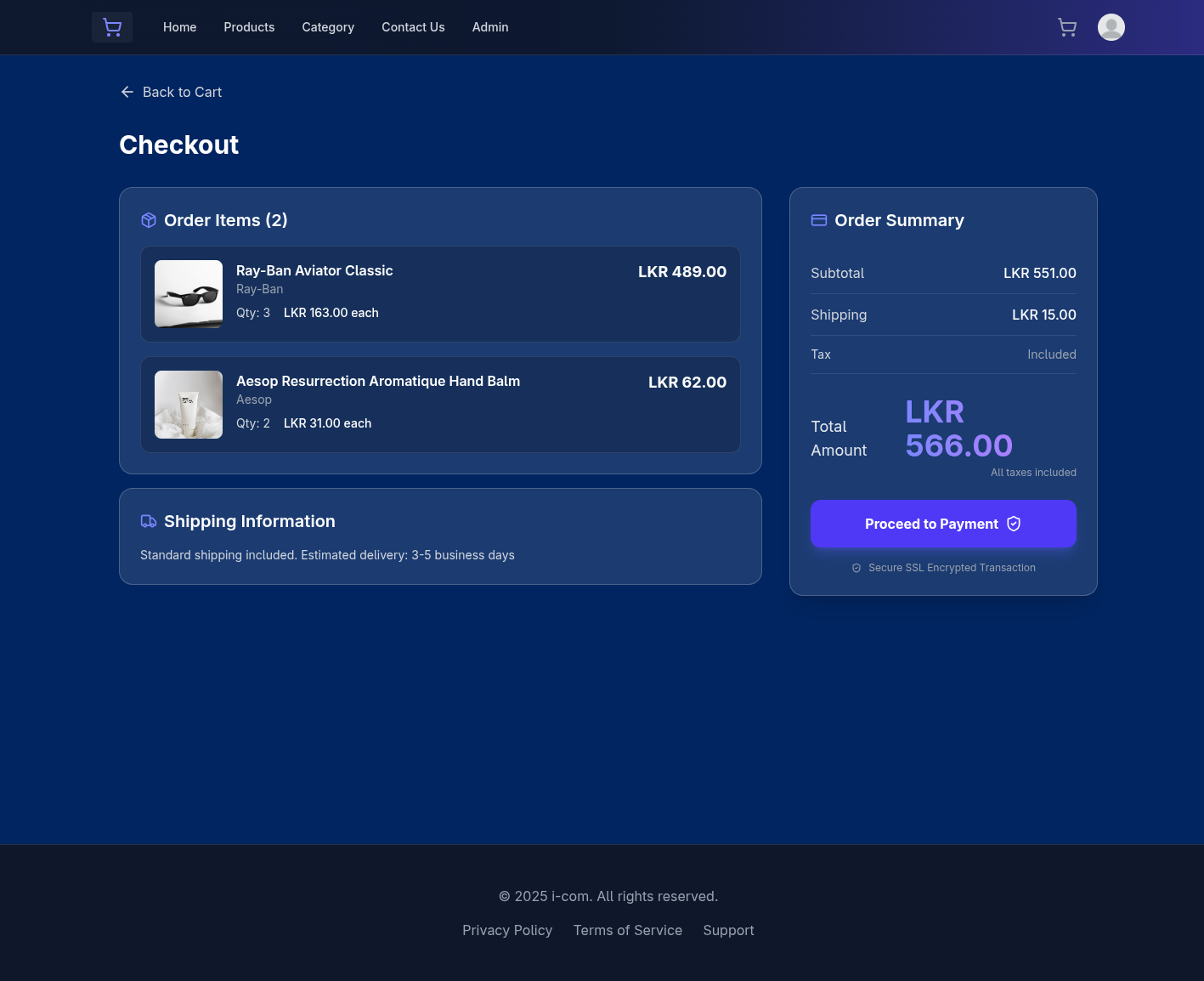 Seamless checkout process for entire cart
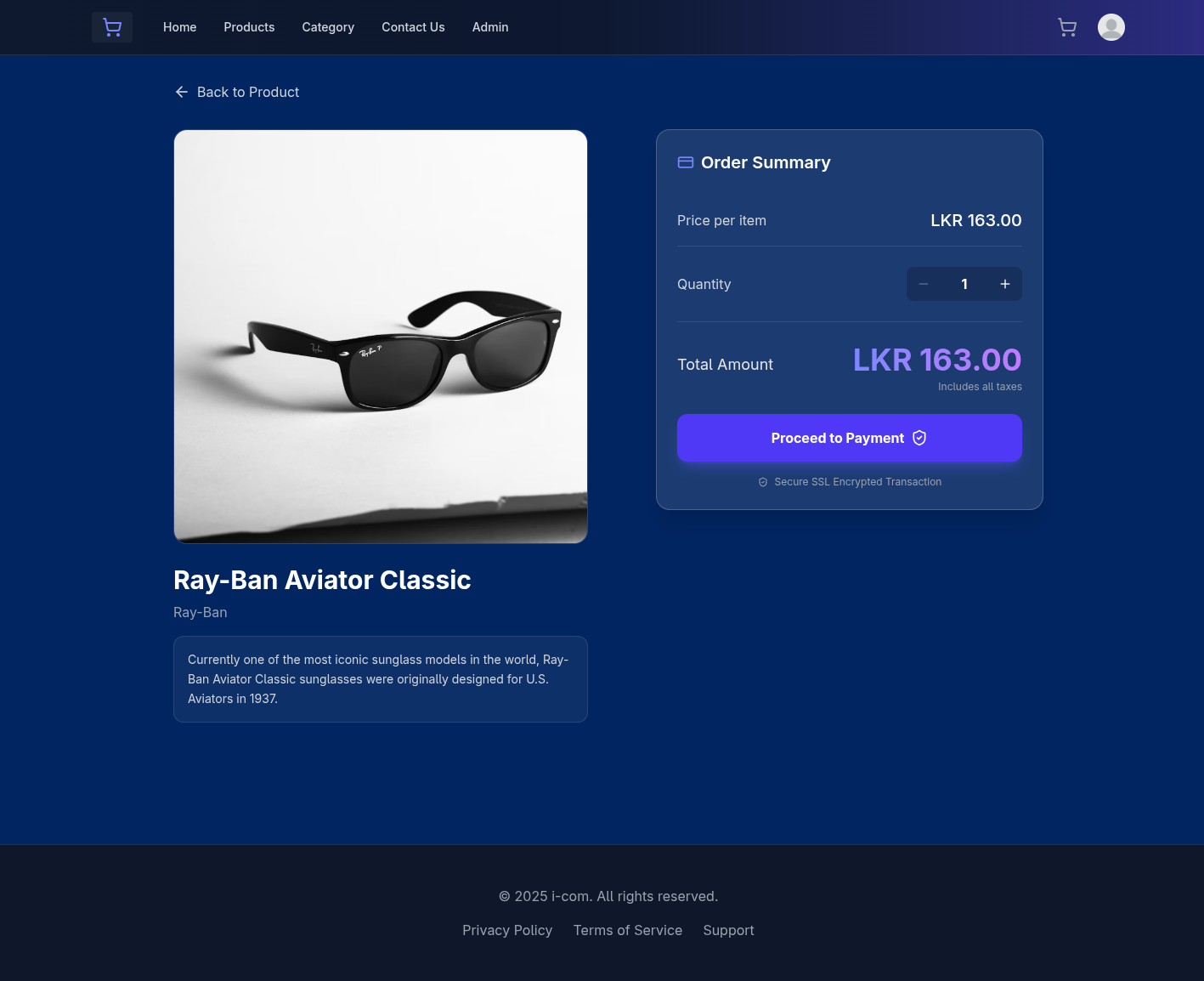 Quick checkout option for individual products
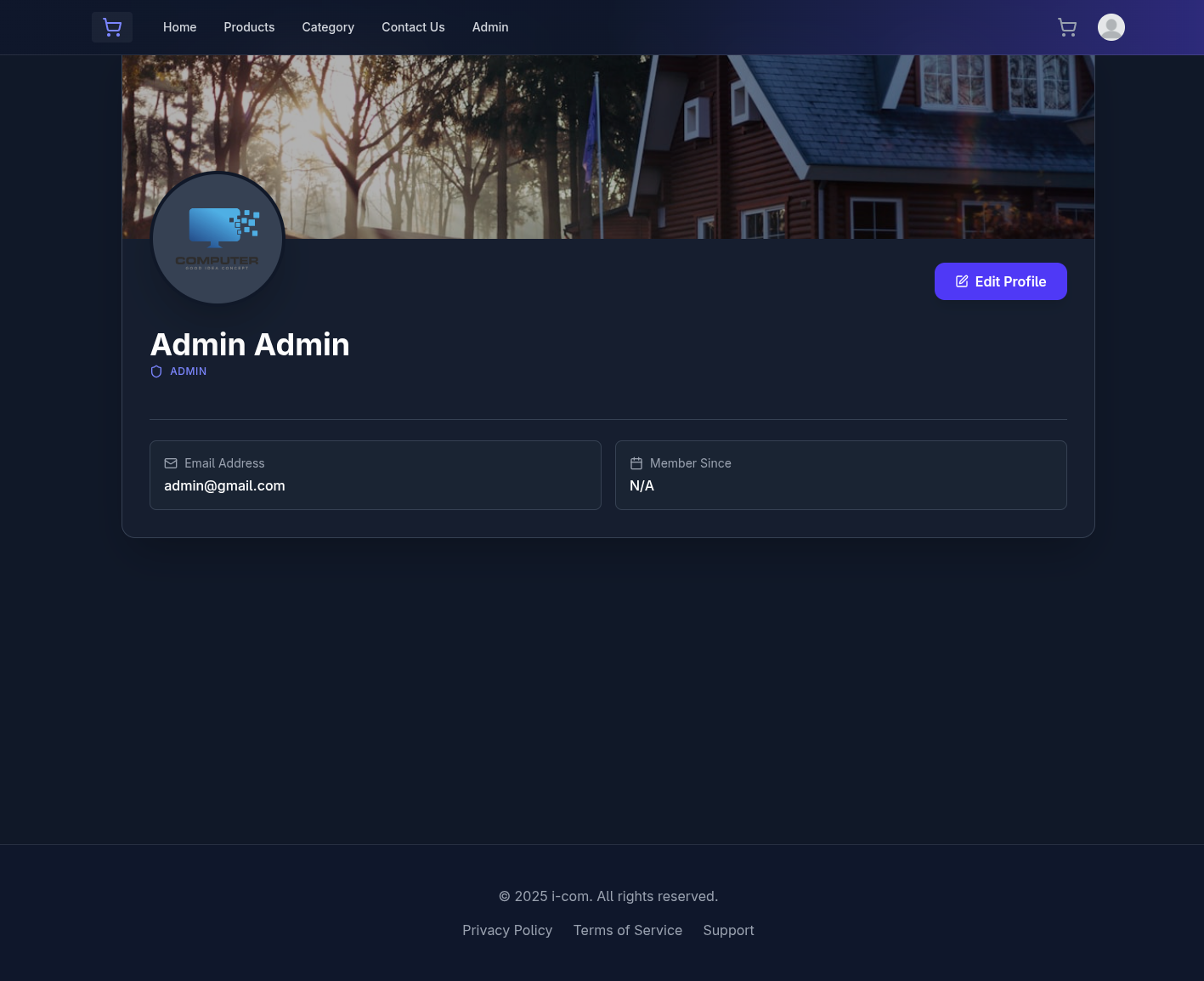 User profile dashboard displaying personal information
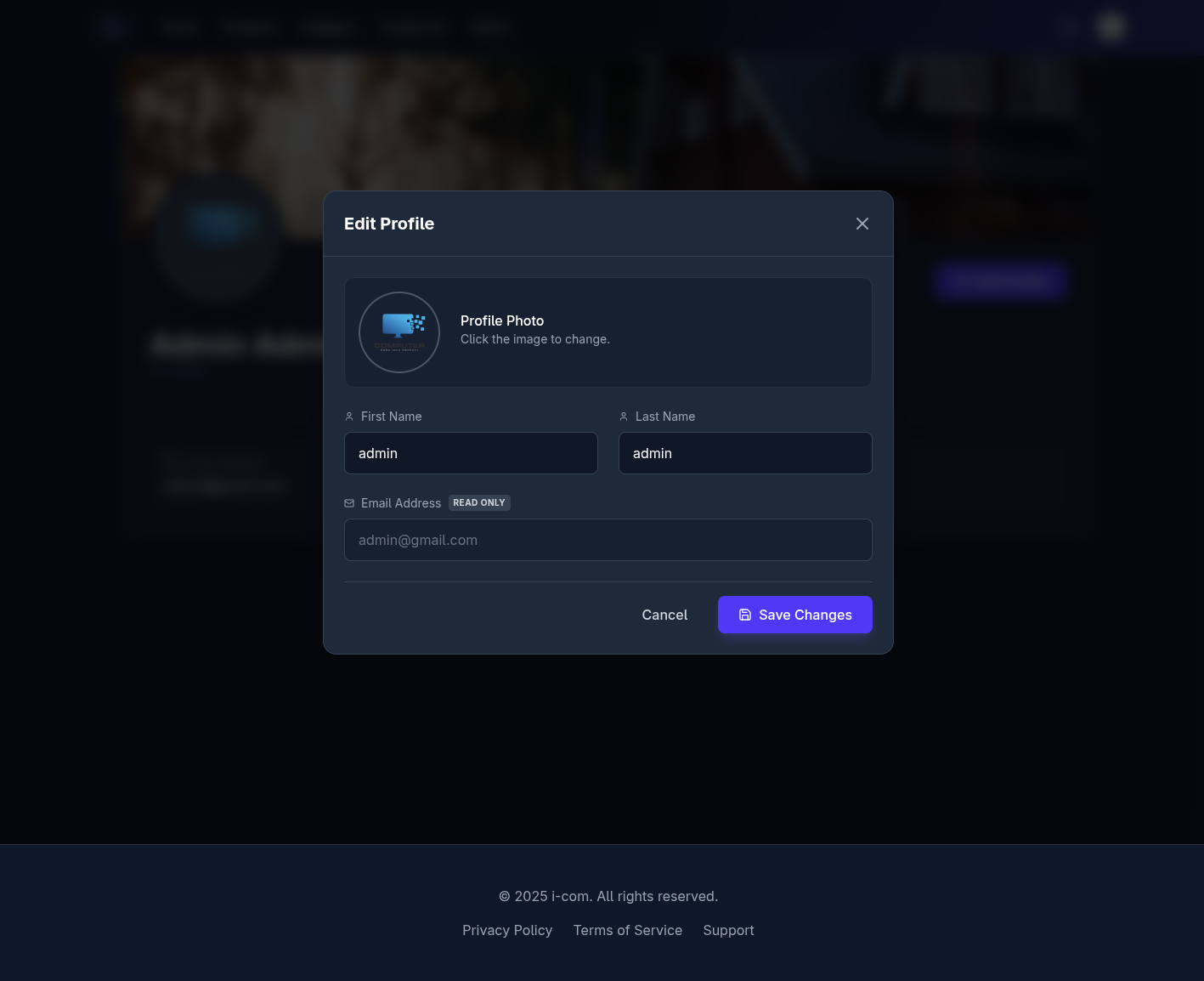 Edit and update user profile information
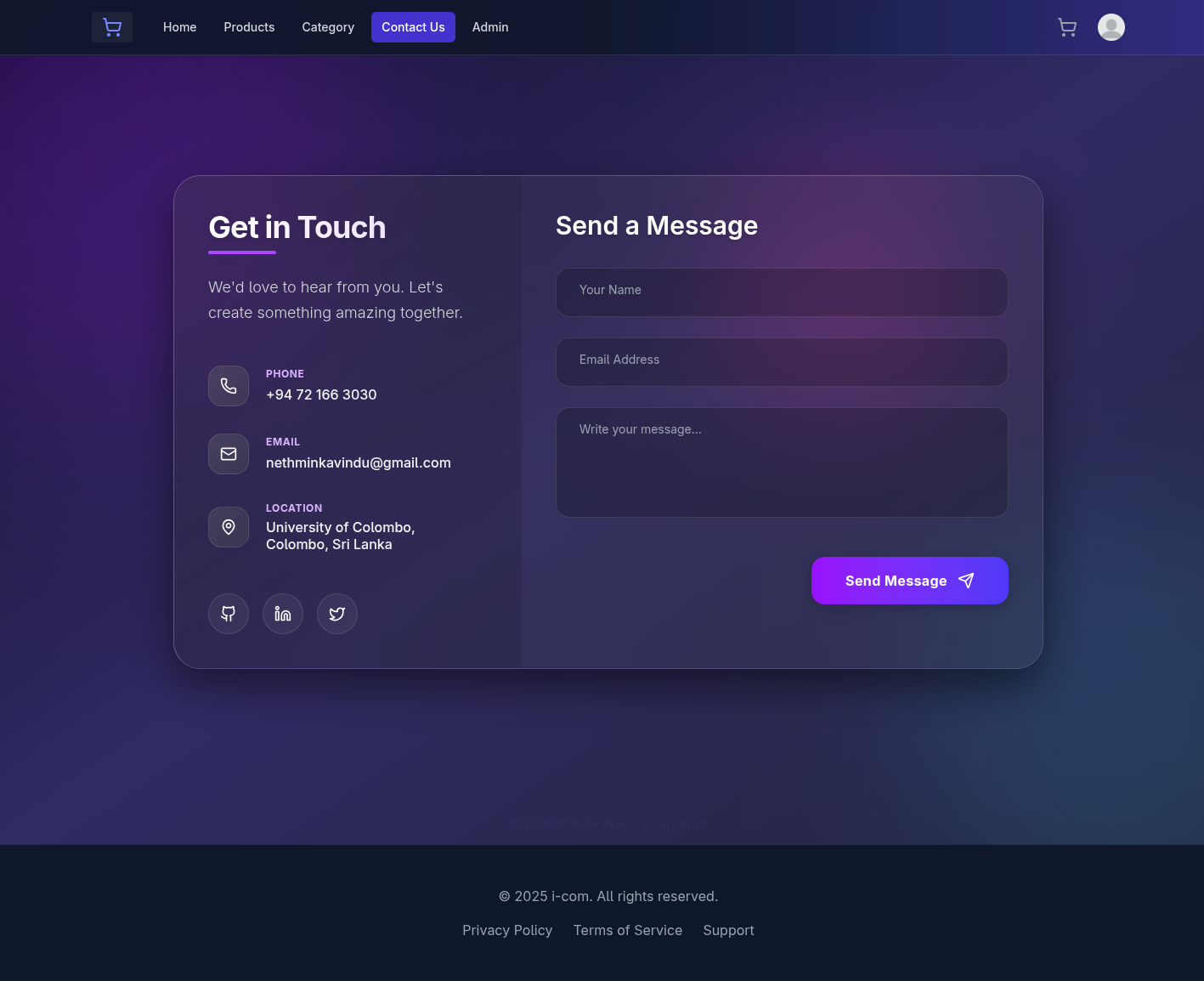 Customer support and inquiry contact form
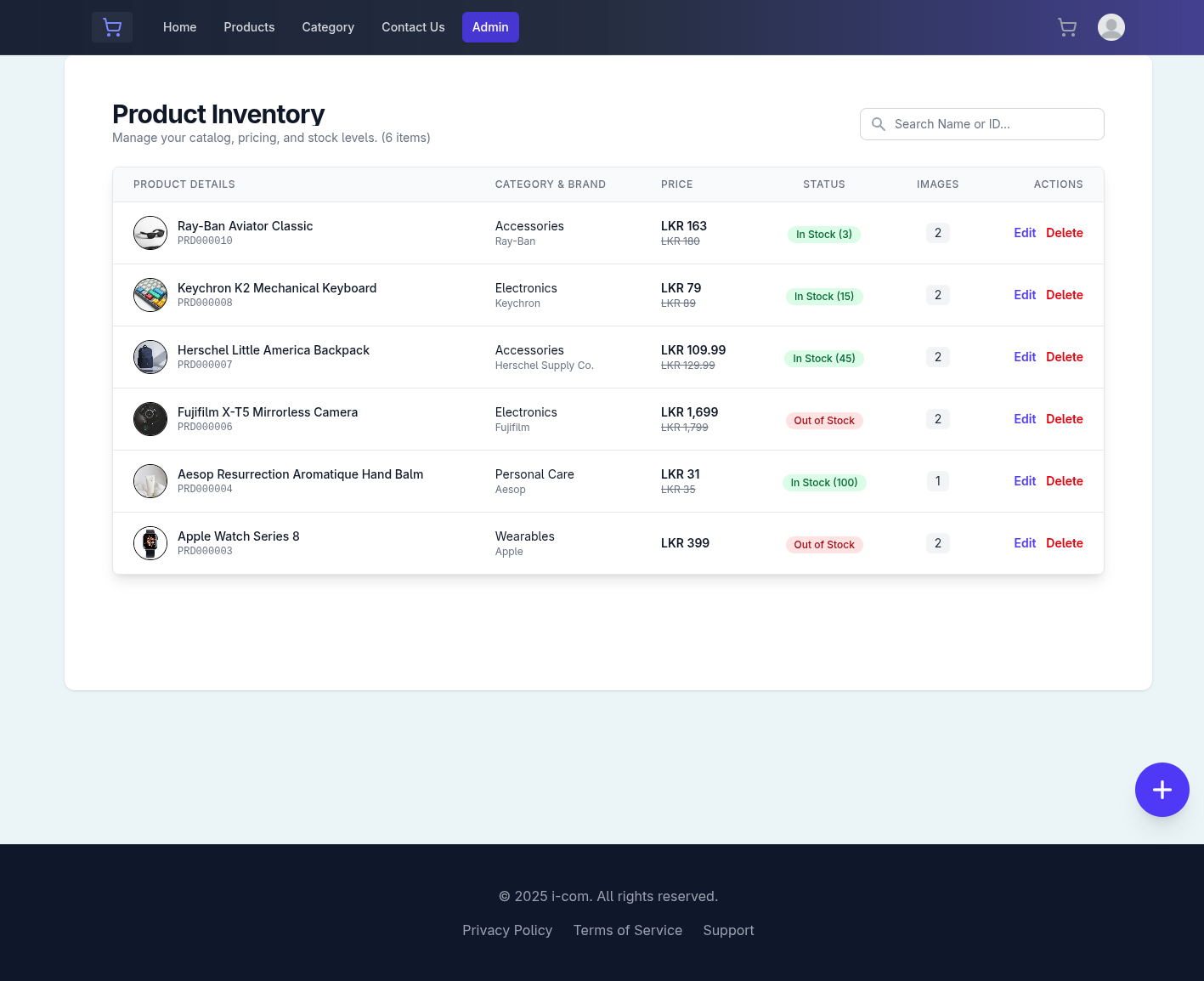 Comprehensive admin panel for inventory management and user oversight
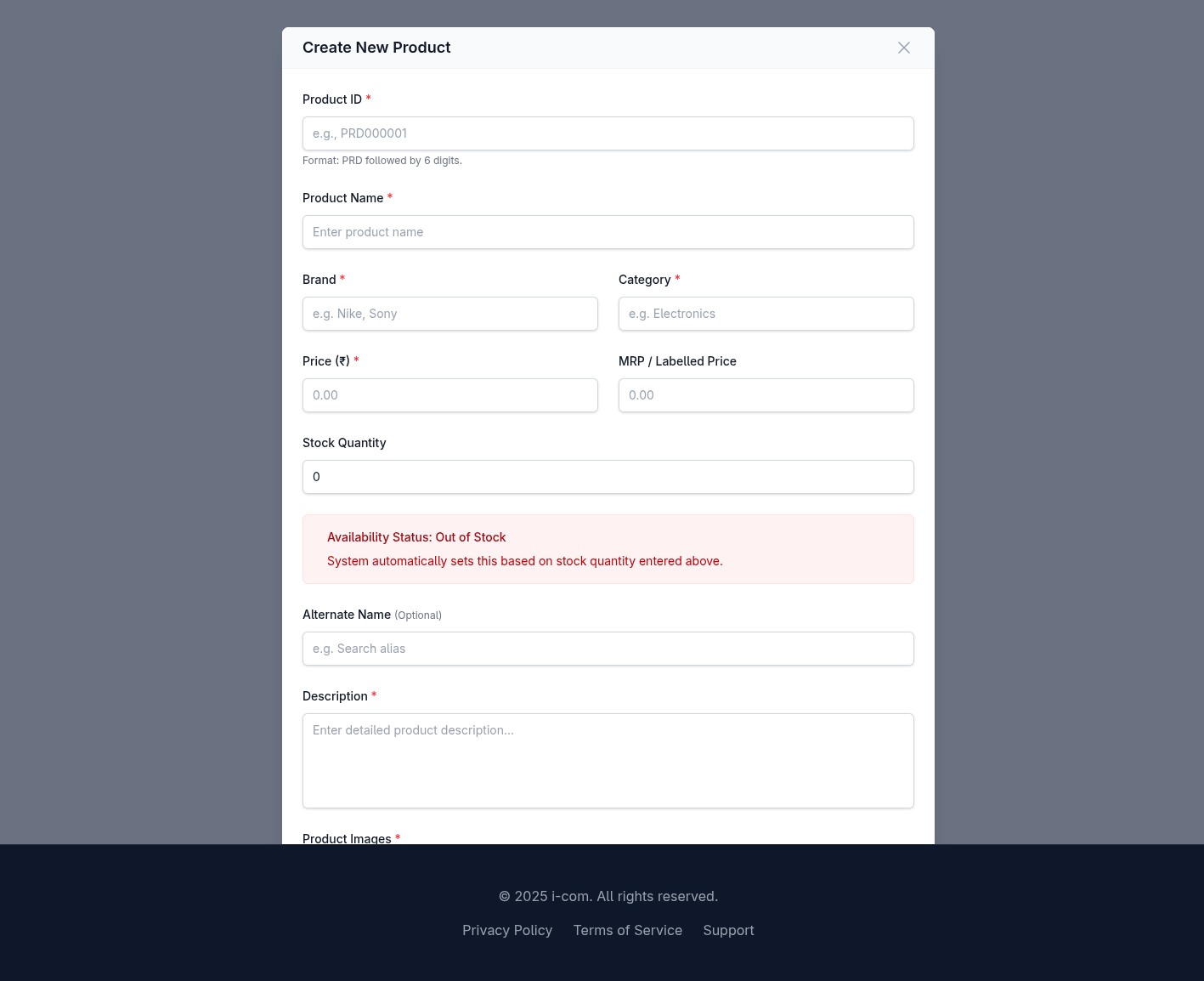 Admin interface for creating new products with image upload
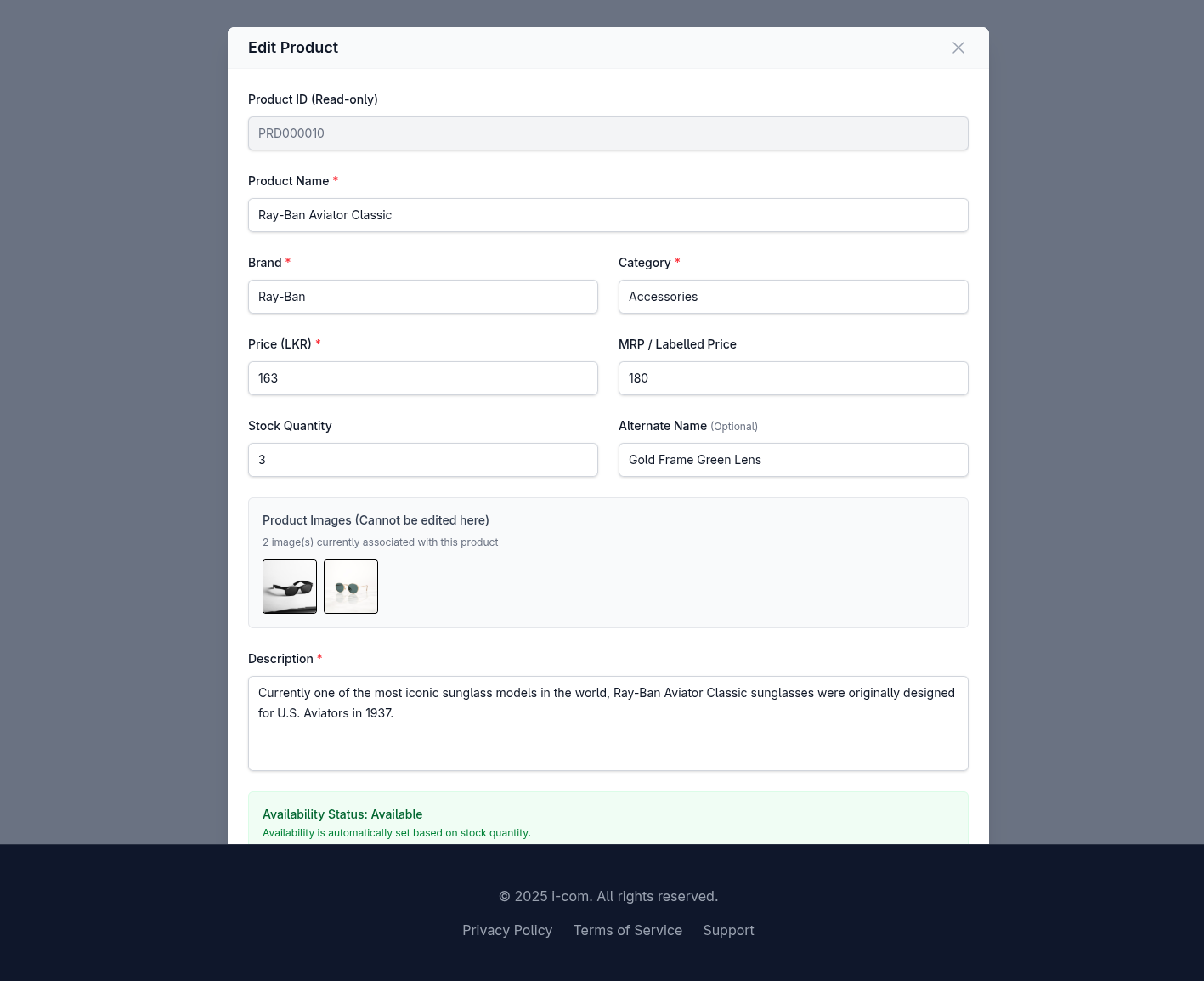 Admin interface for updating existing product details
- 🍃 MongoDB Atlas: https://www.mongodb.com/cloud/atlas
- ⚡ Supabase: https://supabase.com
- ⚛️ React: https://react.dev
- 🚂 Express: https://expressjs.com
- 🎨 Tailwind CSS: https://tailwindcss.com
- 📘 Mongoose: https://mongoosejs.com
- ⚡ Vite: https://vitejs.dev
- 📦 GitHub Repository: https://github.com/NKG-S/Commercial-website
- 🔑 JWT.io: https://jwt.io
- 📮 Postman: https://www.postman.com
- 🎨 Lucide Icons: https://lucide.dev
- 📊 Can I Use: https://caniuse.com
- MongoDB University - Free MongoDB courses
- React Official Tutorial - Learn React from scratch
- Node.js Best Practices - Node.js tips
- Tailwind CSS Tutorial - Master utility-first CSS
Contributions make the open-source community an amazing place to learn and create. Any contributions you make are greatly appreciated!
- Fork the Project
- Create your Feature Branch
git checkout -b feature/AmazingFeature
- Commit your Changes
git commit -m 'Add some AmazingFeature' - Push to the Branch
git push origin feature/AmazingFeature
- Open a Pull Request
Nethmin Kavindu
- 🌐 GitHub: @NKG-S
- 📧 Email: nethminkavindu@gmail.com
- 💼 LinkedIn: nethminkavindu
This project is open source and available under the MIT License.
- React & Vite teams for the amazing development experience
- MongoDB for the flexible database solution
- Supabase for seamless cloud storage
- Tailwind CSS for the utility-first styling approach
⭐ Star this repository if you find it helpful!
Made with ❤️ by Nethmin Kavindu