
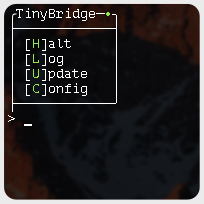
This project is for quick and easy management of Homebridge installed via the systemd method. Providing both interaction through a menu like system or using options (HomeBridge.py -s).
Depending on your install, updating Homebridge and plugins may require sudo, or advanced permissions. This is always important to be aware of and understand. By default TinyBridge does not have this enabled. To change this, open TinyBridge.py and modify Line 10: sudo_opt = True.
./HomeBridge.py -option
Start Homebridge: 's', 'start'
Halt Homebridge: 'h', 'halt', 'stop'
View Log 'l', 'log'
Update Homebridge & Plugins: 'u', 'update'
Edit Config.json: 'c', 'config'
Quit/Exit Menu: 'q', 'quit'
- Update individual plugins
- Uninstall individual plugins
- Remote control via ssh
- Manage Homebridge installed under any method
- Users can change default editor on line 11