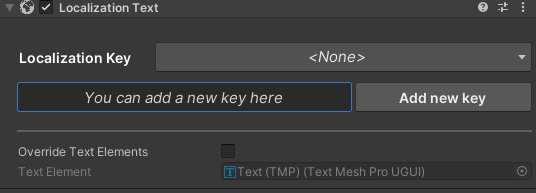
A localization system for Unity, designed to simplify the management of translations and text handling for multiple languages in your project.
Read in other languages: Russian.
Note
- Convenient storage: all translations are stored in a single JSON file and editor.
- Parameterization: supports formatted texts with parameters.
- Custom editor: allows adding keys both through the settings window and directly via localization components.
- Runtime language switching: change the active language during gameplay.
- Image localization: supports localization of images.
- Automatic key generation: no need to add keys manually in the code.
Note
- Localization of app title: The package does not provide the ability to localize the app title. It is recommended to use Unity Localized App Title for this.
{
  "en": {
    "Version": "Version {0}",
    "WelcomeMessage": "Welcome!",
    "Game/Inventory/Armor/Body": "Body Armor",
    "Game/Inventory/Armor/Head": "Head Armor",
    "Game/Inventory/Armor/Legs": "Leg Armor",
    "UI/MainMenu/Play": "Play",
    "UI/MainMenu/Quit": "Quit",
    "UI/MainMenu/Settings": "Settings"
  },
  "ja": {
    "Version": "バージョン {0}",
    "WelcomeMessage": "ようこそ!",
    "Game/Inventory/Armor/Body": "胴防具",
    "Game/Inventory/Armor/Head": "頭防具",
    "Game/Inventory/Armor/Legs": "脚防具",
    "UI/MainMenu/Play": "プレイ",
    "UI/MainMenu/Quit": "終了",
    "UI/MainMenu/Settings": "メインメニュー"
  },
  "ru": {
    "Version": "Версия {0}",
    "WelcomeMessage": "Добро пожаловать!",
    "Game/Inventory/Armor/Body": "Нагрудник",
    "Game/Inventory/Armor/Head": "Шлем",
    "Game/Inventory/Armor/Legs": "Поножи",
    "UI/MainMenu/Play": "Играть",
    "UI/MainMenu/Quit": "Выйти",
    "UI/MainMenu/Settings": "Настройки"
  }
}
Note
The examples contain a complete example of a localization file and a customized scene.
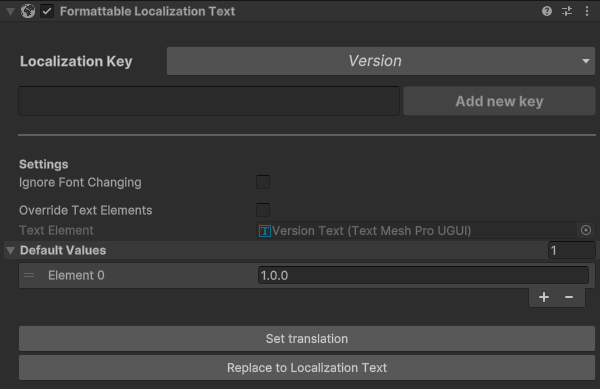
To set localized text with parameter:
// Setting text by localization key
VersionText.TranslateByKey("Version");
// Setting dynamic parameter
VersionText.SetValue("1.0.1");

/* Результат:
 * en: "Version 1.0.1"
 * ru: "Версия 1.0.1"
 */
Note
- Method
TranslateByKeyis optional if key is set in Unity inspector - Method
TranslateByKeycan override existing keys
Localization.SetLocalization("ru");The change applies to all active UI elements using the localization system.
- Download and install the asset via the link:
Window > Package Manager > Add package from git URL
https://github.com/RenKOFFF/SimplyLocalize.git
- If you want to localize the app title on Android or IOS, install the third-party package
Unity Localized App Title. You can add the package similar to theSimplyLocalizepackage or use one of the options from the original repository.
https://github.com/yasirkula/UnityMobileLocalizedAppTitle.git
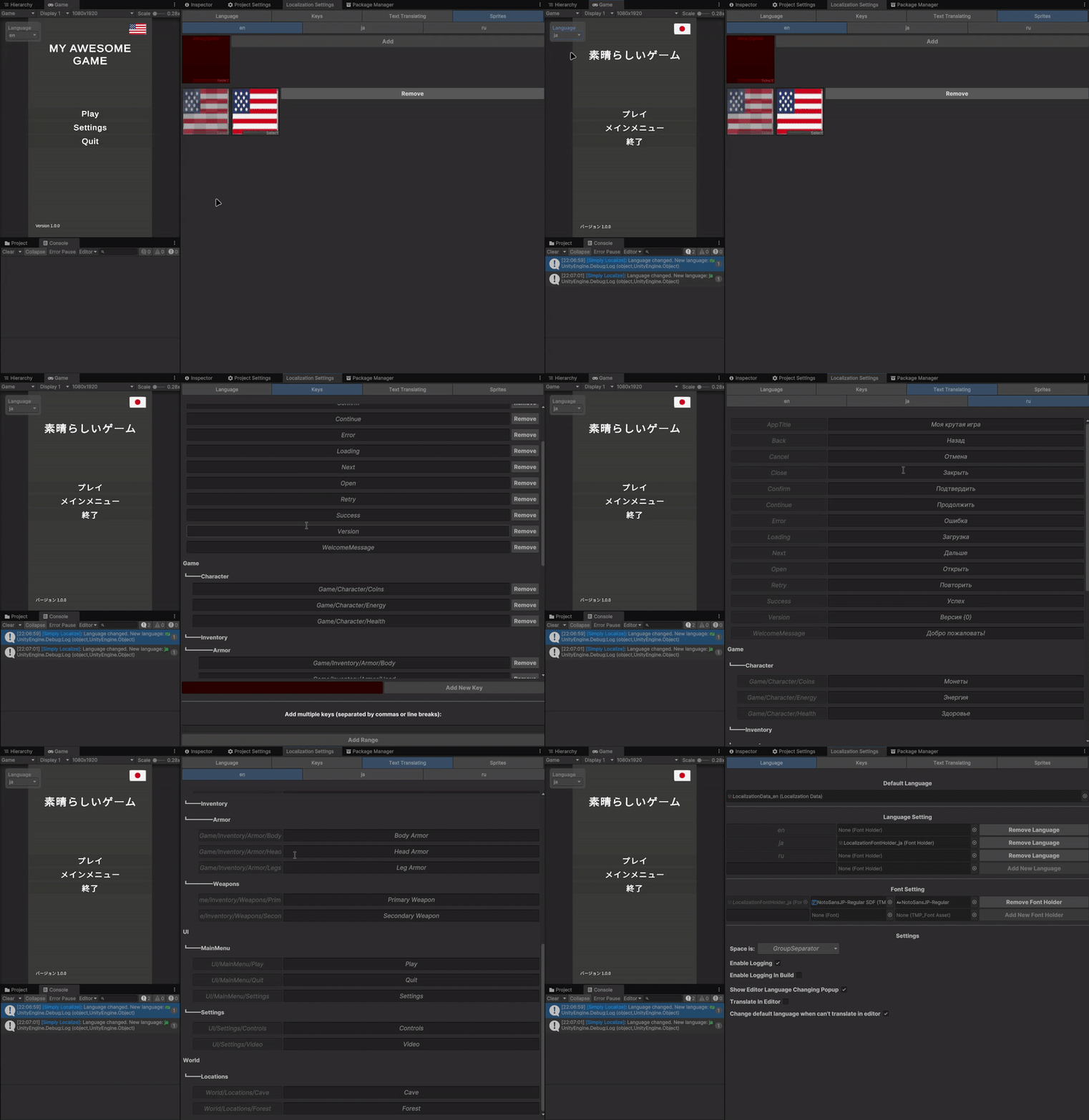
After installation, a new menu will appear in Unity:
Window -> SimplyLocalize -> Localization Settings.
In this window, you can:
- Add new languages and fonts for specific languages.
- Create and edit keys.
- Set translations for each language.
- Configure editor behavior:
- Text-to-key conversion settings: replace spaces with slashes, underscores, or leave unchanged.
- Enable/disable logging.
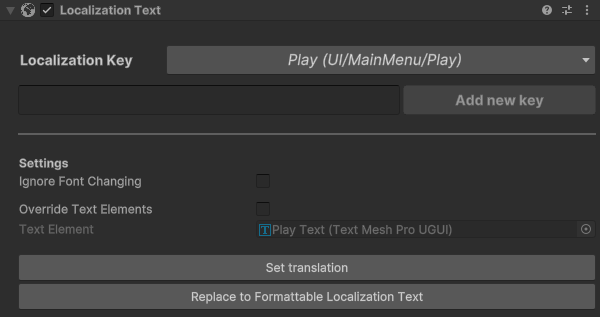
Add one of the localization components to UI elements:
- Purpose: For static text without dynamic changes
- Usage:
- Add the component to TextMeshPro or regular text
- Select the localization key from the list
- Purpose: For dynamic text with parameters (e.g. "Health: {0}/{1}")
- Features:
- Support for parameters in the string.Format style
- Default values
- Usage:
- Add the component to the text object
- Enter the key with placeholders (e.g. "STATS_HEALTH_{0}_{1}")
- Set the parameters via code:
.SetValue(100, 200) - Set default value in editor (optional)
Important
- translation text must contain a fragment with the {n} parameter (e.g. "STATS_HEALTH_{0}_{1}")
- Purpose: For localized images
- Usage:
- Add component to Image
- Add sprite key from the list of keys in the editor window from the "Sprites" tab
Call the method to set the language:
Localization.SetLocalization("ru"); // Set Russian language.Tip
- You can set the default language in the localization settings window and change it during gameplay if needed.
- Setting a default language is optional. The key is to set the language before any localization scripts execute.
Keys can also be added directly through text components.