I built this full stack single page application as a challenge to learn how to integrate a Python server with a React App.
- React
- CSS
- Bootstrap
- JavaScript
- PostgreSQL
- pip3
- Python
- Uvicorn
- FastAPI
- Schedule
- psycopg2
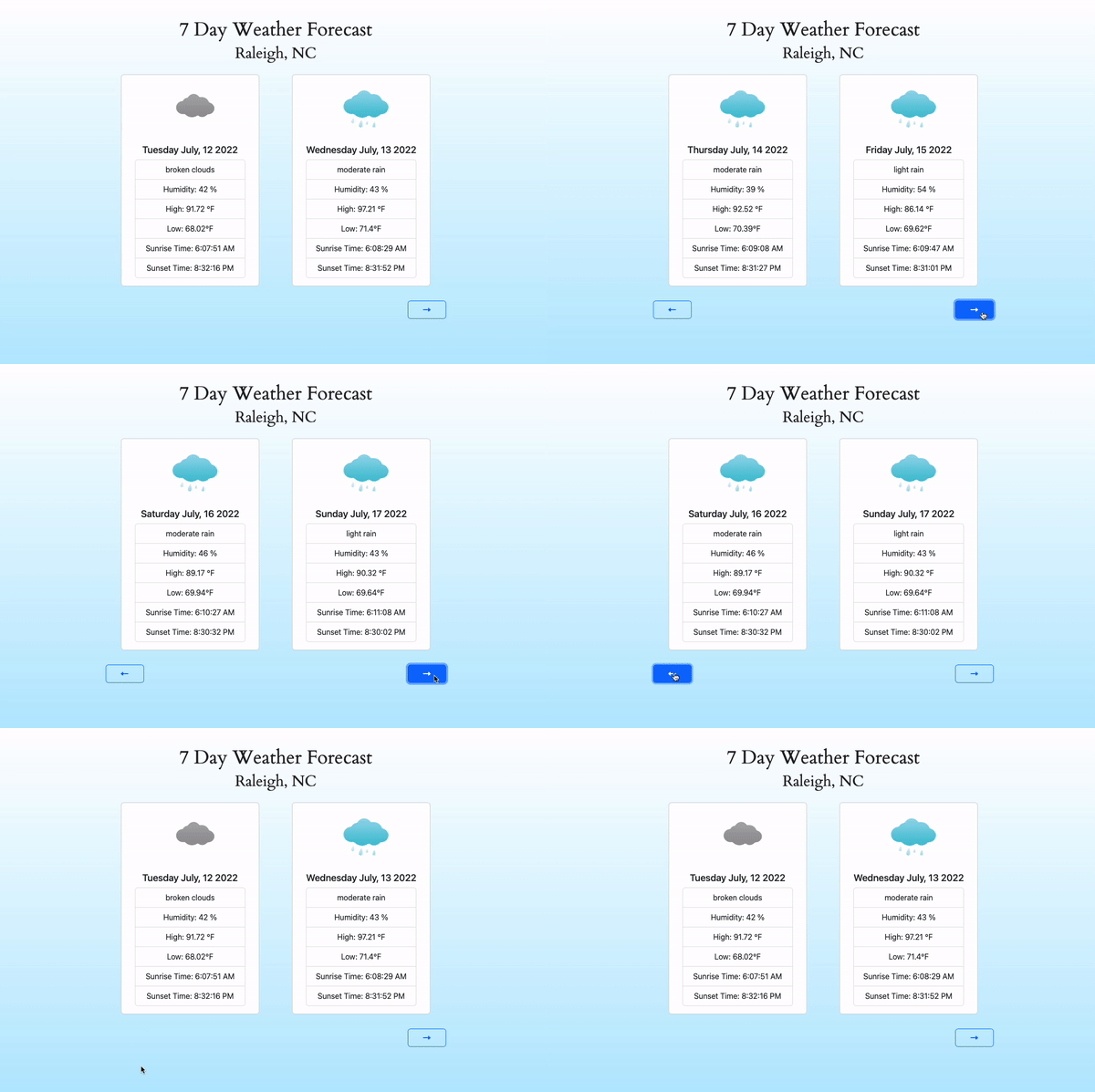
- User can view the weather for today and tomorrow
- User can view the weather for upcoming days
- Python 3
- pip3
- Postgres
- npm
- pgweb
- Clone the repository.
git@github.com:RobACurtis/weather-app.git- Install all dependencies with pip and npm.
pip install uvicorn
pip install psycopg2
pip install schedule
pip install fastapi
npm install-
Make an account to get an API Key
Get your API key here
-
Start postgreSQL.
brew services start postgresql- Create a database.
createdb yourDatabaseName- Set environment variables.
- open terminal
- in your home directory type
nano .bash_profileexport WEATHER_API="youraccesskey"
export USER="databaseuser"
export WEATHERDB="nameofyourdatabase"- type ' ^x ' to save
- type ' y ' to confirm
- then close out of terminal
- View your database through pgweb. You can view it in your browser at localhost:8081
pgweb --db=yourDatabaseName- Import the code from schema.sql into your database
- Run main.py to import weather data into your database (scheduled to run everyday at midnight)
python3 get-weather.py- Start the server
uvicorn main:app --reload- Start the project. Once started, you can view the application by opening localhost:3000 in your browser
npm run start