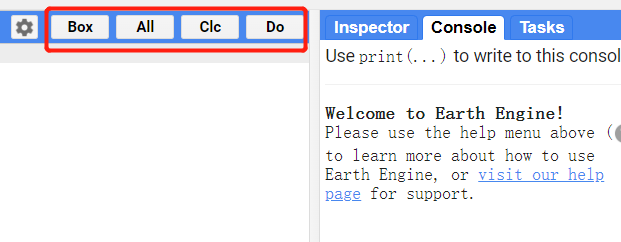
- Box: click the [Box] button first, and the check box will appear in front of each download task.
- All: if you want to choose all tasks,please click [All].
- Clc: you can click [Clc] button to cancel your choose.
- Do: you can choose your tasks, and then click [Do] button to download.
to be continue
You need chrome and Violentmonkey (firefox is also OK)
- Install Violentmonkey extension in chrome or firefox
- Dashboard → New script → paste the script (GEE_Download_V3.js) → F5 refresh GEE website
Please refer to the following step (note that this step is for the GEE_Autocomplete plugin)
