Oboe is an AI-powered learning platform designed to create personalized, "bite-size" educational courses instantly from a simple text prompt.
Developed by the co-founders of the podcasting tool Anchor, Oboe aims to democratize learning by allowing users to quickly generate a structured learning experience on virtually any topic. The platform tailors the content to be lightweight, engaging, and flexible, offering multiple formats like deep-dive articles, audio lectures (including a "podcast" style), visual content, quizzes, and interactive games.
I took this concept and added a few more features that is scientifically proven to help you learn concepts faster. Using different techniques, learners can understand and digest information better and quicker. These features are mermaid maps, mind maps, ELI5, and active recall. With these features, plus Oboe's marvelous course + testing, you can learn anything you want. Feel free to try!
Check out this demo video! (click on the thumbnail 👇)
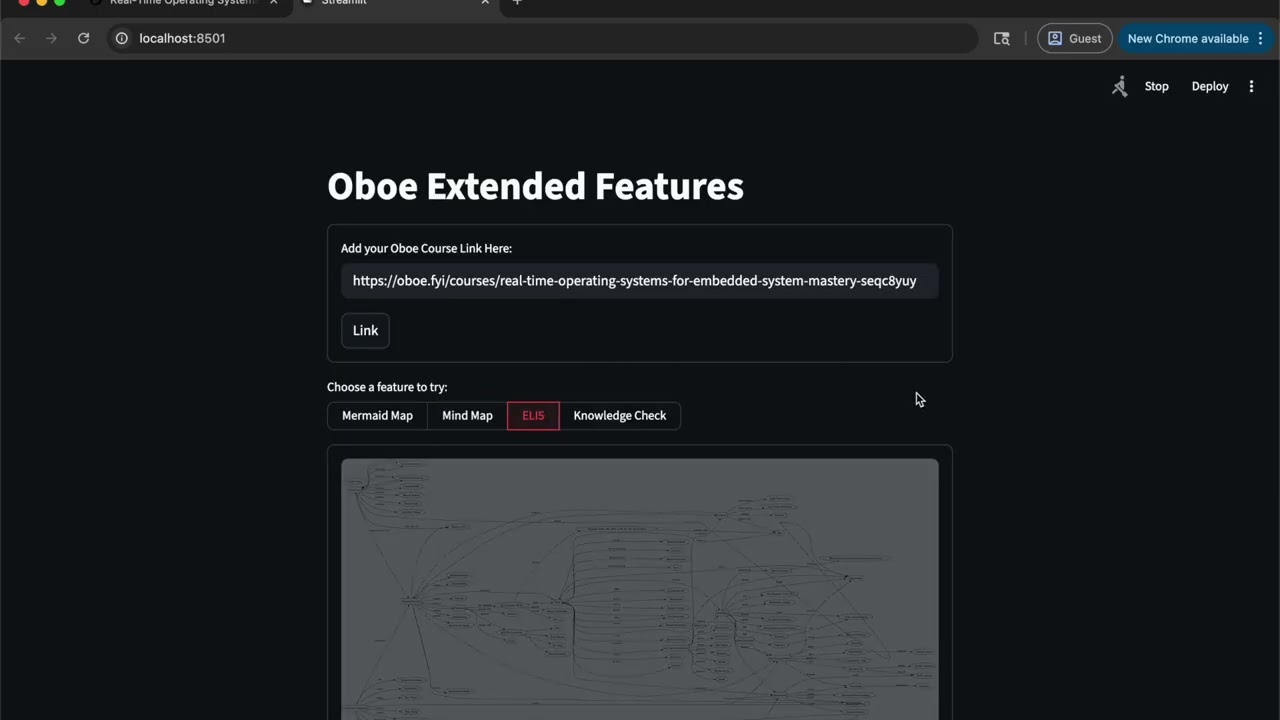
- ✅ Mermaid Map: Allows you to visualize the concepts in a hierarchal order. This allows learners to process connections between concepts and how they connect. This allows the brain to chunk the information to allow for better understanding, memory retention, and application.
- ✅ Mind Map: Allows you to visualize the concepts and connections between other concepts. This is a simple visual cue for focusing on certain topics and portions of concepts.
- ✅ ELI5 (Explain Like I Am 5): Allows you to have the concept explained in the simplest form, and gives you a clear foundational base to build your learning from.
- ✅ Active Recall: Allows you to recall whatever you have learned from the course and get instant feedback on whether you are on the right track or not.
- How to get this app?
git clone https://github.com/SamanSathenjeri/oboeExtraFeatures.git
cd oboeExtraFeatures.git
# Remember to make a python environment and install the dependencies- How to install dependencies?
pip install -r requirements.txt- Generate Gemini API Key:
- Go to https://aistudio.google.com/api-keys
- Click API Key (top right)
- Name it however and copy the key
- Create a .env file in the project's root directory
- write in GEMINI_API_KEY = [Paste your API KEY here!]
- How to run app:
streamlit run app.py