
A self-hosted AI workspace that brings chat, code execution, fully parallel multi-agent orchestration, project management, and a skill marketplace into one web interface. Mix different AI providers in the same agent team — assign any OpenAI-compatible API model (OpenRouter, Ollama, Gemini, GPT, etc.) to one agent, Claude Code CLI (OAuth) to another, and Codex CLI (OAuth) to a third. Each agent in your architecture can run on a different model or provider. Connect external MCP servers (Stdio, SSE, StreamableHTTP) to extend the AI's toolbox with any Model Context Protocol-compatible service. Built with 16 built-in tools — from web search and Python execution to visual multi-agent systems with mesh networking and P2P swarm governance. Built for long-running sessions — smart context compression, checkpoint recovery, and intelligent tool result handling keep conversations stable across 100+ tool calls.
Warning: This app executes AI-generated code and shell commands. Run it inside Docker or a sandboxed environment. See Security & Docker Setup.

AI Chat with tool-calling — reads data, generates React/Recharts visualizations, renders them in the output panel.

Visual Agent Editor — drag-and-drop multi-agent design with mesh networking, bus communication, and YAML export.

Skills marketplace — install and manage skills from built-in catalog, OpenClaw, and ClawHub community.
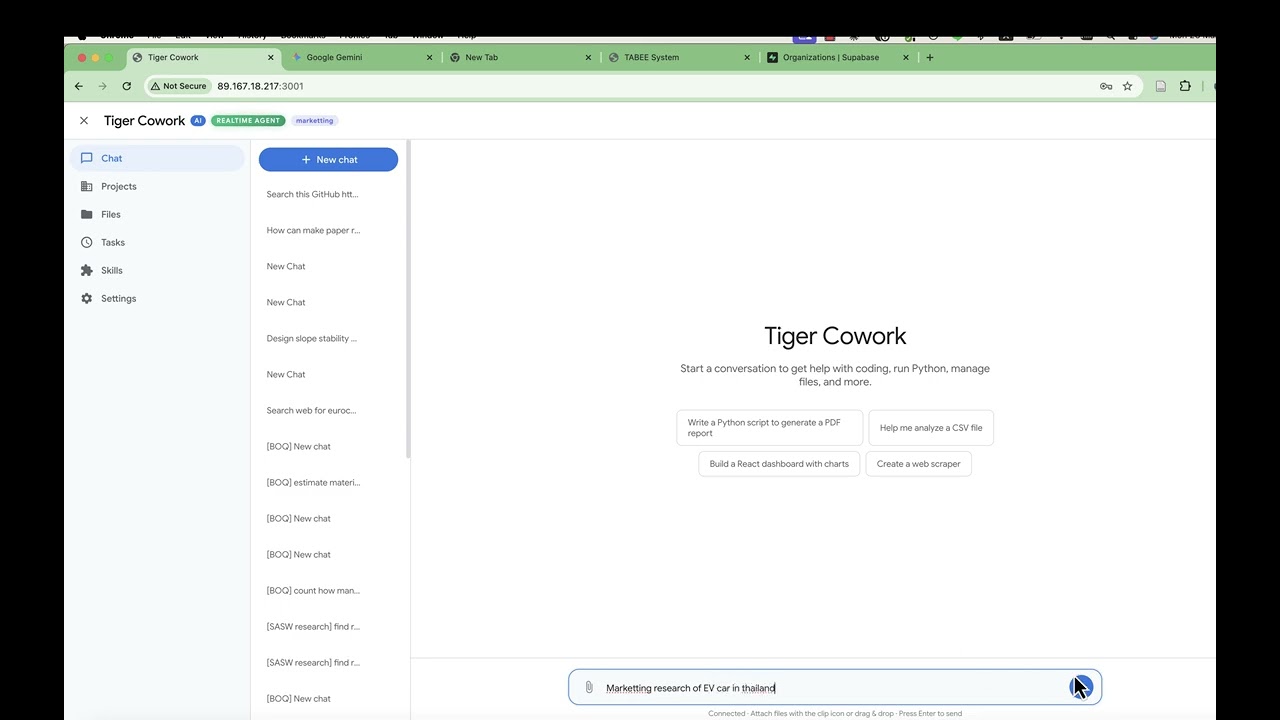
Auto-generate a complete multi-agent architecture from a natural language description — watch the AI build agent teams with roles, connections, and protocols.

Auto-generated agent architecture — AI creates a complete multi-agent system with roles, connections, and communication protocols from a single prompt.
- P2P Swarm orchestration mode — New
p2porchestration topology where autonomous peer agents self-organize via a shared blackboard. No persistent authority — agents propose tasks, bid with confidence scores, and the best-suited agent wins the work through Contract Net Protocol. - Blackboard protocol — Fourth communication protocol alongside TCP, Bus, and Queue. Session-scoped shared workspace with proposals, bids, votes, results, and an append-only audit log for full traceability.
- Four consensus mechanisms — Configure how P2P agents make group decisions: Contract Net Protocol (competitive bidding), Majority Voting, Weighted Voting (reputation-based), or Blackboard (self-select).
- Peer agent role — New
peerrole for P2P swarm agents with per-agentconfidence_domains(expertise areas) andreputation_score(0-1 weight for voting). Shown with amber color and PEER badge in the editor. - P2P Governance panel — Visual configuration in the Agent Editor for consensus mechanism, tiebreaker strategy, bid timeout, minimum confidence threshold, max retries, and audit log toggle.
- Seven blackboard tools —
bb_propose,bb_bid,bb_award,bb_vote,bb_complete,bb_read,bb_log— injected into peer agents' toolbox automatically. - Auto Architecture support — The AI architect can now generate complete P2P swarm configurations from natural language descriptions.
- MiniMax as built-in AI provider — MiniMax is now available as a default provider in the Settings dropdown (URL: api.minimax.io/v1, Model: MiniMax-M2.7). No need to manually add it as a custom provider.
- Per-agent model & provider selection — Each agent in your architecture can run on a different model or backend. In the Agent Editor, check "Specify model for this agent" and pick any model — API-based or local CLI. One agent can use GPT-4o via API, another Claude Code via OAuth, and a third Codex CLI — all working together in the same multi-agent system.
- Claude Code & Codex as code agents (OAuth) — Set any agent to "Claude Code (Local CLI)" or "Codex (Local CLI)". These run as fully autonomous coding agents with their own tool loops — reading files, editing code, running commands. No API key needed — they authenticate via OAuth (Claude Pro/Max/Team subscription or ChatGPT Plus/Pro plan).
- Agent waiting/done states — Task monitor now shows running, waiting, and done agents with distinct visual states and icons.
- Anti-abandonment nudges — Prevents the LLM from stopping while sub-agents are still working or when responses sound incomplete.
- Python auto-retry — Automatically fixes common syntax errors (unclosed brackets, unterminated strings, Python 2 print statements) and retries.
- Max context tokens setting — Configure the token threshold for auto-compaction in Settings.
- True parallel agents — Multiple agents now work simultaneously instead of one-at-a-time.
wait_resultcalls execute in parallel viaPromise.all, so the orchestrator waits for all agents at once instead of sequentially. - Parallel task support — Send multiple chat messages while agents are working. Per-task context isolation prevents concurrent tasks from corrupting each other's state.
- Direct orchestrator bypass — When a realtime agent config has an orchestrator role, user messages route directly to it via bus — skipping the redundant main LLM call entirely. Saves one API call per message.
- Live task monitor — Color-coded agent activity with 8 distinct colors, animated working indicators, per-agent tool call counts, and 2-second live refresh. Task page links directly to the associated chat session.
- AI Chat with Tools — 16 built-in tools (web search, Python, React, shell, files, skills, sub-agents) with real-time streaming
- Mix Any Model per Agent — Each agent in your architecture can use a different AI provider or model. Assign OpenAI-compatible API models (GPT, Gemini, Claude API, LLaMA via Ollama, etc.) to some agents, and use Claude Code or Codex CLI (OAuth, no API key) as autonomous coding agents for others — all in the same team
- Parallel Multi-Agent System — Visual editor for designing agent teams. Three modes: Auto, Spawn Agent, and Realtime. All agents work in parallel with per-task context isolation. Six orchestration topologies (hierarchical, flat, mesh, hybrid, pipeline, P2P swarm), four communication protocols (TCP, bus, queue, blackboard), and P2P governance with Contract Net Protocol, consensus voting, and audit logging
- Long-Running Session Stability — Three layers of protection for extended conversations:
- Sliding Window Compression — Periodically compresses older messages into concise summaries via LLM, preserving key decisions and findings while freeing context space
- Smart Tool Result Compression — Intelligently compresses tool outputs by type (first/last lines for code output, titles+URLs for search, structure preview for fetched pages) instead of raw truncation
- Checkpoint & Resume — Automatically saves session state every N rounds; recovers from crashes or aborts without losing progress
- Direct Orchestrator Bypass — In realtime mode with a hierarchical agent config, user messages skip the main LLM and go directly to the orchestrator agent — eliminating redundant API calls
- Live Task Monitor — Real-time dashboard showing all active agents with distinct colors, tool call breakdowns, parallel execution indicators, and one-click navigation to the chat session
- Projects — Dedicated workspaces with memory, skill selection, file browser, and sandboxed or external working folders
- Reflection Loop — Optional self-evaluation that scores and retries incomplete work
- Output Panel — Renders React components, charts, HTML, PDF, Word, Excel, images, and Markdown inline
- Skills & ClawHub — Install and manage AI skills from the marketplace or build your own
- MCP Integration — Connect any Model Context Protocol server to give the AI access to external tools and data sources. Supports Stdio (local CLI tools), SSE (Server-Sent Events), and StreamableHTTP transports. Configure in Settings with auto-discovery — connected tools appear alongside built-in tools automatically
- Scheduled Tasks — Cron-based jobs with presets and a management UI
Tiger Cowork agents communicate through four protocols and six orchestration topologies. Understanding how agents connect, discover each other, and exchange information is key to designing effective multi-agent systems.
Agents don't query a registry at runtime. Instead, the server loads your YAML configuration at startup and injects the full architecture into each agent's system prompt — every agent's name, ID, role, responsibilities, and available connections. Each agent knows who else exists and how to reach them from the moment it starts.
| Protocol | Pattern | How It Works | Use Case |
|---|---|---|---|
| TCP | Point-to-point | Ephemeral bidirectional channels between agent pairs via localhost sockets. Newline-delimited JSON. | Direct messaging between two specific agents |
| Bus | Pub/Sub broadcast | In-process EventEmitter with topic-based subscriptions and 500-message history per session. | Status updates, findings broadcast to all listeners |
| Queue | FIFO ordered | Per-channel message queue (max 200 messages). | Sequential task delivery, ordered handoffs |
| Blackboard | Shared workspace | Session-scoped task board with proposals, bids, votes, and an append-only audit log (P2P mode). | P2P task negotiation, consensus, Contract Net Protocol |
Agents access these via tool calls: proto_tcp_send/proto_tcp_read, proto_bus_publish/proto_bus_history, proto_queue_send/proto_queue_receive, and bb_propose/bb_bid/bb_award/bb_vote/bb_complete/bb_read/bb_log (P2P blackboard).
The primary way agents assign work to each other:
Agent A                          Agent B
   │                                │
   ├── send_task({to: "agent_b",    │
   │     task: "analyze data"})     │
   │         ──── bus topic ────►   │
   │           "task:agent_b"       ├── processes task
   │                                │
   │   ◄──── bus topic ─────        ├── publishes result
   │       "result:agent_b"         │
   ├── wait_result({from:           │
   │     "agent_b"}) → gets result  │
   │                                │
Agents can send tasks to multiple agents in a single response for parallel execution.
Configure via system.orchestration_mode in your YAML:
| Mode | Description | Agent Access |
|---|---|---|
| Hierarchical | Human → Orchestrator → Workers. Orchestrator gatekeeps all delegation. | Only orchestrator has send_task to workers |
| Hybrid | Orchestrator controls main flow, but mesh-enabled workers can collaborate freely with peers. | Orchestrator delegates; mesh workers can send_task to each other |
| Flat | Human sends tasks directly to any agent. No orchestrator. | Human connects to all agents directly |
| Mesh | All agents can send tasks to any other agent. Fully connected. | Every agent gets send_task/wait_result |
| Pipeline | Sequential chain: agent_1 → agent_2 → agent_3. | Each agent passes output to the next |
| P2P Swarm | Autonomous peers self-organize via shared blackboard and Contract Net Protocol. No persistent authority. | All peers get blackboard tools + send_task/wait_result |
More Control                                                   More Autonomy
    |                                                               |
    Hierarchical → Pipeline → Flat → Hybrid → Mesh → P2P Swarm
    |                                                               |
Single boss       Chain      Direct    Mixed    Free    Self-organizing
controls all      order      assign    mode     talk    with consensus
Mesh enables agents to autonomously request help from other agents. When an agent receives a task and decides it needs assistance, it can delegate sub-tasks to peers without going through the orchestrator.
Enable mesh per agent:
agents:
  - id: web_researcher_1
    name: Primary Researcher
    role: researcher
    mesh:
      enabled: true    # This agent can send_task to any peer
Or enable globally:
system:
  orchestration_mode: mesh    # ALL agents can communicate freely
Example — researcher asks a peer for help:
Orchestrator → send_task → Researcher 1 ("investigate topic X")
    Researcher 1 starts working...
    Researcher 1 thinks: "I need statistics for this"
    Researcher 1 → send_task → Researcher 3 ("find statistics on X")
    Researcher 3 → processes and returns stats
    Researcher 1 → wait_result → combines everything
    Researcher 1 → returns final result to Orchestrator
Without mesh, a worker agent can only receive tasks and return results — it cannot ask other agents for help.
P2P Swarm is the most autonomous orchestration mode. Unlike mesh (which is free-for-all), P2P adds governance — agents coordinate through a shared blackboard using the Contract Net Protocol, consensus voting, and an immutable audit log.
Key concepts:
- No persistent authority — all agents are autonomous peers with role
peer - Shared blackboard — a workspace where agents post tasks, bids, votes, and results
- Contract Net Protocol (CNP) — structured bidding: propose → bid → award → execute → complete
- Consensus mechanisms — four strategies for group decision-making
- Audit log — append-only event trail for full auditability
How it works:
┌───────────────────────────────────────────┐
│           SHARED BLACKBOARD               │
│  ┌────────────┐  ┌──────────────────────┐ │
│  │ Task Pool  │  │  Bids / Results      │ │
│  │ T1: open   │  │  T2: [result_A]      │ │
│  │ T2: done   │  │  T3: [bid_B: 0.88]   │ │
│  │ T3: bidding│  │  T4: pending...       │ │
│  └────────────┘  └──────────────────────┘ │
└───────────────────────────────────────────┘
       ↑ read/write        ↑ read/write
  [Peer_A]    [Peer_B]    [Peer_C]    [Peer_D]
Contract Net Protocol flow:
1. PROPOSE  → Agent posts task on blackboard (bb_propose)
2. BID      → Capable peers submit confidence scores (bb_bid)
3. AWARD    → Best bid wins the contract (bb_award)
4. EXECUTE  → Winner performs the task using available tools
5. COMPLETE → Winner reports result (bb_complete)
Four consensus mechanisms:
| Mechanism | How It Works | Best For |
|---|---|---|
| Contract Net (default) | Agents bid with confidence scores; highest score wins | Task allocation with diverse specialties |
| Majority Voting | Each agent votes approve/reject; simple majority wins | Validating plans or results |
| Weighted Voting | Votes weighted by agent reputation (0-1); weighted majority wins | Teams with domain experts |
| Blackboard | Agents self-select tasks from shared workspace; no formal bidding | Loosely-coupled, async work |
Three tiebreakers (when bids or votes are equal):
| Tiebreaker | Behavior |
|---|---|
agent_id_hash (default) |
Deterministic — hash of agent ID breaks tie consistently |
random |
Random selection — fair over many rounds |
first_bid |
Earliest bidder wins — rewards responsiveness |
P2P blackboard tools (available to all peer agents):
| Tool | Purpose |
|---|---|
bb_propose |
Post a new task on the blackboard for peers to bid on |
bb_bid |
Submit a bid with confidence score (0-1) and reasoning |
bb_award |
Award a task to the best bidder (or auto-select highest confidence) |
bb_vote |
Cast approve/reject/abstain vote for consensus decisions |
bb_complete |
Mark a task as completed with result |
bb_read |
Read the blackboard — all tasks, bids, statuses |
bb_log |
Read the audit log — full event trail for auditability |
Example YAML configuration:
system:
  name: Research Swarm
  orchestration_mode: p2p
  p2p_governance:
    consensus_mechanism: contract_net
    bid_timeout_seconds: 30
    min_confidence_threshold: 0.5
    tiebreaker: agent_id_hash
    audit_log: true

agents:
  - id: human
    name: User
    role: human

  - id: data_analyst
    name: Data Analyst
    role: peer
    persona: "Expert in statistical analysis and data visualization."
    responsibilities:
      - Analyze datasets and compute statistics
      - Create charts and visualizations
      - Identify patterns and trends
    bus:
      enabled: true
    p2p:
      confidence_domains:
        - statistics
        - data_visualization
      reputation_score: 0.9

  - id: web_researcher
    name: Web Researcher
    role: peer
    persona: "Skilled at finding and synthesizing information from the web."
    responsibilities:
      - Search for relevant papers and articles
      - Extract key findings from sources
      - Cross-reference multiple sources
    bus:
      enabled: true
    p2p:
      confidence_domains:
        - web_search
        - literature_review
      reputation_score: 0.85

  - id: report_writer
    name: Report Writer
    role: peer
    persona: "Clear technical writer who synthesizes findings into reports."
    responsibilities:
      - Compile findings into structured reports
      - Write executive summaries
      - Format results for presentation
    bus:
      enabled: true
    p2p:
      confidence_domains:
        - technical_writing
        - summarization
      reputation_score: 0.8
No connections needed — P2P agents coordinate entirely via the blackboard. No connection lines are drawn in the editor.
P2P Swarm vs Mesh:
| Mesh | P2P Swarm | |
|---|---|---|
| Connections | None (free-for-all) | None (blackboard) |
| Coordination | Ad-hoc direct messaging | Governed protocol (CNP) |
| Task allocation | Agent decides who to ask | Competitive bidding on confidence |
| Livelock prevention | None | Tiebreakers + bid timeout |
| Auditability | Bus history only | Full audit log (proposals, bids, votes, awards) |
| Agent role | Any (worker, researcher, etc.) | peer |
P2P Swarm is essentially Mesh with governance.
| Role | Color | Purpose |
|---|---|---|
| human | Pink | User entry point — the human interacts via this node |
| orchestrator | Blue | Central coordinator — decomposes tasks, delegates to workers, synthesizes results |
| worker | Green | Executes assigned tasks — the workhorse of hierarchical/hybrid teams |
| checker | Orange | Quality assurance — validates outputs from other agents |
| reporter | Purple | Synthesizes results into reports, summaries, and presentations |
| researcher | Teal | Information gathering — web search, literature review, data collection |
| peer | Amber | Autonomous P2P agent — self-organizes via blackboard and consensus |
The connections array in YAML defines allowed communication paths:
connections:
  - from: research_orchestrator
    to: web_researcher_1
    label: search_task
    protocol: tcp
  - from: web_researcher_1
    to: research_synthesizer
    label: deliver_findings
    protocol: queue
    topics:
      - raw_findings
Access rules enforced at runtime:
| Condition | Can send_task? |
|---|---|
Agent has mesh.enabled: true |
Yes — to any peer |
Global orchestration_mode: mesh |
Yes — to any peer |
Global orchestration_mode: p2p |
Yes — to any peer (+ blackboard tools) |
Agent has explicit outputs_to or connections to target |
Yes — to listed targets only |
| Hybrid orchestrator | Yes — to connected agents |
| None of the above | No — send_task tool is not available |
If an agent tries to send a task to an agent it's not connected to (without mesh), the runtime rejects it with an error.
Agents configured with bus.enabled: true can publish and subscribe to topics. Some bus activity is automatic:
| Bus Topic | When Published | By Whom |
|---|---|---|
task:{agent_id} |
When a task is sent to an agent | System (via send_task) |
result:{agent_id} |
When an agent completes a task | System (automatic) |
Custom topics (e.g. raw_findings) |
When an agent decides to broadcast | Agent (via proto_bus_publish) |
Custom topics defined in YAML (like raw_findings, status_reports) are hints injected into the agent's prompt — the agent may use them to broadcast updates, but it's not enforced.
During a running realtime session, you can talk to specific agents directly from the chat using the /agent command:
/agent research_orchestrator "analyze the impact of climate change on soil mechanics"
Or use the agent's display name (case-insensitive):
/agent "Literature Researcher" "find recent papers on SANISAND model"
Broadcast to all connected agents (omit the agent name):
/agent "summarize your current findings"
This sends the prompt to every agent connected to the human node in parallel and collects all responses.
Access control: The human can only talk to agents that are connected to the human node. This is determined by:
| Condition | Human can talk to |
|---|---|
orchestration_mode: "mesh" |
All agents |
orchestration_mode: "p2p" |
All peer agents |
Human node has mesh.enabled: true |
All agents |
Explicit connections from/to human |
Only connected agents |
If you try to talk to an agent you're not connected to, you'll get an error listing the available agents. To allow the human to reach more agents, add connections in your YAML or enable mesh on the human node:
# Option 1: Add specific connections
connections:
  - from: human
    to: coding_engineer_1

# Option 2: Enable mesh on human node
agents:
  - id: human
    role: human
    mesh:
enabled: true- Use
hierarchicalmode for strict control — the orchestrator is the single point of delegation. - Use
hybridmode when you want structured orchestration but also want specialist agents to collaborate freely — setmesh.enabled: trueon the collaborating agents. - Use
meshmode for flat, fully connected teams where any agent can ask any other for help. - Use
p2pmode when agents have diverse specialties and you want them to self-organize — tasks go to whoever is most qualified via competitive bidding. The blackboard provides structure that mesh lacks. - Add
mesh.enabled: trueto any agent that might need to request help mid-task (e.g., a code engineer that might need research data, or a quality checker that might need clarification from an engineer). - Bus topics are useful for monitoring — the orchestrator can watch
proto_bus_historyto see what all agents are doing without blocking onwait_result. - P2P confidence_domains — set distinct expertise domains per peer agent so they bid accurately. Overlapping domains mean multiple agents compete, which improves task quality through selection pressure.
Mac:
- Download
TigerCowork.zip - Unzip, right-click
TigerCowork.appand select Open — it installs Docker, downloads the app, builds, and openshttp://localhost:3001
Windows:
- Download
TigerCoworkInstaller.zip - Unzip and run
TigerCoworkInstaller.bat— it installs Docker, downloads the app, builds, and openshttp://localhost:3001
Prerequisite: Docker Desktop must be installed and running.
| Mac | Windows | |
|---|---|---|
| Start | Double-click TigerCowork.app in install folder |
Double-click TigerCoworkStart.bat |
| Stop | Docker Desktop → Containers → Stop | Double-click TigerCoworkStop.bat |
| Set token | Edit .env → ACCESS_TOKEN=your-token |
Edit .env → ACCESS_TOKEN=your-token |
Mac/Linux:
curl -fsSL https://raw.githubusercontent.com/Sompote/tiger_cowork/main/install.sh | bashWindows (PowerShell):
irm https://raw.githubusercontent.com/Sompote/tiger_cowork/main/install.ps1 | iexPrerequisites: Node.js >= 18, npm, Python 3 (optional)
git clone https://github.com/Sompote/tiger_cowork.git
cd tiger_cowork
bash setup.sh        # installs deps, prompts for ClawHub token

# Optional: protect with access token
cp .env.example .env
# Edit .env → ACCESS_TOKEN=your-secret-token

npm run dev          # development → http://localhost:3001
Production:
npm run build && npm start
# Or with PM2:
npm run build && pm2 start npm --name "cowork" -- start- Open
http://localhost:3001 - Go to Settings → enter your API Key, API URL, and Model
- Click Test Connection to verify
- Start chatting — the AI can search the web, run code, generate charts, and more
Use Claude Code or Codex as autonomous agent backends — they handle code reading, editing, and execution with their own tool loops. No API key needed.
# Install
npm install -g @anthropic-ai/claude-code

# Login (one-time — opens browser for OAuth)
claude
# Requires claude.ai Pro, Max, or Team subscription

# Verify
claude -p "hello" --output-format json# Install
npm install -g @openai/codex
# Login (one-time — opens browser for OAuth)
codex login
# Requires ChatGPT Plus, Pro, Business, or Enterprise plan
# Alternative: set CODEX_API_KEY environment variable
# Verify
codex exec "hello"- Open the Agent Editor
- Select an agent → check "Specify model for this agent"
- Choose a model from the dropdown:
- Claude Code (Local CLI) — autonomous coding agent via OAuth (no API key)
- Codex (Local CLI) — autonomous coding agent via OAuth (no API key)
- Any API model — GPT-4o, Gemini, Claude API, LLaMA, etc. (uses your configured API)
- Save — each agent runs on its assigned backend
Example: Mixed-provider architecture
| Agent | Role | Model/Backend |
|---|---|---|
| Research Orchestrator | orchestrator | GPT-5.4 Pro (API) |
| Literature Researcher | researcher | Gemini Flash (API) |
| Simulation Engineer | worker | Claude Code (OAuth CLI) |
| Code Optimizer | worker | Codex (OAuth CLI) |
| Quality Checker | checker | Claude Code (OAuth CLI) |
| Report Creator | reporter | Claude Opus (API) |
All agents work in parallel, communicating via mesh/bus/TCP — regardless of which provider powers each one.
If the server has no browser for OAuth login, authenticate on another machine first, then copy the credentials:
# Claude Code
scp -r ~/.claude user@server:~/.claude

# Codex
scp -r ~/.codex user@server:~/.codexConnect external Model Context Protocol servers to extend the AI's toolbox with third-party tools and data sources. MCP tools become available to all agents automatically.
| Transport | Use Case | Example |
|---|---|---|
| StreamableHTTP | Cloud-hosted MCP services | https://api.example.com/mcp |
| SSE | Server-Sent Events endpoints | https://mcp.example.com/sse |
| Stdio | Local CLI tools / executables | npx @modelcontextprotocol/server-filesystem /path |
- Go to Settings → scroll to MCP Servers
- Add server configuration as JSON:
{
  "mcpServers": {
    "web-search": {
      "type": "http",
      "url": "https://api.example.com/mcp",
      "headers": { "Authorization": "Bearer your-token" },
      "enabled": true
    },
    "local-files": {
      "type": "stdio",
      "command": "npx",
      "args": ["-y", "@modelcontextprotocol/server-filesystem", "/path/to/folder"],
      "enabled": true
    }
  }
}- Click Save & Connect All
- Connected tools appear with a green status dot and tool count
Once connected, MCP tools are automatically available to the AI alongside the 16 built-in tools. Tool names follow the pattern mcp_{serverName}_{toolName} — the AI can call them like any other tool.
These settings control how Tiger Cowork handles long conversations. Configure them in Settings or directly in data/settings.json.
| Setting | Default | Description |
|---|---|---|
agentCompressionInterval |
5 |
Compress older messages every N tool loop rounds |
agentCompressionWindowSize |
10 |
Number of recent messages to keep uncompressed |
agentCompressionModel |
(main model) | Optional cheaper/faster model for compression (e.g., meta-llama/llama-3.1-8b-instruct) |
agentCheckpointEnabled |
true |
Enable automatic checkpoint saving for crash recovery |
agentCheckpointInterval |
5 |
Save checkpoint every N rounds |
agentToolResultMaxLen |
6000 |
Max chars per tool result (hard-capped at 100KB) |
agentMaxToolRounds |
8 |
Max iterations of the tool-calling loop |
agentMaxToolCalls |
12 |
Total tool calls allowed per session |
Recommended for large-context models (Grok, Gemini 2M):
{
  "agentMaxToolRounds": 30,
  "agentMaxToolCalls": 50,
  "agentToolResultMaxLen": 50000,
  "agentCompressionInterval": 5,
  "agentCheckpointInterval": 5
}| Document | Description |
|---|---|
| Technical Documentation | Architecture, agent system details, sub-agent modes, reflection loop, all features, API endpoints, Socket.IO events, project structure, Docker setup, configuration |
| Changelog | Full version history and release notes |
This project is licensed under the MIT License.