Professional Event Documentation, Simplified.




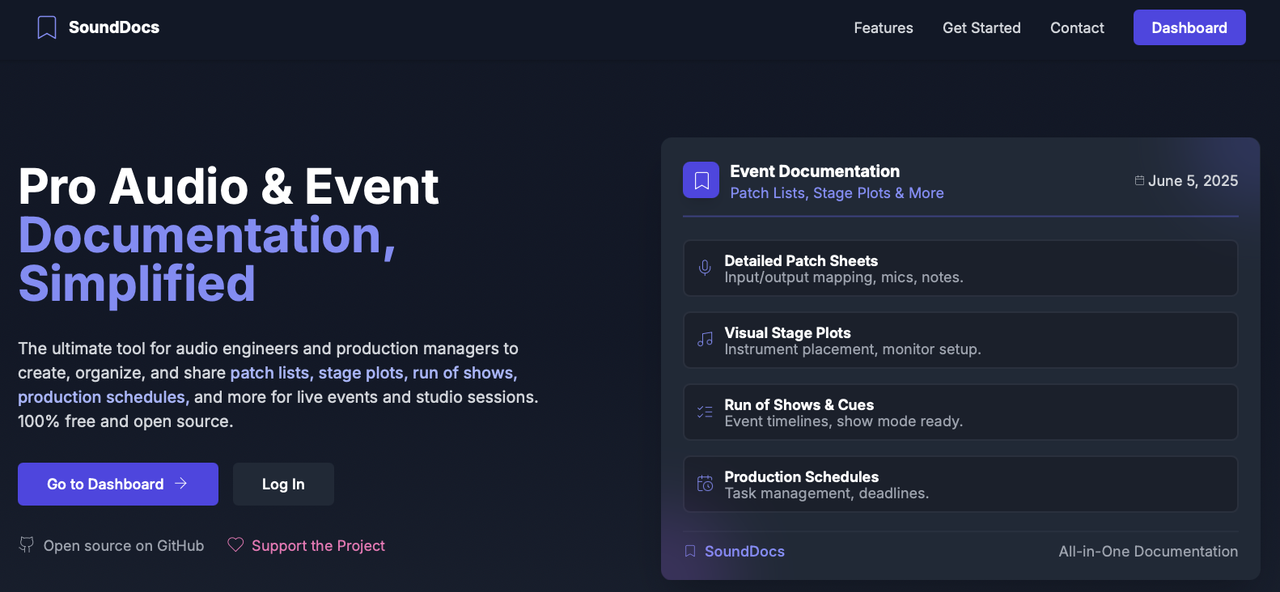
SoundDocs is a modern web application meticulously crafted for audio engineers, production managers, and event technicians. Streamline your workflow by creating comprehensive patch lists, intuitive stage plots, technical riders, detailed run of shows, and production schedules with ease. Now featuring advanced measurement mathematics for professional audio analysis. Share your setups seamlessly with venues, artists, and production teams.
SoundDocs is provided free of charge and is open source under the AGPL v3 license.
Privacy Promise: Just because SoundDocs is free with no ads doesn't mean you are the product. We are committed to never selling, sharing, or monetizing your personal data. Your projects, documents, and information remain yours, always.

SoundDocs is trusted by production companies, freelancers, and event professionals around the globe. From national tours and corporate events to theatrical productions and broadcast operations, professionals rely on SoundDocs to streamline their documentation workflow and deliver exceptional results.
SoundDocs empowers you to manage event audio documentation efficiently:
- 📝 Patch Sheet Editor: Design detailed input/output lists, map signal flows, specify equipment, and add critical technical notes. Perfect for FOH, monitors, and broadcast.
- 🎨 Stage Plot Designer: Visually construct stage layouts using a library of draggable elements including instruments, microphones, monitors, DI boxes, and risers. Clearly communicate stage needs.
- 🎤 Mic Plot Designer: Craft detailed Corporate and Theater mic plots. Manage presenters, actors, wireless assignments, photos, and notes with ease.
- 📋 Technical Rider Manager: Create comprehensive technical riders for touring artists and production teams. Include artist information, band members, input/channel lists, sound system requirements, backline needs, technical staff requirements, and hospitality riders. Share riders with venues and production teams via secure links, with professional PDF exports.
- 📊 Pixel Map Designer: Design and visualize LED video wall layouts, then export clear, detailed plans for your video team.
- 📻 Comms Planner: Complete wireless communications planning system with visual canvas, transceiver management, beltpack assignments, and professional frequency coordination for live events.
- 🗓️ Run of Show Creator (with Show Mode): Develop detailed event timelines, cue sheets, and segment breakdowns. Utilize the "Show Mode" for real-time event tracking and execution. Now with sticky headers, auto-scrolling, automatic time calculation, and column color highlighting.
- 📊 Production Schedule Manager: Organize and track all pre-production, setup, rehearsal, show, and strike activities. Ensure your entire team is aligned.
- 🚀 Smart Export System: Generate professional, high-quality PDF exports of your documents. Choose between full color or print friendly to suit your presentation needs.
- 🤝 Collaboration Tools: Share your documents securely via unique links. Facilitate smooth communication with clients, band members, and technical crew.
- 🎤 AcoustIQ Audio Analyzer:
The first professional, browser-based FFT audio analyzer with advanced measurement mathematics. A comprehensive audio analysis tool with both a simple browser-based RTA ("Lite") and a powerful dual-channel version ("Pro") that uses a local capture agent. The Pro version is now available with professional installers for easy setup. Features include:
- Real-time Spectrogram (RTA)
- SPL Meter with Calibration
- Dual-Channel Transfer Function
- Measurement Mathematics: Sum, average, and subtract operations on frequency domain data
- Quality-Based Processing: Automatic weighting by measurement coherence and reliability
- Coherence & Phase Measurement
- Impulse Response
- Save and recall measurements
- One-click installer for macOS (.pkg) and Windows (.exe)
- Framework: React 18 with TypeScript
- Build Tool: Vite
- Styling: Tailwind CSS
- Icons: Lucide React
- State Management: React Context API / Zustand (for more complex states)
- Routing: React Router 6
- Exporting:
jspdffor PDF generation
- Authentication: Supabase Auth
- Database: Supabase (PostgreSQL)
- Real-time Features: Supabase Realtime
- Storage: Supabase (PostgreSQL)
This guide provides instructions for setting up the SoundDocs project for local development.
For experienced developers, here are the essential commands to get the project running:
-
Clone and Checkout
betaBranch:git clone https://github.com/SoundDocs/sounddocs.git cd sounddocs git checkout beta -
Install Dependencies:
pnpm install
-
Start Local Supabase Services:
supabase start
-
Set Up Web App Environment: Copy the local Supabase credentials output by the previous command into a new
.envfile inapps/web. -
Generate SSL Certificate:
cd agents/capture-agent-py
python3 generate_cert.py
cd ../..
-
Build the Project:
pnpm build
-
Start the Web App:
pnpm dev
-
(Optional) Run Capture Agent for Development: If developing agent-related features, run from source:
cd agents/capture-agent-py
python -m capture_agent  # or python main.py
For end users: Download the professional installer from GitHub Releases instead.
Before you begin, make sure you have the following tools installed:
- Node.js: v18+ (LTS recommended).
- pnpm: This project uses
pnpmfor package management. If you don't have it, install it globally:npm install -g pnpm
- Docker: The Supabase CLI uses Docker to run the local development environment. Install Docker.
- Supabase CLI: Required for managing the local Supabase stack. Follow the official installation guide for your OS: Supabase CLI Docs.
- Python: v3.11+ is required for capture agent development.
- mkcert: A tool for creating trusted local SSL certificates.
- For end users: The professional installers handle mkcert setup automatically
- For developers: Manual installation required:
- macOS:
brew install mkcert - Windows:
choco install mkcert - Linux: Follow the mkcert installation guide.
After installing, run
mkcert -installto create a local Certificate Authority.
- macOS:
First, set up the main web application.
-
Clone the Repository and Checkout
beta: All development should be done on thebetabranch.git clone https://github.com/SoundDocs/sounddocs.git cd sounddocs git checkout beta -
Install Dependencies:
pnpm install
-
Start Local Supabase Services: This command uses Docker to start all the necessary backend services (database, auth, etc.).
supabase start
-
Set Up Environment Variables: After
supabase startcompletes, it will output your local credentials (API URL and anon key). Create a new file atapps/web/.envand add the credentials to it:VITE_SUPABASE_URL=http://127.0.0.1:54321 VITE_SUPABASE_ANON_KEY=your-local-anon-key-from-the-cli
-
Generate SSL Certificate: The Vite development server requires a trusted SSL certificate to run over HTTPS.
cd agents/capture-agent-py
python3 generate_cert.py
cd ../..
This script uses
mkcertto generate the necessary certificate files. -
Build the Project: Build the project before starting development.
pnpm build
-
Start the Development Server: Now you can start the web app.
pnpm dev
The application will be available at
https://localhost:5173(or the next available port).
If you are developing features related to the "AcoustIQ Pro" audio analyzer, you can run the Python-based capture agent from source. The HTTPS dev server is a prerequisite for the secure WebSocket (wss://) connection the agent uses.
Note: End users should download the professional installers instead of following these development instructions.
-
Navigate to the Agent Directory: In a new terminal window (leaving the web app server running), go to the agent's directory:
cd agents/capture-agent-py -
Install Dependencies:
pip install -e . -
Run the Agent: Start the agent in development mode:
python -m capture_agent
# or alternatively:
python main.py
The agent will now be running and can communicate with the web app at
wss://localhost:9469.
These instructions are for developers who want to compile the capture agent from local source code. This process uses your local files and does not download any code from GitHub.
- Python 3.11+
Navigate to the agent's directory and install all required dependencies, including the pyinstaller packaging tool.
cd agents/capture-agent-py
pip install -e . "cryptography>=41,<44" pyinstallerRun the pyinstaller command to build the standalone executable.
pyinstaller --onefile --name sounddocs-capture-agent --add-data "capture_agent:capture_agent" --add-data "generate_cert.py:." main.pyThe compiled application will be located in the dist directory.
To self-host SoundDocs, you will need a remote Supabase project.
- Clone the Repository and Install Dependencies: Follow steps 1 and 2 from the "Web App Setup" section.
- Create a Supabase Project: Go to Supabase and create a new project.
- Set Up Environment Variables:
Create a file at
apps/web/.envand add your remote Supabase project's credentials:You can find these in your Supabase project's API settings.VITE_SUPABASE_URL=your-supabase-project-url (looks like https://(projecturl).supabase.co) VITE_SUPABASE_ANON_KEY=your-supabase-anon-key
- Apply Database Migrations:
In your Supabase project dashboard, go to the "SQL Editor" and run the contents of the migration files located in the
/supabase/migrationsdirectory in chronological order. - Build and Deploy:
Build the application and deploy the contents of the
apps/web/distfolder to your preferred hosting provider (e.g., Vercel, Netlify, AWS S3).pnpm build
We welcome contributions from the community! Whether it's bug fixes, feature enhancements, or documentation improvements, your help is appreciated.
If you're using AI-assisted coding tools or "vibe coding", we strongly recommend using Claude Code for contributing to SoundDocs. This project includes:
- Extensive CLAUDE.md documentation with comprehensive project architecture, patterns, and guidelines
- 60+ specialized sub-agents for different development tasks (frontend, backend, testing, database, security, etc.)
- Optimized workflows for our specific tech stack (React, TypeScript, Supabase, pnpm workspaces)
Using Claude Code ensures better code quality, adherence to project conventions, and faster development cycles through intelligent agent delegation.
Please review our Contributing Guidelines for details on our code of conduct, and the process for submitting pull requests.
Join our Discord server to discuss ideas and collaborate with the community.
This project is distributed under the GNU AGPLv3 License. See LICENSE file for more information.
- Supabase Team for their incredible backend-as-a-service platform.
- Vite for the next-generation frontend tooling.
- Tailwind CSS for the utility-first CSS framework that styles the application.
- Zustand for the simple and powerful state management.
- Lucide Icons for the clean and versatile icon set.
- React Draggable & React Resizable for interactive UI elements.
- WebSockets and SoundDevice for enabling real-time audio communication.
- NumPy and SciPy for the powerful signal processing that drives the audio analysis.
- The open-source community for the countless tools and libraries that make projects like SoundDocs possible.