
Generate beautiful 3D isometric visualizations of GitHub contribution graphs. Available as both a CLI tool and a fast, cached API server.
 GitHub Theme |
 Light Theme |
 Dark Theme |
 Neon Theme |
 Ocean Theme |
 Minimal Theme |
 Without Stats |
 Without Credit |
 One Year |
 365-Day Rolling Window (Default) |
- ⚡ Fast API with intelligent caching and revalidation
- 🎨 6 Built-in Themes: GitHub, Dark, Light, Neon, Minimal, Ocean
- 📊 Statistics Overlay: Contributions, streaks, averages
- 🖼️ Customizable: Dimensions, year selection, credits, themes
- 🚀 Minimal: Lightweight with no framework overhead
- 💾 Smart Caching: Efficient daily caching with instant updates
- 📅 365-Day Rolling Window: Default view showing last 365 days of activity
npm installGenerate an isometric contribution graph:
npm run generate -- <username> [year] [output] [options]Examples:
# Basic usage
npm run generate -- spectrewolf8

# Specific year with stats
npm run generate -- spectrewolf8 2025 graph.png --stats --credit

# Custom dimensions
npm run generate -- spectrewolf8 2025 graph.png --width 1920 --height 1080
CLI Options:
--stats- Include statistics overlay--credit- Show username in bottom right--width <px>- Canvas width (default: 1000)--height <px>- Canvas height (default: 600)
Start the API server for web integration:
npm run serverOr with auto-reload during development:
npm run devServer runs on port 3000 (configurable via PORT environment variable).
GET /api/graph
| Parameter | Type | Required | Default | Description |
|---|---|---|---|---|
username |
string | ✅ Yes | - | GitHub username |
year/y |
number/string | No | none (365 days) |
Year to fetch (e.g., 2025), or none for 365-day rolling window ending today |
theme |
string | No | github |
Visual theme: github, dark, light, neon, minimal, ocean |
width |
number | No | 1000 |
Image width in pixels |
height |
number | No | 600 |
Image height in pixels |
stats |
boolean | No | false |
Include statistics overlay |
credit |
boolean | No | false |
Show username credit |
Basic Graph:
https://isometric-contributions-spectrewolf8.onrender.com/api/graph?username=spectrewolf8
With Statistics:
https://isometric-contributions-spectrewolf8.onrender.com/api/graph?username=spectrewolf8&stats=true
365-Day Rolling Window (Default):
https://isometric-contributions-spectrewolf8.onrender.com/api/graph?username=spectrewolf8
Specific Year:
https://isometric-contributions-spectrewolf8.onrender.com/api/graph?username=spectrewolf8&year=2025
With Theme:
https://isometric-contributions-spectrewolf8.onrender.com/api/graph?username=spectrewolf8&theme=dark&stats=true
With Credit:
https://isometric-contributions-spectrewolf8.onrender.com/api/graph?username=spectrewolf8&credit=true
Full Customization:
https://isometric-contributions-spectrewolf8.onrender.com/api/graph?username=spectrewolf8&year=2025&width=1200&height=700&stats=true&credit=true&theme=neon
Note: Use
http://localhost:3000for local testing.
The API implements intelligent daily caching:
- Cache Duration: 1 hour with revalidation (ensures freshness)
- Cache Strategy: One generation per username+params per day
- Cache Headers: Check
X-Cacheheader (HITorMISS) - Benefits: Instant responses for repeated requests with fresh updates
Cache Response Headers:
Content-Type: image/png
Content-Length: <bytes>
Cache-Control: public, max-age=3600, must-revalidate
X-Cache: HIT | MISS
Documentation:
GET /
GET /docs
Health Check:
GET /health
import {
  fetchContributions,
  parseContributionsData,
} from "./src/api-client.js";

const data = await fetchContributions("username", 2025);
const days = parseContributionsData(data);import { renderIsometricChart, exportToPNG, setTheme } from "./src/renderer.js";
import { DARK_THEME } from "./src/theme-config.js";
import { writeFileSync } from "fs";
// Set theme (optional)
setTheme(DARK_THEME);
// Render
const canvas = renderIsometricChart(days, {
width: 1000,
height: 600,
username: "spectrewolf8", // optional credit
});
// Export
const buffer = await exportToPNG(canvas);
writeFileSync("output.png", buffer);import { renderWithStats } from "./src/renderer.js";
const canvas = renderWithStats(days, {
width: 1000,
height: 600,
});import {
GITHUB_THEME,
DARK_THEME,
LIGHT_THEME,
NEON_THEME,
MINIMAL_THEME,
OCEAN_THEME,
} from "./src/theme-config.js";
import { setTheme } from "./src/renderer.js";
// Apply theme before rendering
setTheme(NEON_THEME);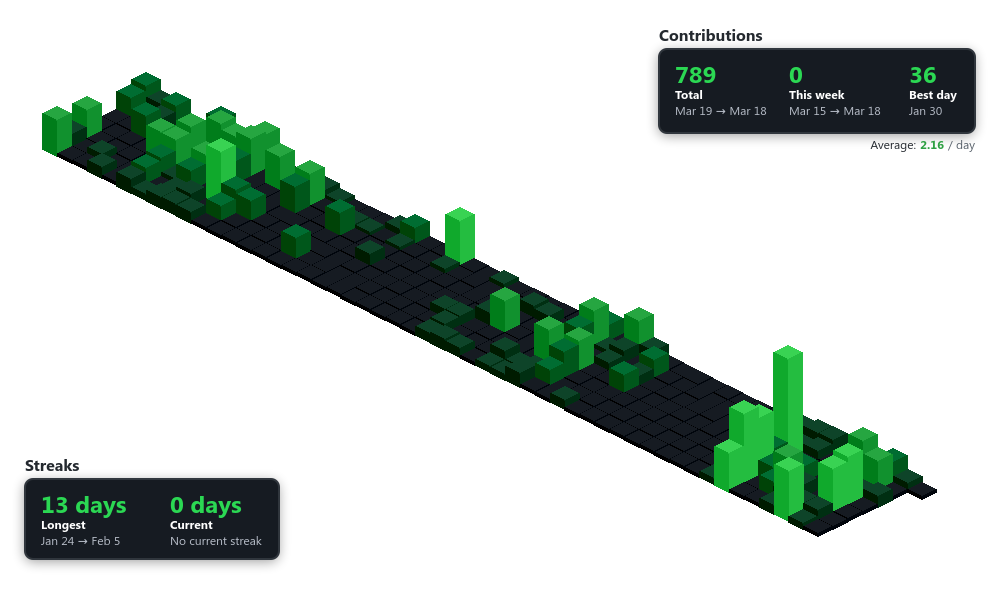With theme:
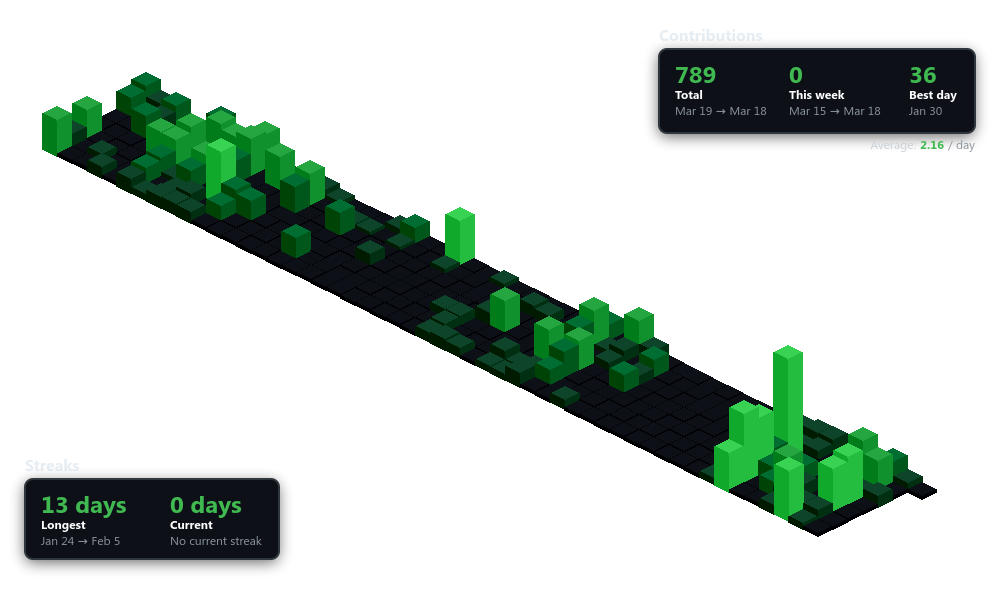<img
  src="https://isometric-contributions-spectrewolf8.onrender.com/api/graph?username=spectrewolf8&theme=neon&stats=true"
  alt="GitHub Contributions"
/>| Command | Description |
|---|---|
npm run generate |
Generate graph via CLI |
npm run server |
Start API server |
npm run dev |
Start server with auto-reload |
npm run test:api |
Test API endpoints |
npm run cleanup |
Manually run cache cleanup |
npm run cleanup:scheduler |
Start automatic cleanup scheduler |
Generates PNG images with:
- Resolution: Customizable (default 1000x600)
- Format: PNG with transparency
- Size: ~20-30 KB (varies with dimensions)
- Total contributions
- Best day (max contributions)
- Average per day
- Longest streak
- Current streak
The project includes automatic cache cleanup to remove old files from Supabase Storage.
-
Add environment variables to
.env:SUPABASE_ANON_KEY=your-anon-key CACHE_RETENTION_DAYS=1 CLEANUP_SCHEDULE=0 3 * * * # Daily at 3 AM RUN_ON_STARTUP=true TZ=UTC
-
Add DELETE policy to Supabase (one-time setup):
Run this in your Supabase SQL Editor:
CREATE POLICY "Anon delete access"
  ON storage.objects
  FOR DELETE
  TO anon
  USING (bucket_id = 'isometric-cache');

GRANT DELETE ON storage.objects TO anon;
-
Start the scheduler:
npm run cleanup:scheduler
The scheduler runs automatically in Docker/production (see Dockerfile).
Run cleanup on-demand:
npm run cleanup0 3 * * *- Daily at 3 AM0 */6 * * *- Every 6 hours0 */12 * * *- Every 12 hours*/30 * * * *- Every 30 minutes0 0 * * 0- Weekly on Sunday at midnight
The cleanup script:
- Lists all files in the Supabase Storage bucket
- Checks each file against retention criteria:
- Files with
created_atolder than retention period - Files in date folders (e.g.,
username/2026-02-01/) older than retention .emptyFolderPlaceholderfiles
- Files with
- Deletes matching files using Supabase Storage API
- Logs results with counts and examples
Docker/Render/Railway:
The Dockerfile automatically starts both processes:
CMD ["sh", "-c", "node server.js & node cleanup-scheduler.js & wait"]Just add the environment variables to your hosting platform.
No files deleted:
- Check
CACHE_RETENTION_DAYS- files must be older than this - Verify DELETE policy is set up in Supabase (see setup step 2)
- Check file dates in Supabase dashboard
Permission errors:
- Ensure DELETE policy exists for anon role on storage.objects
- Run the setup SQL in Supabase SQL Editor (see Cache Management section)
- Verify bucket name matches
SUPABASE_BUCKET_NAME
Scheduler not running:
- Verify cron expression is valid
- Check timezone setting (
TZenvironment variable) - Ensure process stays running (use PM2 or Docker)
- Check logs:
pm2 logs cache-cleanup(if using PM2)
Manual testing:
# Test cleanup manually
npm run cleanup

# With different retention
CACHE_RETENTION_DAYS=7 npm run cleanup
Check cleanup logs:
The cleanup script outputs logs:
🧹 Cleaning cache (retention: 1 day(s))
📅 Deleting folders older than 2026-02-02
✅ No old folders to delete

✨ Cleanup completed
This project builds upon the excellent work of:
- Core Renderer: Based on isometric-contributions by Jason Long - the foundational isometric rendering logic was taken and modified for this implementation
- Contributions API: Uses the GitHub Contributions API by Joe Gruber - an unofficial but reliable API for fetching GitHub contribution data
Feel free to open issues or submit PRs for improvements!
This project is licensed under the MIT License.