This repository was archived by the owner on Sep 8, 2024. It is now read-only.
Events
To listen to events, the only thing you're going to need is a client (DeckClient). Then you can just call .on<NameOfTheEventHere> and handle the event in any way you would like.
client.on<MessageCreateEvent> { // Here you are inside the MessageCreateEvent scope, so you can already handle the event
    // We're making sure that whoever sent the message isn't the bot itself
    if (message.authorId == client.selfId)
        return@on // We're just going to return, since we won't be handling this event
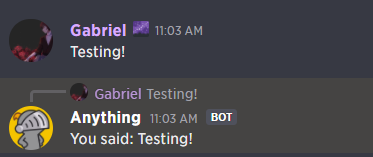
    message.sendReply("You said: ${message.content}")
}
If you're getting an error anywhere in this code, make sure you've imported everything, since some of these functions are extensions.