An R toolkit for cell hashing (HTO) demultiplexing

make sure you installed these two dependencies:
install.packages("flexmix")
install.packages("hash")
then:
if (!require("devtools")) {install.packages("devtools")}
devtools::install_github("WilsonImmunologyLab/HTOreader")
Please click the following link for a detailed example


Please refer to /docs folder of this repository. We have provided the HTML version and the R markdown file. Data for this sample under /data folder.
The pbmc.hashtag in the following example is a Seurat object. Please load your "HTO" assay using the Seurat package (More details in our example).
There are two main functions, HTOClassification for Hashtag demultiplexing, PlotHTO for plotting distributions of hashtags
pbmc.hashtag <- HTOClassification(pbmc.hashtag, assay = 'HTO', method = 'CLR')
VlnPlot(pbmc.hashtag,features = rownames(pbmc.hashtag@assays[["HTO"]]@data), group.by = 'HTOid')
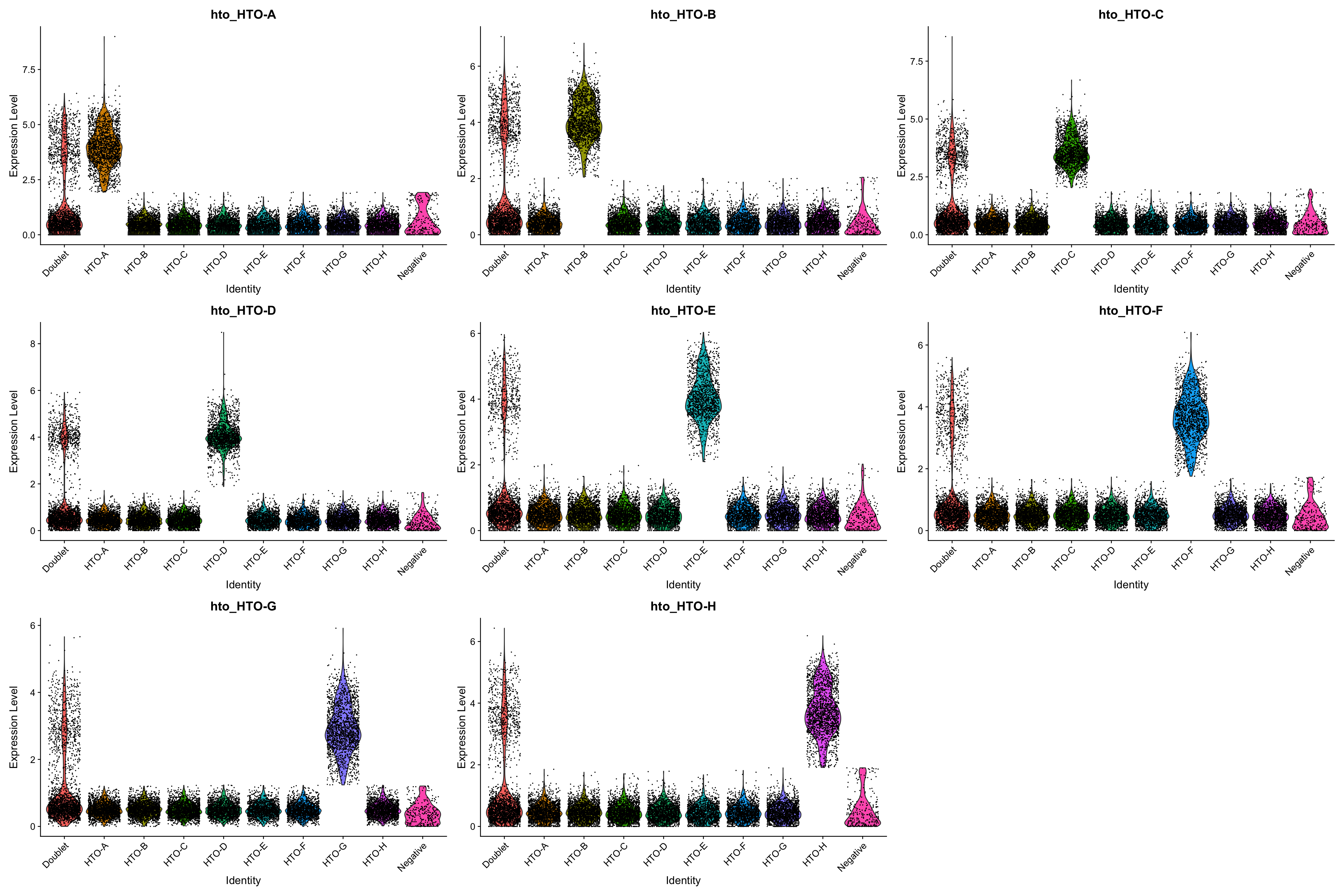
Users can use PlotHTO function to check the quality of the cutoff of each HTO
plots1 <- PlotHTO(pbmc.hashtag, assay = 'HTO', method = 'CLR')
this function returns a list of ggplot objects, use plot_grid function to plot them:
plot_grid(plotlist = plots1)
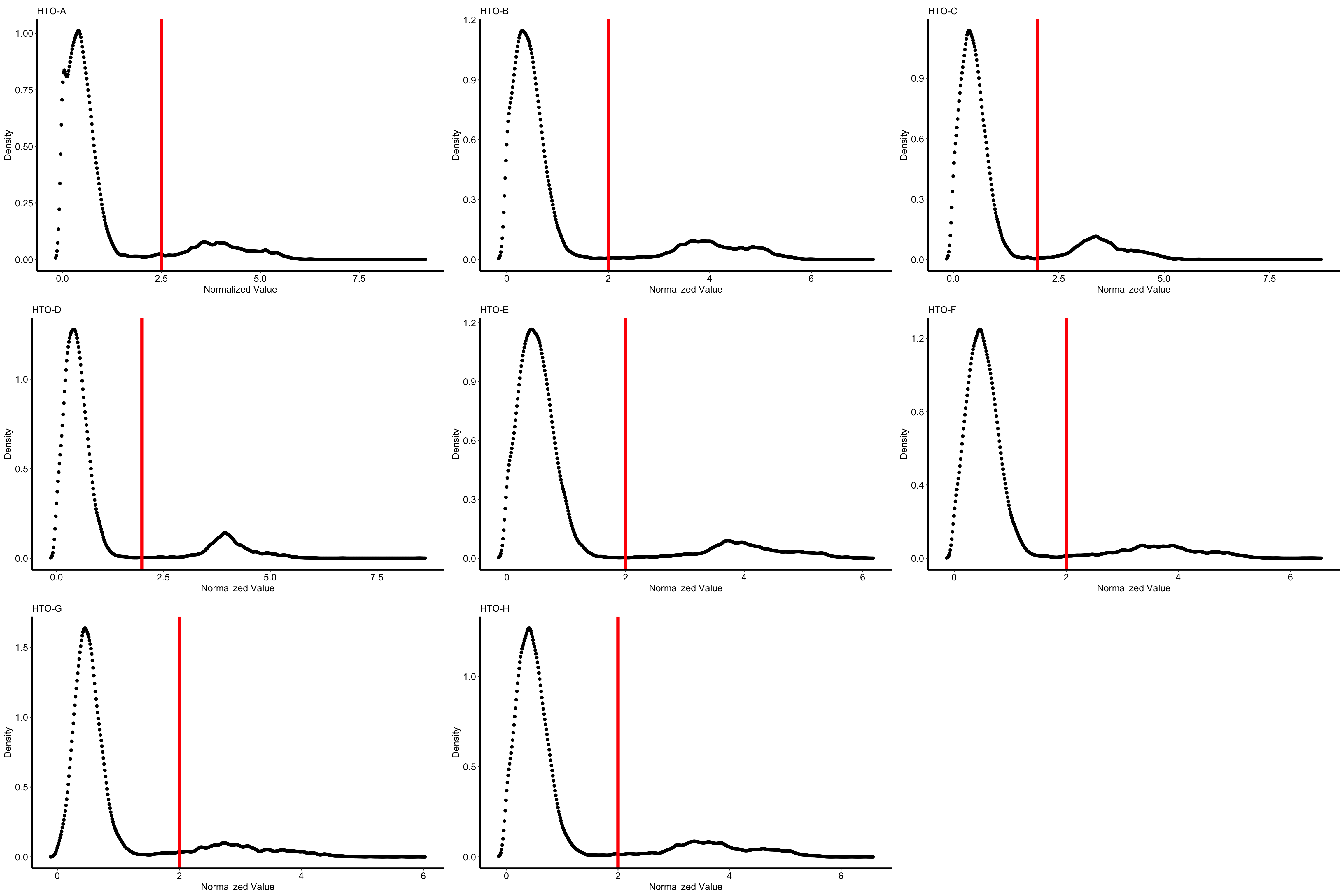
Users can also specify the cutoff manually:
pbmc.hashtag <- HTOClassification(pbmc.hashtag, assay = 'HTO', method = 'CLR', specify_cutoff = c(2.5,2,2,2,2,2,2,2))
or use a different normalization method (CLR or log):
pbmc.hashtag <- HTOClassification(pbmc.hashtag, assay = 'HTO', method = 'log')
users also can specify the cutoff manually for PlotHTO function to find out the best cutoff:
plots1 <- PlotHTO(pbmc.hashtag, assay = 'HTO', method = 'CLR', specify_cutoff = c(2.5,2,2,2,2,2,2,2))