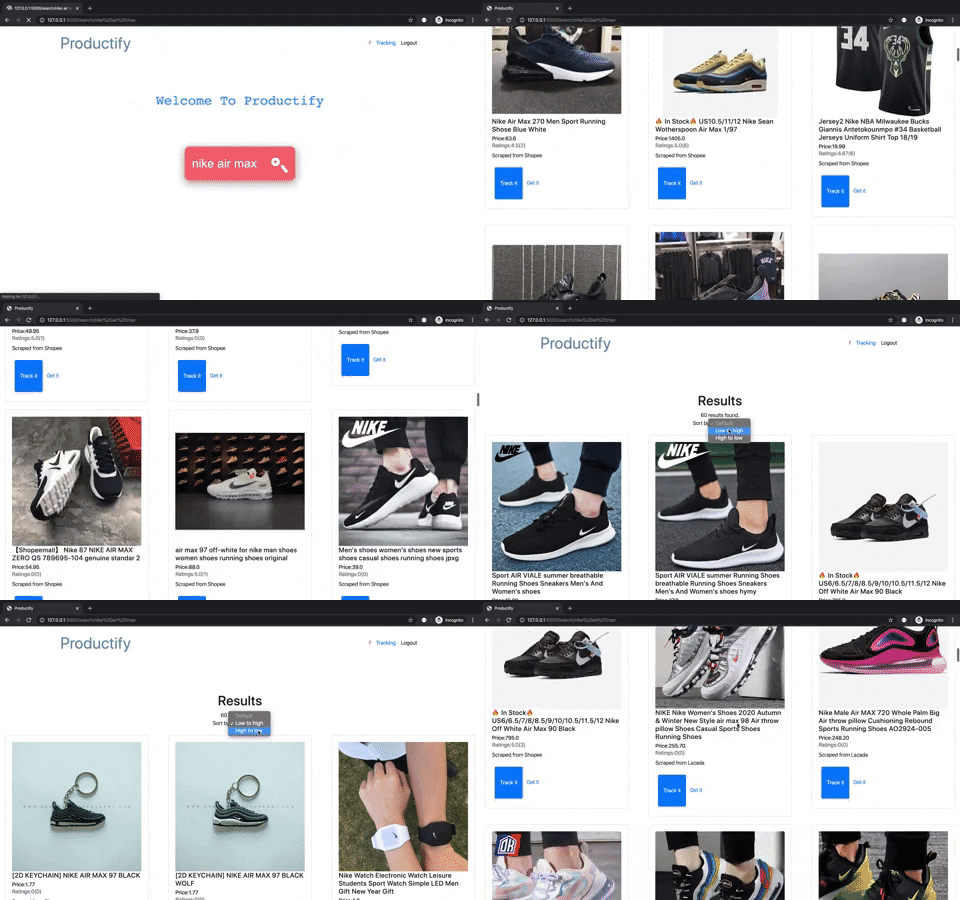
Productify empowers users to track products from websites like Shoppe and Lazada. Helping users to get information about their desired products through one website. Users are able to search for their desired products on Productify , add the product that they wish to have tracked . Productify will handle the rest!
- flask - The web framework used
- bootstrap - Used for styling of websites
- requests - Used to send http requests
- bs4 - Used for scraping
- fake_useragent - Used for changing browser user agents
- lxml - Parser used for receive html pages
- pandas - Used for data visualization
- firebase - Used for storage of products and users information
- pytz - Used for formatting timezone
.
├── api.py
├── classes.py
├── lazada.py
├── main.py
├── readme.md
├── setup.txt
├── shopee.py
├── static
│   └── css
│       ├── main.css
│       └── util.css
├── templates
│   ├── base.html
│   ├── error.html
│   ├── index.html
│   ├── login.html
│   ├── navbar.html
│   ├── results.html
│   ├── signup.html
│   └── track.html
└── tracking.py
api.py is the Flask file
.html files can be found in templates folder
.css files can be found in css folder located in the static folder
Our project is ran in the console , preferably a bash shell.
In our project, we do scraping from Shopee and Lazada.
For Shopee, we requests the Shopee api to scrape the relevant information for the products.
For lazada, we requests the lazada webpage and parse the web elements into json and then retrieve the product details from there.
To avoid the server from getting captcha, we are using fake_useragent to rotate the user agent whenever we making web requests.
As Productify retrieve products from two websites , Shoppe and Lazada.
Scraping for these websites requires 2 python scripts.
The script uses the shoppe api to retrieve products information. The script sends a http get request to Shoppe api , the api replies with a JSON object . The script converts the JSON into an object called Shoppe.
The script uses the bs4 and requests to retrieve products information. The script sends a http request to lazada website and bs4 parses the html reply with lxml paser. The script converts parsed content into an object called Lazada.
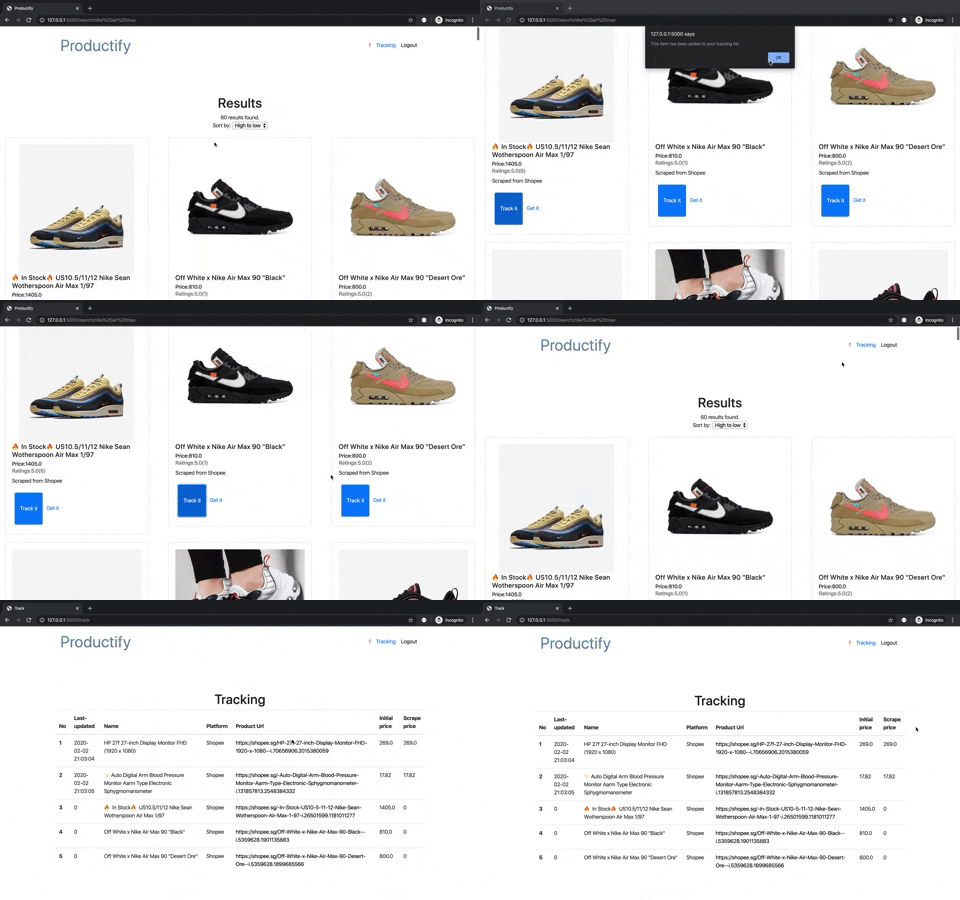
We enable a function called tracking in our webpage. You can just simply click on the tracking button on the product's card. Our server will be constantly tracking the product and updating the product's price. You can monitor all them in the tracking page. Plus, you will be notified when the price of any product you track becomes lower.
Using Flask as our web framework , it acts as a local web server to launch our website on localhost:5000.
Websites are build with Html , Css , Bootstrap and Javascript. It is compiled by Flask built-in website template system , Jinja template.
Flask is used for backend programming of the website , for example routing of web pages. Each webpage has its speceifc function.
Using firebase to store information about the user and tracked products information.Websites are able to dynamically change depending on the information retrieved from firebase.
In order , to use Productify one needs to sign up as an user . As a user , one is able to have access to searching for products and tracking your products.
Productify is written in Python 3.6 . (Please ensure you have Python 3.6 installed)
Download Python 3.6 here
It is recommended that you create a virtual environment with python 3.6
git clone https://github.com/ZazzyDictionary/Productify.git
cd Productify
pip3 install -r setup.txtpython3 api.py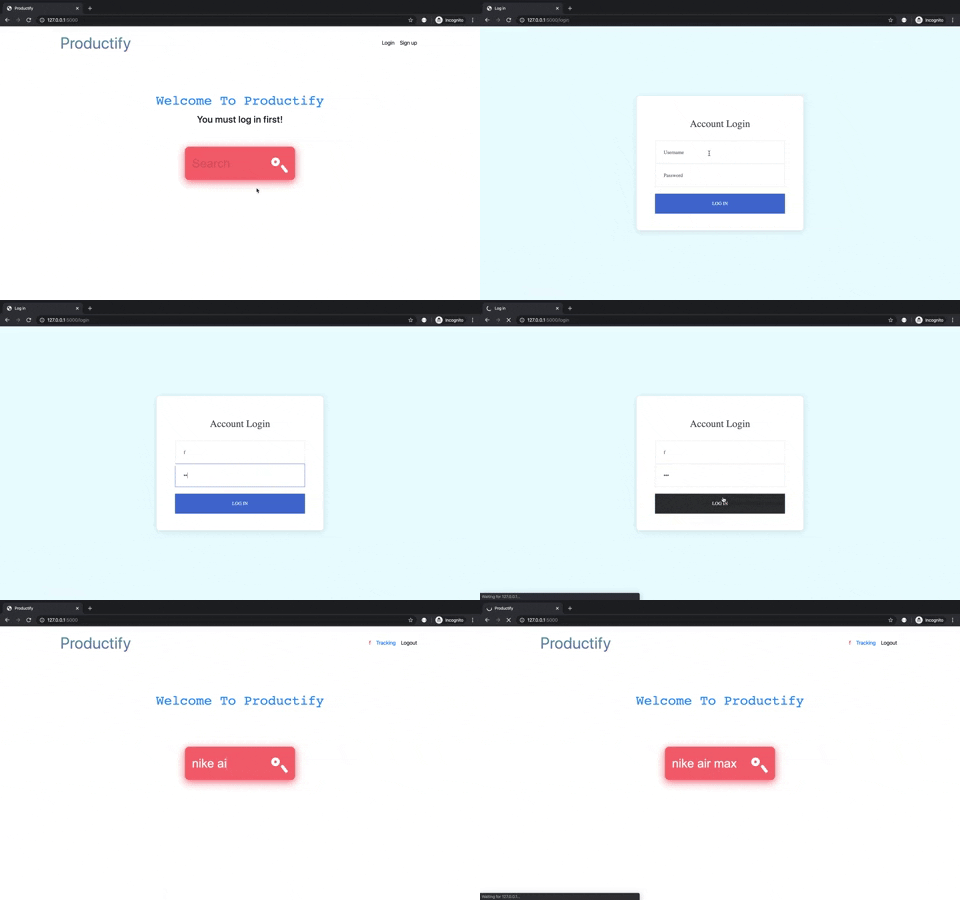
-
Houman
-
Zachary