#Offline analysis tool of the GIF++ DAQ ####Author: Alexis Fagot ####email : alexis.fagot@ugent.be ####Tel.: +32 9 264 65 69 ####Mobile: +32 4 77 91 61 31 ####Mobile: +33 6 66 89 02 90
##Compilation
To be able to use the offline analysis tool, it is mandatory to have previously installed ROOT. ROOT can be cloned from the git HTTP repository :
git clone http://root.cern.ch/git/root.git
Then follow the intalation steps on this page : HERE.
To compile the offline analysis project, first, open the makefile with a text editor, for example gedit, and modify the path to DAQ_HOME_DIR :
DAQ_HOME_DIR = /path/to/your/working/directory
In the case of the GIF ++ computer, we have :
DAQ_HOME_DIR = /home/gifdaq/Desktop/OfflineAnalysisTool
Then, simply do :
make
##Usage
There are 2 ways to use the executable file. Being in the previoulsly defined working directory, you can do :
./offlineanalysis.sh [/path/to/datafile] [TriggerWindowWidth] [TimeEarliestSignals] [TimeLatestSignals]
or simply
./offlineanalysis.sh [/path/to/datafile]
then the default values for [TriggerWindowWidth], [TimeEarliestSignals] and [TimeLatestSignals] are 50000, 35025 and 35375 but may not be accurate. [TriggerWindowWidth] correspond to the value set in the DAQ software during the data acquisition. To have a good estimation of [TimeEarliestSignals] and [TimeLatestSignals], first do :
./offlineanalysis.sh [/path/to/datafile]
then :
root -l
new TBrowser
and look into the histogram called "TimeProfile". Zoom on the cosmics pic to get the first and last bin values. To do so, the first step is to place the mouse onto the axis at the level of the units :
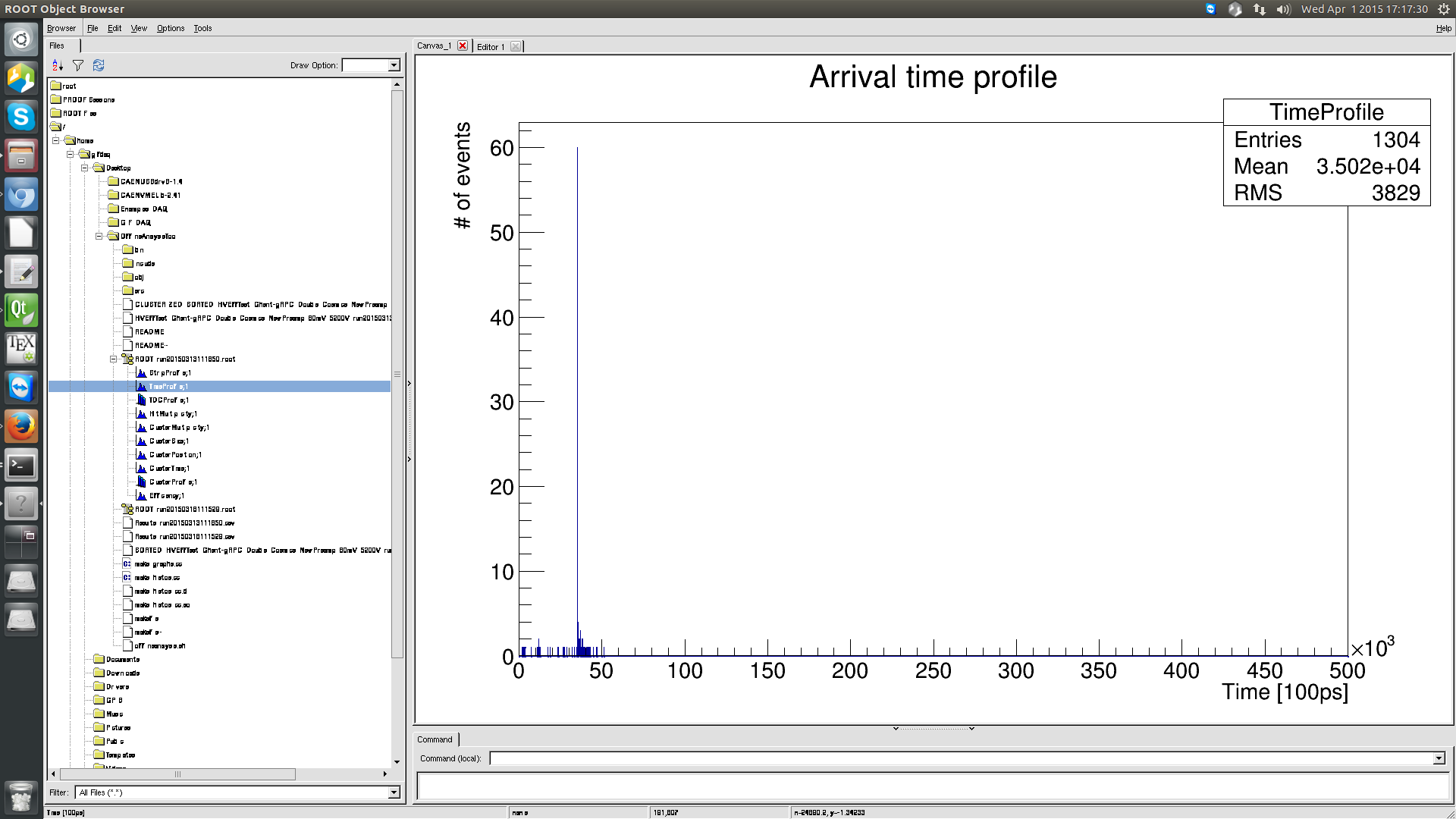
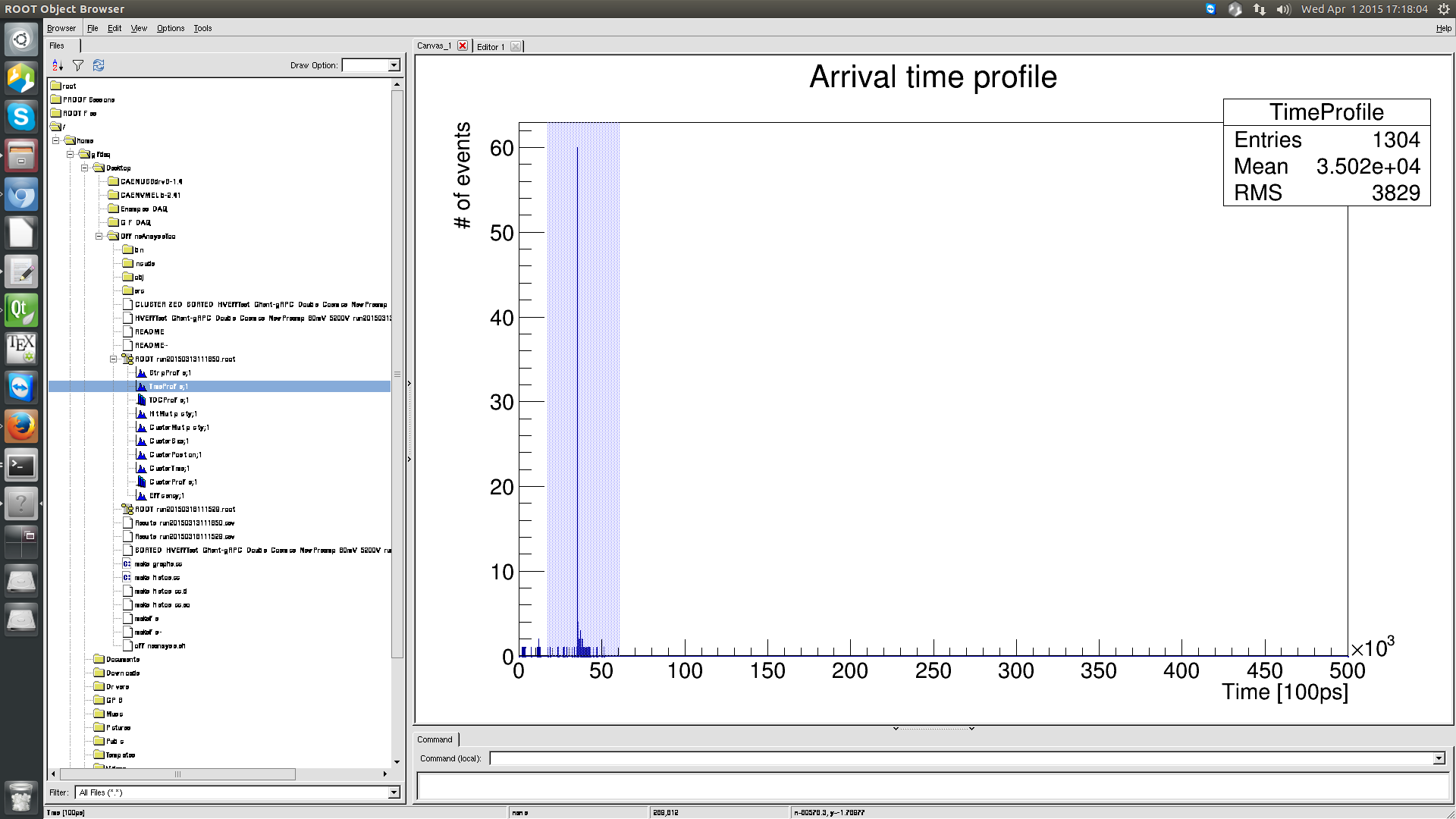
The second step consists in selecting using the left click of the mouse the range you want to zoom in. Repeat that step as many times as needed (you cannot zoom on tooo small ranges...) :
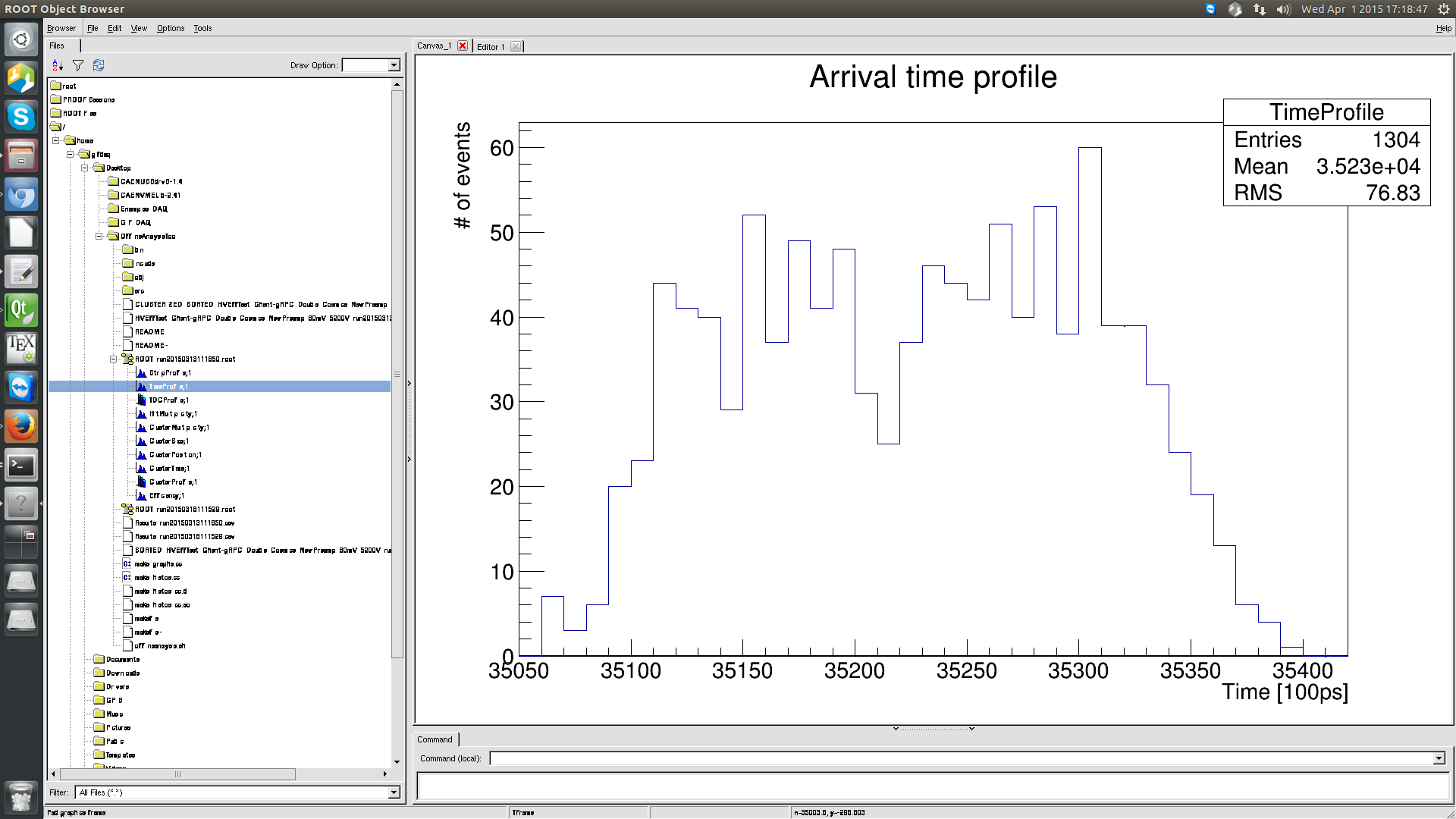
Finally, read the value of the first bin and last bin on the x-axis :
Once you have all the needed values, you can do :
./offlineanalysis.sh [/path/to/datafile] [TriggerWindowWidth] [TimeEarliestSignals] [TimeLatestSignals]
And, in your datafile directory, print the efficiency and cluster size with :
cat RESULT_[datafile].csv