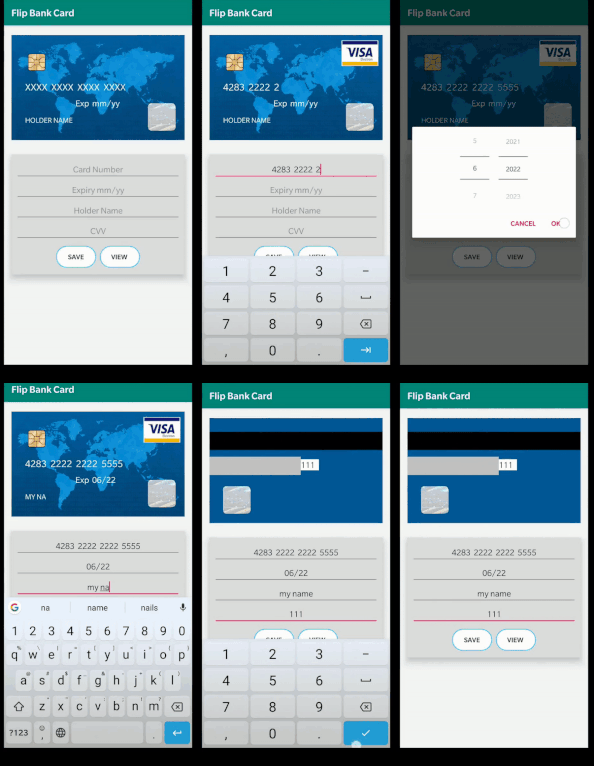
Add it in your root build.gradle (app module) at the end of repositories:
	allprojects {
        repositories {
            maven { url 'https://jitpack.io' }
        }
      }
Add the dependency
    dependencies {
              implementation 'com.github.aggarwalmayank:FlipBankCard:1.1'
      }
Use the layout mentioned below in your activity
            <?xml version="1.0" encoding="utf-8"?>
            <LinearLayout xmlns:android="http://schemas.android.com/apk/res/android"
                xmlns:app="http://schemas.android.com/apk/res-auto"
                xmlns:tools="http://schemas.android.com/tools"
                android:layout_width="match_parent"
                android:layout_height="match_parent"
                tools:context=".MainActivity">


                <fragment
                    android:id="@+id/idSetByYou"
                    android:name="com.appsaga.flip_bank_card.CardView"
                    android:layout_width="match_parent"
                    android:layout_height="match_parent"
                    android:layout_weight="1" />
            </LinearLayout>
In Java file of Activity
implement using
implements CardView.OnFragmentInteractionListener and overrride method
    @Override
    public void onFragmentInteraction(Uri uri) {

    }
in OnCreate Method type
       FragmentManager fragmentManager=getSupportFragmentManager();
       CardView cardView=(CardView)fragmentManager.findFragmentById(R.id.idSetByYou);

      // to access Card Number use
       cardView.getNumber();     //it will return String

       //to access Holder Name use
       cardView.getName();       //it will return String

       //to access CVV use
       cardView.getCvv();        //it will return string

       //to access Expiry use
       cardView.getExp();        //it will return string;