- @agnivo988





![coderabbitai[bot]](https://github.com/coderabbitai.png "Bot Contributor")



Repo-lyzer is a modern, terminal-based CLI tool written in Golang that analyzes GitHub repositories and presents insights in a beautifully formatted, interactive dashboard.
It is designed for developers, recruiters, and open-source enthusiasts to quickly evaluate a repository’s health, activity, and contributor statistics.
- Developers evaluating open-source projects
- Recruiters assessing repository health and activity
- Contributors exploring project structure and engagement
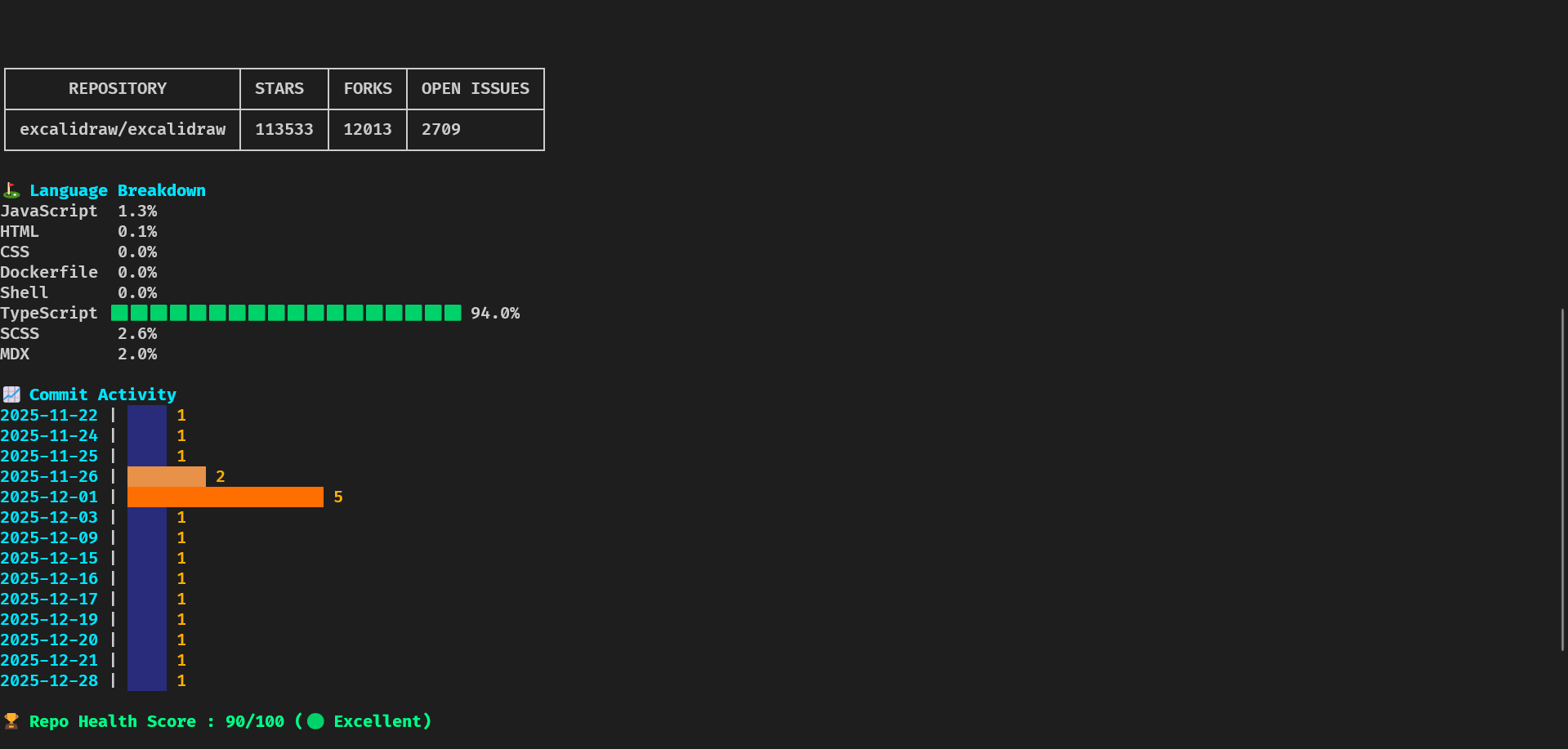
- Repository Overview – Stars, forks, open issues, general info
- Language Breakdown – Percentage of languages used with colored bars
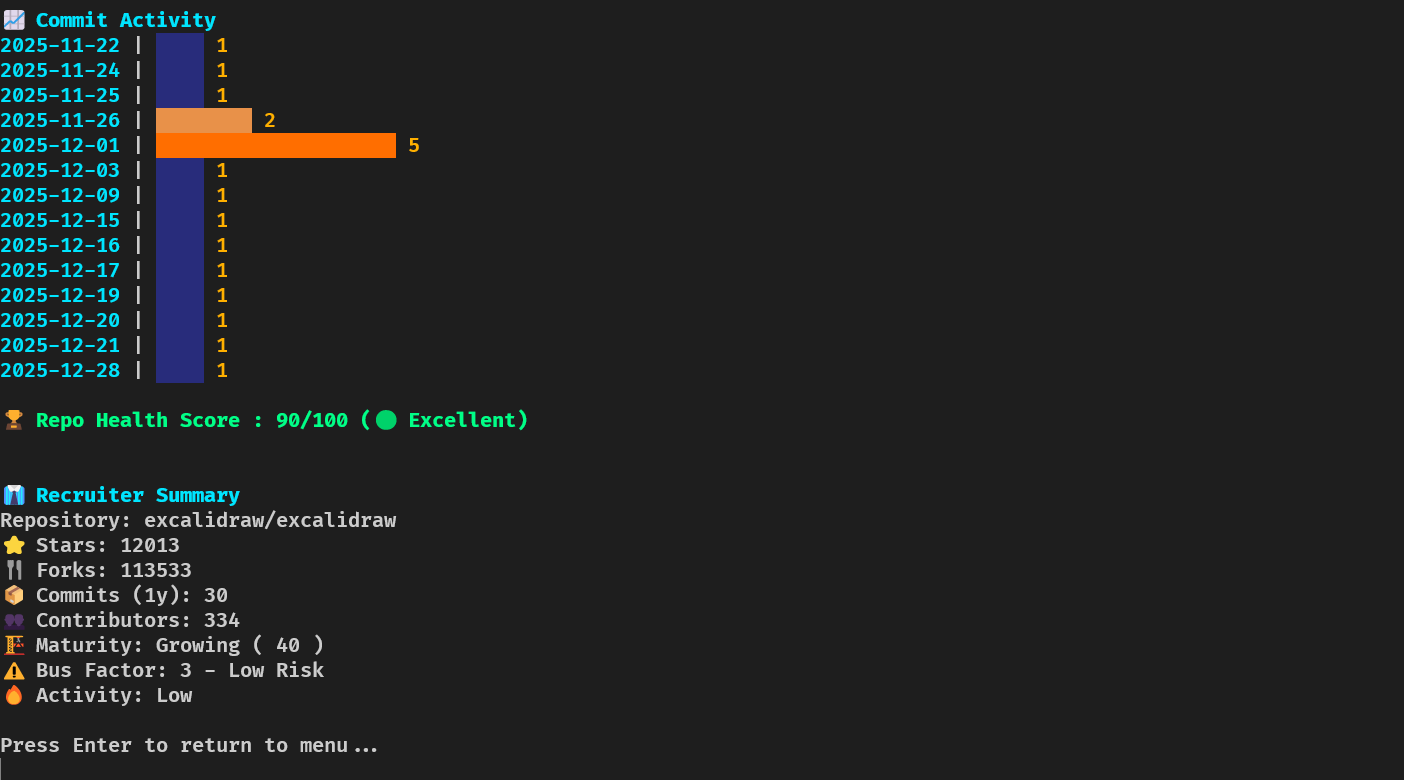
- Commit Activity – Horizontal graph showing commit frequency over the past year
- Health Score – Activity & contributor-based scoring
- Bus Factor – Measures critical contributors to assess project risk
- Repo Maturity Score – Evaluates age, activity, and structure
- Recruiter Summary – Quick snapshot for hiring evaluation
- Quick Summary – Fast 5-line overview with key metrics (commits 30d, top language, contributors, health, last commit)
- File Tree Viewer – Browse repository structure in-dashboard
- Export Options – Export analysis as JSON, Markdown, CSV, or HTML
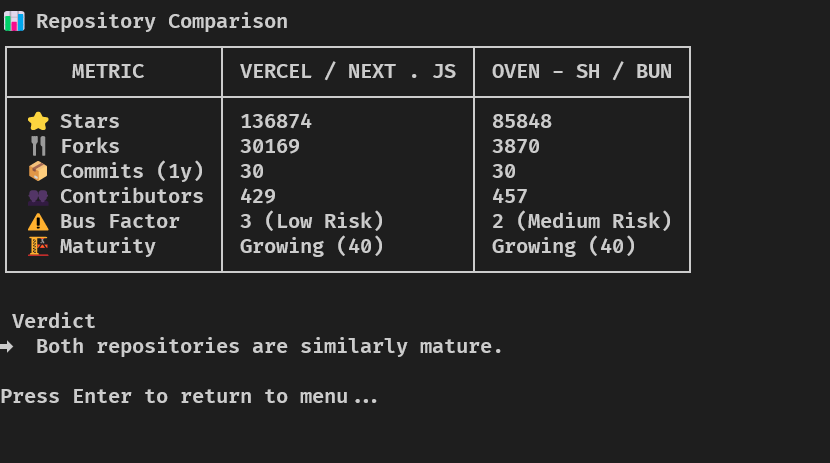
- Compare Mode – Side-by-side repository comparison
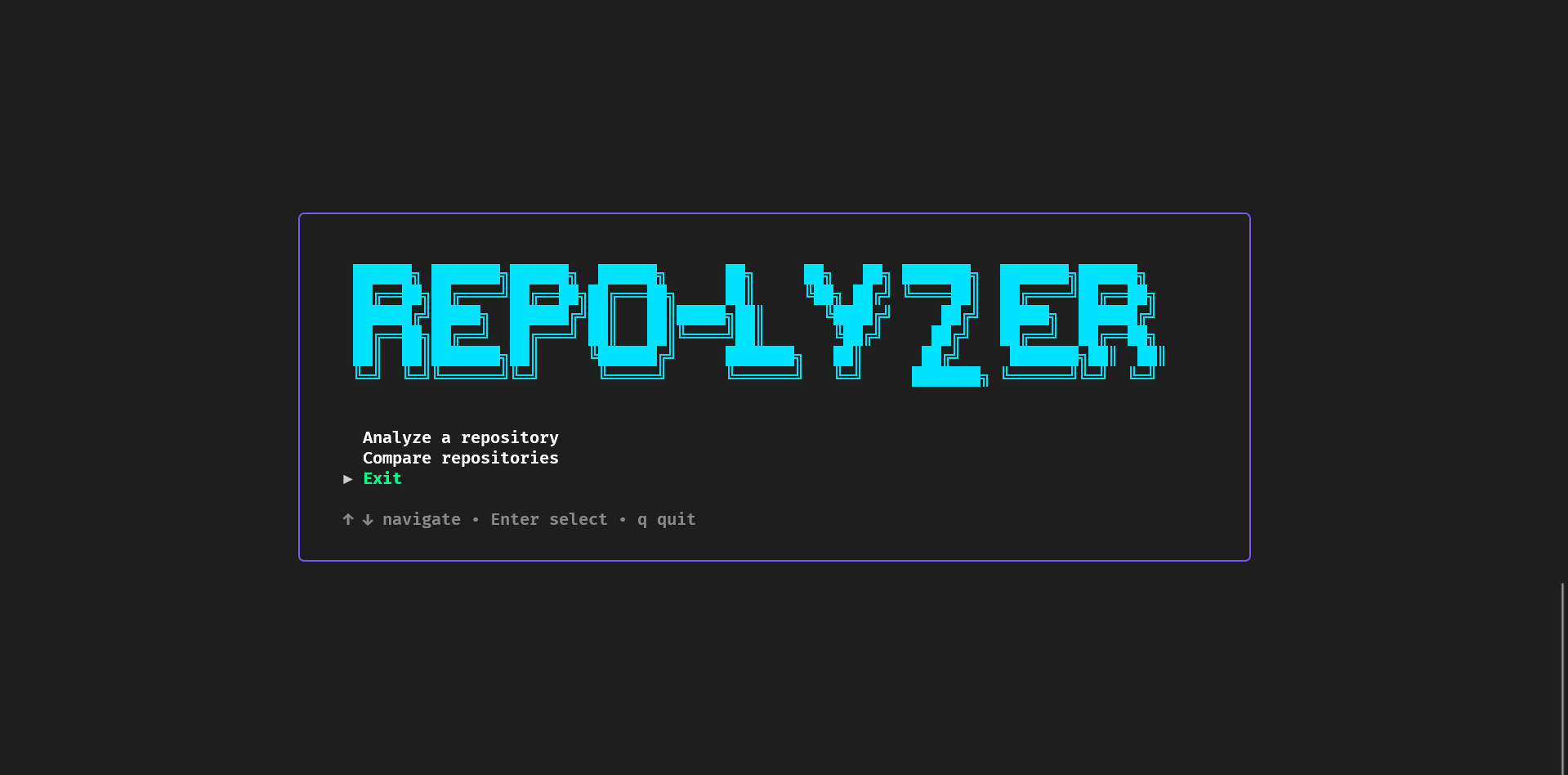
- Interactive CLI Menu – Fully navigable TUI (keyboard driven)
- Colorized Output – Neon-style colors and ASCII styling
- Settings Persistence – Theme, export preferences, and GitHub token saved locally
- Golang – Core language
- Cobra – CLI command management
- Bubble Tea – Interactive TUI
- Bubbles – UI components
- Lipgloss – Styling & layout
- Tablewriter – Terminal tables
- x/term – Terminal size detection
- GitHub REST API – Repository, commits, issues, contributors
Repo-lyzer follows a modular architecture for scalability and maintainability.
repo-analyzer/
│
├── cmd/
│   ├── root.go
│   ├── analyze.go
│   └── compare.go
│
├── internal/
│   ├── github/       # GitHub API client
│   ├── analyzer/     # Metric computations
│   ├── cache/        # Offline caching
│   ├── config/       # Settings persistence
│   └── ui/           # TUI components
│
├── docs/
│   ├── DOCUMENTATION_INDEX.md
│   ├── QUICK_REFERENCE.md
│   ├── IMPLEMENTATION_DETAILS.md
│   ├── ANALYZER_INTEGRATION.md
│   └── CHANGE_LOG.md
│
├── main.go
├── go.mod
└── README.md
- User launches
repo-lyzer - Interactive menu → Analyze or Compare
- GitHub API fetch (repos, commits, contributors, languages)
- Metrics computed (health, bus factor, maturity)
- Displayed in centered, styled terminal dashboard
┌────────────────────────────────────────────┐
│               main.go                      │
└────────────────────────────────────────────┘
                    │
                    ▼
┌────────────────────────────────────────────┐
│                 cmd/                       │
└────────────────────────────────────────────┘
                    │
                    ▼
┌────────────────────────────────────────────┐
│             internal/ui/                   │
└────────────────────────────────────────────┘
          │           │           │
          ▼           ▼           ▼
┌──────────────┐ ┌──────────────┐ ┌──────────────┐
│   github     │ │   analyzer   │ │   output     │
└──────────────┘ └──────────────┘ └──────────────┘
| Directory | Purpose |
|---|---|
cmd/ |
CLI commands |
internal/github/ |
GitHub API client |
internal/analyzer/ |
Metric computations |
internal/cache/ |
Offline caching |
internal/config/ |
Settings persistence |
internal/ui/ |
TUI components |
internal/output/ |
Formatting & rendering |
docs/ |
Documentation |
- ARCHITECTURE.md – Complete architecture guide
- ANALYZER_INTEGRATION.md – Adding new analyzers
- IMPLEMENTATION_DETAILS.md – Technical deep dive
- DOCUMENTATION_INDEX.md – Master index
- QUICK_REFERENCE.md – Quick usage guide
- CHANGE_LOG.md – Version history
- Centering multi-section layouts in terminal
- Handling high-activity repositories
- GitHub API rate limits
- Horizontal commit graphs
- Unified responsive dashboard
git clone https://github.com/agnivo988/Repo-lyzer.git
cd Repo-lyzer
go mod tidy
go run main.goGet a quick 5-line summary of any repository:
repo-lyzer summary golang/goOr use the flag with analyze:
repo-lyzer analyze --summary microsoft/vscodeExample Output:
📊 Repository Summary: golang/go
   Commits (30d): 30
   Top Language: Go
   Contributors: 381
   Health Score: 90/100
   Last Commit: 4 hours ago
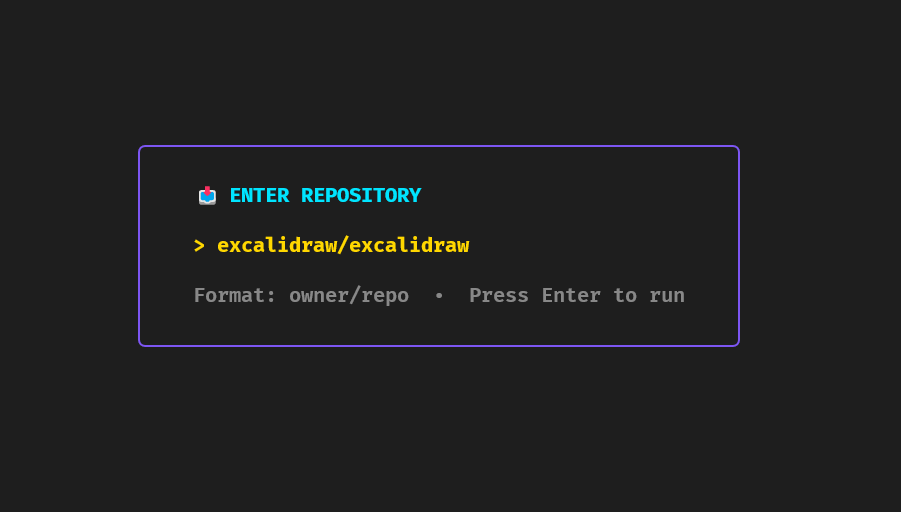
repo-lyzer analyze golang/goAvailable via interactive menu.
Export to JSON or Markdown from dashboard.
Repo-lyzer features a hierarchical, keyboard-driven menu system for easy navigation and access to all features.
- 📊 Analyze Repository – Enter analysis submenu to choose analysis type
- 🔄 Compare Repositories – Start side-by-side repository comparison
- 📜 View History – Browse previously analyzed repositories
- ⚙️ Settings – Access settings submenu for configuration
- ❓ Help – Open help submenu for guidance
- 🚪 Exit – Quit the application
Analysis Types (accessed via 📊 Analyze Repository):
- ⚡ Quick Analysis – Fast overview with key metrics
- 🔍 Detailed Analysis – Comprehensive analysis with all metrics
- ⚙️ Custom Analysis – User-configurable analysis options
Settings (accessed via ⚙️ Settings):
- Theme Settings – Customize UI themes and colors
- Export Options – Configure default export formats
- GitHub Token – Set personal access token for higher rate limits
- Reset to Defaults – Restore all settings to default values
Help (accessed via ❓ Help):
- Keyboard Shortcuts – View all available shortcuts
- Getting Started – Quick start guide
- Features Guide – Detailed feature explanations
- Troubleshooting – Common issues and solutions
- Arrow Keys (↑/↓) – Navigate menu options
- Enter – Select option or enter submenu
- ESC – Return to previous menu level
- Tab – Quick navigation between sections
go install github.com/agnivo988/Repo-lyzer@v1.0.5
repo-lyzerMIT License © 2026 Agniva Mukherjee yaml Copy code

