In the era of cloud and cluster computing, Containers have become the standard unit of compute. All major Cloud providers offer some sort of managed container service, not to mention all the services that use containers underneath the hood (App Engine, GCE, etc.). The consistent environment, "run anywhere", context isolation characteristics of containers make them a perfect choice for Cloud Native applications. Containers have also fueled the CI/CD fire, allowing enterprises to safely iterate their production software at extremely high velocity.
This workshop is meant to be completed using Google Cloud Platform. Before you can provision the required infrastructure to complete the workshop, you must create a GCP Project (if you don't have one already).
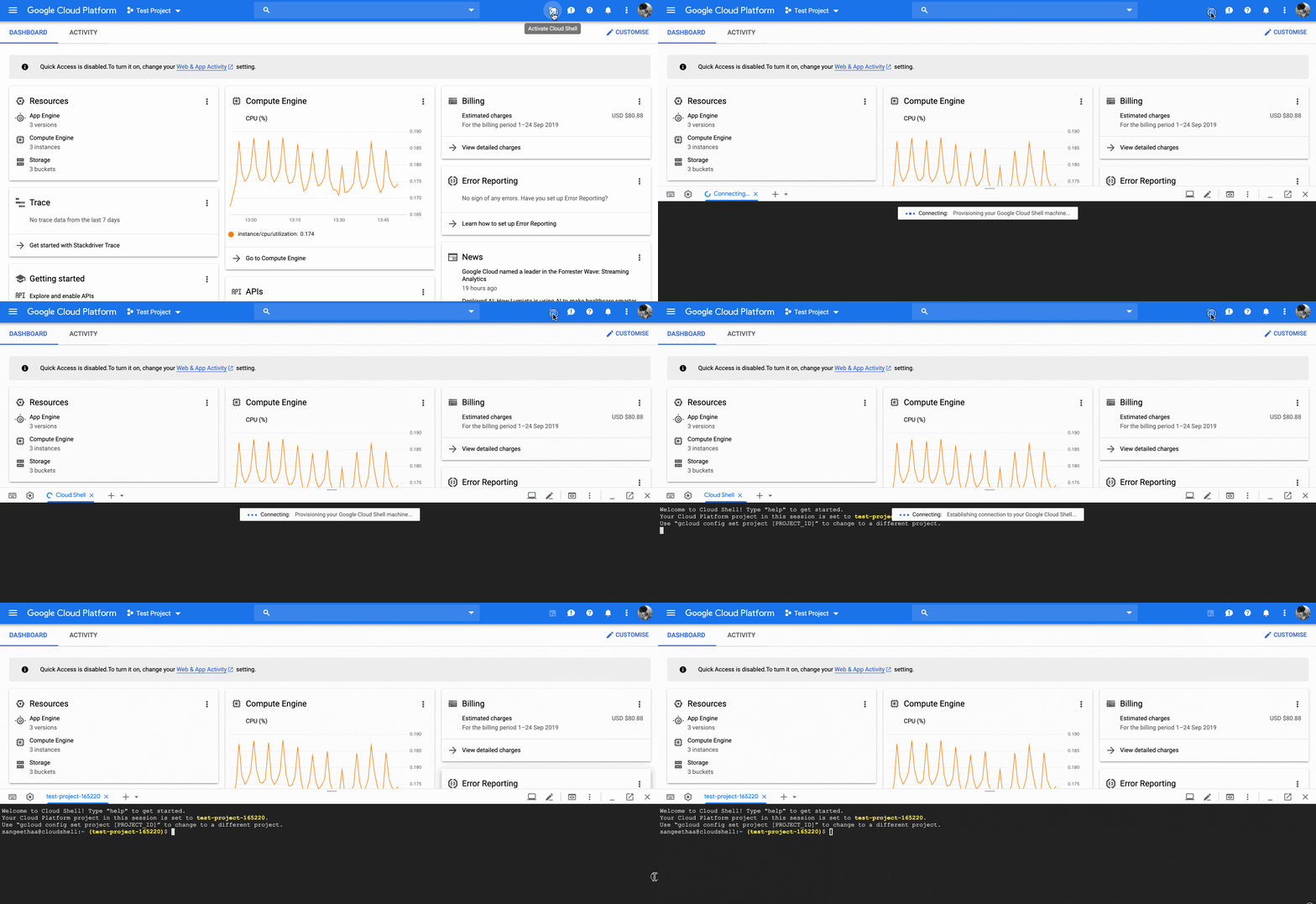
gcloud config configurations list, you should see a configuration entry for your GCP project.
$ gcloud config configurations list
NAME              IS_ACTIVE  ACCOUNT  PROJECT          COMPUTE_DEFAULT_ZONE  COMPUTE_DEFAULT_REGION
cloudshell-15534  True                g-1573-training
If you see your project listed, your GCP project is properly setup and you have completed this section. If you don't see your project listed, run the following command in your in your Cloud Shell to configure the SDK.
gcloud config set project <project id>
In order to complete the Docker workshop you will need a machine with Docker and Nodejs installed. Run the following command in the GCP Cloud Shell to provision the required resources. This command will create a Compute Engine instance and a firewall rule opening the VM to the internet.
curl -s https://raw.githubusercontent.com/briananstett/k8-presentation/master/1_Docker/terraform/bootstrap.sh | bash -Once the instance finishes provisioning, if you navigate to the Compute Engine console, you should see your newly created instance called docker-workshop. SSH into the instance using the "SSH" button. Once inside the instance, run the following command to finish setup.
sudo usermod -aG docker $USER
sudo su $USER --login
curl -fsSL https://github.com/briananstett/k8-presentation/archive/master.zip -o workshop.zip
unzip workshop.zip
rm workshop.zip
You can confirm Docker was installed correctly by running the following command.
docker version
In order to complete the Kubernetes workshop you will need a Kubernetes cluster. If you already have access to a cluster feel free to use it. If not, the following instructions will help you setup a cluster on GCP. Run the following command in the GCP Cloud Shell of your project. Note it will take a few minutes to provision your cluster.
curl -fsSL https://raw.githubusercontent.com/briananstett/k8-presentation/master/2_Kubernetes/terraform/main.tf \
  -o ~/k8-terraform/main.tf --create-dirs
cd ~/k8-terraform
terraform init
terraform apply -auto-approve
gcloud container clusters get-credentials workshop-cluster --region us-central1-a
alias kube=kubectl
cd ~/
You can confirm the Clutser was created and your kubectl CLI tool was confgiured correctly by running the following command.
kubectl get nodes
Once you are finished with the Docker workshop. Run the following command in Cloud Shell to delete the GCP resources created.
cd ~/docker-terraform
terraform destroy -auto-approve
cd ~/
Once you are finished with the Kubernetes workshop. Run the following command in Cloud Shell to delete the GCP resources created.
cd ~/k8-terraform
terraform destroy -auto-approve
cd ~/
- Feel free to follow along with the slides.