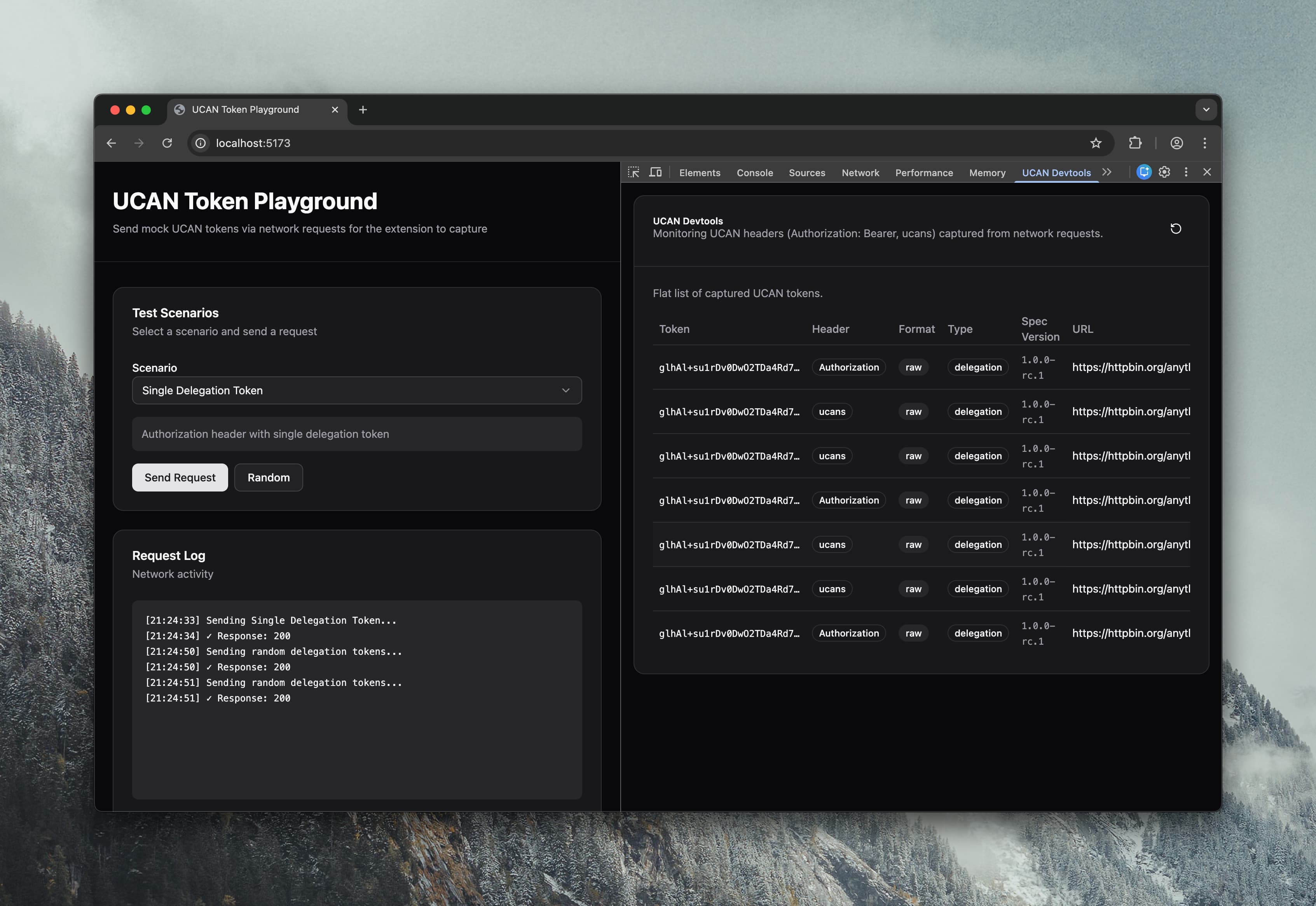
UCAN Devtools is a browser extension that adds a DevTools panel for inspecting and debugging UCANs found in browser traffic (for example UCANs carried in request headers).
It supports UCAN 1.0 (DAG-CBOR envelopes) including both UCAN delegations and invocations.
Relevant specs
Pre-built extension packages are available in GitHub Releases.
Download the appropriate zip for your browser:
*-chrome.zipfor Chrome/Edge/Brave*-firefox.zipfor Firefox- Source archives are auto-generated by GitHub; you don’t need them to install the extension.
Chrome / Edge / Brave
- Download the
*-chrome.zipfrom the releases page and unzip it. - Visit
chrome://extensions, enable Developer mode, and click Load unpacked. - Select the unzipped folder.
Firefox
- Download the
*-firefox.zipfrom the releases page and unzip it. - Visit
about:debugging#/runtime/this-firefoxand click Load Temporary Add-on…. - Select
manifest.jsoninside the unzipped folder.
If the panel doesn’t appear, ensure the extension is enabled and reopen DevTools (Ctrl+Shift+I / Cmd+Opt+I).
- Node.js
- pnpm
pnpm install
- Chrome (MV3):
pnpm build- Output:
.output/chrome-mv3
- Output:
- Firefox (MV2):
pnpm build:firefox- Output:
.output/firefox-mv2
- Output:
- Run
pnpm build - Open
chrome://extensions - Enable Developer mode
- Click Load unpacked and select
.output/chrome-mv3
- Run
pnpm build:firefox - Open
about:debugging#/runtime/this-firefox - Click Load Temporary Add-on…
- Select
.output/firefox-mv2/manifest.json
- Chrome:
pnpm dev - Firefox:
pnpm dev:firefox
- Chrome zip:
pnpm zip - Firefox zip:
pnpm zip:firefox
MIT © 2025 Chris Waring