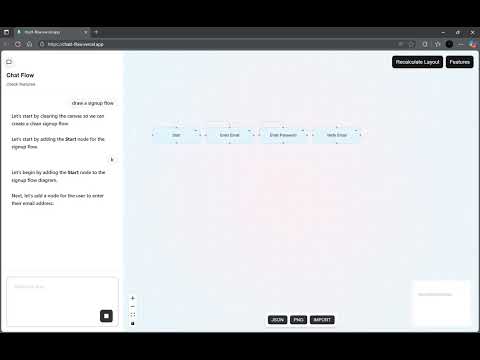
Talk to your flowchart editor like you would to a friend: "add a node called 'Start'", "connect 'Start' to a new node 'Step 2'". or draw a signup flow chat The AI understands context and builds a visual flowchart for you. It can update and manage your flowchart as you go.
https://chatt-flow.vercel.app/
- AI-Driven Flow Creation: Utilize Tambo AI to build and modify flowcharts using natural language prompts. The AI can add nodes, connect them with edges, and clear the entire flow.
- Interactive Visual Editor: Built with React Flow, offering a drag-and-drop interface for nodes and edges, zoom, pan, and selection capabilities.
- Node Manipulation:
-
Add new nodes with custom labels and descriptions.
-
Connect nodes to define relationships.
-
Delete individual nodes and their connected edges.
-
Update node data through an inspector panel.
-
- Layout Recalculation: Automatically re-arrange nodes for better readability.
- Flow Import/Export:
- Export the current flow structure (nodes and edges) as a JSON file.
- Export a visual snapshot of the flow as a PNG image.
- Import a flow from a JSON file, enabling easy sharing and versioning.
- Integrated Chat Interface: A sidebar for interacting with the Tambo AI, sending commands, and receiving feedback.
- Features Modal: A dedicated modal to explain the template's functionalities to the user.
This app demonstrates the power of Tambo AI for building conversational interfaces with dynamic UI generation. You give it natural language commands, and it uses a set of "tools" to modify a React Flow diagram.
- Next.js 15 - React framework with App Router
- Tambo AI SDK - Conversational AI with dynamic UI generation
- React Flow - For building the interactive flowchart UI
- Tailwind CSS - Styling and responsive design
- TypeScript - Type-safe development
- Zod - Runtime schema validation
git clone https://github.com/devtofunmi/chat-flow
cd chat-flow
npm install
npx tambo init
npm run dev- You will need to add your Tambo AI API key to a
.env.localfile.