
One shortcut. Instant function selection. Works on any Kotlin call.
Nested Compose layouts? DSL builders? Select the whole call in one keystroke.


A lightweight IntelliJ plugin that selects the nearest function call at your cursor. Press again to expand to the parent call — effortless navigation through nested Kotlin function hierarchies.
Ctrl+Alt+W · Any function call · Composables · DSL builders · Expand call-by-call · Keyboard + Context Action
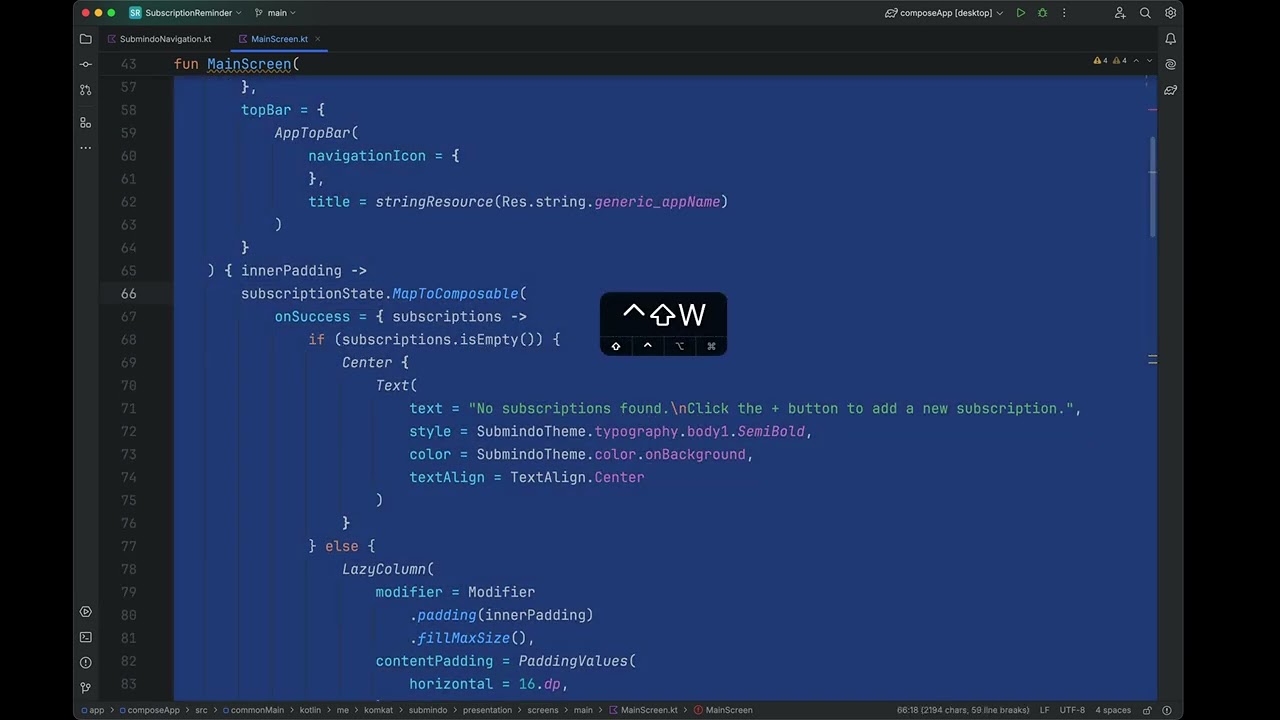
Click the image to watch the demo on YouTube.
- Instant Selection: One keystroke selects the nearest function call — no dragging, no multi-step expand.
- Works on Everything: Jetpack Compose composables, Kotlin DSL builders, regular function calls — if it's a
KtCallExpression, it's selectable. - Two Ways to Trigger: Keyboard shortcut (
Ctrl+Alt+W) or context action (Alt+Enter> "Select Composable").
- Manual selection is slow: Deeply nested Compose layouts mean scrolling and dragging across dozens of lines just to highlight one composable.
- No existing tool does this: IntelliJ has no built-in "select enclosing function call" action. This plugin fills that gap.
| Without | With Composable Selection | |
|---|---|---|
| Select a call | Drag from name to closing brace | Press Ctrl+Alt+W once |
| Expand to parent | Re-drag from parent's name | Press Ctrl+Alt+W again |
| Nested layouts | Lose your place constantly | Walk up call-by-call |
| Platform | Shortcut |
|---|---|
| Windows / Linux | Ctrl + Alt + W |
| macOS | Control + Option + W |
- Place your cursor inside any function call.
- Press the shortcut — the nearest function call is selected.
- Press again — selection expands to the parent call.
- Keep pressing to walk up the call hierarchy.
Context action: Alt + Enter > "Select Composable"
Menu: Edit > Select Composable (bottom of menu)
From IDE (recommended):
Settings > Plugins > Marketplace > Search "Composable Selection" > Install
From JetBrains Marketplace:
Go to Composable Selection and click Install to ....
Manual:
Download the latest release and install via Settings > Plugins > Settings icon > Install plugin from disk...
| Requirement | Version |
|---|---|
| IntelliJ Platform | from 2024.2 |
| Kotlin Plugin | Required |
git clone https://github.com/<your-username>/composable_selection.git
cd composable_selection
./gradlew runIde    # Run plugin in sandbox IDE
./gradlew test # Run tests- Fork this repository.
- Create a branch, make your changes.
- Run tests, open a Pull Request.
MIT — see LICENSE