H5P Xblock provides ability to host and play H5P content in open edX. It has few more features
- Ability to mark H5P content complete in open edX
- Ability to capture score of H5P content in open edX
- Save learner state which can be retrieved later
- Ability to host H5P content on cloud storage like AWS S3
pip install h5p-xblockor if you're using tutor to manage your organization:
tutor config save --append OPENEDX_EXTRA_PIP_REQUIREMENTS=h5p-xblock
tutor images build openedx
Update course advanced settings by adding h5pxblock

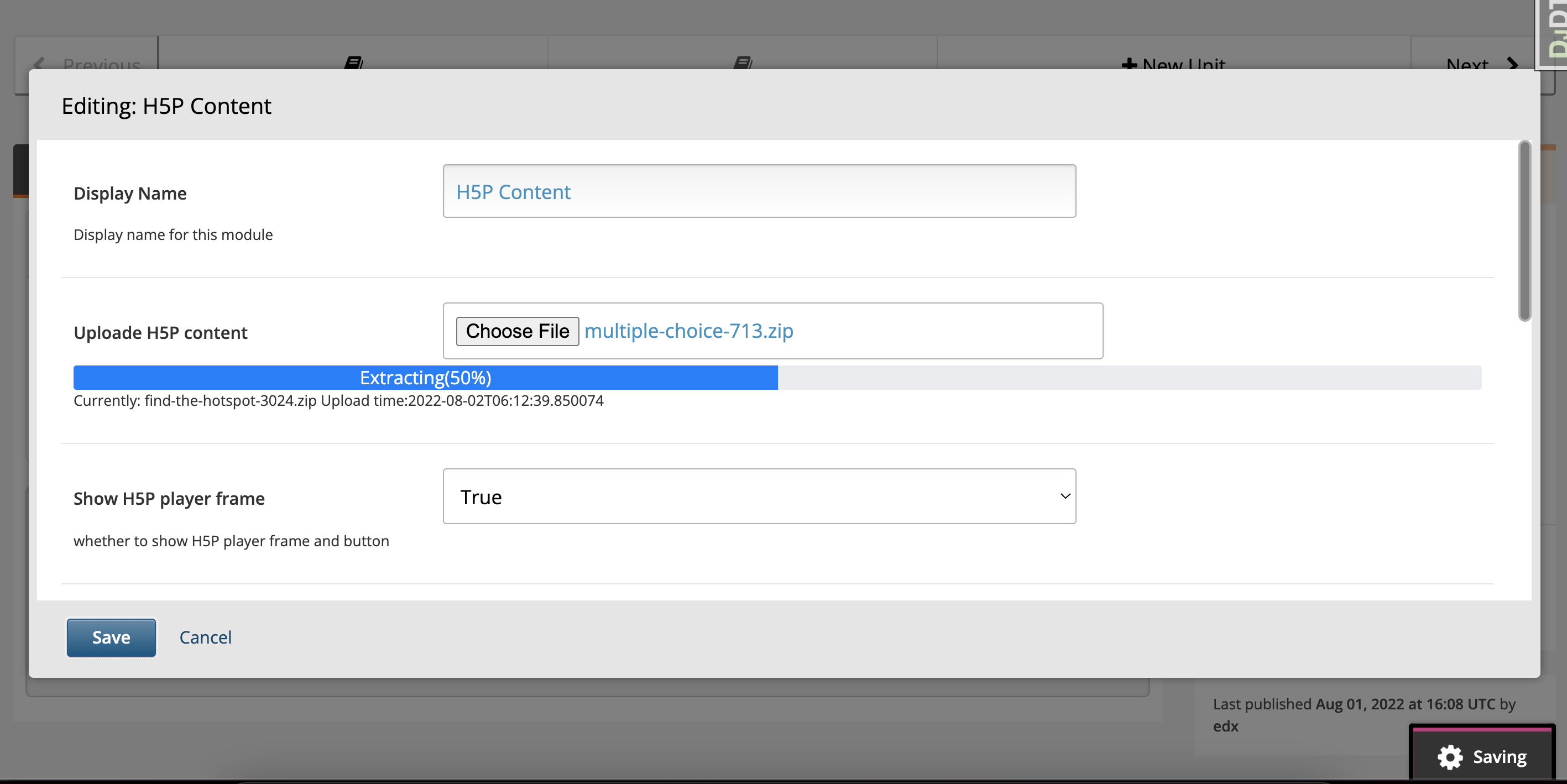
Xblock should be available in Advanced component list of course unit now. Add xblock in unit and click "Edit" button to upload H5P content and configure it.
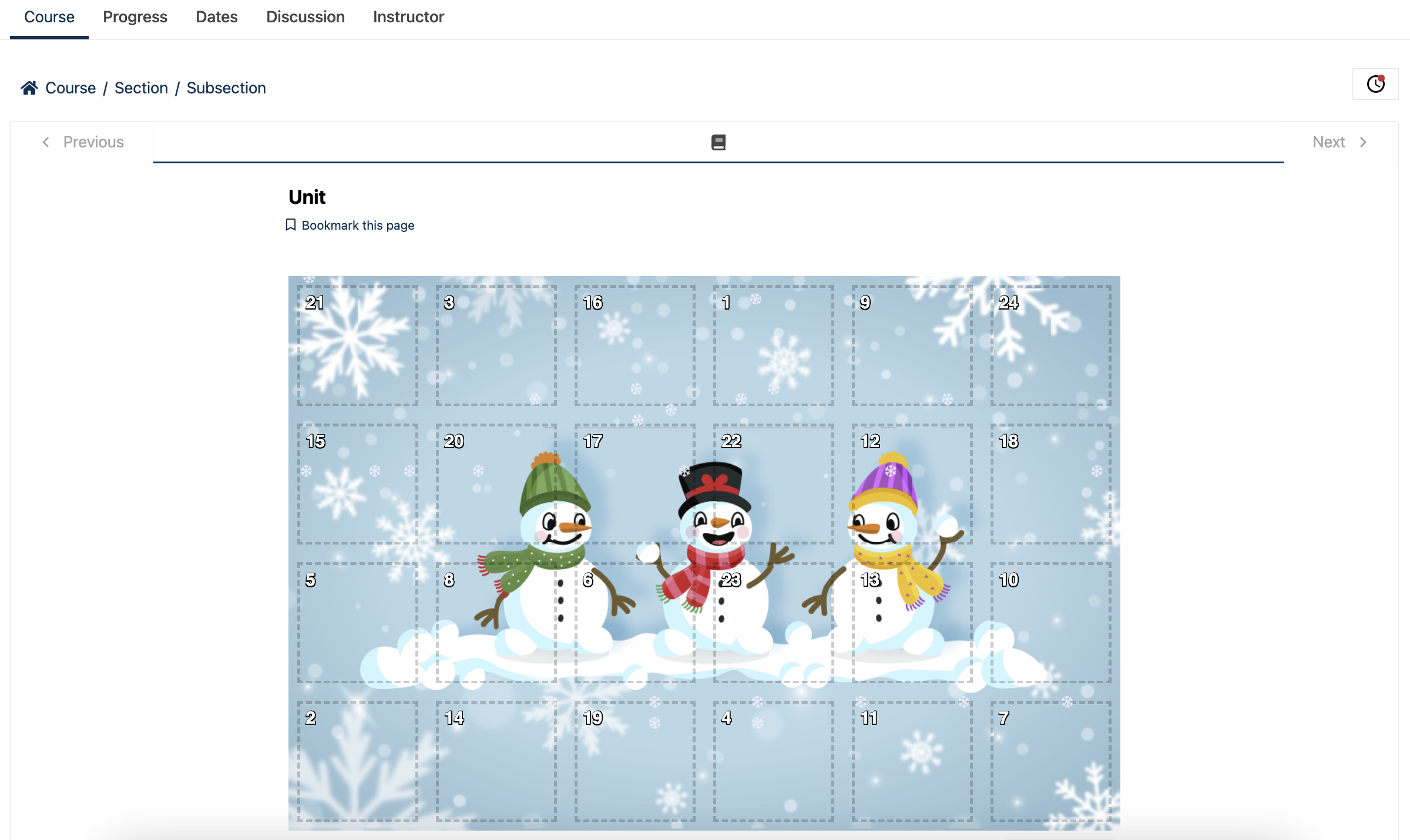
Use "Preview" button to preview it or publish your content and use "View Live Version" button to see how it appears on LMS
H5P relies on DEFAULT_FILE_STORAGE by default. If you want to use a different
storage for H5P content (e.g., a dedicated S3 bucket, or when AWS_QUERYSTRING_AUTH = True
and you need unsigned URLs), configure one of the following:
- Django ≥ 4.2/5.x (preferred): add a storage entry named
h5pxblock_storagetoSTORAGES:
STORAGES = {
    "default": {
        "BACKEND": "django.core.files.storage.FileSystemStorage",
        "OPTIONS": {"location": "/var/media"},
    },
    "h5pxblock_storage": {
        "BACKEND": "storages.backends.s3boto3.S3Boto3Storage",
        "OPTIONS": {
            "bucket_name": "my-s3-public-bucket",
            "querystring_auth": False,
        },
    },
}- Legacy fallback (still supported):
H5PXBLOCK_STORAGE = {
    "storage_class": "storages.backends.s3boto3.S3Boto3Storage",  # or "STORAGE_CLASS"
    "settings": {  # or "STORAGE_KWARGS"
        "bucket_name": "my-s3-public-bucket",
        "querystring_auth": False,
    },
}
Please ensure that your bucket is publicly accessible (or otherwise correctly configured) to enable seamless content storage and retrieval via S3.
You can help by translating this project. Follow the steps below:
- You need
i18n_toolto "collect" and "compile" translations. If you already have it, proceed to the next item; otherwise:
pip install git+https://github.com/openedx/i18n-tools- Create a folder for the translations in
locale/, eg:locale/es_419/LC_MESSAGES/, and create yourtext.pofile with all the translations. - Run
make compile_translations, this will generate thetext.mofile. - Create a pull request with your changes.