
A simple and interactive calculator made in C++ using the SFML library and the Shunting Yard Algorithm.
Key Features • Build Instructions • Screenshot • Credits • What did I learn? • License
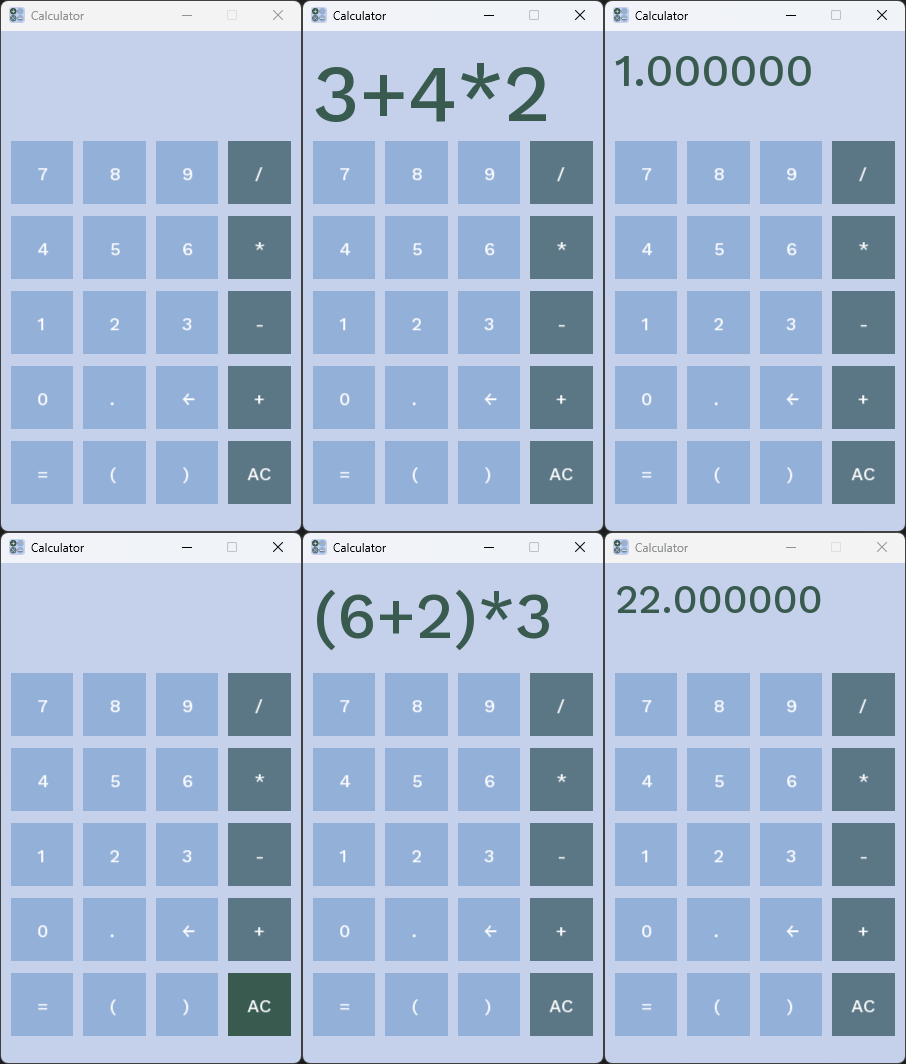
- GUI built using SFML
- Parses and evaluates expressions using the Shunting Yard Algorithm
- Clean and responsive button-based input
- Supports basic arithmetic operations (
+,-,*,/) - Keyboard and mouse support
This project uses Visual Studio Code as the main development environment.
To build it:
- Install SFML and set it up on your system.
- Install the C++ extension in VS Code.
- Make sure your compiler (MSVC or MinGW) is correctly configured.
- Open this folder in VS Code.
- Add SFML include/lib paths to your
tasks.jsonor build command. - Press
Ctrl+Shift+Bto build the project.
If you're not sure how to link SFML in VS Code, this guide can help.
- Made with ❤️ using SFML
- Uses the Shunting Yard Algorithm for expression parsing
- How to create a GUI application using SFML
- How to implement the Shunting Yard Algorithm in C++
- How to handle user input with both keyboard and mouse
- How to manage application state and events in a graphical application
- How to structure a simple calculator application
- How to use C++ standard libraries effectively in a GUI context
This project is licensed under the MIT License – see the LICENSE file for details.