This repo is used for the final project of CodeU. The main purpose of this app is to transfer (mainly apk) files through the networks and possibly auto install them.
The problem we have is that for all kinds of Android devices (Tablet, Phone and Watch), it seems hard to install an offline or third-party apk from Computer/Laptop. We are trying to solve this problem by letting the device be a server and wirelessly (through the Local Area Network) transfer the files from the host machine to the device. Our targetting file type is apk file, but might extend to other type of files as well.
There are three big parts for this probelm.
First part is the file transferring part between Android Device and machine. Security issue can be ignored right now, but an easy solution will be generating random username and let user pass the username (or password) through the curl command.

The above image shows the general and easiest idea to transfer a file from host machine to device.
There is something on the internet called nanohttpd. We can definitely modified the code in order to satisfy our own usage. The project itself even has a file server written for us (I think).
========================================================
There is one thing might need to be keep in mind -
the energy consumption issue - normal server will take a lot of energy in order to become functional. We certainly won't do something fancy like a node js server. That part needs some research and trying to figure out a lightweight solution but reliable architecture.
The storage issue - or saying the file manage system inside the device. When and where should we store them, how do we show them to the user, and whether we should set timer to delete the file.
A suggested solution will be checking the timestamp difference between the file and the current system time, if the diff is > 24 hrs we delete the file. Additionally, we can also let user delete file themselves, or mv the file to other directory - so that we don't bother manage them. An index system will be a plus. A brief plan can be showed below.

You can see that that after more than 24 hrs of staying in the cache file system, the file will be defaultly deleted. This process can be done when firing up the app, or during background as a service. We can even give user alert when we are going to delete the apk. I think this solution will work.
About user and file system interaction I think can be summarized as the following:

This will be all the options that user can potentially do manually to a file I will say. Need some research on how to achieve these functionalities as well.
Another thing mainly associates with file system is the GUI of our app. I would think it as an easy or not complicated clean app. If our app is popular maybe we can insert some ads to make some pocket money :) jk.
My thoughts for the GUI designed will be something like:

This one has no detailed explanation, but will probably required some research on the permission system of Android. I personally don't think auto installation will be allowed on Android. The auto installation is defined as something like "sudo apt-get install -y docker". The auto installation will probably need root permission in order to be functional - which we can definitely dig into.
I digged a little bit about the auto installation part. I searched some Chinese threads about this technology. The specific link can be found here. Unfortunately I cannot find any resources in English. But I can explain the basic idea.
This functionality is achieved by using Android Accessibility. The Android Accessibility is developed for the purpose of help people with special need to enjoy the Android.
The idea of using it to achieve the functionality of auto install is that you first open the apk file transferred. And then, grab the UI component of the permission page. Using the Accessibility tool to simulate a click on "accept" button, and now your app will be auto installed.
The above is just the big idea in a nutshell. I think we can definitely achieve this functionality and actually implement in our app. However, if we seriously decided to do so, we need to consider about the security issue very carefully. As auto install is enabled without an authorization system - anyone can transfer some unexpected apps to the phone.
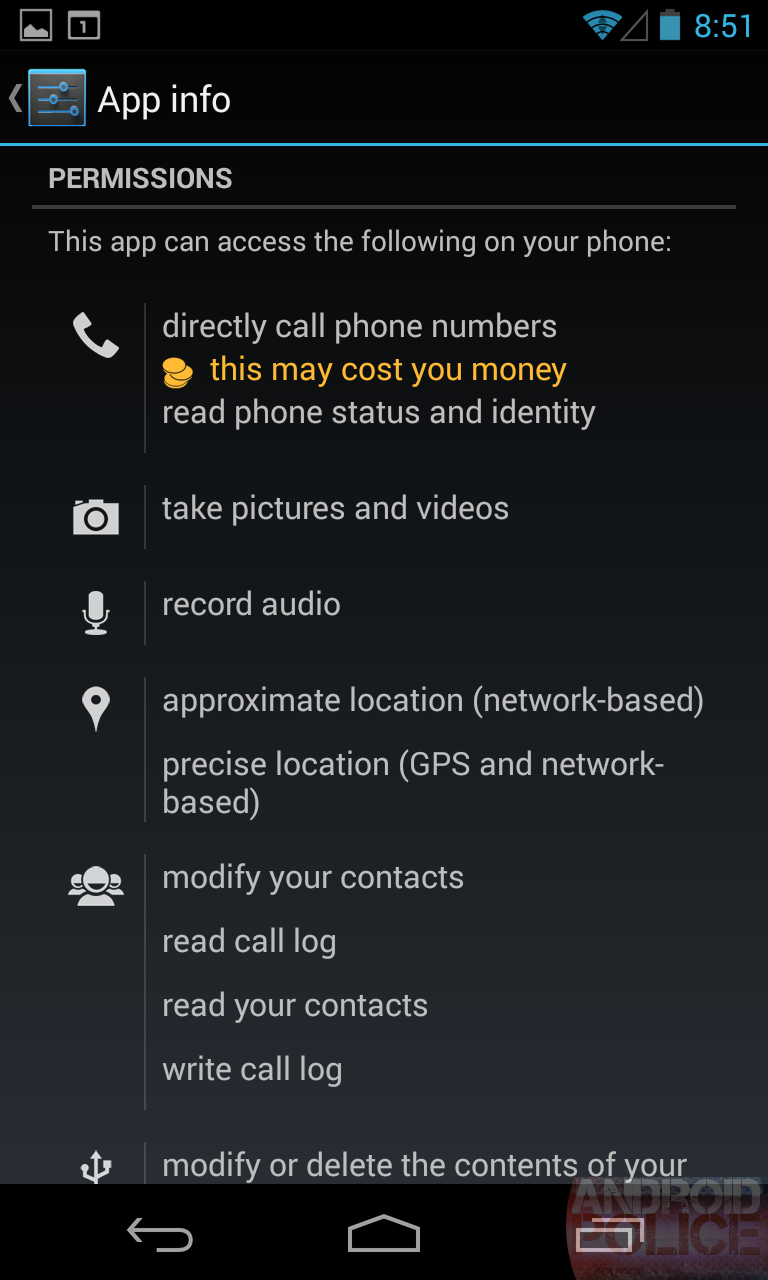
======================================================== A step-back solution will be our program shows the permission info page like the below image, and then user just need to press "confirm" so that the installation process will be started.