Little utility (for presentations/online classes) to paint to the screen
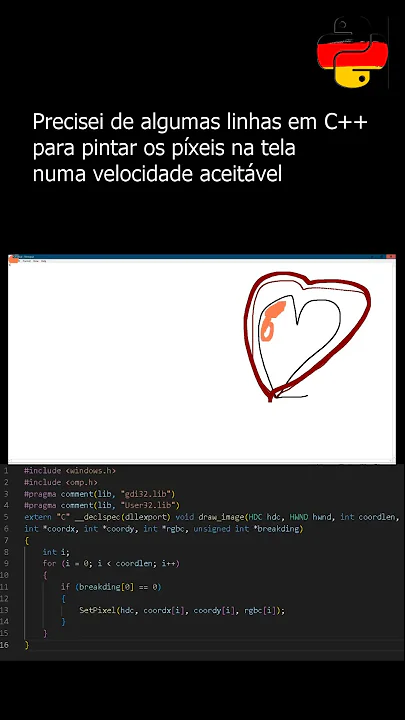
You can download the compiled exe file: https://github.com/hansalemaos/screenpainter/blob/main/screenpaint.exe or compile it with nuitka: https://github.com/hansalemaos/screenpainter/blob/main/screenpaintco.py (adjust the file paths)
This app has no GUI, it works with shortcuts which can be configured in an ini file:
[cfg]
colorkeys: "[('black', 'ctrl+alt+b'), ('coral', 'ctrl+alt+c'), ('darkred', 'ctrl+alt+d'), ('firebrick', 'ctrl+alt+f'), ('gold', 'ctrl+alt+g'), ('hotpink', 'ctrl+alt+h'), ('indigo', 'ctrl+alt+i'), ('lavender', 'ctrl+alt+l'), ('purple', 'ctrl+alt+p'), ('salmon', 'ctrl+alt+s'), ('violet', 'ctrl+alt+v'), ('white', 'ctrl+alt+w'), ('yellow', 'ctrl+alt+y')]"
sleep_between_refresh: 1
mousedraw: left
keydraw: 0x11
mousedelete: left
keydelete: 0x12
thickness_keys: "['ctrl+alt+p', 'ctrl+alt+m']"
clearallkey: ctrl+alt+t
killkey: ctrl+alt+k
debug: False
dpi_awareness: 2
number_of_threads: 1
keycodes can be found here: https://learn.microsoft.com/en-us/windows/win32/inputdev/virtual-key-codes
Almost all color formats ('red',(255,0,0),#ff0000, 16711680) are supported. Conversation to RGB is done using: https://github.com/hansalemaos/fabisschomagut