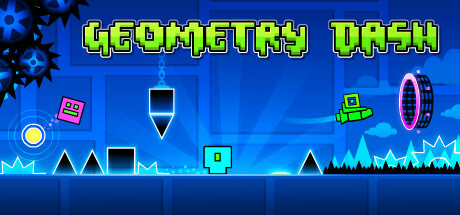
Prepare for a near impossible challenge in the world of Geometry Dash. Push your skills to the limit as you jump, fly and flip your way through dangerous passages and spiky obstacles.
About • Set-Up (For End-Users) • Controls • How To Compile • Credits • License
Geometry Dash is a side-scrolling music platforming game series developed by RobTop. The game is known for it's challenging levels and legacy, garnering millions of players and a passionate fanbase making user levels to this day.
This repository contains a loader of the Android release of Geometry Dash, based on the Android .so Loader by TheFloW. The loader provides a tailored, minimalistic Android-like environment to run the official ARMv7 game executables on the PS Vita.
This software does not contain the original code, executables, assets, or other not redistributable parts of the game. The authors do not promote or condone piracy in any way. To launch and play the game on their PS Vita device, users must provide their own legally obtained copy of the game in form of an .apk file.
In order to properly install the game, you'll have to follow these steps precisely.
- Install kubridge and FdFix by copying
kubridge.skprxandfd_fix.skprxto your taiHEN plugins folder (usuallyur0:tai) and adding two entries to yourconfig.txtunder*KERNEL:
  *KERNEL
  ur0:tai/kubridge.skprx
  ur0:tai/fd_fix.skprx
Note: don't install fd_fix.skprx if you're using rePatch plugin!
- Make sure you have
libshacccg.suprxin theur0:/data/folder on your console. If you don't, follow this guide to extract it. - Also make sure that you have
libfmodstudio.suprx,libc.suprxandlibfios2.suprxin the same folder. If you don't, follow this guide to extract those files. - Legally obtain your copy of Geometry Dash
for Android in form of an
.apkfile. You can get all the required files directly from your phone or by using any APK extractor you can find on Google Play. - Open the
.apkwith any zip explorer (like 7-Zip) and extract every single audio file and folderssfxandsongsfrom the.apkintoux0:data/gdash/assets. Example of resulting path:ux0:data/gdash/assets/songs/10000104.ogg,ux0:data/gdash/assets/menuLoop.mp3. - Obtain the
.sofile calledlibcocos2dcpp.sofrom the.apkand place it inux0:data/gdash/. - Place the
.apkfile inux0:data/gdash/and rename asGeometryDash.apk. - Install
gdash.vpk(from Releases).
The game uses only button to operate; which means you can entirely play this with the touchscreen.
However, there's gamepad support to emulate some controls:
| Button | Action |
|---|---|
 |
Move Player (The Tower) |
 |
Jump |
 / / |
Back/Pause |
In order to build the loader, you'll need a vitasdk build fully compiled with softfp usage.
You can find a precompiled version here.
Additionally, you'll need vitaGl to be compiled with these flags: make HAVE_GLSL_SUPPORT=1 SOFTFP_ABI=1 NO_DEBUG=1 install.
You also have to install FMOD onto your VitaSDK enviroment. Info on how to acquire the stubs needed will need to be taken care of by yourself; fmodpp can be installed via the already-available precompiled library file found here.
After all these requirements are met, you can compile the loader with the following commands:
cmake -Bbuild .
cmake --build build
Also note that this CMakeLists has two "convenience targets". While developing, I highly recommed using them, like this:
cmake --build build --target send # Build, upload eboot.bin and run (requires vitacompanion)
cmake --build build --target dump # Fetch latest coredump and parse
For more information and build options, read the CMakeLists.txt.
- Andy "The FloW" Nguyen for the original .so loader.
- Rinnegatamante and gl33ntwine for helping me a ton with the port (+ for vitaGL by Rinnegatamante.)
- CatoTheYounger97, Dexxtrip and withLogic for testing the game out.
Style of the page has been taken from https://github.com/v-atamanenko/baba-is-you-vita.