Node.js profiling
You need to build it from source after making next changes:
in deps/v8/include/v8.h file change:
Handle<Script> script;
to
Handle<UnboundScript> script;
in deps/v8/src/log.cc file, function "void JitLogger::LogRecordedBuffer(...)", change
event.script = ToApiHandle<v8::UScript>(script_handle);
to
event.script = ToApiHandle<v8::UnboundScript>(script_handle);
in /deps/v8/src/third_party/vtune/vtune-jit.cc file, function "void VTUNEJITInterface::event_handler(const v8::JitCodeEvent* event)", change:
Handle<Script> script = event->script;
to
Handle<UnboundScript> script = event->script;
Then:
$ ./configure --enable-vtune-profiling $ ./make
Run cmd with Administrative rights:
python sea_runtool.py -b ..\build_win\bin -o path_where_to_put_the_trace -f gt --stacks ! node_source\node.exe your_script.js
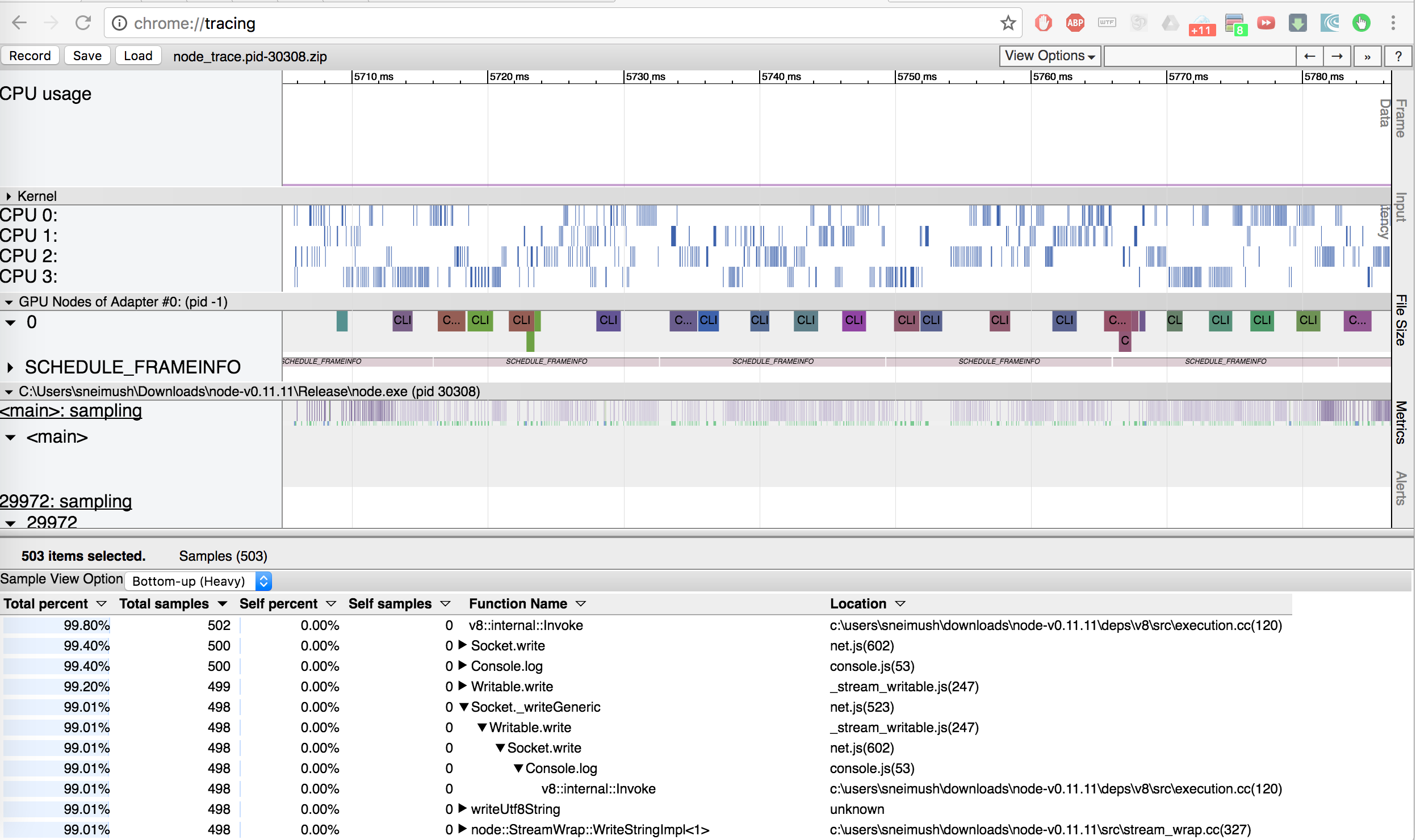
You will get the trace:
Special thanks to Sergey Neimushchev for enabling of node.js profiling in Intel® Single Event API!