RPA remote control system via KakaoTalk. Built on AWS serverless architecture — no physical environment constraints, control and monitor RPA jobs directly from your phone.
RPA typically required someone to physically sit at the server to trigger jobs, or log into a separate monitoring tool. Started from the question: what if you could control RPA from KakaoTalk, anywhere, without any additional setup?
KakaoTalk is already on every Korean professional's phone — using it as the interface means zero onboarding, no extra apps.
KakaoTalk (user command)
    ↓
Kakao Open Builder (chatbot interface)
    ↓
AWS API Gateway
    ↓
AWS Lambda (command processing / auth / status queries)
    ↓
AWS S3 (job state storage)
    ↓
RPA (Windows Server / UiPath)
Fully serverless — no dedicated server to manage. Works regardless of physical network environment.
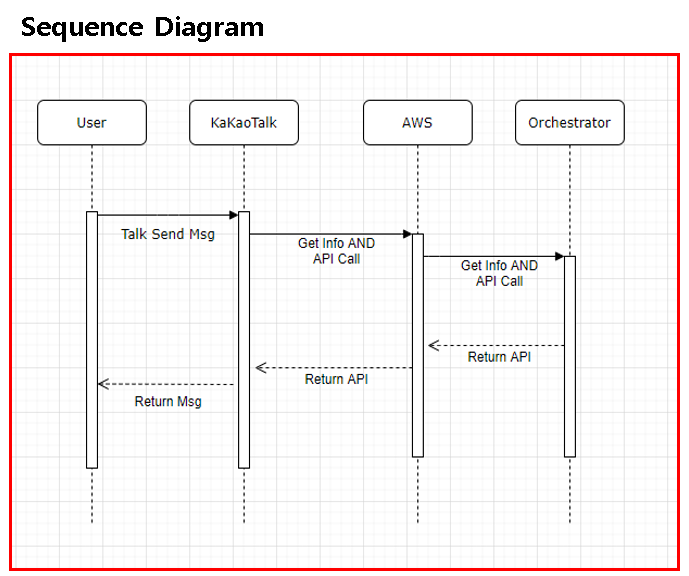
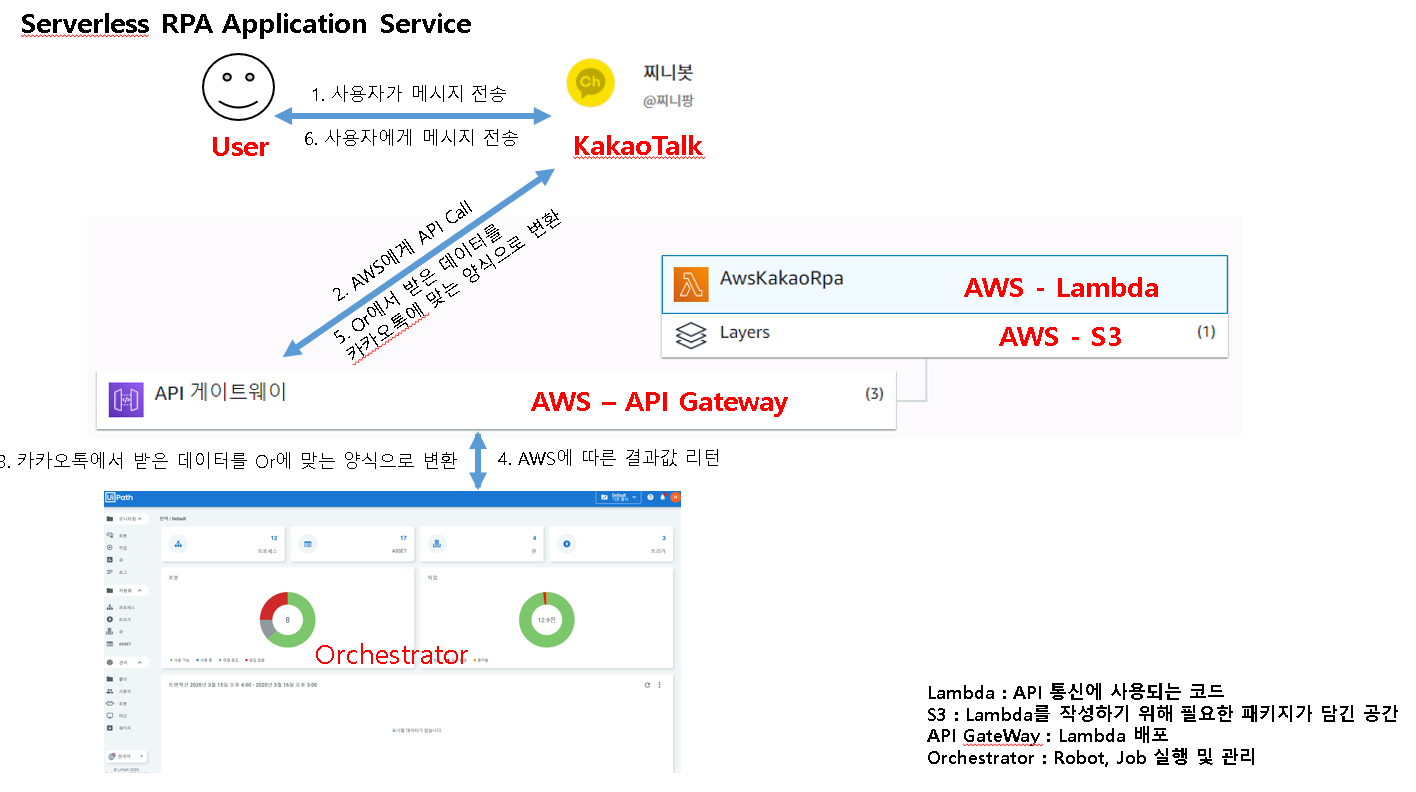
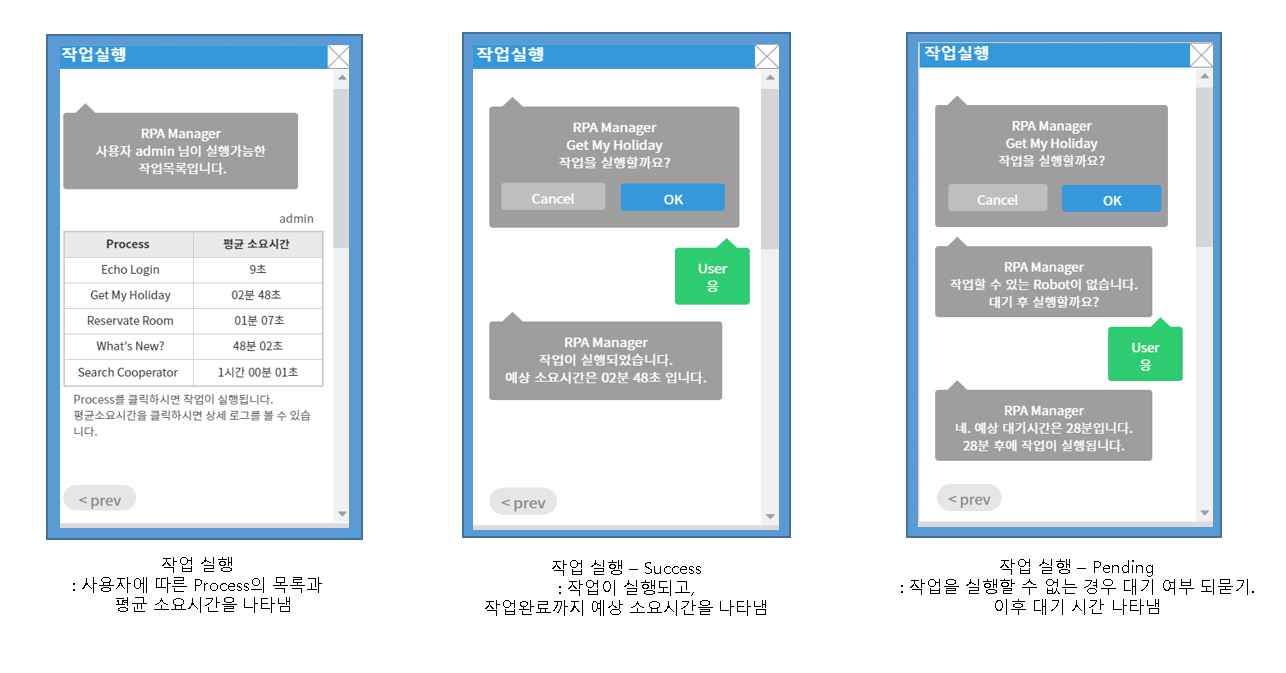
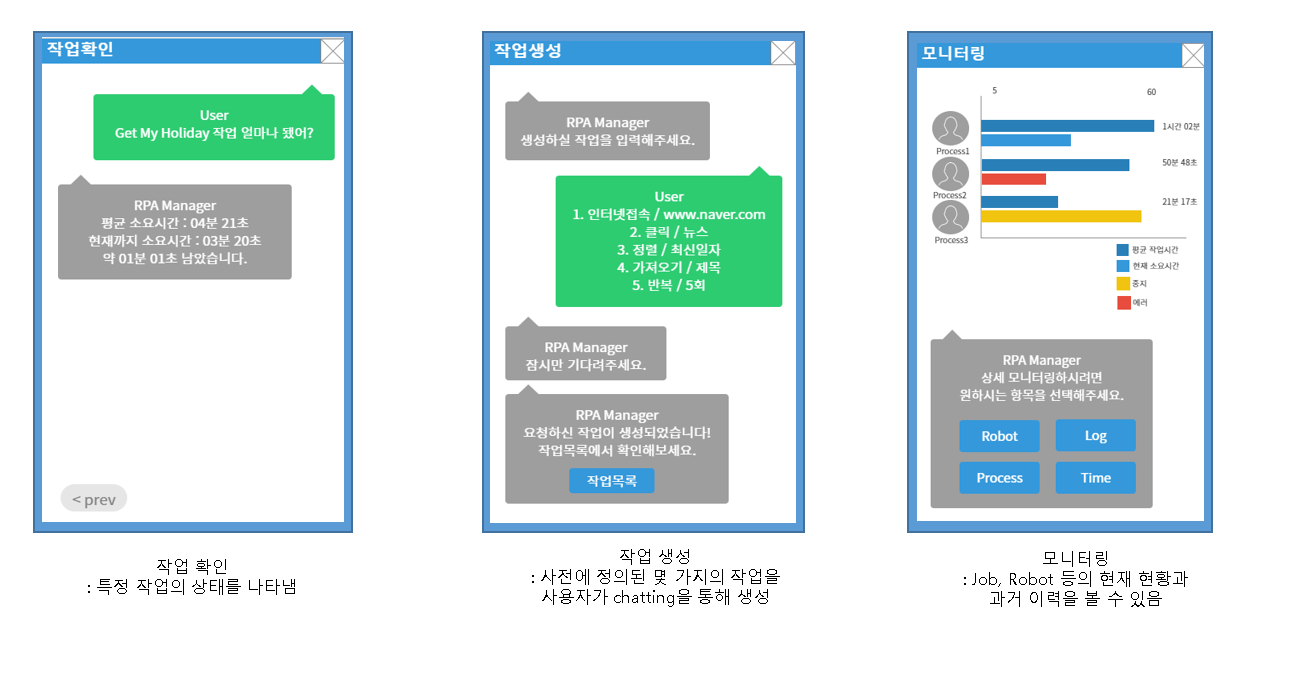
1. User authentication ID/PW via KakaoTalk → OAuth2.0 auth → Success: confirmation message / Failure: retry prompt
2. Job execution Trigger a specific RPA job via chat command → Success: job started + completion message / Failure: error message
3. Job status check Query current status of a running job → Real-time status message returned
4. Job list View all available RPA jobs
5. Job duration Query average execution time for a specific job
6. Estimated completion time Calculates expected end time based on job start time + average duration
- OAuth2.0 token-based authentication
- POST/GET filters per URL — each endpoint handles only its designated action
- Releases key: unique key issued per job execution (different every time)
- Issued key used to track job status throughout execution
Python JavaScript AWS Lambda AWS API Gateway AWS S3
Kakao Open Builder OAuth2.0 RPA (UiPath) Windows Server C#
messaging-driven-rpa/
├── AwsKakaoRpa/      # Kakao chatbot ↔ AWS integration main logic
├── ArExecute/        # RPA job execution module
├── StartJob/         # Job start handler
├── listJob/          # Job list query
├── monitoring/       # Job status monitoring
├── monitoringMain/   # Monitoring main
└── successAuthMain/  # Auth handler