
A macOS app for running parallel AI computer use agents in sandboxed local VMs
Hivecrew is a native macOS app that runs AI computer use agents in dedicated macOS virtual machines. Dispatch tasks from a central dashboard, watch agents work autonomously, and step in to guide or assist whenever needed—all while keeping your host system completely isolated and safe.
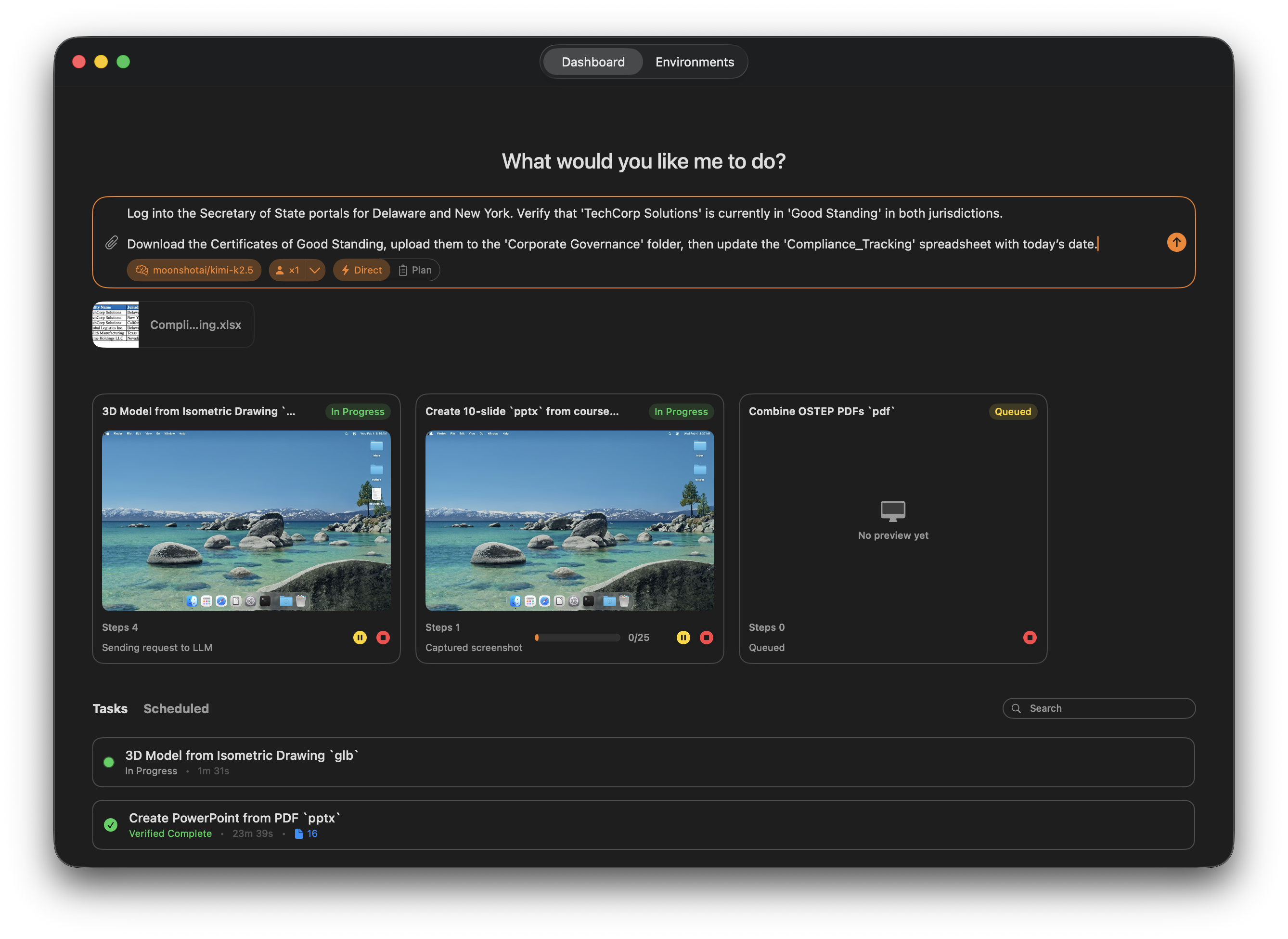
- Fully Isolated Execution: Each agent runs in its own macOS VM with controlled file access and configurable network restrictions. Your host system stays completely protected.
-
Parallel Agents: Run multiple agents concurrently in separate VMs, each with its own task and environment.
-
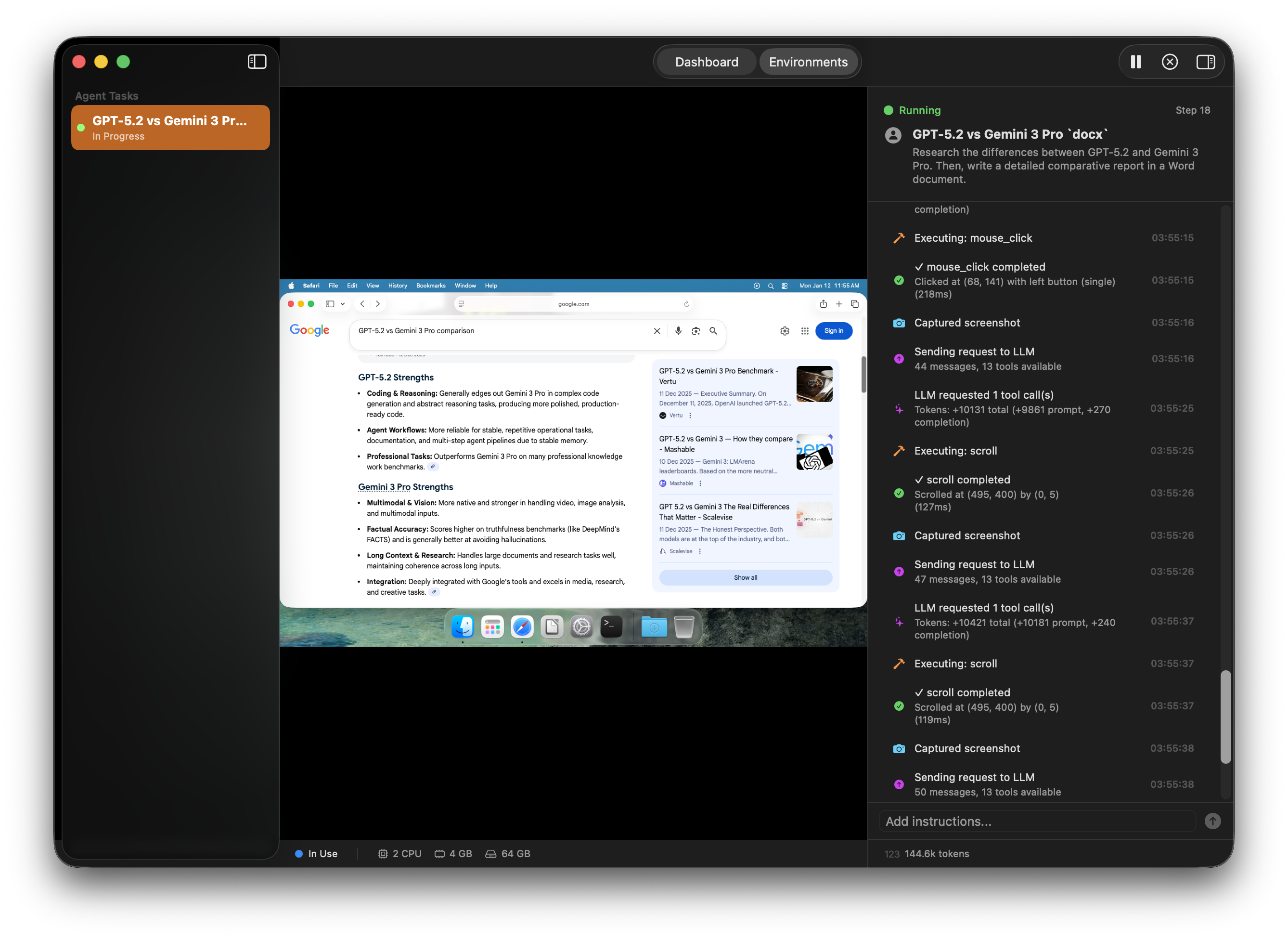
Real-Time Supervision: Watch agents work with live screenshots and activity logs. Jump into any agent's environment to observe or review detailed session traces afterward.
-
Human-in-the-Loop: Pause any agent, take control with your mouse and keyboard, add clarifying instructions, then hand control back seamlessly.
-
Multi-LLM Support: Works with Anthropic, OpenAI, and any OpenAI-compatible local LLM provider. Easy provider switching in settings.
-
Agent Skills: Browse and apply pre-built skill templates that give agents specialized capabilities for common tasks like web research, data entry, or document processing. Skills can be discovered and applied to customize agent behavior.
-
File Handover: Attach input files to tasks using @ mentions in the prompt bar and specify output directories for deliverables. Agents work with files through a secure shared folder system.
-
Credential Management: Securely provide login credentials to agents for authenticated workflows. Credentials are stored safely and passed to agents only when needed.
-
Safety Controls: Built-in timeouts, iteration limits, tool permission controls, and emergency stop switches keep agents under control.
-
Native Performance: Built entirely in Swift with Apple's Virtualization framework. Optimized for Apple Silicon (M1/M2/M3/M4/M5).
Hivecrew is built on three modular Swift packages:
- HivecrewAgentProtocol: Communication protocol between host and guest agents via virtio-vsock
- HivecrewLLM: Multi-provider LLM client supporting OpenAI-compatible APIs with tool calling and tracing
- HivecrewShared: Shared types and VM management protocols
The app runs agents in macOS Tahoe VMs with a lightweight guest agent that provides automation tools including:
- Screenshot capture and UI observation
- File operations with controlled scope
- App launching and native automation
- Mouse/keyboard control for UI-only workflows
- Shell command execution
- macOS Tahoe (26.0) or later
- Apple Silicon Mac (M1 or newer)
- At least 16GB RAM recommended for running concurrent agents
- ~64GB free disk space per VM
- Clone the repository:
git clone https://github.com/johnbean393/Hivecrew.git
cd Hivecrew- Open the workspace:
open Hivecrew.xcworkspace- Build and run from Xcode (requires signing with appropriate entitlements)
Note: The Virtualization framework requires specific entitlements that must be granted via provisioning profiles or notarization.
Hivecrew includes a REST API for programmatic task control. Enable it in Settings → API and generate an API key.
pip install hivecrewExample: Automated UI Testing
from hivecrew import HivecrewClient

client = HivecrewClient()  # Uses HIVECREW_API_KEY env var

result = client.tasks.run(
    description="""
    Test the login flow:
    1. Open Safari and go to https://staging.example.com
    2. Click "Sign In" and enter test@example.com / testpass123
    3. Verify the dashboard loads and shows "Welcome back"
    4. Take a screenshot and save it to the outbox
    """,
    provider_name="OpenRouter",
    model_id="anthropic/claude-sonnet-4.5",
    output_directory="./test-results",
    timeout=600.0
)

if result.was_successful:
    print(f"Test passed: {result.result_summary}")
else:
    print(f"Test failed: {result.result_summary}")
Example: Scheduled Task with File Attachments
from hivecrew import HivecrewClient
from datetime import datetime, timedelta

client = HivecrewClient()

# Schedule a weekly report task with input files attached
schedule = client.schedules.create(
    title="Weekly Sales Report",
    description="""
    Process the attached sales data files:
    1. Open the CSV files and analyze the data
    2. Create a summary report with key metrics
    3. Generate charts for revenue trends
    4. Save the report as PDF to the outbox
    """,
    provider_name="OpenRouter",
    model_id="anthropic/claude-sonnet-4.5",
    files=["./data/sales_q1.csv", "./data/sales_q2.csv"],
    recurrence={
        "type": "weekly",
        "days_of_week": [2],  # Monday (1=Sunday, 7=Saturday)
        "hour": 9,
        "minute": 0
    }
)

print(f"Scheduled task created: {schedule.id}")
print(f"Next run: {schedule.next_run_at}")
See the hivecrew-python repository for full documentation.
Contributions are welcome! Areas where help would be particularly valuable:
- Additional automation tools and capabilities
- UI/UX improvements
- Testing and reliability
- Documentation
- Host ↔ VM Host Service: XPC with Codable messages
- VM Host Service ↔ Guest Agent: virtio-vsock JSON-RPC
- Shared files: VirtioFS mount for controlled file exchange
- SwiftData for task queue, sessions, VM registry
- File bundles for VM images, templates, and session traces
- Keychain for API keys
- Per-VM isolated shared folders
- Configurable network access (internet, offline, or host-only)
- Tool permission controls
- Timeout enforcement
- Emergency stop controls
MIT License