SleepLab is a local-first sleep therapy dashboard for importing and exploring ResMed CPAP data. It includes:
- A React + Vite frontend in
frontend/ - A FastAPI backend in
api/ - A PostgreSQL-backed importer in
importer/for ResMedDATALOGfolders
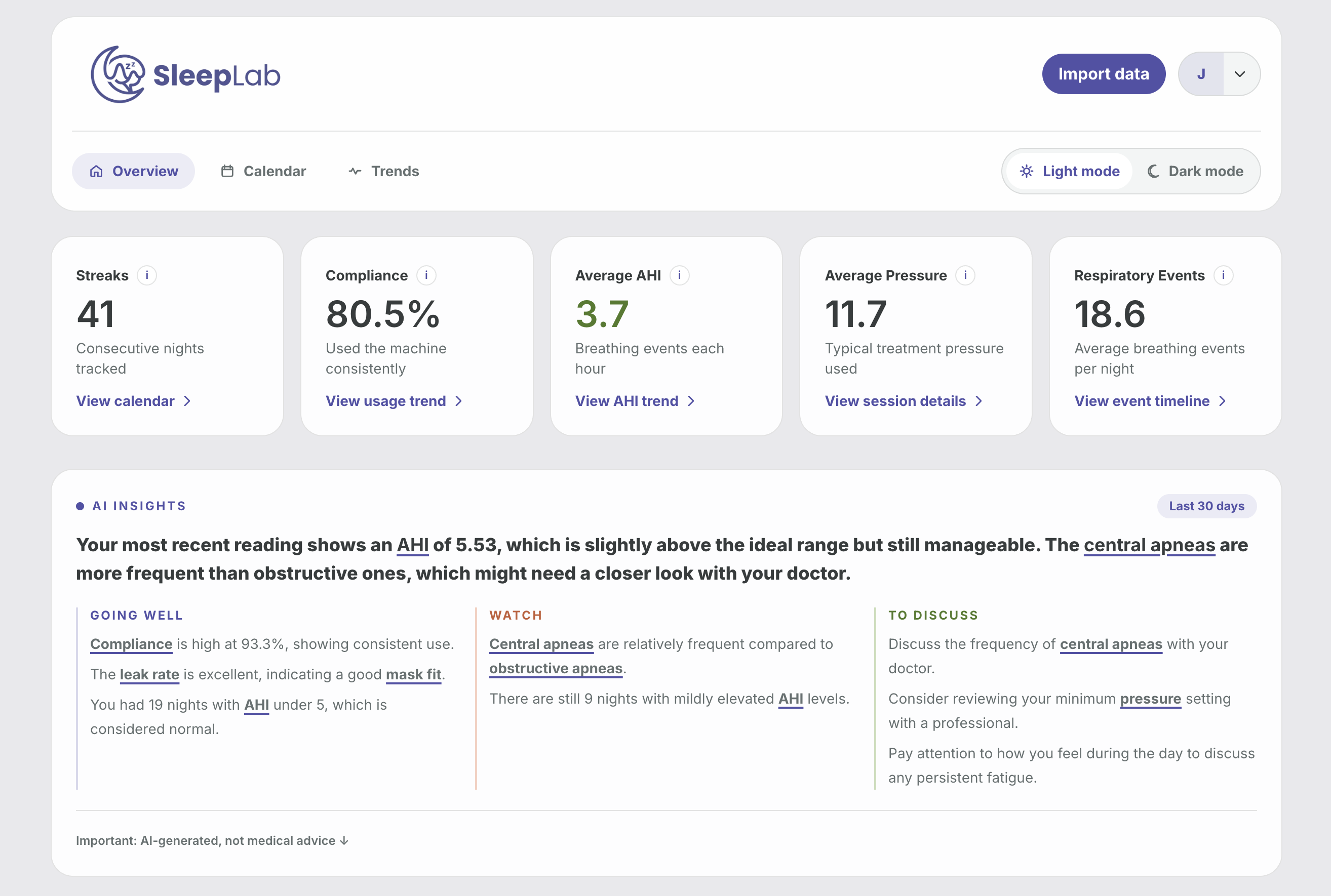
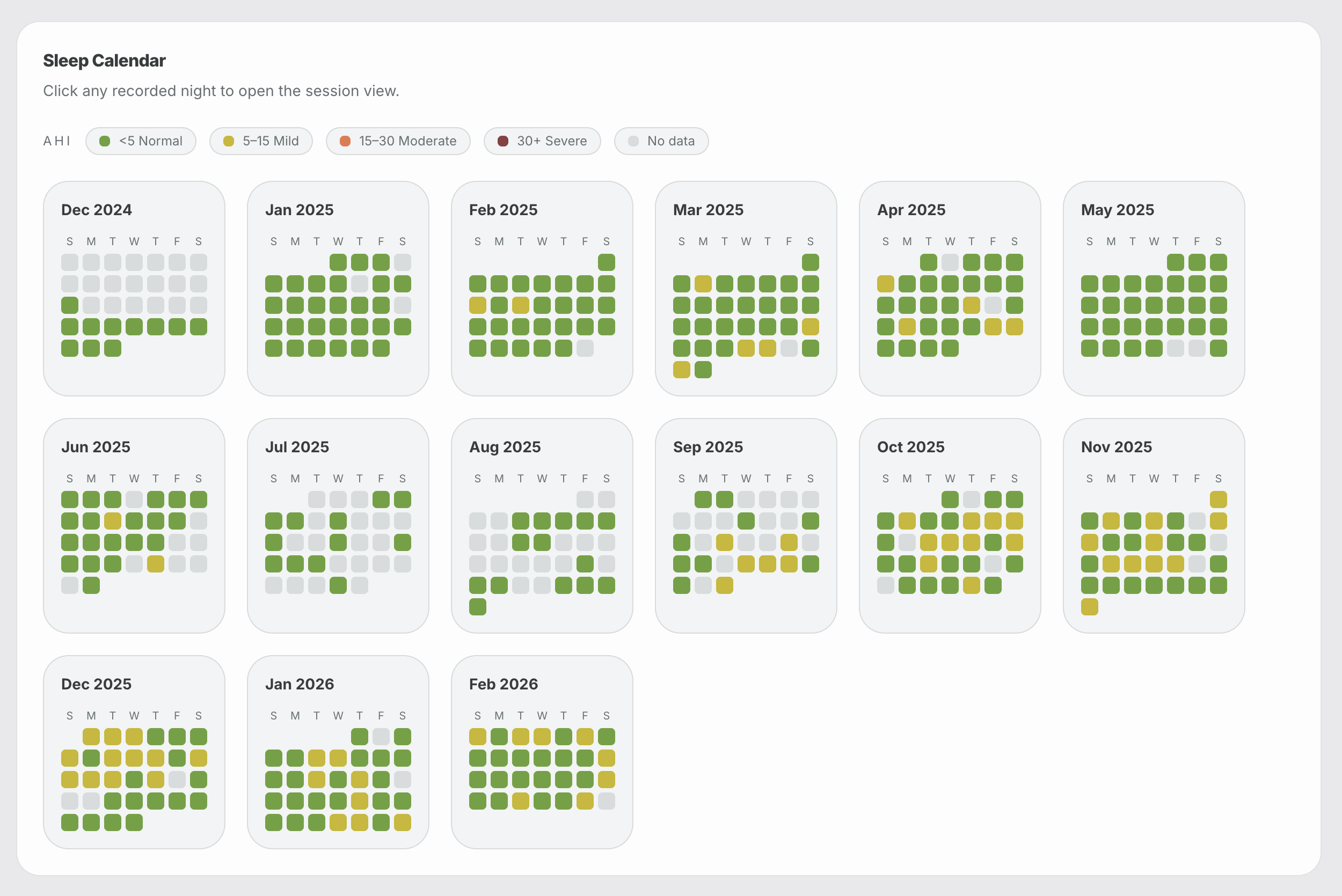
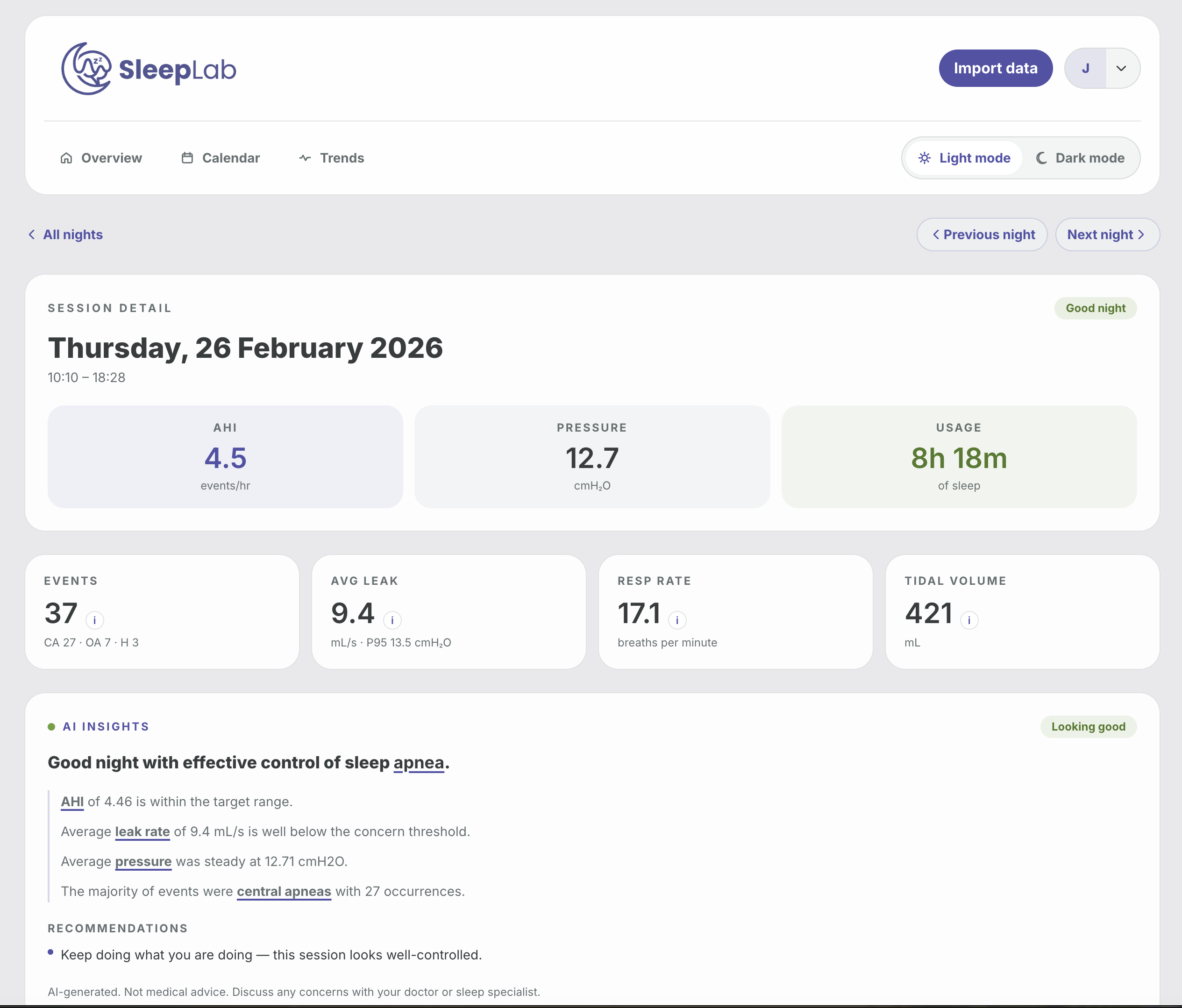
- Frontend: React 19, Vite, TypeScript, Tailwind
- Backend: FastAPI, SQLAlchemy, Uvicorn
- Database: PostgreSQL 16
- Workspace tooling: Nx
- Node.js 20+
- npm
- Python 3.12
- PostgreSQL 16
SleepLab can run as a self-hosted Docker stack with:
- PostgreSQL
- FastAPI backend
- Nginx-served frontend
- automatic schema migrations at API startup
- a prebuilt Docker image, so no local image build is required
Key files:
The default self-hosted image is:
joshuaaaronmyers/sleeplab:latest
Create an env file for deployment by copying .env.selfhost.example.
Set at minimum:
SECRET_KEY
Optional but commonly needed:
OPENAI_API_KEYCORS_ALLOWED_ORIGINSAPI_URL
Recommended values for a local/self-hosted machine:
SECRET_KEY=replace-me-with-a-long-random-secret
OPENAI_API_KEY=
CORS_ALLOWED_ORIGINS=*
API_URL=http://localhost:8000
The self-hosted compose stack always uses the internal Postgres DSN:
postgresql+psycopg2://cpap:cpap@postgres:5432/cpap
For the default self-hosted setup, CORS_ALLOWED_ORIGINS is * so the frontend can talk to the API regardless of whether you access it via localhost, 127.0.0.1, or a LAN hostname/IP. If you expose the app publicly, tighten that value to your actual frontend origin(s).
docker compose up -dIf you want the newest published image first:
docker compose pull
docker compose up -ddocker compose logs -fdocker compose downIf you want to self-host quickly on a server, you can use this docker-compose.yml directly:
services:
  postgres:
    image: postgres:16
    restart: unless-stopped
    environment:
      POSTGRES_DB: cpap
      POSTGRES_USER: cpap
      POSTGRES_PASSWORD: cpap
    volumes:
      - sleeplab_postgres_data:/var/lib/postgresql/data
    healthcheck:
      test: ["CMD-SHELL", "pg_isready -U cpap -d cpap"]
      interval: 10s
      timeout: 5s
      retries: 5

  app:
    image: joshuaaaronmyers/sleeplab:latest
    restart: unless-stopped
    depends_on:
      postgres:
        condition: service_healthy
    environment:
      DATABASE_URL: postgresql+psycopg2://cpap:cpap@postgres:5432/cpap
      SECRET_KEY: replace-me-with-a-long-random-secret
      OPENAI_API_KEY: ""
      CORS_ALLOWED_ORIGINS: "*"
      API_URL: http://localhost:8000
      API_HOST: 0.0.0.0
      API_PORT: 8000
    ports:
      - "8080:8080"
      - "8000:8000"

volumes:
  sleeplab_postgres_data:
Then start it with:
docker compose up -dIf you already have PostgreSQL running separately, you can run just the SleepLab app container:
docker run -d \
  --name sleeplab \
  --restart unless-stopped \
  -p 8080:8080 \
  -p 8000:8000 \
  -e DATABASE_URL="postgresql+psycopg2://USER:PASSWORD@HOST:5432/cpap" \
  -e SECRET_KEY="replace-me-with-a-long-random-secret" \
  -e OPENAI_API_KEY="" \
  -e CORS_ALLOWED_ORIGINS="*" \
  -e API_URL="http://localhost:8000" \
  joshuaaaronmyers/sleeplab:latest
Notes:
docker rundoes not include PostgreSQL. You must provide your own database.API_URLshould be the URL the browser will use to reach the API.- If the app is exposed publicly, replace
CORS_ALLOWED_ORIGINS="*"with your real frontend origin(s).
- Frontend:
http://localhost:8080 - API:
http://localhost:8000
- starts PostgreSQL with a named volume
- pulls
joshuaaaronmyers/sleeplab:latest - exposes the frontend on
8080 - exposes the API on
8000 - waits for Postgres to become healthy
- runs migrations automatically at API startup
Database data is stored in the named volume:
sleeplab_postgres_data
git pull
docker compose pull
docker compose up -d
Migrations run automatically through server.py when the API starts.
- If Docker Compose says the image is missing, run
docker loginanddocker compose pull. - If the frontend loads but API requests fail, verify
API_URLandCORS_ALLOWED_ORIGINS. - If the API container exits early, inspect
docker compose logs appfor DB or migration errors. - If AI summaries are unavailable, confirm
OPENAI_API_KEYis set. - If you are deploying to a Linux server, use the published multi-arch image tag rather than an old locally built arm-only image.
npm install
cd frontend && npm installThe repo includes a local Postgres service inside Docker Compose:
docker compose up -d postgresDefault database settings from docker-compose.yml:
- Database:
cpap - Username:
cpap - Password:
cpap - Port:
5432
The API currently connects to:
postgresql+psycopg2://localhost/cpapThat is defined in api/database.py. If your local database setup differs, update that file or add your own configuration layer.
Run the SQL files in migrations/ against the cpap database in order:
psql -d cpap -f migrations/001_add_auth.sql
psql -d cpap -f migrations/002_scope_sessions_per_user.sql
psql -d cpap -f migrations/003_add_public_ids.sql
psql -d cpap -f migrations/004_reset_uuid_ids.sql
psql -d cpap -f migrations/005_add_user_profile_fields.sqlStart frontend and backend together:
npm run devOr run them separately:
npm run api
npm run frontend
Default local URLs:
- Frontend:
http://127.0.0.1:5173 - API:
http://127.0.0.1:8000
SleepLab uses bearer-token auth.
POST /auth/registerandPOST /auth/loginreturn{ token, user }- The frontend stores the JWT in browser
localStorage - Authenticated API requests send
Authorization: Bearer <token>
Relevant files:
SleepLab imports ResMed SD card data from a DATALOG folder.
In the UI:
- Create an account or log in.
- Open the import screen.
- Select the
DATALOGfolder from the SD card. - The frontend uploads the files in batches to the API.
- The API runs the importer in the background and writes parsed sessions into Postgres.
The upload/import endpoints are implemented in api/routers/upload.py, and the importer lives in importer/import_sessions.py.
You can also run the importer manually:
cd importer
python3.12 import_sessions.py --datalog /absolute/path/to/DATALOG --user-id <user-uuid>
Optional filters:
python3.12 import_sessions.py --datalog /absolute/path/to/DATALOG --user-id <user-uuid> --folder 20241215
python3.12 import_sessions.py --datalog /absolute/path/to/DATALOG --user-id <user-uuid> --from 20250101Some summary endpoints depend on OPENAI_API_KEY.
Without it, core dashboard features still work, but AI summary endpoints will not return generated output.
api/         FastAPI application
frontend/    React/Vite client
importer/    ResMed EDF parsing and import pipeline
migrations/  SQL migrations
For local development:
- Install dependencies:
npm install
cd frontend && npm install- Start Postgres:
docker compose up -d postgres- Run the app:
npm run devUseful commands:
npm run api
npm run frontend
cd frontend && npm run build
cd frontend && npm run lint
Before opening a PR, make sure:
- the frontend builds successfully
- lint passes for the frontend
- any README or env changes are documented
- self-hosting changes are reflected in
docker-compose.ymland.env.selfhost.examplewhere relevant
npm run dev
npm run api
npm run frontend
cd frontend && npm run build
cd frontend && npm run lint- The backend reads
DATABASE_URLfrom environment and falls back to a local development default inapi/database.py. - The backend uses a fallback development JWT secret if
SECRET_KEYis not set. Set a realSECRET_KEYoutside local development.