#Chrome Extension for kdb/q REPL
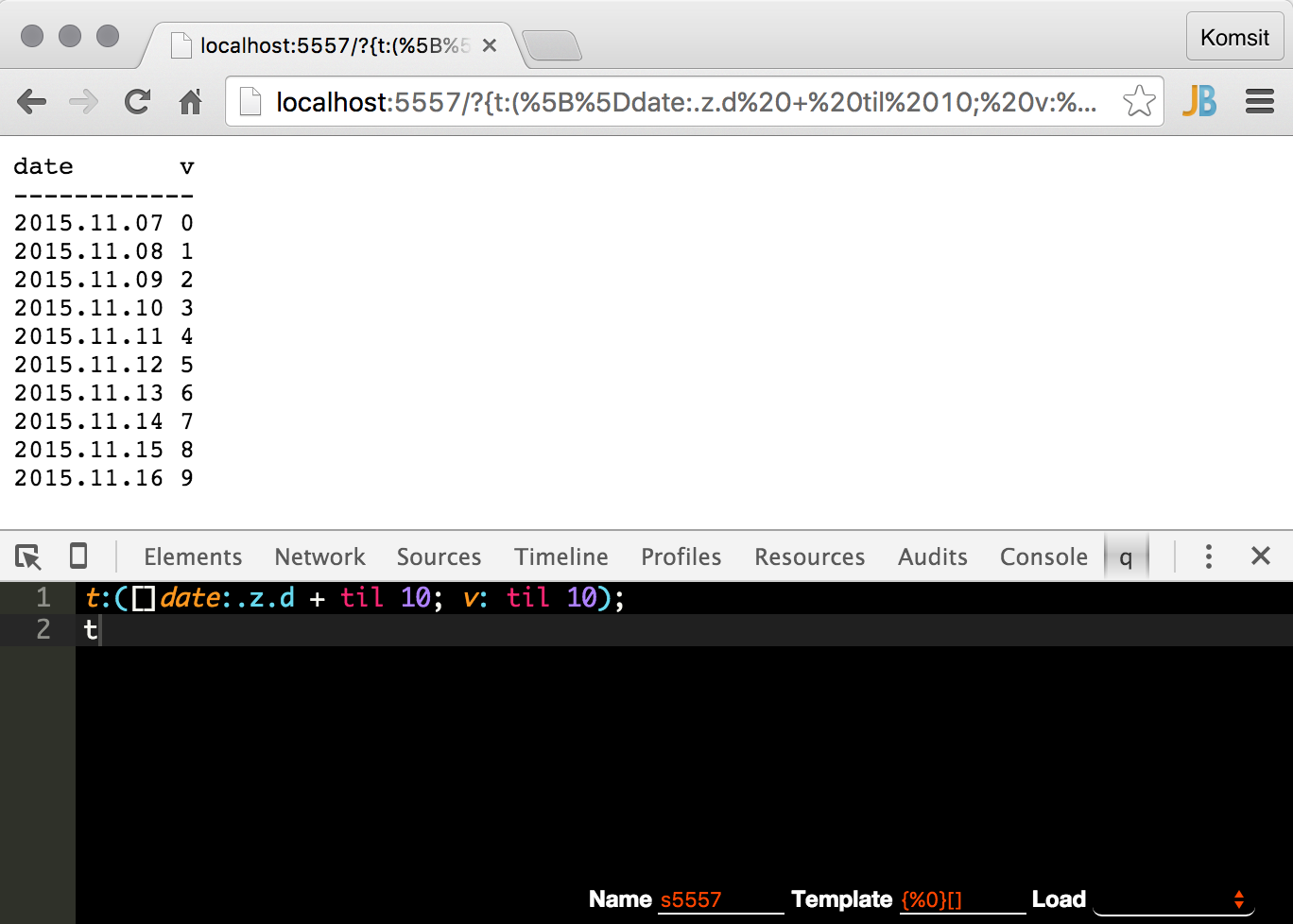
Interacts with kdb/q from chrome using kdb http interface. Useful for quick kdb query
##Installation
- Clone this repo
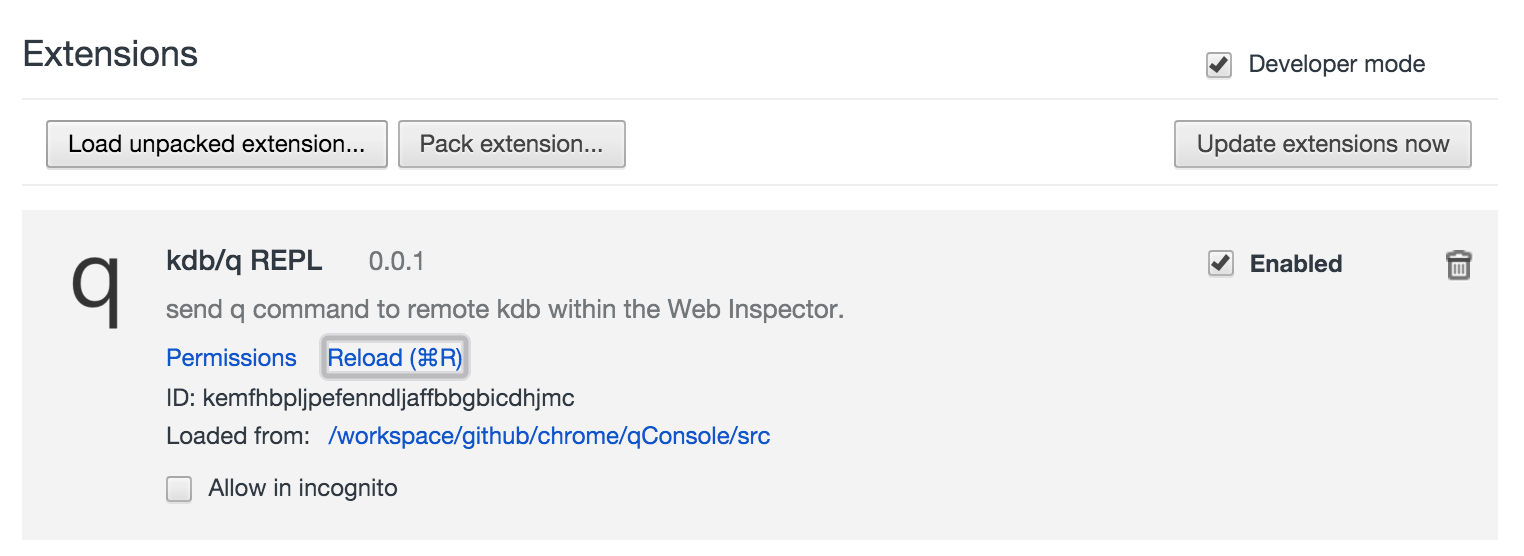
- Open Chrome extensions page chrome://extensions
- Load unpacked extension using Developer mode from src folder. You should see something similar to the image below (Make sure to check Developer mode checkbox!)
##Usage
- Go to kdb web url i.e. http://localhost:5555/
- Bring up chrome developer tools
- select
qtab - write your q scripts and
Command+Enterto run the current lineCommand+eto run the current selectionCommand+Shift+Enterto run the whole script
scripts are saved to chrome local key-value storage (using name text field as key)
Command+sto saveCommand+lto loadCommand+dto delete
(Replace Command by Ctrl for above shortcuts if windows)
##Note
- q statement sent via REPL will be wrapped in closure (immediately executed function) to avoid polluting global namespace. This is essentially important when querying rdb.
- If you need to define function, define it in its own namespace (i.e.
.my.f:{x+1}) - If you need to define variable, use
::(i.e.e::{x+1}) - Because of this, don't use x or y since it's a reserved argument names in q
- You can change this behavior, or add your custom wrapper by changing Template
{%0}[]where %0 is the code you sent from editor. Template will be saved with script.
##Todo
- export saved scripts