

To understand what Craft Agents does and how it works watch this video.
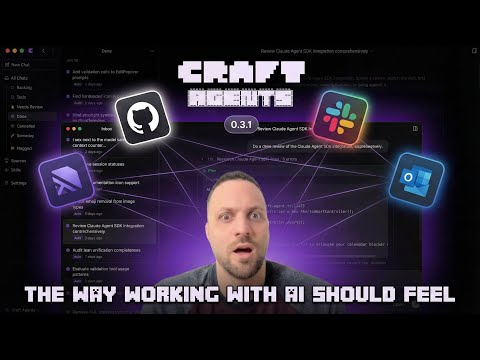
Click Here (or on the image above) to watch the video on YouTube →
Craft Agents is a tool we built so that we (at craft.do) can work effectively with agents. It enables intuitive multitasking, no-fluff connection to any API or Service, sharing sessions, and a more document (vs code) centric workflow - in a beautiful and fluid UI.
It uses the Claude Agent SDK and the Codex app-server side by side—building on what we found great and improving areas where we’ve desired improvements.
It's built with Agent Native software principles in mind, and is highly customisable out of the box. One of the first of its kind.
Craft Agents is open source under the Apache 2.0 license - so you are free to remix, change anything. And that's actually possible. We ourselves are building Craft Agents with Craft Agents only - no code editors - so really, any customisation is just a prompt away.
We built Craft Agents because we wanted a better, more opinionated (and preferably non-CLI way) of working with the most powerful agents in the world. We'll continue to improve it, based on our experiences and intuition.

How do I connect to Linear, Gmail, Slack...? Tell the agent "add Linear as a source." It finds public APIs and MCP servers, reads their docs, sets up credentials, and configures everything. No config files, no setup wizards.
Check out how I just connected to Slack →
I already have my MCP config JSON. Paste it. The agent handles the rest.
What about local MCPs? Fully supported. Stdio-based MCP servers run as local subprocesses on your machine. Point it at an npx command, a Python script, or any local binary. It just works.
Can it handle custom APIs? Yes. Paste an OpenAPI spec, some endpoint URLs, screenshots of docs, whatever you have. It figures it out and guides you through the rest.
APIs too? Not just MCPs? Craft Agents connects to anything. We have it hooked up to a direct Postgres DB behind a jumpbox. Skills + Sources = magic.
How do I import my Claude Code skills and MCPs? Tell the agent you want to import your skills from Claude Code. It handles the migration.
Here I imported all my skills in one go →
How do I create a new skill? Describe what the skill should do, give it context. The agent takes care of the rest.
Do I need to restart after changes?
No. Everything is instant. Mention new skills or sources with @, even mid-conversation.
So I can just ask it anything? Yes. That's the core idea behind agent-native software. You describe what you want, and it figures out how. That's a good use of tokens.
macOS / Linux:
curl -fsSL https://agents.craft.do/install-app.sh | bashWindows (PowerShell):
irm https://agents.craft.do/install-app.ps1 | iexgit clone https://github.com/lukilabs/craft-agents-oss.git
cd craft-agents-oss
bun install
bun run electron:start- Multi-Session Inbox: Desktop app with session management, status workflow, and flagging
- Claude Code Experience: Streaming responses, tool visualization, real-time updates
- Multiple LLM Connections: Add multiple AI providers and set per-workspace defaults
- Codex / OpenAI Support: Run Codex-backed sessions alongside Anthropic
- Craft MCP Integration: Access to 32+ Craft document tools (blocks, collections, search, tasks)
- Sources: Connect to MCP servers, REST APIs (Google, Slack, Microsoft), and local filesystems
- Permission Modes: Three-level system (Explore, Ask to Edit, Auto) with customizable rules
- Background Tasks: Run long-running operations with progress tracking
- Dynamic Status System: Customizable session workflow states (Todo, In Progress, Done, etc.)
- Theme System: Cascading themes at app and workspace levels
- Multi-File Diff: VS Code-style window for viewing all file changes in a turn
- Skills: Specialized agent instructions stored per-workspace
- File Attachments: Drag-drop images, PDFs, Office documents with auto-conversion
- Hooks: Event-driven automation — run commands or create sessions on label changes, schedules, tool use, and more
- Launch the app after installation
- Choose API Connection: Use Anthropic (API key or Claude Max) or Codex (OpenAI OAuth)
- Create a workspace: Set up a workspace to organize your sessions
- Connect sources (optional): Add MCP servers, REST APIs, or local filesystems
- Start chatting: Create sessions and interact with Claude
- Inbox/Archive: Sessions organized by workflow status
- Flagging: Mark important sessions for quick access
- Status Workflow: Todo → In Progress → Needs Review → Done
- Session Naming: AI-generated titles or manual naming
- Session Persistence: Full conversation history saved to disk
Connect external data sources to your workspace:
| Type | Examples |
|---|---|
| MCP Servers | Craft, Linear, GitHub, Notion, custom servers |
| REST APIs | Google (Gmail, Calendar, Drive), Slack, Microsoft |
| Local Files | Filesystem, Obsidian vaults, Git repos |
| Mode | Display | Behavior |
|---|---|---|
safe |
Explore | Read-only, blocks all write operations |
ask |
Ask to Edit | Prompts for approval (default) |
allow-all |
Auto | Auto-approves all commands |
Use SHIFT+TAB to cycle through modes in the chat interface.
| Shortcut | Action |
|---|---|
Cmd+N |
New chat |
Cmd+1/2/3 |
Focus sidebar/list/chat |
Cmd+/ |
Keyboard shortcuts dialog |
SHIFT+TAB |
Cycle permission modes |
Enter |
Send message |
Shift+Enter |
New line |
craft-agent/
├── apps/
│   └── electron/              # Desktop GUI (primary)
│       └── src/
│           ├── main/          # Electron main process
│           ├── preload/       # Context bridge
│           └── renderer/      # React UI (Vite + shadcn)
└── packages/
    ├── core/                  # Shared types
    └── shared/                # Business logic
        └── src/
            ├── agent/         # CraftAgent, permissions
            ├── auth/          # OAuth, tokens
            ├── config/        # Storage, preferences, themes
            ├── credentials/   # AES-256-GCM encrypted storage
            ├── sessions/      # Session persistence
            ├── sources/       # MCP, API, local sources
            └── statuses/      # Dynamic status system
# Hot reload development
bun run electron:dev

# Build and run
bun run electron:start

# Type checking
bun run typecheck:all

# Debug logging (writes to ~/Library/Logs/Craft Agents/)
# Logs are automatically enabled in developmentOAuth integrations (Slack, Microsoft) require credentials baked into the build. Create a .env file:
MICROSOFT_OAUTH_CLIENT_ID=your-client-id
SLACK_OAUTH_CLIENT_ID=your-slack-client-id
SLACK_OAUTH_CLIENT_SECRET=your-slack-client-secret
Note: Google OAuth credentials are NOT baked into the build. Users provide their own credentials via source configuration. See the Google OAuth Setup section below.
Google integrations require you to create your own OAuth credentials. This is a one-time setup.
- Go to Google Cloud Console
- Create a new project (or select an existing one)
- Note your Project ID
Go to APIs & Services → Library and enable the APIs you need:
- Gmail API - for email integration
- Google Calendar API - for calendar integration
- Google Drive API - for file storage integration
- Go to APIs & Services → OAuth consent screen
- Select External user type (unless you have Google Workspace)
- Fill in required fields:
- App name: e.g., "My Craft Agent"
- User support email: your email
- Developer contact: your email
- Add scopes (optional - can leave default)
- Add yourself as a test user (required for External apps in testing mode)
- Complete the wizard
- Go to APIs & Services → Credentials
- Click Create Credentials → OAuth Client ID
- Application type: Desktop app
- Name: e.g., "Craft Agent Desktop"
- Click Create
- Note the Client ID and Client Secret
When setting up a Google source (Gmail, Calendar, Drive), add these fields to your source's config.json:
{
  "api": {
    "googleService": "gmail",
    "googleOAuthClientId": "your-client-id.apps.googleusercontent.com",
    "googleOAuthClientSecret": "your-client-secret"
  }
}
Or simply tell the agent you want to connect Gmail/Calendar/Drive - it will guide you through entering your credentials.
- Your OAuth credentials are stored encrypted alongside other source credentials
- Never commit credentials to version control
- For production use, consider getting your OAuth consent screen verified by Google
Third-party and self-hosted LLM providers are supported only through the Claude / Anthropic API Key connection. When you select Anthropic API Key during setup, you can choose from:
| Provider | Endpoint | Notes |
|---|---|---|
| OpenRouter | https://openrouter.ai/api |
Access Claude, GPT, Llama, Gemini, and hundreds of other models through a single API key. Use provider/model-name format (e.g. anthropic/claude-opus-4.6). |
| Vercel AI Gateway | https://ai-gateway.vercel.sh |
Route requests through Vercel's AI Gateway with built-in observability and caching. |
| Ollama | http://localhost:11434 |
Run open-source models locally. No API key required. |
| Custom | Any URL | Any OpenAI-compatible or Anthropic-compatible endpoint. |
Craft Agents uses two different agent backends:
- Claude — powered by the Claude Agent SDK, which natively supports custom base URLs and provider routing. This makes it straightforward to point requests at any compatible endpoint.
- Codex — powered by the Codex app-server, which communicates via JSON-RPC over stdio. Codex connections are limited to direct OpenAI API (via API key or ChatGPT subscription OAuth).
If you want to use models from OpenRouter, Vercel AI Gateway, Ollama, or any other third-party provider, set up a Claude / Anthropic API Key connection and select the desired endpoint.
Configuration is stored at ~/.craft-agent/:
~/.craft-agent/
├── config.json              # Main config (workspaces, LLM connections)
├── credentials.enc          # Encrypted credentials (AES-256-GCM)
├── preferences.json         # User preferences
├── theme.json               # App-level theme
└── workspaces/
    └── {id}/
        ├── config.json      # Workspace settings
        ├── theme.json       # Workspace theme override
        ├── hooks.json       # Event-driven automation hooks
        ├── sessions/        # Session data (JSONL)
        ├── sources/         # Connected sources
        ├── skills/          # Custom skills
        └── statuses/        # Status configuration
Hooks let you automate workflows by triggering actions when events happen — labels change, sessions start, tools run, or on a cron schedule.
Just ask the agent:
- "Set up a daily standup briefing every weekday at 9am"
- "Notify me when a session is labelled urgent"
- "Log all permission mode changes to a file"
- "Every Friday at 5pm, summarise this week's completed tasks"
Or configure manually in ~/.craft-agent/workspaces/{id}/hooks.json:
{
  "version": 1,
  "hooks": {
    "SchedulerTick": [
      {
        "cron": "0 9 * * 1-5",
        "timezone": "America/New_York",
        "labels": ["Scheduled"],
        "hooks": [
          { "type": "prompt", "prompt": "Check @github for new issues assigned to me" }
        ]
      }
    ],
    "LabelAdd": [
      {
        "matcher": "^urgent$",
        "permissionMode": "allow-all",
        "hooks": [
          { "type": "command", "command": "osascript -e 'display notification \"Urgent session\" with title \"Craft Agent\"'" }
        ]
      }
    ]
  }
}
Two hook types:
- Command hooks — run shell commands with event data as environment variables (
$CRAFT_LABEL,$CRAFT_SESSION_ID, etc.) - Prompt hooks — create a new agent session with a prompt (supports
@mentionsfor sources and skills)
Supported events: LabelAdd, LabelRemove, PermissionModeChange, FlagChange, TodoStateChange, SchedulerTick, PreToolUse, PostToolUse, SessionStart, SessionEnd, and more.
See the Hooks documentation for the full reference.
Tool responses exceeding ~60KB are automatically summarized using Claude Haiku with intent-aware context. The _intent field is injected into MCP tool schemas to preserve summarization focus.
External apps can navigate using craftagents:// URLs:
craftagents://allSessions                      # All sessions view
craftagents://allSessions/session/session123   # Specific session
craftagents://settings                         # Settings
craftagents://sources/source/github            # Source info
craftagents://action/new-chat                  # Create new session
| Layer | Technology |
|---|---|
| Runtime | Bun |
| AI | @anthropic-ai/claude-agent-sdk |
| AI (OpenAI) | Craft Agents Codex fork (app-server) |
| Desktop | Electron + React |
| UI | shadcn/ui + Tailwind CSS v4 |
| Build | esbuild (main) + Vite (renderer) |
| Credentials | AES-256-GCM encrypted file storage |
To launch the packaged app with verbose logging enabled, use -- --debug (note the double dash separator):
macOS:
/Applications/Craft\ Agents.app/Contents/MacOS/Craft\ Agents -- --debugWindows (PowerShell):
& "$env:LOCALAPPDATA\Programs\@craft-agentelectron\Craft Agents.exe" -- --debugLinux:
./craft-agents -- --debugLogs are written to:
- macOS:
~/Library/Logs/@craft-agent/electron/main.log - Windows:
%APPDATA%\@craft-agent\electron\logs\main.log - Linux:
~/.config/@craft-agent/electron/logs/main.log
This project is licensed under the Apache License 2.0 - see the LICENSE file for details.
This project uses the Claude Agent SDK, which is subject to Anthropic's Commercial Terms of Service.
Craft Agents also bundles a custom Codex app-server fork to support OpenAI/Codex connections:
"Craft" and "Craft Agents" are trademarks of Craft Docs Ltd. See TRADEMARK.md for usage guidelines.
We welcome contributions! Please see CONTRIBUTING.md for guidelines.
When spawning local MCP servers (stdio transport), sensitive environment variables are filtered out to prevent credential leakage to subprocesses. Blocked variables include:
ANTHROPIC_API_KEY,CLAUDE_CODE_OAUTH_TOKEN(app auth)AWS_ACCESS_KEY_ID,AWS_SECRET_ACCESS_KEY,AWS_SESSION_TOKENGITHUB_TOKEN,GH_TOKEN,OPENAI_API_KEY,GOOGLE_API_KEY,STRIPE_SECRET_KEY,NPM_TOKEN
To explicitly pass an env var to a specific MCP server, use the env field in the source config.
To report security vulnerabilities, please see SECURITY.md.
![@github-actions[bot]](https://avatars.githubusercontent.com/in/15368?s=64&v=4)


