Browsing over the mesh like it is 1999
MeshAccessProtocol bridges WAP (Wireless Application Protocol) and MeshCore LoRa mesh networks, enabling low-bandwidth internet access over long-range decentralised radio links.
MeshCore is a very neat and well scaling LoRa based mesh network. However as is the case with many of these is focussed on messaging. Not a bad thing for sure, but what if we can enable off-grid web browsing?
MeshCore is designed to handle small messages (up to 150 bytes). Thinking about this is that it is very similar to SMS. When the Wireless Application Protocol (WAP) was designed in the late 1990s it need a carrier, CSD (Circuit Switched Data) was not yet widely available and needed network changes. There was a rare short lived WAP over SMS standard (this all before GPRS was even a thing). Already running a WAP over SMS gateway I figured it would be fun to try and adapt WAP to run over MeshCore.
Unlike WAP 2.x which was more widely available, devices before 2002 uses UDP/WDP (over some barrier) to connect to a proxy server (like Kannel is the only open source of) which translated the WSP/WTP ultra tiny requests into the bulky HTTP. Same was true for the WML (Wireless Markup Language) content, which was compiled into a binary format (WMLC) to save bandwidth.
Why reinvent the wheel for internet over mesh when somebody already did the hard work 25 years ago, and were right!
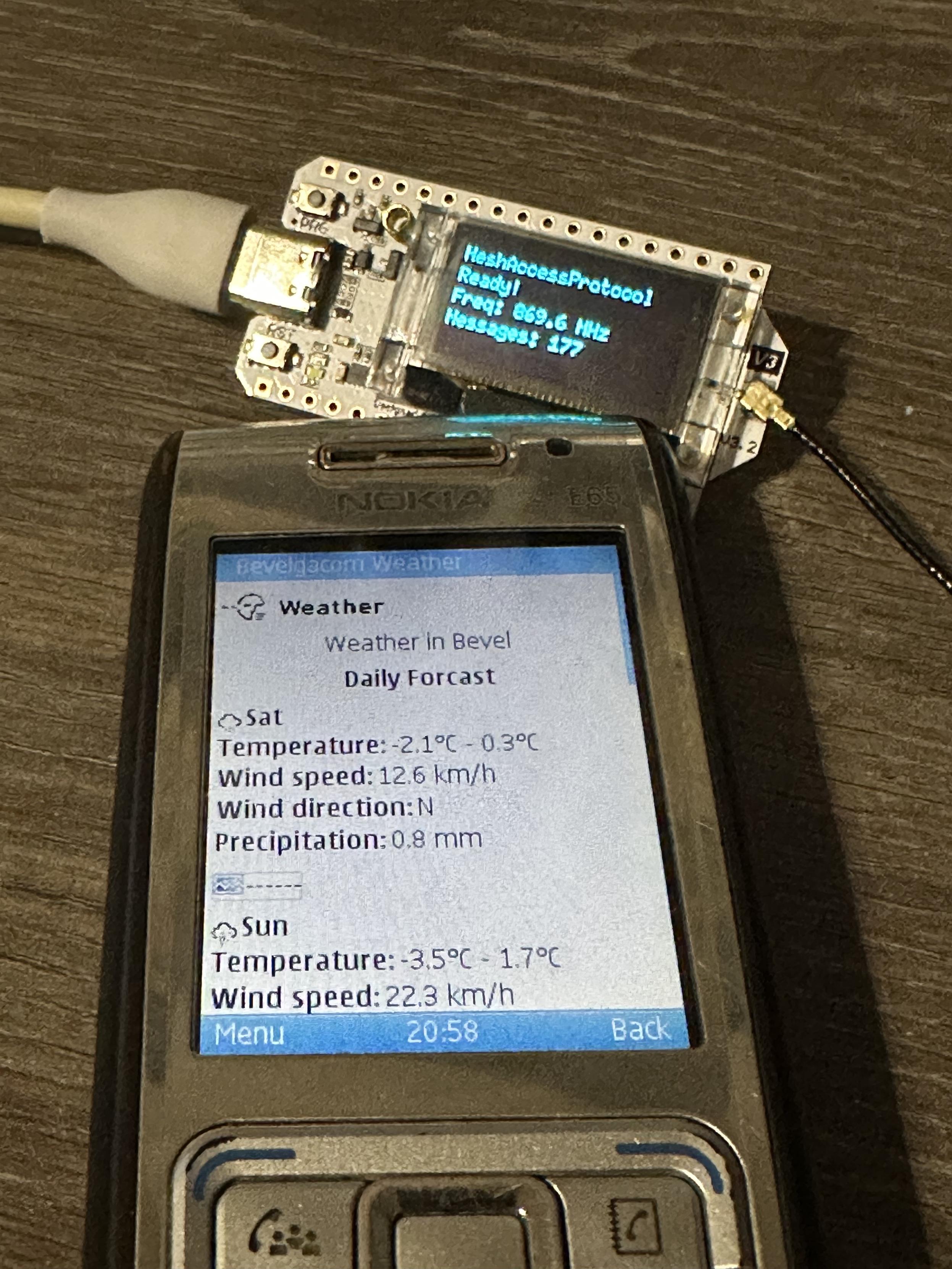
demo.mp4
MAP provides needs two types of nodes:
- Proxy Mode: ESP32 connects to WiFi and acts as a WAP gateway, forwarding requests from the LoRa mesh to a WAPBox server (Kannel).
- AP Mode: ESP32 creates a WiFi access point where clients can make HTTP requests that get routed through a Proxy node on the mesh
┌─────────────┐              ┌─────────────┐         UDP    ┌─────────────┐
│  AP Node    │◄────────────►│ Proxy Node  │◄──────────────►│   WAPBox    │
│  (WiFi AP)  │   MeshCore   │(WiFi Client)│                │  (Kannel)   │
└─────────────┘              └─────────────┘                └─────────────┘
       ▲                                                           ▲
       │ WiFi                                                      │
       ▼                                                           ▼
┌─────────────┐                                            ┌─────────────┐
│ WAP Client  │                                            │ WAP Content │
│  (Browser)  │                                            │   Server    │
└─────────────┘                                            └─────────────┘
For now this only works with the Heltec V3 board (ESP32 with OLED and LoRa). Other boards may work with some modifications, I simply don't have them to test with.
Due to the nature of most WAP devices capable of WML browsing having no WiFi and ESP32 not having GSM cell capabilities (oh hi radio band licensing), you will need a WAP browser that can connect over WiFi.
There are a few options:
- Nokia 6300i (not the classic 6300!) with WiFi and built-in WAP browser (to be tested, probably a rare unicorn in phones)
- Smartphone with J2ME emulator and WAP browser app (more below), they are noisy in requests! I tried to block most of them.
- Symbian phone with WiFi (like Nokia E65) and a J2ME WAP browser (older Symbian might have a built-in WML capable browser)
- Laptop with WAP emulator
- Why not contribute to our efforts on a modern WAP browser? (contact me on Mastodon) (did anyone say 3310 LoRa mod?)
- Any phone running MediaTek MAUI Mocor RTOS (HMD sells it as S30+) that might have WiFi. It has a full WML browser hidden, even if not available it can be triggered with a WAP Push message. (report if you find one!)
Be very upset here, for no good reason all J2ME browsers use proprietary proxies, shocker! Even before the days of data mining. Forget your Opera Mini.
- UC Browser 7.7 JAR - requires going to settings and disable
WAP Access via Serverto use direct WAP. Company and all servers are dead, all checks will fail, MAP blocks them anyway.
We are working at Bevelgacom to create lots of WML content compatible with the earliest WAP devices and building the mordern WAP portal! Check it out on http://wap.bevelgacom.be/ (works with MAP too!).
The proxy node needs a battery connected and needs USB-C disconnected to boot properly. Starting both WiFi and LoRa at the same time will cause a brownout on USB powered mode. Workaround is to disconnect USB-C after flashing and then reset the device. If you know a fix, PRs are welcome!
- PlatformIO
- just command runner (optional, for convenience)
-
Copy the secrets template:
cp src/secrets.h.example src/secrets.h
-
Edit
src/secrets.hwith your configuration:// For Proxy Mode - WiFi credentials #define WIFI_SSID "YourWiFiSSID" #define WIFI_PASSWORD "YourWiFiPassword" // For AP Mode - Public key of your Proxy node // Flash your proxy node first, connect to serial press enter to generate and show pubkey #define PROXY_NODE_PUBKEY "21BDD77007F54EF3..."
-
Select operation mode for the device you will be flashing in
src/main.cpp:#define OPERATION_MODE MODE_PROXY // or MODE_AP
-
Build and upload the firmware.
Default settings optimized for EU868 narrow:
| Parameter | Value |
|---|---|
| Frequency | 869.617 MHz |
| Bandwidth | 62.50 kHz |
| Spreading Factor | SF8 |
| Coding Rate | 4/8 |
| TX Power | 22 dBm |
Run the WAP library tests (requires g++):
# Unit tests
just test

# End-to-end test (requires network)
just test-e2e

# All tests
just test-allMAP is designed to work with Kannel as the WAP gateway. The default configuration points Bevelgacom to:
- Host:
206.83.40.166(bevelgacom public gateway) - Port:
9200(WAP sessionless mode)
To use your own WAPBox, modify WAPBOX_HOST and WAPBOX_PORT in src/main.cpp.