Template of vscode remote development container
ページ右上にある、Use this templateをクリックして、新しいリポジトリを作成してください。
Remote Containerをインストールしていない場合は、以下のページの「「Dev Container」用の拡張機能のインストール」を参照してください。
「Dev Container」用の拡張機能のインストール | 【VS Code】Remote Development テンプレートを作ってみました!
.devcontainer/devcontainer.json の name フィールドに、適当な名称を設定してください。
その他の調整は以下のページを参照してください。
【VS Code】Remote Development テンプレートを作ってみました!
コマンドパレットからRemote-Containers: Reopen in Containerを選択
django-admin startproject [project_name] .[project_name]/settings.pyのDATABASESを以下のように置き換えてください。
DATABASES = {
    'default': {
        'ENGINE': 'django.db.backends.postgresql',
        'NAME': 'postgres',
        'USER': 'postgres',
        'PASSWORD': 'postgres',
        'HOST': 'db',
        'PORT': 5432,
    }
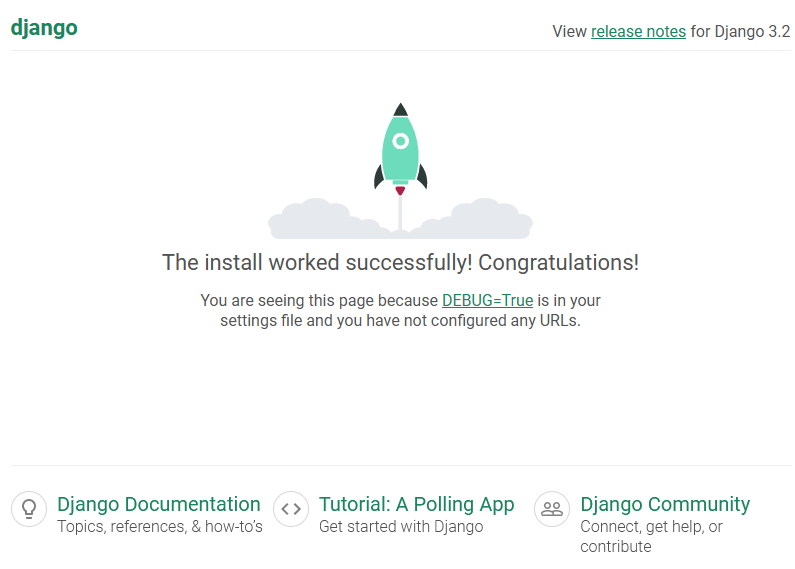
}python manage.py runserver 0:8000http://localhost:8000を開いて、以下のように表示されれば設定完了です。
パスワードがべた書きなので、必要に合わせて.envファイルなどを利用してください。
- docker-compose.yml - POSTGRES_PASSWORD
- [project_name]/settings.py - DATABESES - PASSWORD