Learning about Data Binding on Pluralsight.
Data Binding Library Process
- Create a binding from a layout
- Retrieve the data
- Bind the data to the view
This is possible because of code generation.

Layout - XML file descriptioin View - Java file subclassing an activity, fragment, or view Binding class - A Java file generated using code generation Code Generation - Compile time process to create code Gradle Plugin - Assists in custom compilation
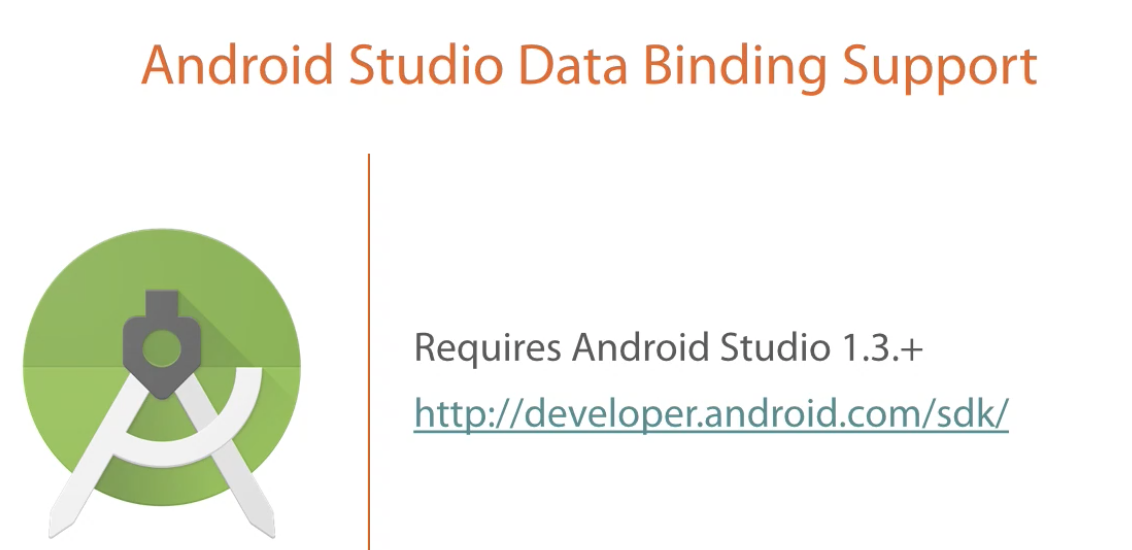
We need to use an Android Studio version that SUPPORTS THE USE OF DATA BINDING LIBRARY.
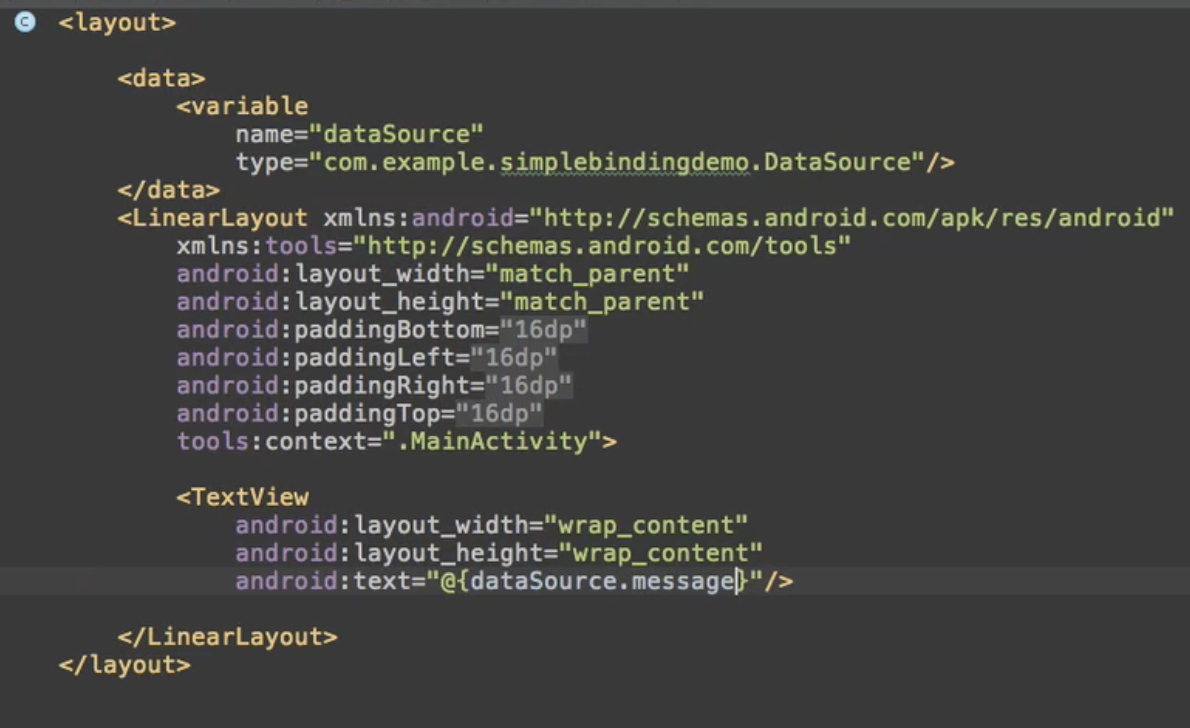
- Surround all the view hierarchy defined in XML with the tag
- Inside this new XML you can have a section called where you declare your variables
It will find the first item that matches the following pattern:
- A public method with a named prefixed by get
- A public method with a name
- A public field with a name
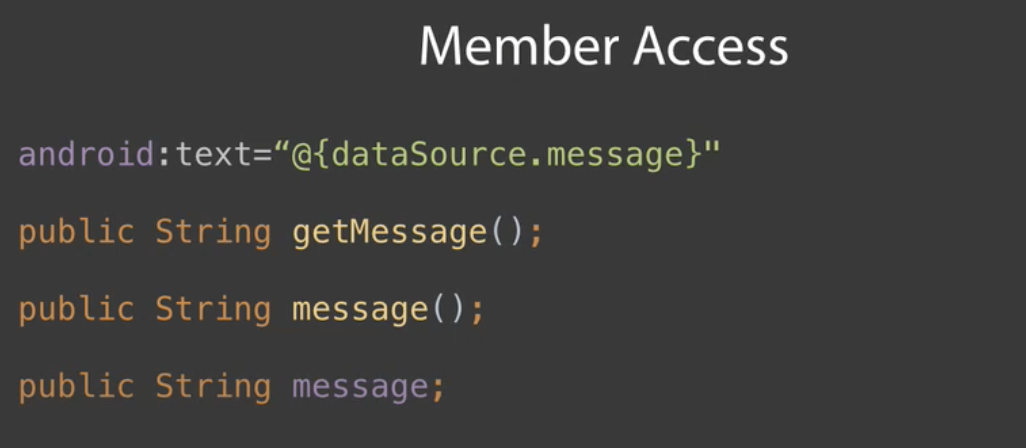
If there's not a matching public member you will receive an data binding error on compilation. The error message will indicate it cannot find an accessor.

- Inflate the view, then bind it.
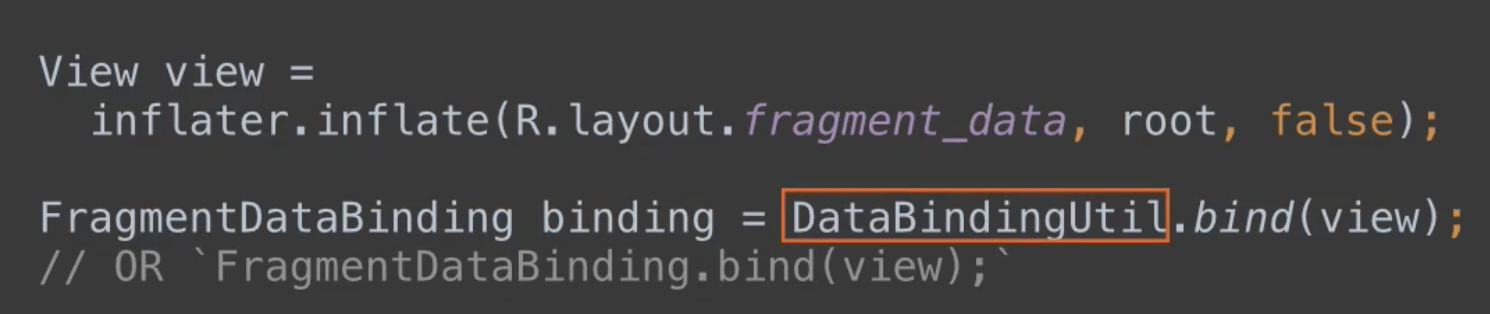
- Inflate and bind at the same time


- Retrieve binding from an already-inflated view One last note here, if you created a binding previously, but don't have a reference to it you can get that reference using the DataBindingUtil.

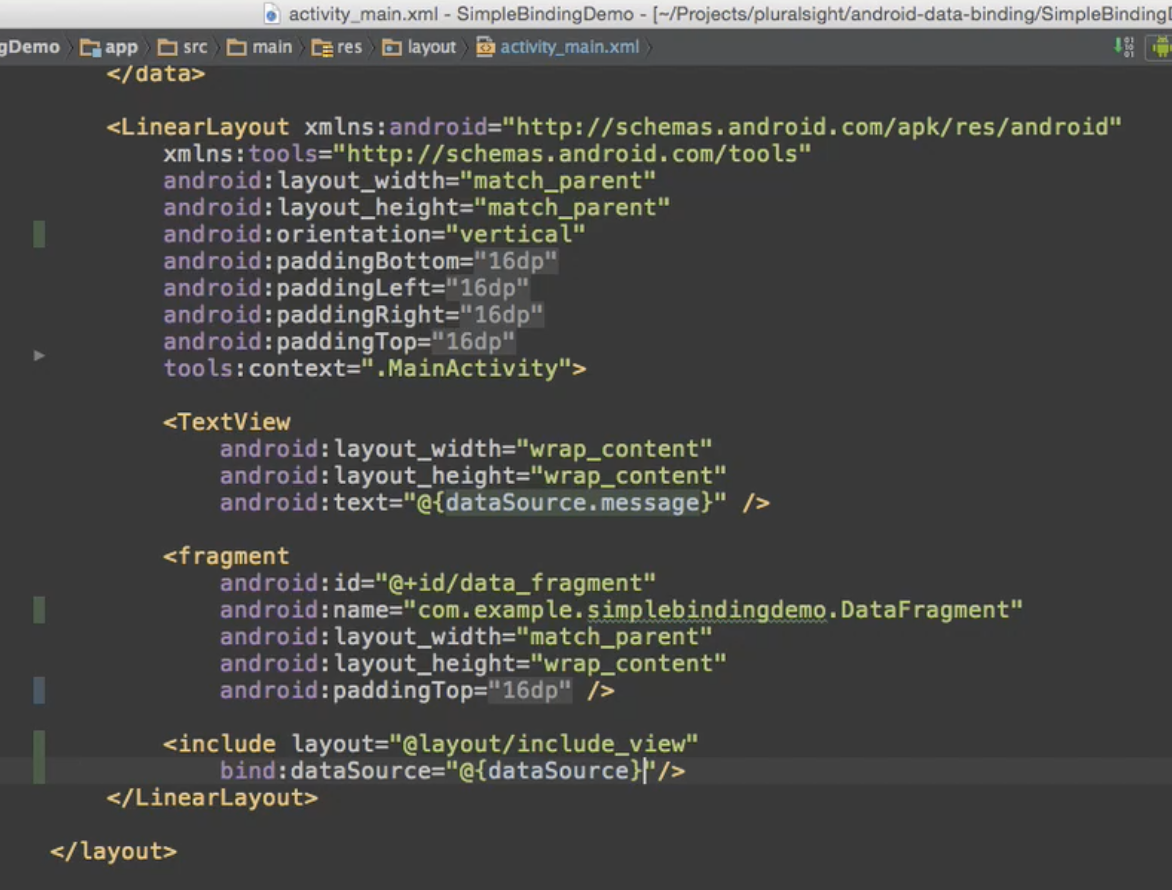
In the separated layout we declare the same variable and same name
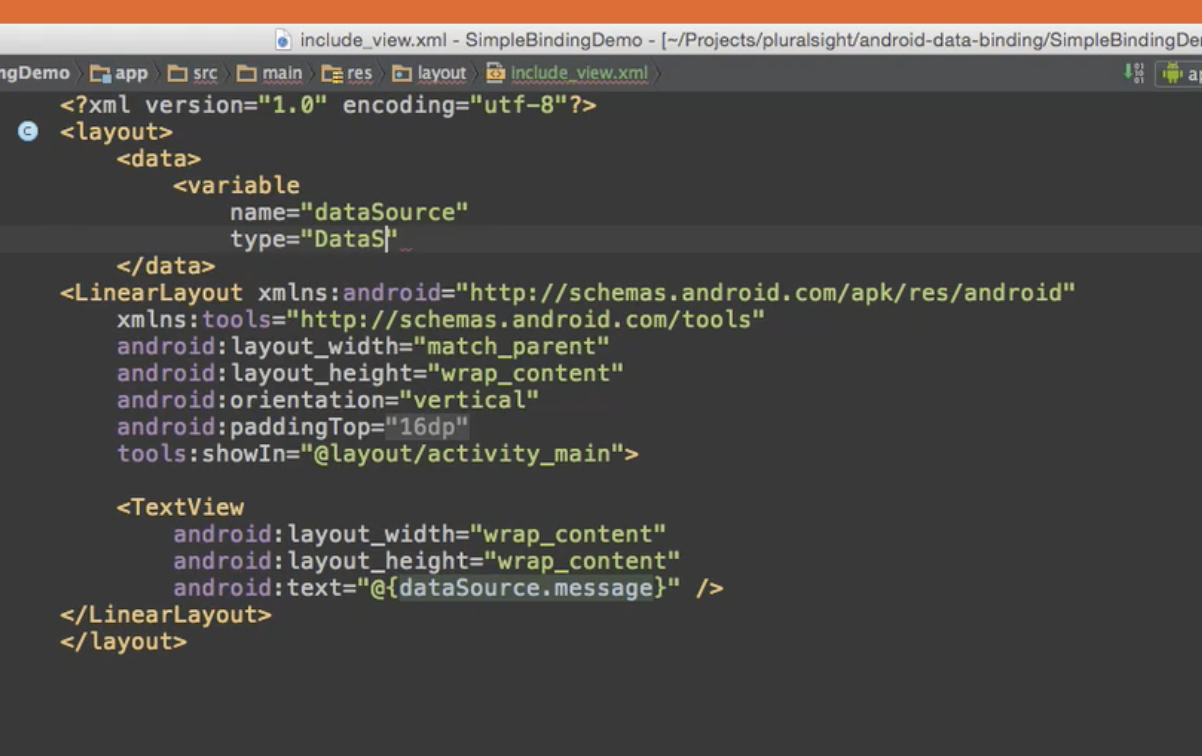
Binding a custom view requires a slightly different tag than binding an activity or fragment and also requires a little more work than a simple include.
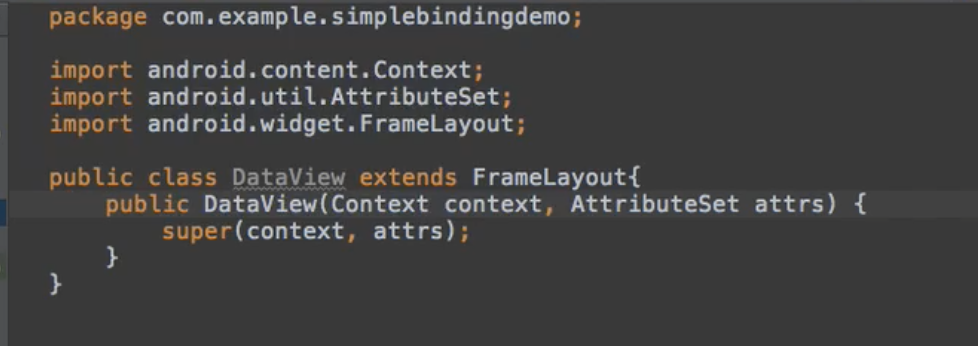
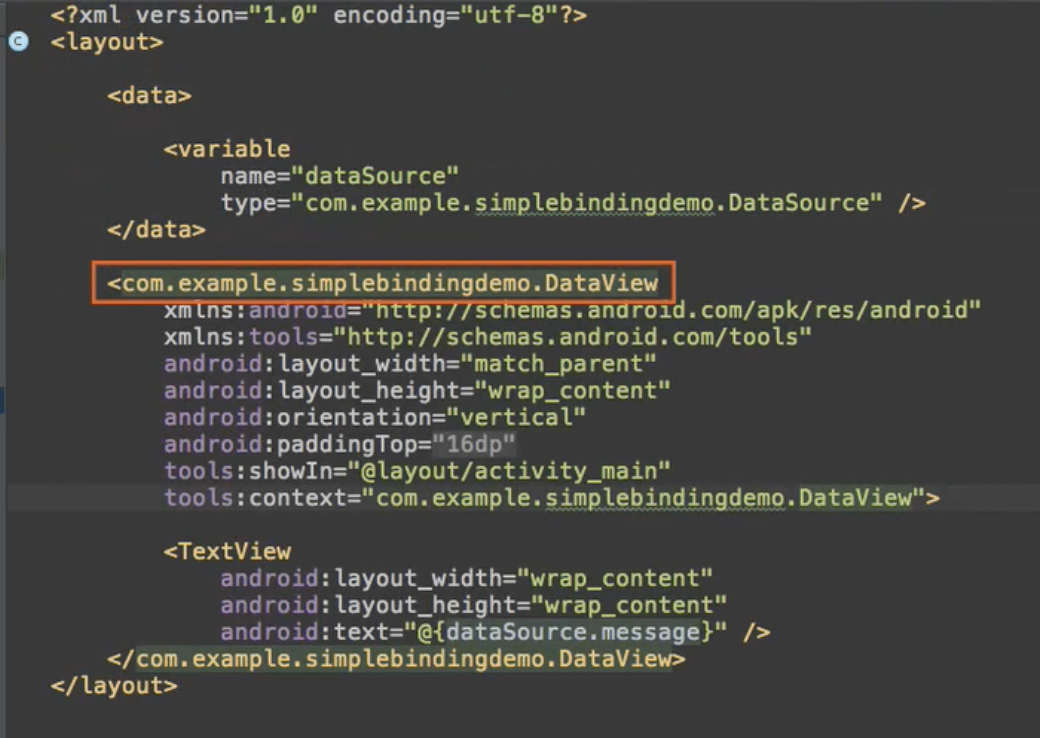
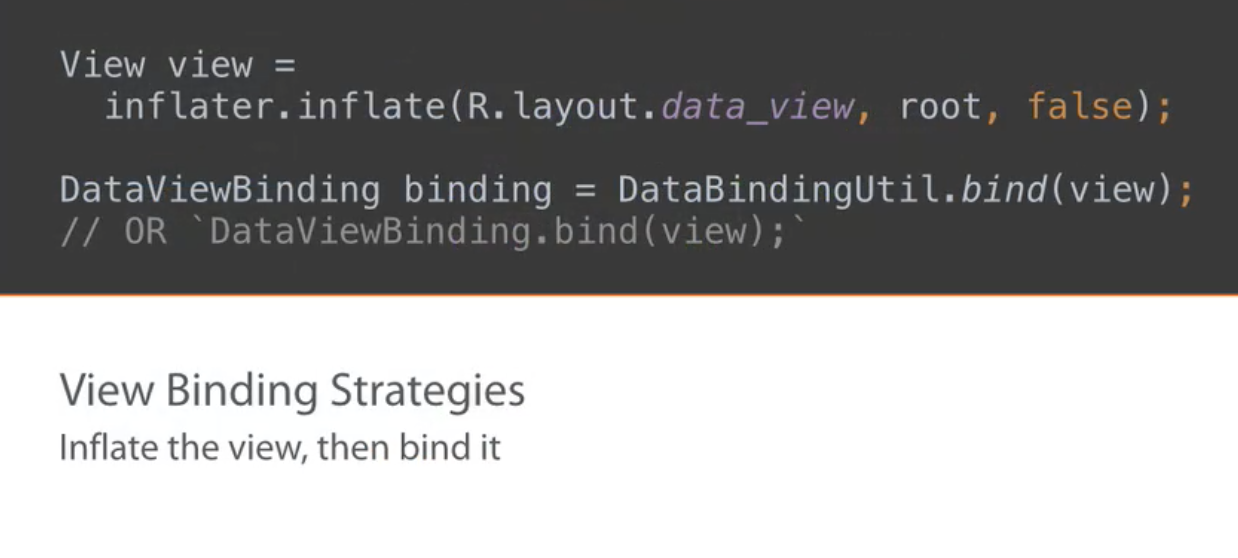
In this case, our view will be inflated along with the activity, so we need to choose a binding method that takes an inflated view as a parameter. We can use either DataBindingUtil or DataViewbinding.
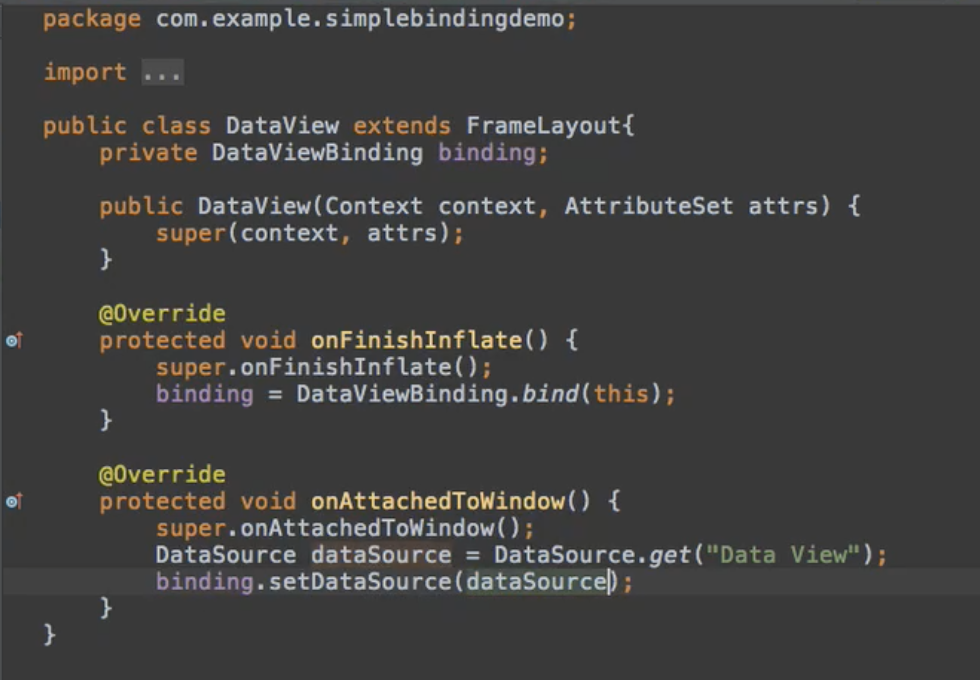
onAttachToWindow() method is called before 'onDraw()' which makes sense because you need the data before actually drawing the view.
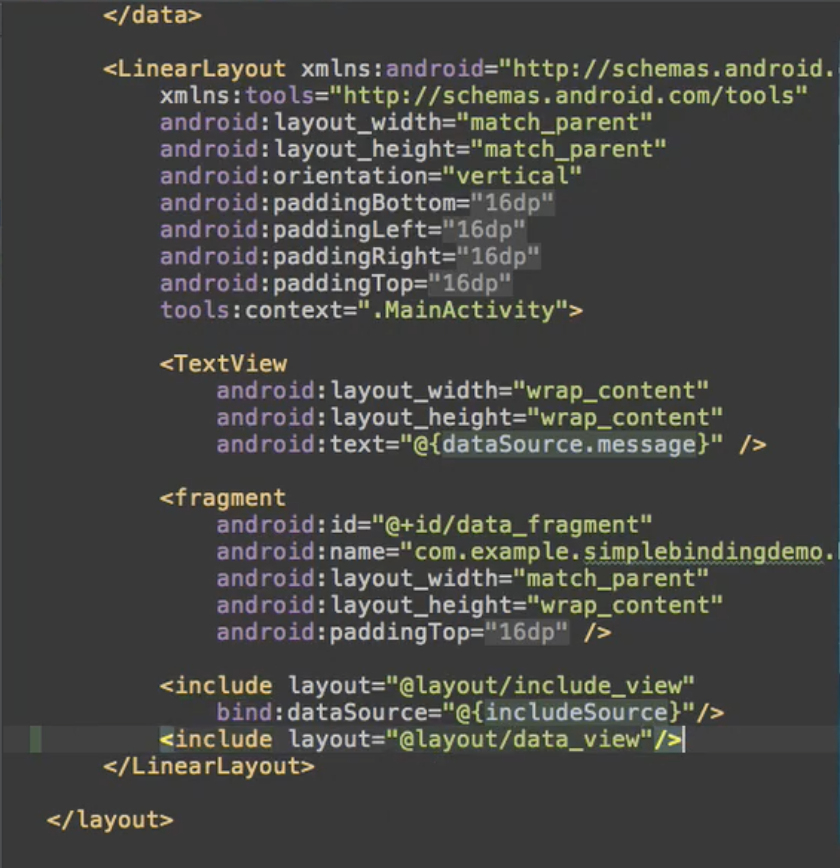
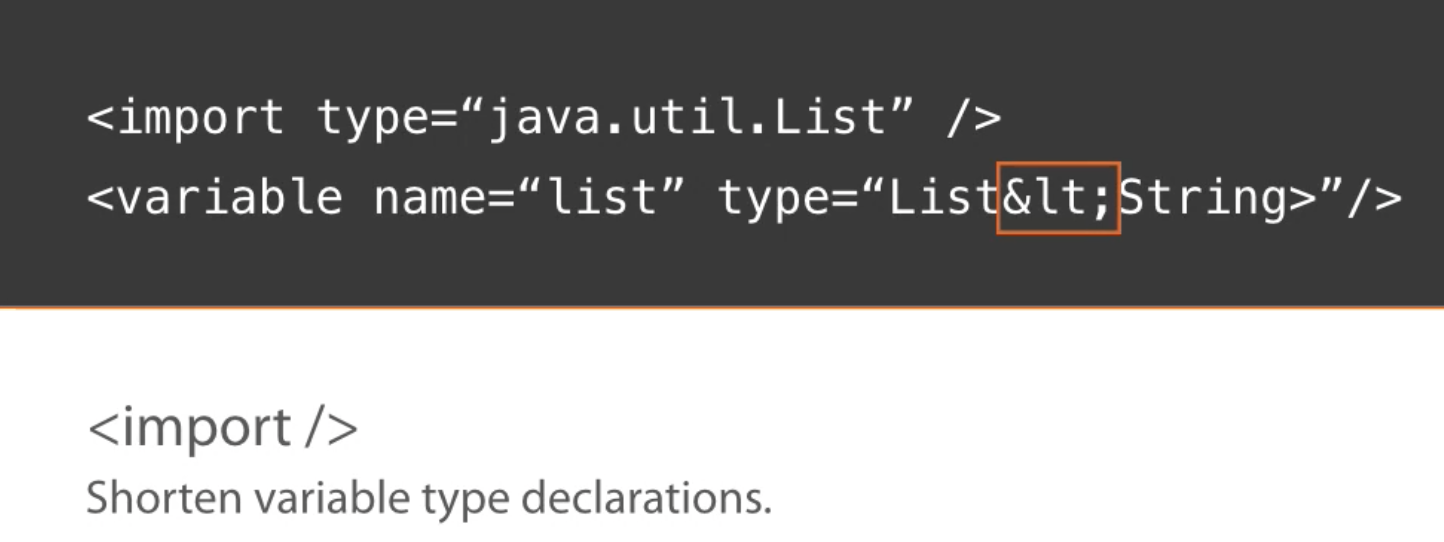
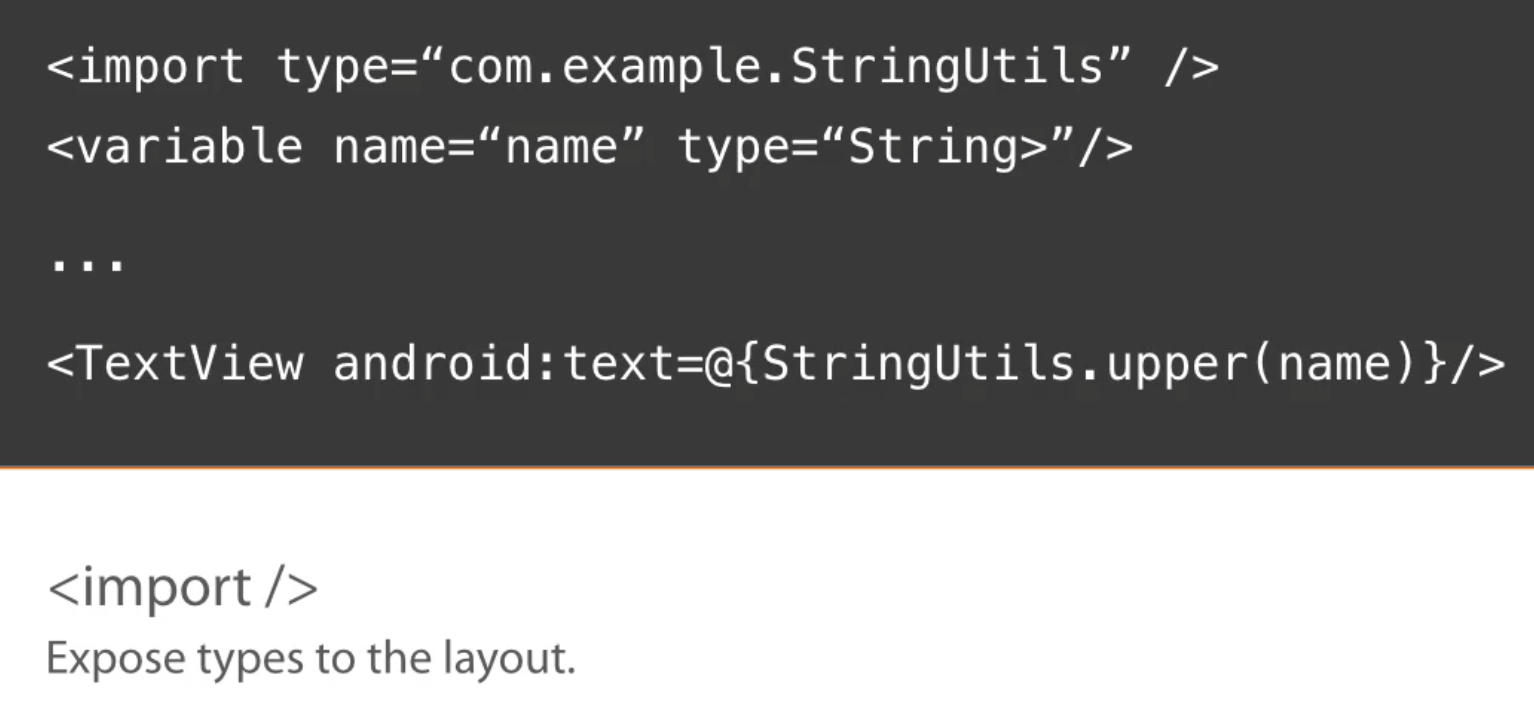
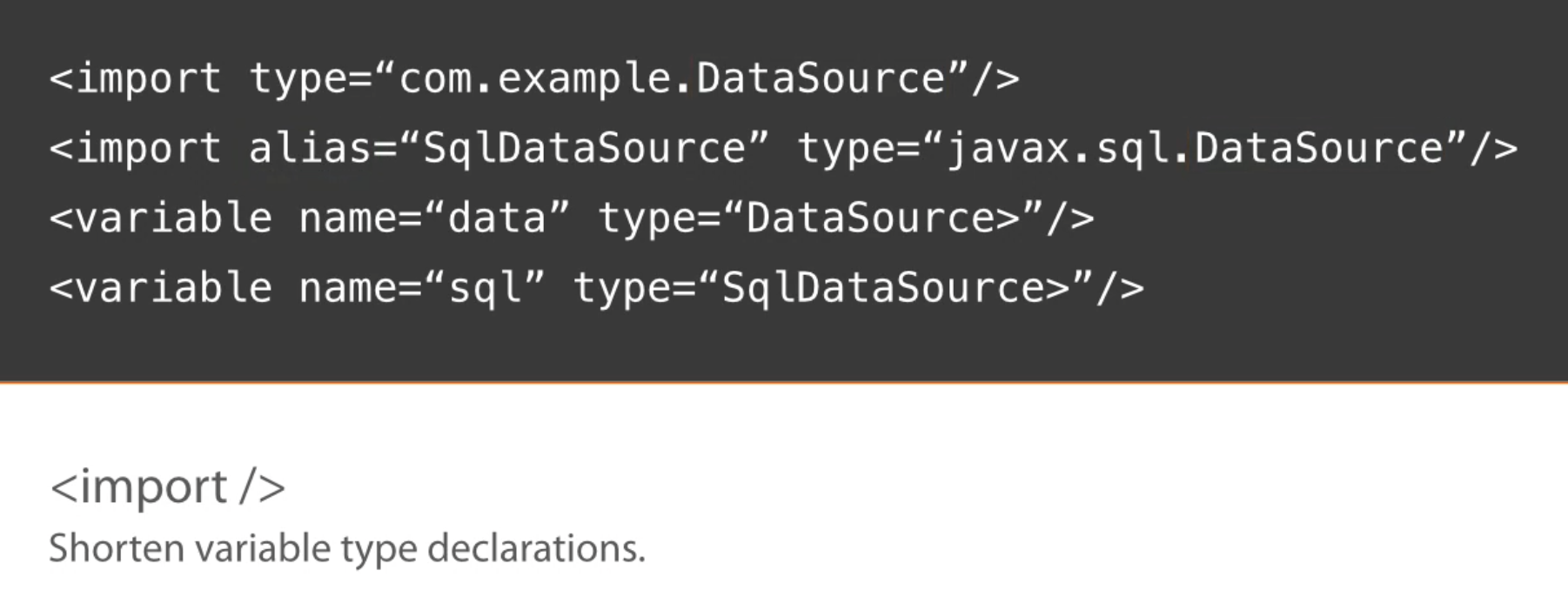
The binding library helps you control an element's value and state.

The expression language is not designed for object creation, so you'll not be able to use the new keyword. If you've derived a class as variable, you will not be able to use the super keyword either to access base class members.

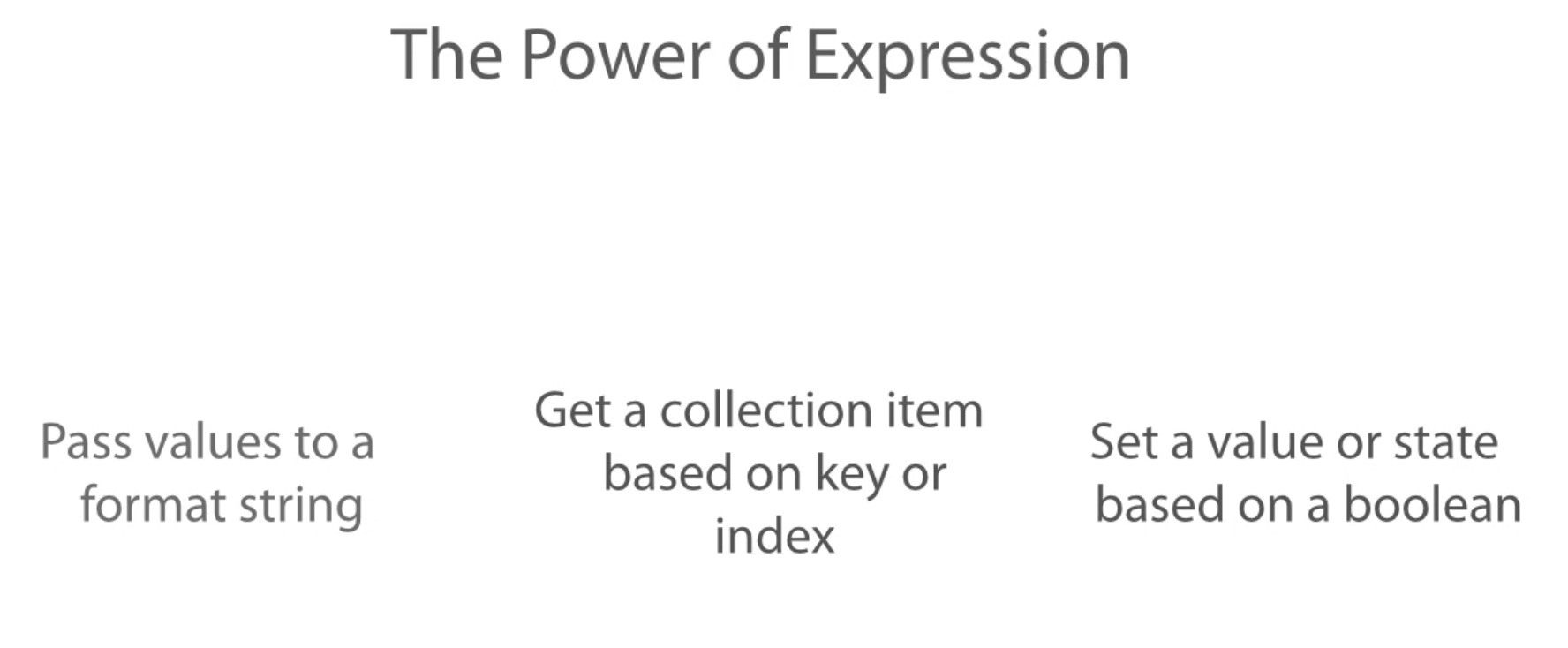
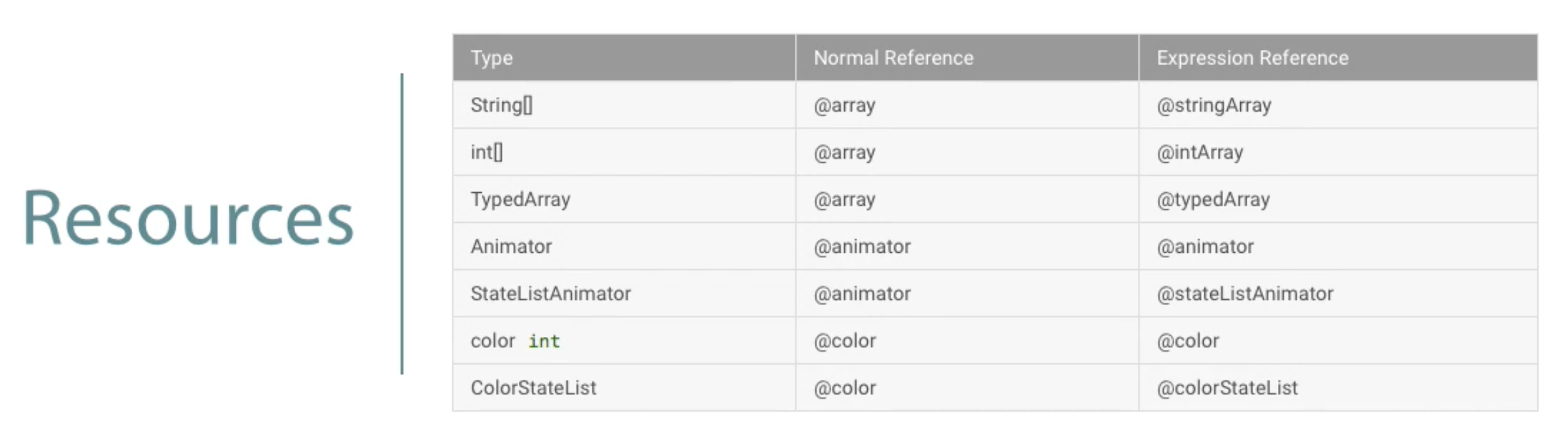
We can reference string resources inside EXPRESSION LANGUAGE